Which record should stay in your CRM after merge?
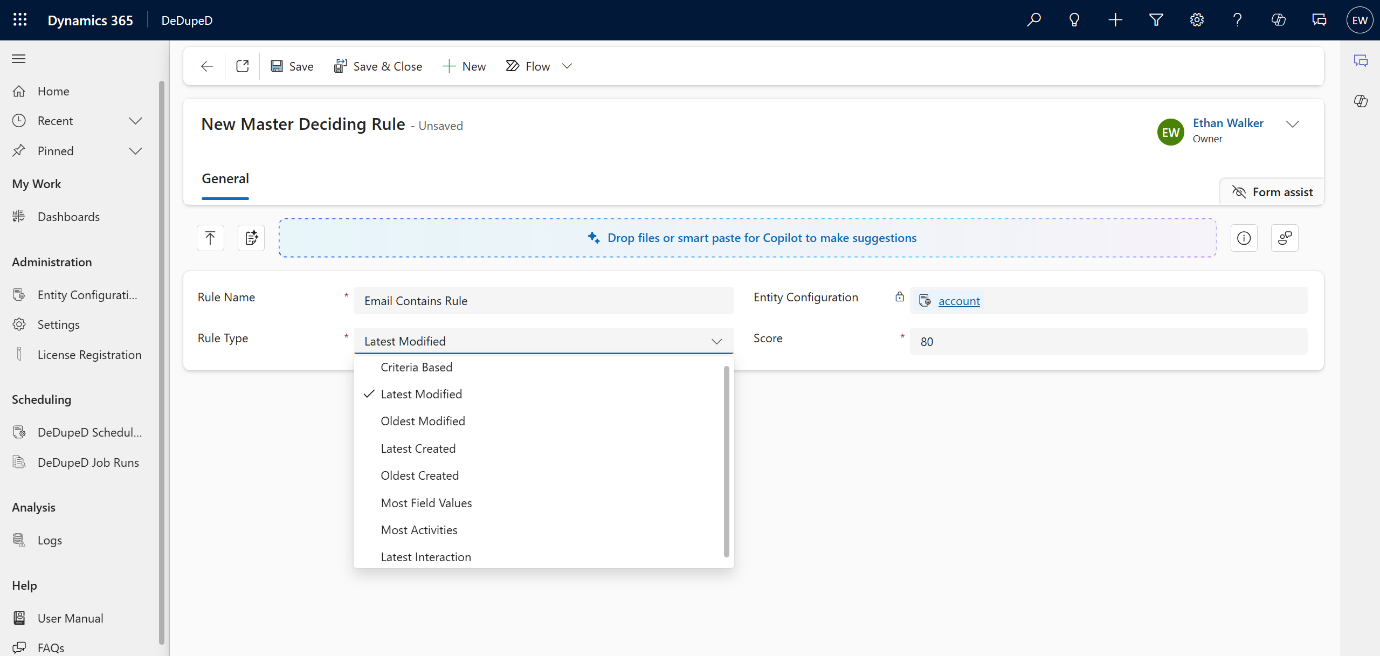
Master Deciding Rules determine which duplicate record survives and becomes the master. For this, you can use any of the master deciding rules as per your business needs. Built-In Master Rule Types:
- Latest Modified
- Oldest Modified
- Latest Created
- Oldest Created
- Most Field Values
- Most Activities
These rules automatically evaluate data completeness, stability, and engagement.
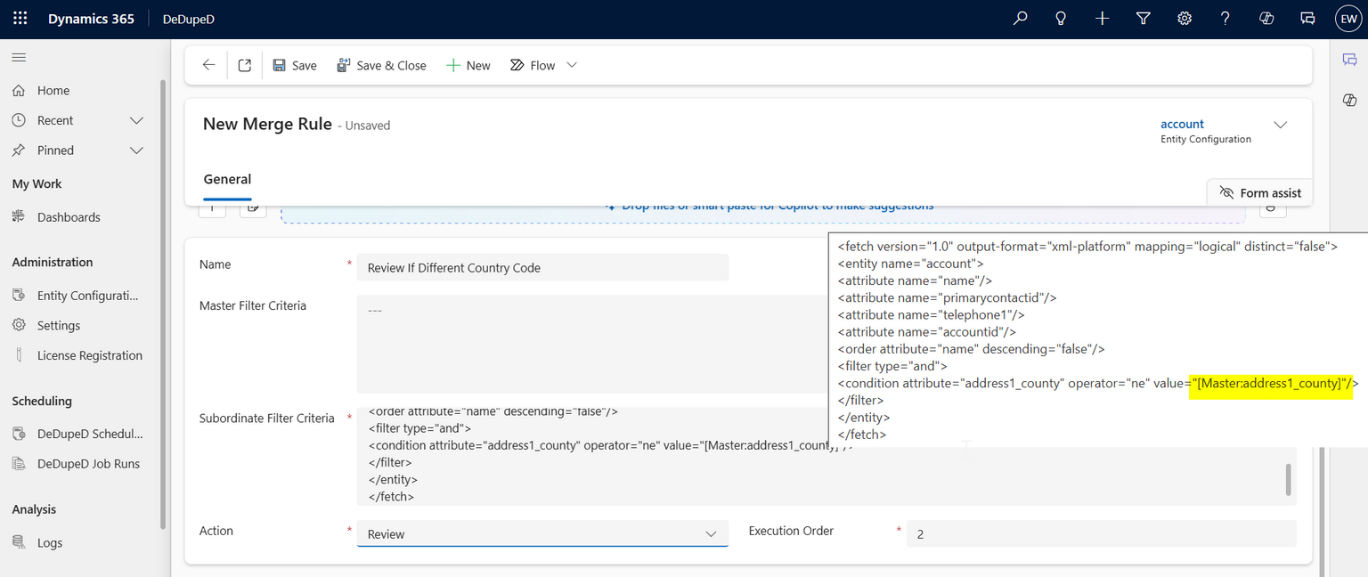
Criteria-Based Master Selection to Merge Records in Dynamics 365 CRM
How to select the master record based on business criteria to merge the records in Dynamics 365 CRM?
Criteria-based master selection uses business-defined conditions to decide which records should remain after a CRM merge.
This ensures duplicate merges follow organizational priorities and maintain data consistency across teams.
For advanced scenarios, master selection can be driven by custom business conditions, such as:
- Always retain Active records
- Prefer records owned by a specific team
- Keep records from a trusted data source
This allows CRM administrators to align merge outcomes with organizational policy.
Scoring-Based Master Deciding Rules for Merging Records in Dynamics 365 CRM
How to select the master record based on the completeness score for merging in Dynamics 365 CRM?
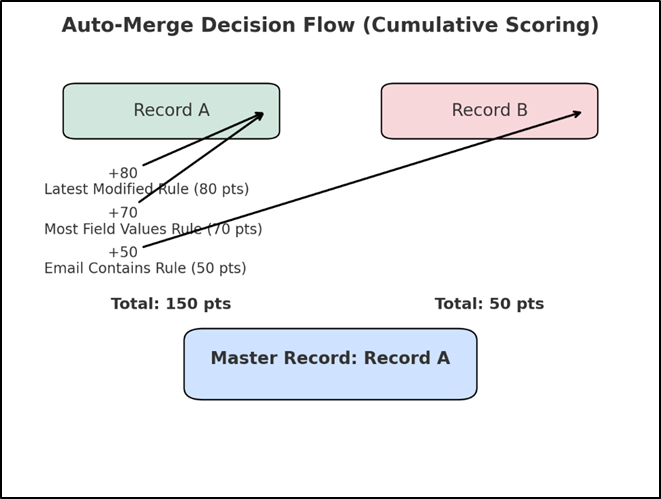
Scoring-based master selection determines the master record by evaluating multiple merge rules together instead of relying on a single condition.
Each record earns a score based on predefined priorities, and the record with the highest combined score is retained, making merge decisions transparent, predictable, and easy to explain.
Multiple master rules can be enabled simultaneously, each with a weight (1–100).
How scoring works:
- All active master rules are evaluated
- Scores are accumulated per record
- The record with the highest total score becomes the master
Example:
- Latest Modified → 80
- Most Field Values → 70
- Email Match → 50
This creates predictable, explainable, AI-friendly master selection.
Interaction-Based Master Selection for Merging Records in Dynamics 365 CRM
How to select the master record based on usage to merge the records in Dynamics 365 CRM?
Interaction-based master selection determines the master record during a CRM merge based on recent activity and usage, not just static data. By evaluating interactions such as cases, emails, or updates, Dynamics 365 CRM ensures the most actively used and relevant record is retained after merging duplicates.
Sometimes relevance is determined by activity, not fields.
Master selection can consider:
- Latest Case, Order, Invoice, or Email
- Record Created On / Modified On
Ensures the most actively used customer record survives.
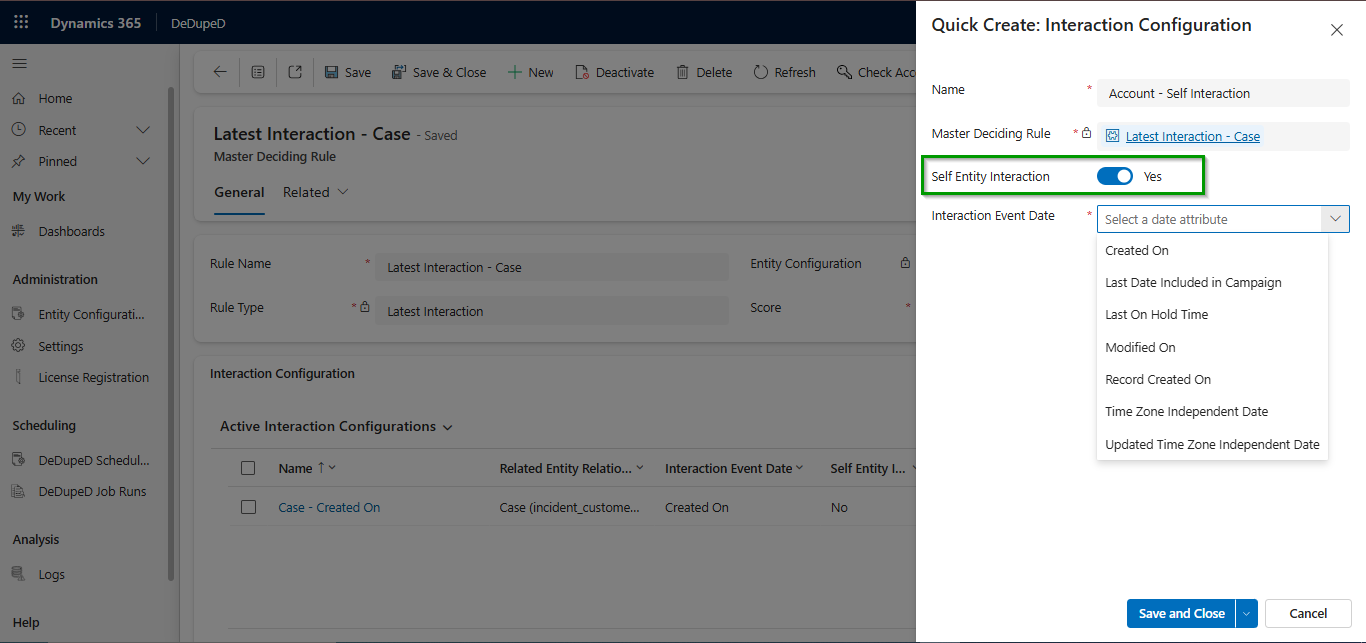
Want to Configure Master Deciding Rules?
This overview explains the concept and business value of master deciding rules for merging duplicate records in CRM.
For exact configuration steps, role-based controls, and screenshots, refer to the detailed technical documentation.
How does Execution Order & Fallback Behavior get executed while Merging Records in Dynamics 365 CRM?
Execution order and fallback behavior define how CRM consistently decides the outcome of a record merge. By evaluating rules in a predefined sequence and applying a clear fallback when no rule matches, Dynamics 365 CRM ensures merge decisions are predictable, controlled, and aligned with data governance standards.
- Rules execute in priority order
- The first matching rule determines the outcome
- If no rule matches, a fallback action (Merge / Review / Deny) is applied
Ensures deterministic, governed merge decisions.
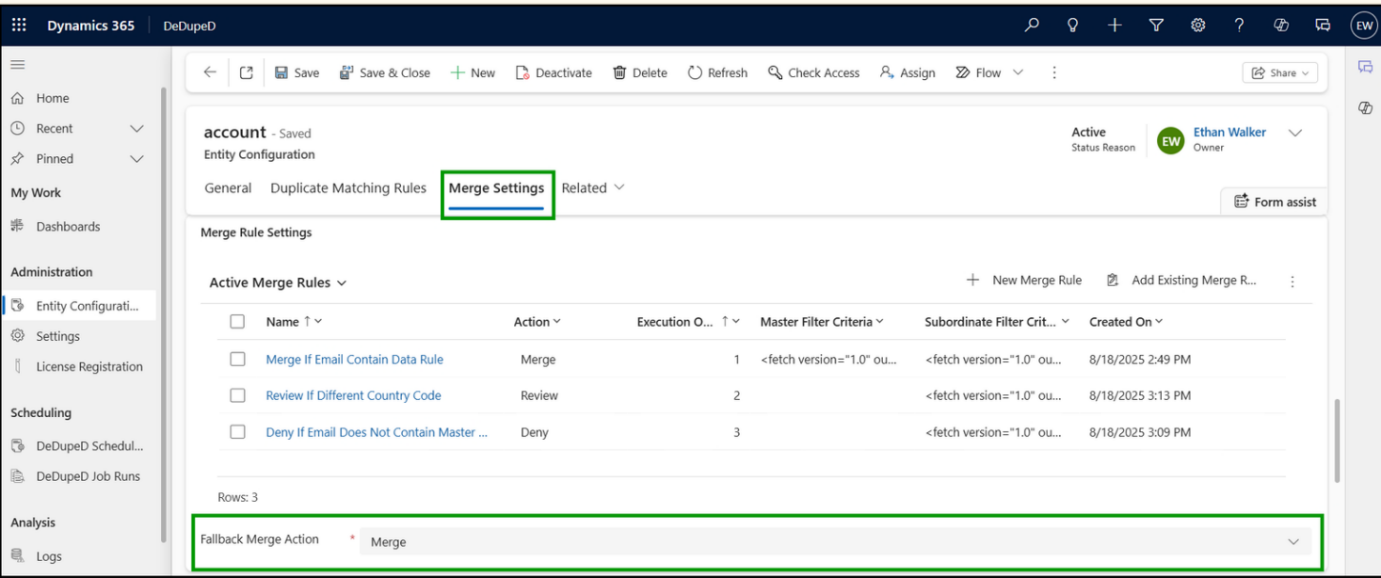
Want to Configure Merge Rules?
This overview explains the concept and business value of merge rules for handling duplicate records in CRM.
For exact configuration steps, rule options, and screenshots, refer to the detailed technical documentation.
How to Retain Additional Values while Merging Records in CRM to Avoid Data Loss?
When field values conflict:
- The primary value remains on the master
- All other values are preserved in custom fields
Critical for audit, compliance, and AI enrichment.
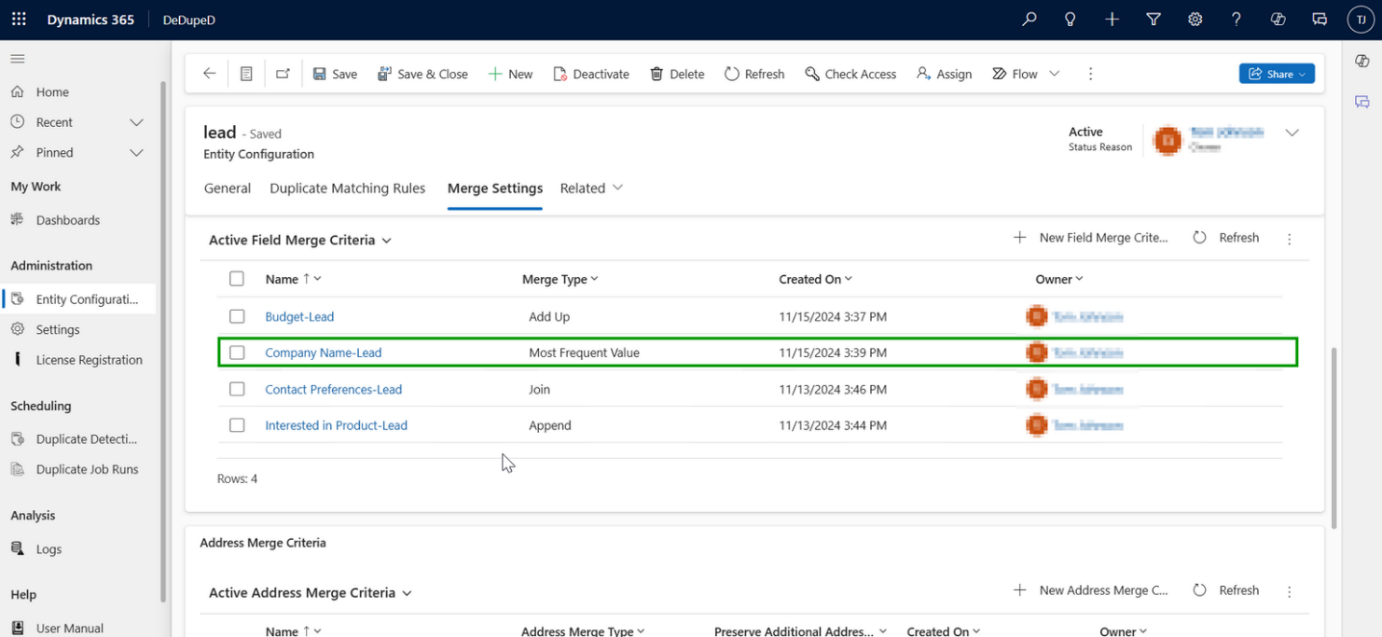
Looking for the exact setup steps for field-level merge behavior?
Explore the technical documentation for detailed instructions and configuration options.
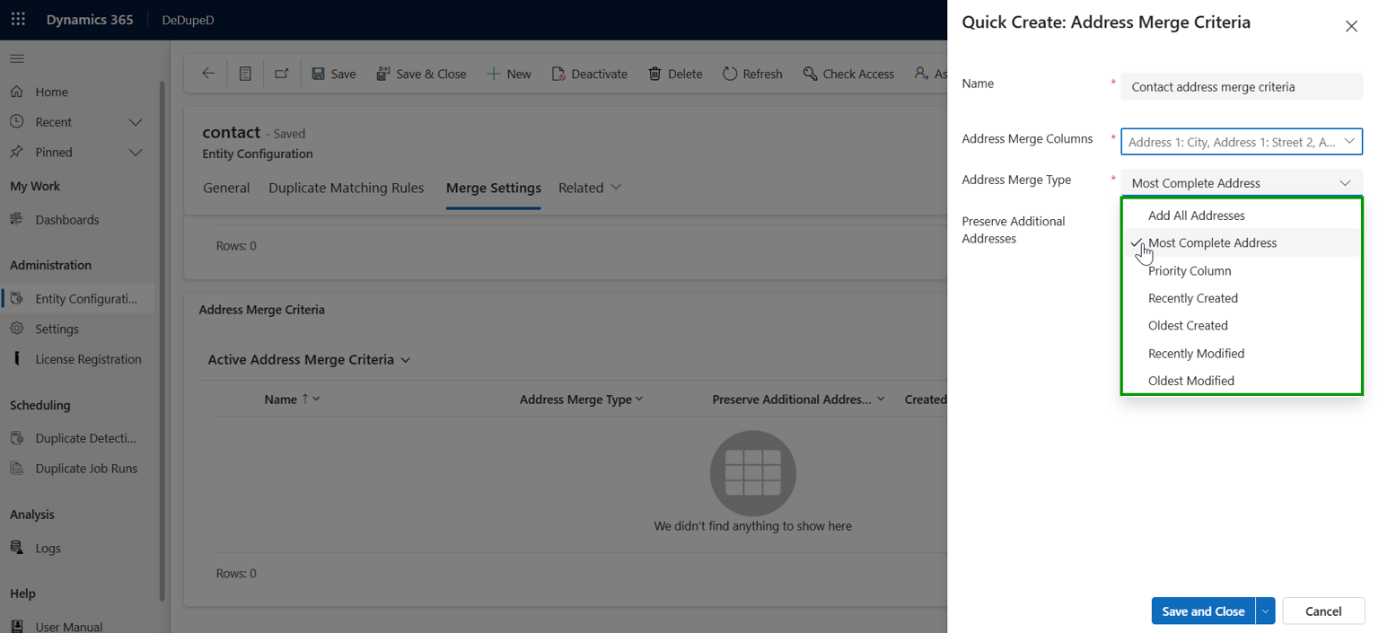
Address Merge Limitation for Lead Entity
For the Lead entity:
- Preserve Additional Addresses is not supported
- Only the selected address is retained
This ensures predictable behavior during lead consolidation.