














Dynamics 365 QuickBooks Integration

Seamlessly Sync QuickBooks Online with Dynamics 365 CRM Using InoLink

Delivered Happiness Globally!

What's InoLink?

InoLink is a powerful Dynamics 365 and QuickBooks Online integration solution designed to connect both platforms seamlessly.

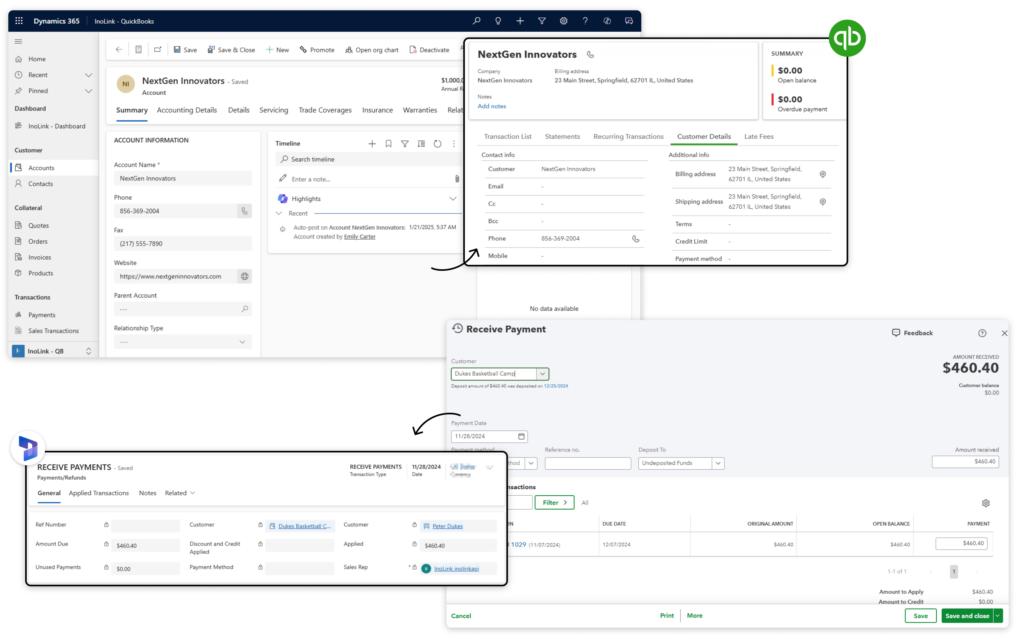
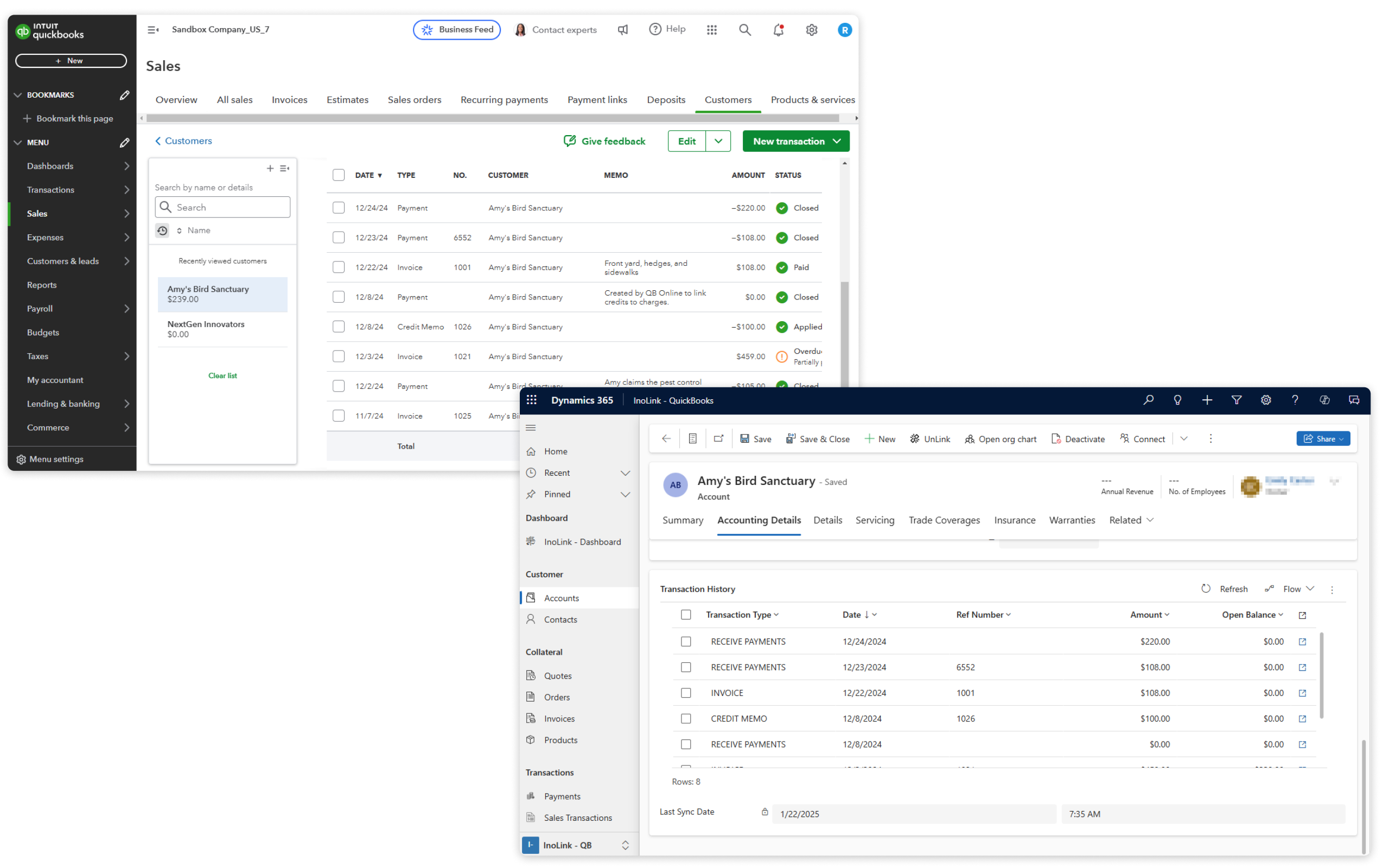
Instead of managing disconnected systems, InoLink synchronizes critical business data, including customers, products, quotes, orders, invoices, and tax details from Dynamics 365 to QuickBooks. At the same time, it brings transaction history, payment details, and customer aging data from QuickBooks into CRM.

The result? A complete 360° view of your customers and financial data – right where your teams need it.

Recent Updates

Sync data across multiple QuickBooks companies based on Customer Types

Real-time synchronization from Dynamics 365 to QuickBooks Online

Support for multiple QuickBooks companies within a single Dynamics 365 instance.

Benefits of using InoLink

Eliminate duplicate data entry by integrating Dynamics 365 CRM with QuickBooks Online.

Sync sales and accounting data to avoid communication gaps.

Inolink logo

Automate data synchronization and reduce manual effort.

Access QuickBooks Online data within Dynamics 365 CRM for faster decision-making.

Start Your FREE Trial - Download the App Now!

EULA

Supported On

Dynamics 365 CRM
Online
Features

Here's How QuickBooks and Dynamics 365 CRM Integration Delivers a 360° View of Your Financial Data

Bi-Directional QuickBooks and CRM Synchronization

Bi-Directional QuickBooks and CRM Synchronization

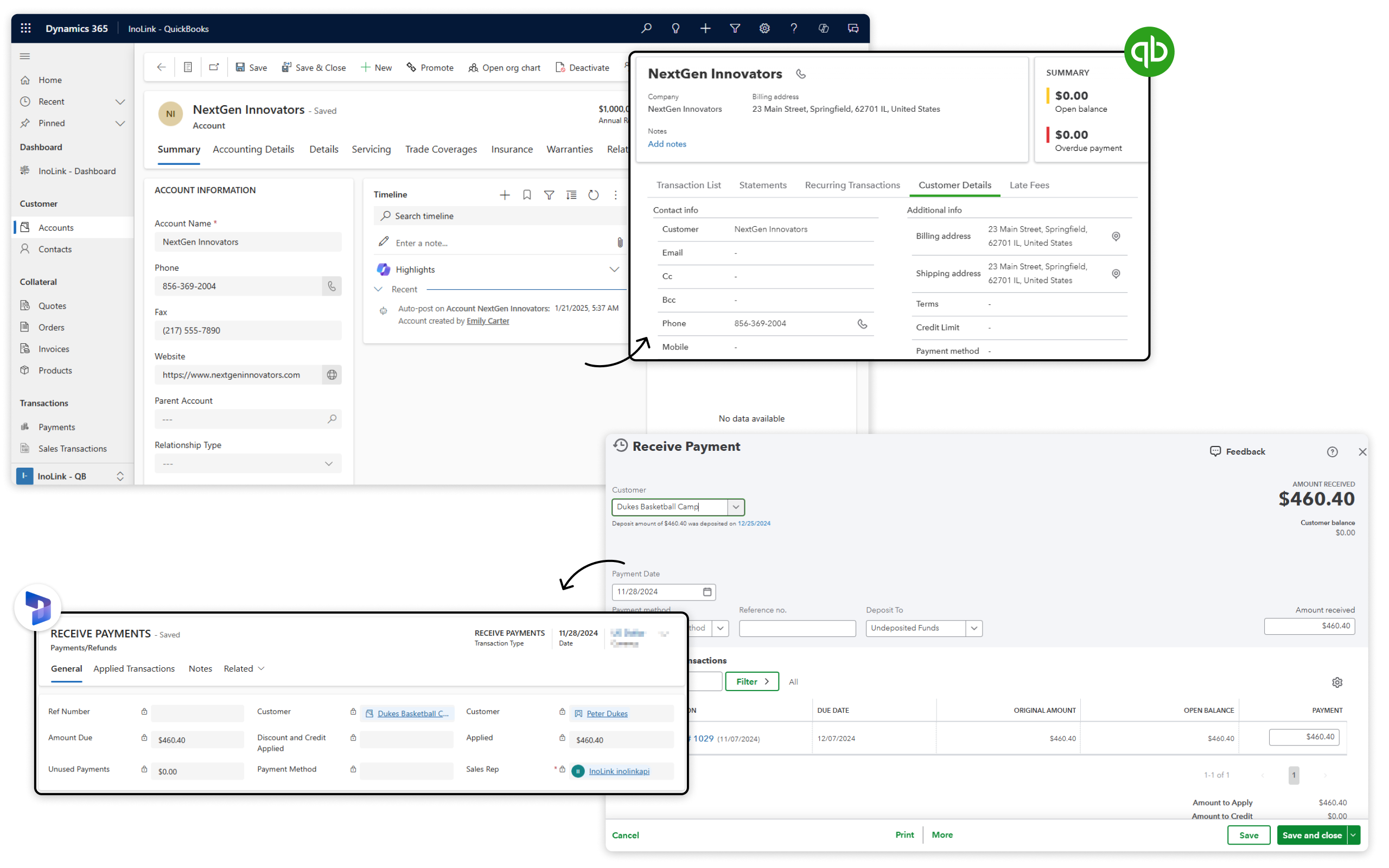
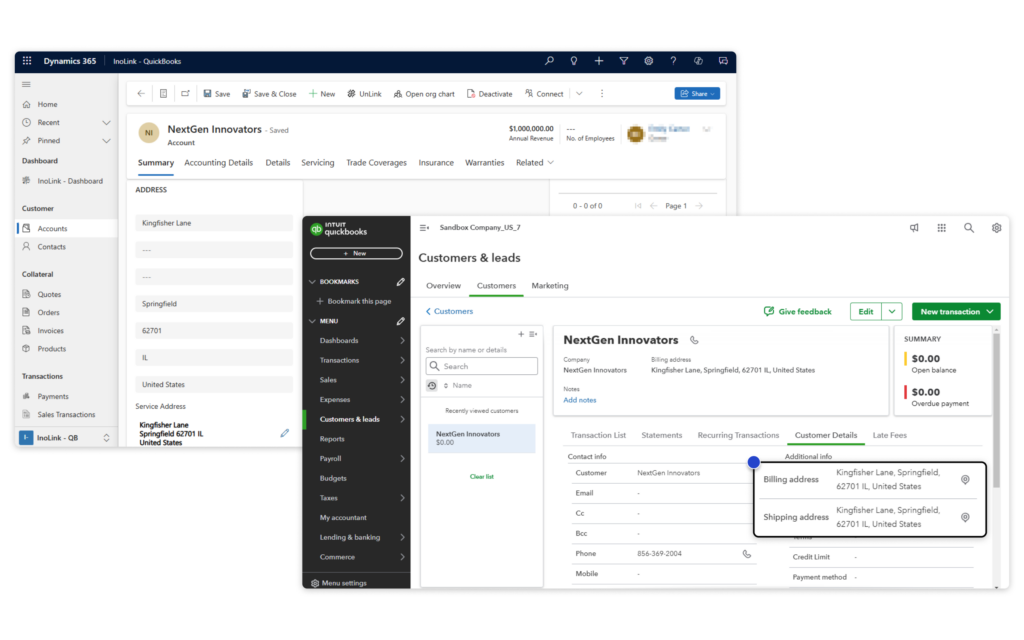
InoLink provides two-way synchronization of Accounts, Contacts, Products, and Prices between Dynamics 365 CRM and QuickBooks Online. It helps users link existing records in both systems to avoid duplication and maintain clean data.

Real-Time Synchronization

Real-Time Synchronization

With real-time synchronization, updates made in Dynamics 365 CRM are automatically reflected in QuickBooks. This reduces errors and saves time, especially when handling sales transactions.

Sync Transactions & Get a 360-Degree View of Data

Sync Transactions & Get a 360-Degree View of Data

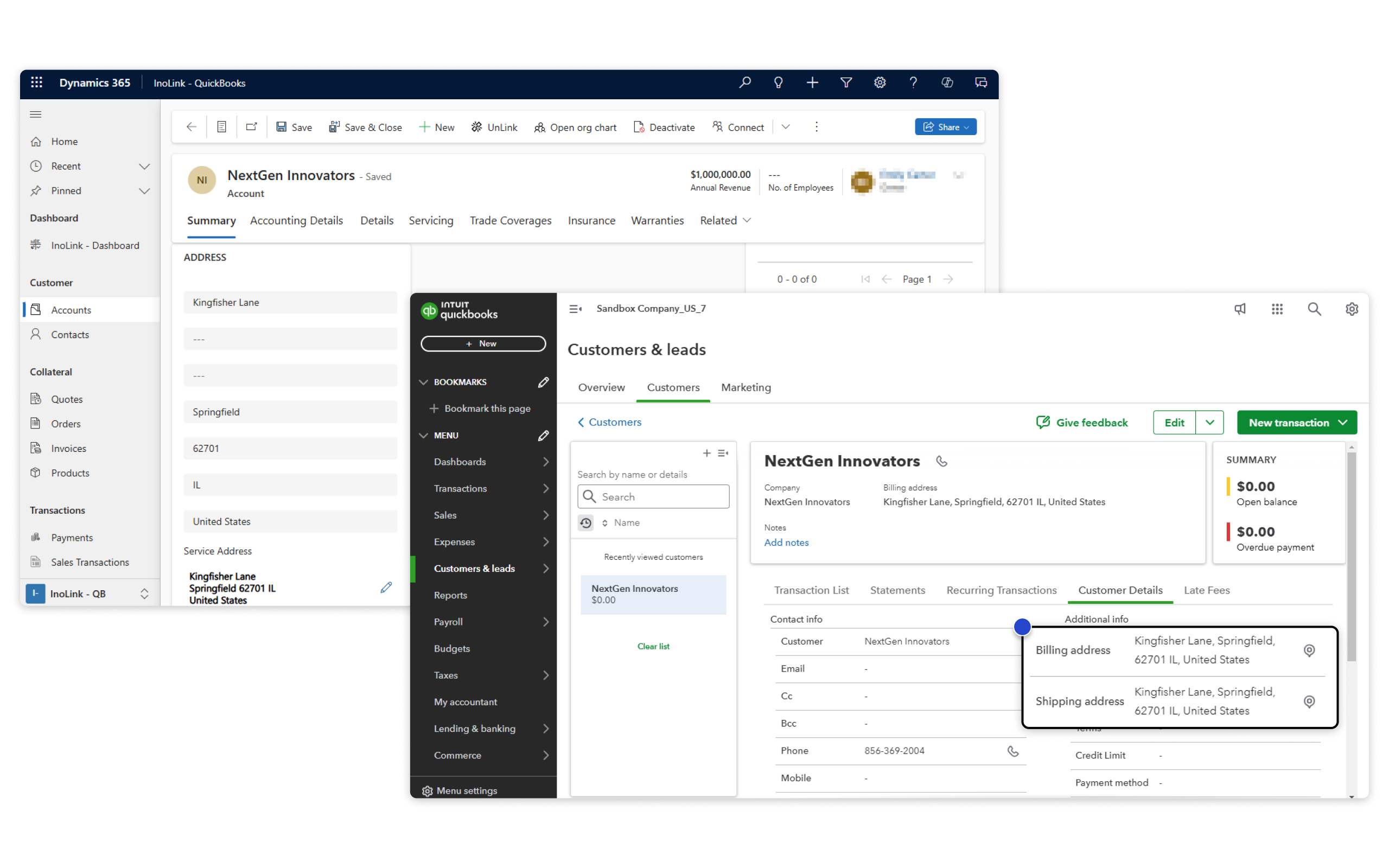
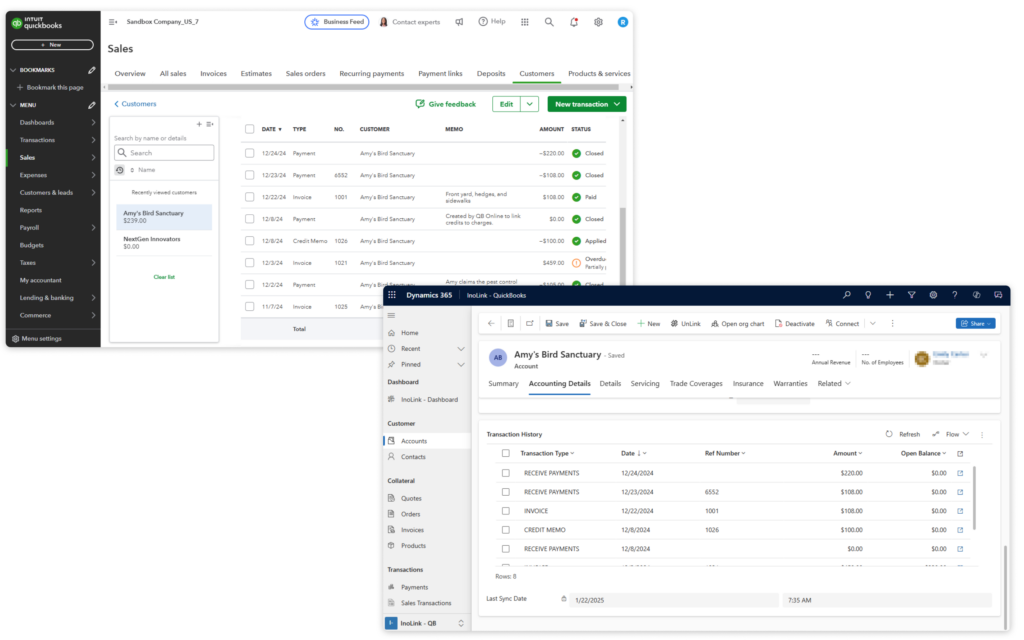
Get a complete view of customer data in Dynamics CRM. InoLink syncs payments, sales history, and customer aging reports from QuickBooks into CRM for faster, data-driven decisions.

More Features

Automate Tax Calculation

InoLink automatically calculates sales taxes for Quotes, Orders, and Invoices inside Dynamics 365 CRM.

Secure Accounting Data in CRM

Users will be able to secure all accounting field data through field-level security in Dynamics 365 using InoLink.

Sync Records in Bulk

Effortlessly sync bulk records from Dynamics 365 CRM to QuickBooks with a single click, streamlining your workflow and ensuring seamless data integration!

Streamline Multi-Company Accounting in One CRM

Sync multiple QuickBooks companies with a single Dynamics 365 CRM instance using InoLink, eliminating the need for separate CRM setups and ensuring effortless accounting data management.

Accounting Dashboards

View Recent Transactions, Top Customers, and Pending Invoices in CRM dashboards. Simplify decision-making with clear financial insights and improved cash flow management.

Sales Transaction Entity

Sales Transaction is a custom entity that comes with the InoLink App. This entity stores the accounting history of any record synced from QuickBooks to CRM.

testimonials

What Our Customers Are Saying?

4Media Group
We are moving from SalesForce/SyncQ to Dynamics/Inolink. So far, the differences are night and day. Inolink comes with its own native application to Dynamics. Making finance management easier than ever before. Highly recommend this service.
ICM
Just want to say a massive thank you to the team at Inogic for accommodating our requirements into their product in record time. It has been a fantastic experience and refreshing to see a solution provider be as open and responsive as they were. Highly recommend 10/10.
Keena
InoLink has allowed us to integrate our new Dynamics CRM with our existing Quickbooks backend. With the InoLink integration, my accounting staff can continue to work in Quickbooks while my sales and service staff can work in CRM. Both systems stay synced real-time avoiding double entry and information lags.
Steve Buttitta

Our Blogs

How to Integrate Dynamics 365 and QuickBooks: A Complete Guide for 2026

Integrating Dynamics 365 with QuickBooks eliminates duplicate data entry, enables real-time…

Read More

Dynamics 365 Online QuickBooks Integration: Top Problems It Solves for Businesses

If you’re juggling between QuickBooks and Dynamics 365 CRM, you’re not alone. Businesses using both platforms…

Read More

InoLink

QuickBooks Integration with Dynamics 365 CRM: Enable Data Automation!

InoLink powers seamless QuickBooks Integration Dynamics 365, automating data sync between the two platforms….

Read More

Frequently Asked Questions

Which entities can be synced from Dynamics 365 CRM to QuickBooks Online?

InoLink supports syncing Accounts, Contacts, Products, Quotes, Orders, and Invoices from Dynamics 365 CRM to QuickBooks Online.

Can I view Quickbooks customer accounting data within Dynamics 365 CRM?

Yes, InoLink provides a 360° view of customer accounting data, including sales transactions, payments, and aging details directly within Dynamics 365 CRM.

Can I integrate Dynamics CRM with QuickBooks for multiple companies?

Yes, InoLink supports syncing multiple QuickBooks companies with a single Dynamics 365 CRM instance.

Yes, InoLink enables automatic sales tax calculation for Quotes, Orders, and Invoices within Dynamics 365 CRM.

Sync your sales and accounting data seamlessly between Dynamics 365 CRM and QuickBooks

Contact Us

Dynamics 365 V9.x

Get a Demo

Presentation

Whitepaper
