WhatsApp Messaging in CRM
Delivered Happiness Globally!
What's WhatsApp4Dynamics?
WhatsApp4Dynamics brings WhatsApp Business directly into Microsoft Dynamics 365 CRM, leveraging the WhatsApp Business API and Twilio API to revolutionize customer engagement. Send and receive WhatsApp messages and notifications seamlessly within the Dynamics 365 interface. With integrated InoWiz AI, your teams can use smart replies and context-aware messaging to improve productivity and responsiveness. Designed for sales, service, and marketing teams, WhatsApp4Dynamics enables meaningful, real-time customer interactions worldwide. Say goodbye to long emails and embrace instant, impactful communication, all from within Dynamics 365 CRM.
Recent Updates
Simplify customer consent with single or double opt-in, ensuring compliant and trusted messaging.
Keep marketing and utility messages separate for more organized and focused customer interactions.
Stay responsive with global audio alerts for new WhatsApp messages, never miss an important chat within Dynamics 365.
AI-powered chat assistance helps agents respond faster with smart suggestions, summaries, and guidance.
Information Vault
Benefits of using WhatsApp4Dynamics
Engage leads instantly, provide real-time support, and drive faster conversions through interactive WhatsApp communication.
Reach clients with personalized, timely messages on their preferred platform, strengthening relationships.
Manage all WhatsApp chats directly from Dynamics 365, simplifying tracking and follow-ups.
Get real-time updates for incoming and outgoing WhatsApp messages, keeping you in the loop at all times.
Supported On
Dynamics 365 CRM
Online | Dataverse
Features
Here’s How It Enhances Your Customer Communication Management
WhatsApp Conversation Manager in CRM
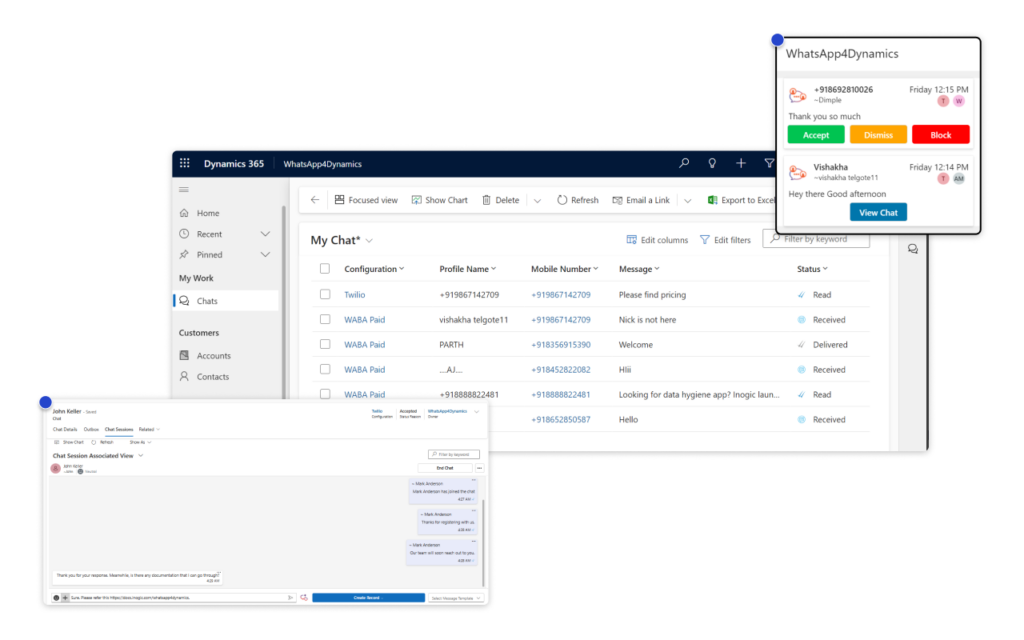
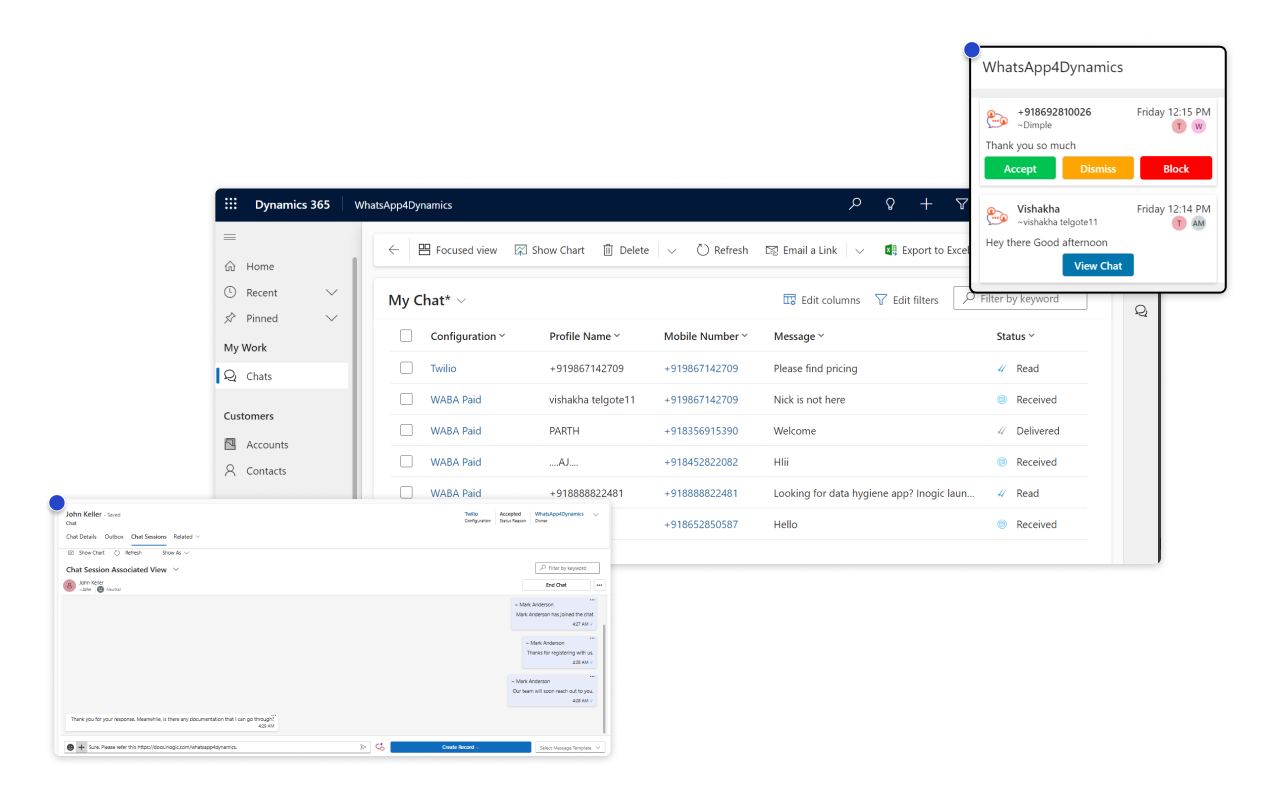
Did you know businesses can boost customer response rates by up to 30% with integrated messaging? With WhatsApp4Dynamics, you can seamlessly connect your WhatsApp Business Account to Microsoft Dynamics 365 CRM, enabling end-to-end management of customer conversations without leaving your CRM. View and respond to chats, access complete conversation history, and maintain context-rich communication, all within the familiar WhatsApp-style interface inside Dynamics 365.
Enjoy a simple, intuitive chat experience right inside Dynamics 365 CRM. With WhatsApp4Dynamics, you can manage all conversations without switching tabs and instantly create CRM records from chats, for both standard and custom entities.
Stay instantly updated with real-time WhatsApp alerts inside Dynamics 365 CRM. With WhatsApp4Dynamics, you’ll never miss a customer message, ensuring faster responses, improved engagement, and seamless communication management.
AI-Powered Chat Assistance in Dynamics 365 CRM
Agents often spend up to 35% of their time searching for the right response during live chats. With AI-Powered Chat Assistance, seamlessly integrated into WhatsApp4Dynamics via InoWiz AI, that time is saved. The AI assistant delivers smart reply suggestions, instant chat summaries, and real-time guidance, helping your team respond faster and boost customer satisfaction.
Trigger and Automate WhatsApp Messages
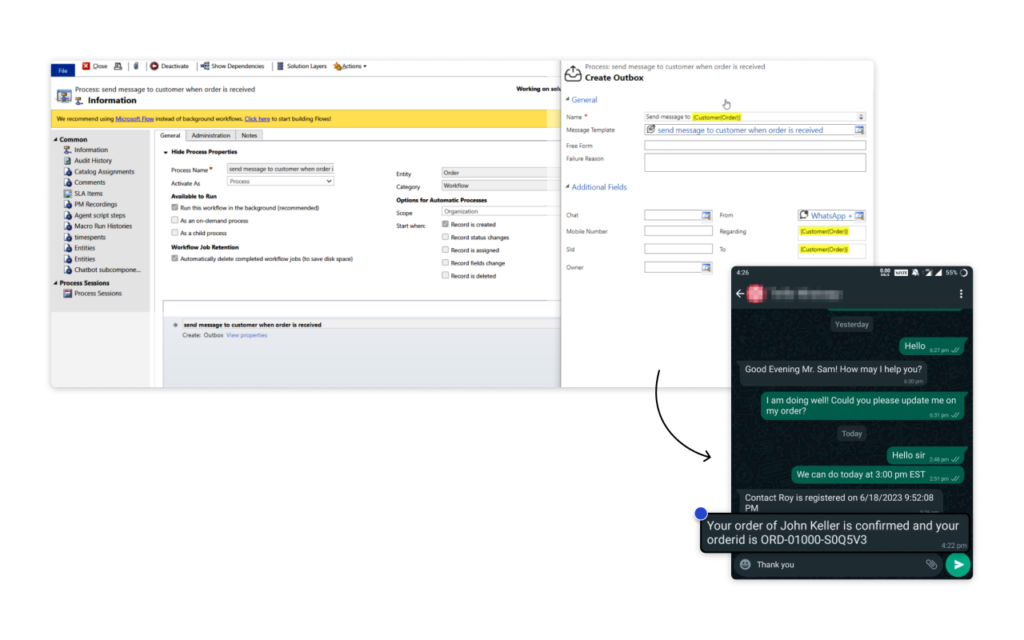
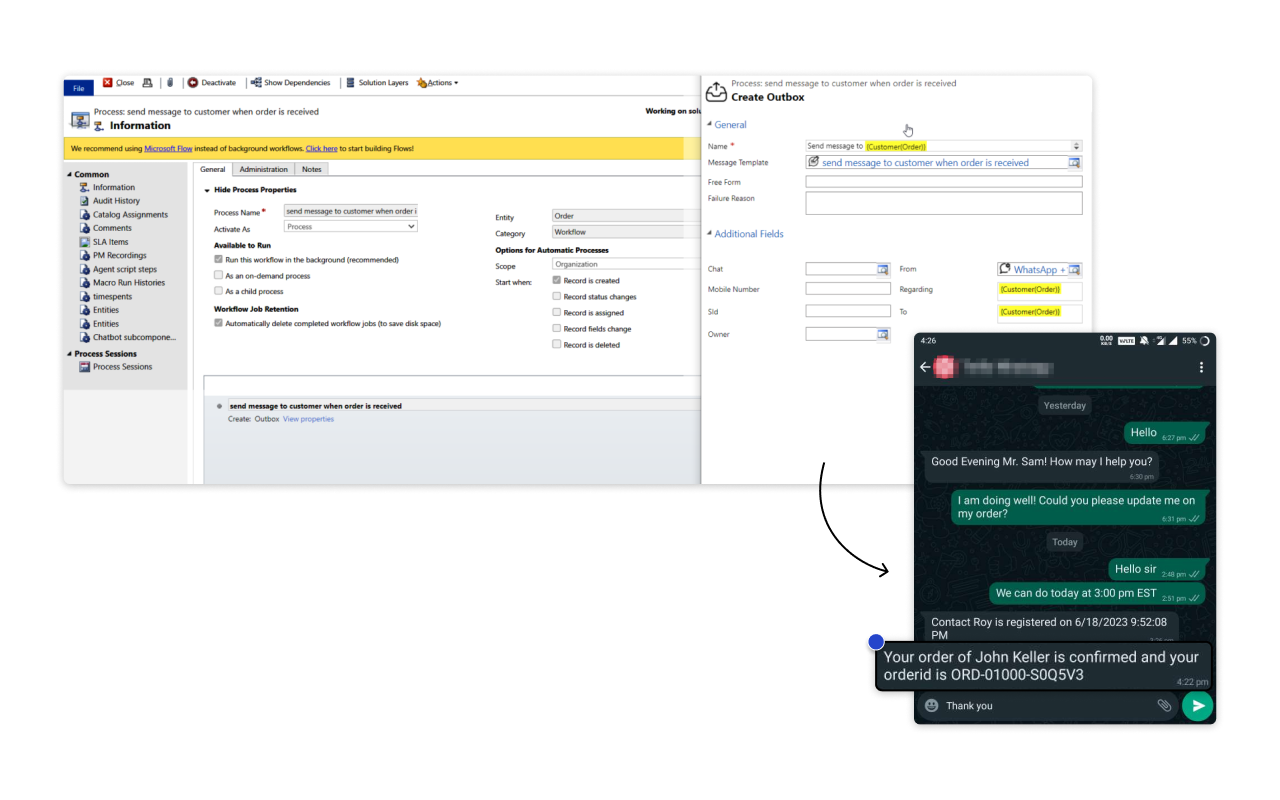
Set up custom workflows in Dynamics 365 CRM to trigger WhatsApp messages for events like order confirmations, appointment reminders, or service updates. Deliver timely, consistent messages automatically, saving time and ensuring no customer touchpoint is missed.
More Features
Map CRM Records
Map CRM records to WhatsApp chats using mobile numbers for personalized, context-rich interactions, enabling more informed responses and tailored support.
Assign Chats to Team Members
Route chats to the right team members to prevent delays, ensure accountability, and deliver faster resolutions.
Custom Message Templates
Send text, media, buttons, and quick replies from Dynamics 365 CRM. Use static and dynamic variables to maintain consistency while personalizing messages based on customer details.
Multilingual Messaging
Engage customers in their preferred language. Share messages, emojis, images, videos, PDFs, and Word documents within a sleek, integrated chat interface.
File and Media Share
Easily share images, PDFs, and DOCX files. Select, preview, and send attachments directly within the WhatsApp chat interface for smooth communication.
Chat History
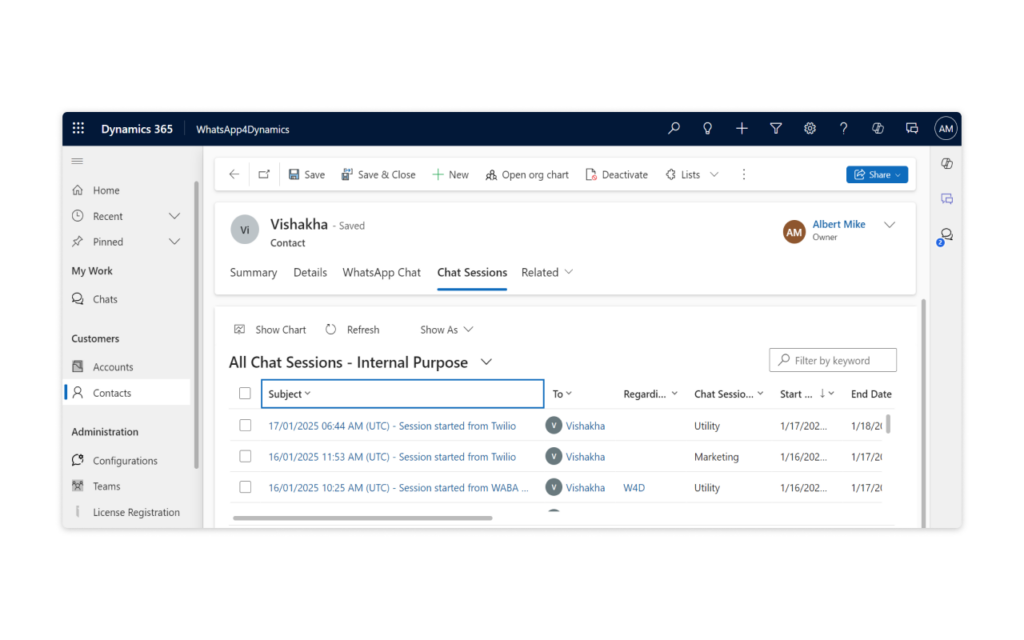
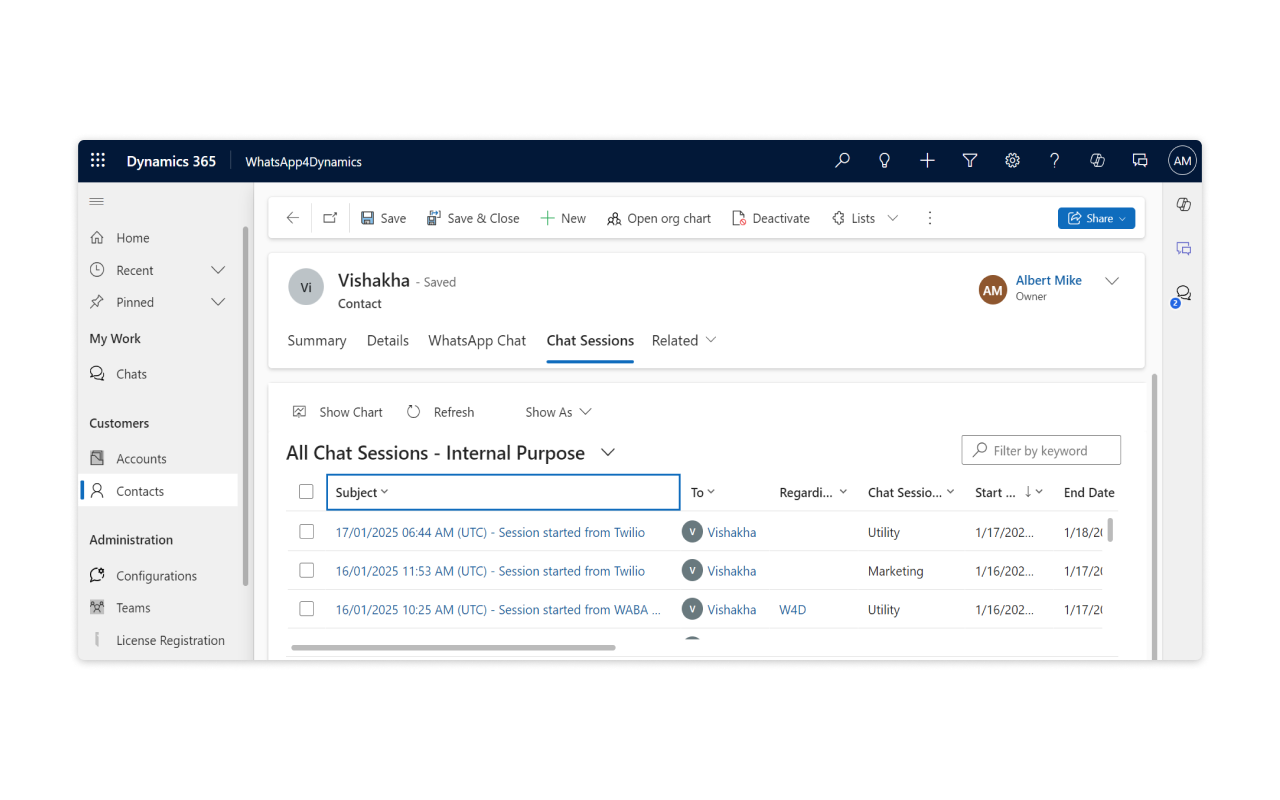
Automatically track and organize customer conversations. All chat history is stored in sessions, linked to CRM records with timestamps for seamless communication management.
Chat directly from CRM Records
Start WhatsApp conversations directly from CRM records like cases or opportunities, no need to manually enter contact numbers. Link records effortlessly for context-driven communication.
Pre- & Post-Chat Questionnaires
Collect key customer information instantly, whether to understand queries or gather feedback post-conversation. Responses auto-update CRM records for personalized engagement.
Internal Chat Discussions
Consult internally on complex queries without involving the customer. Collaborate behind the scenes while maintaining a seamless front-end experience.
testimonials
What Our Customers Are Saying?
Our Blogs
That’s where WhatsApp4Dynamics comes in—bringing AI-driven WhatsApp messaging directly inside Dynamics 365 CRM, empowering sales, service, and marketing teams to connect faster and smarter.
How to Integrate WhatsApp with Dynamics 365 for Marketing Campaigns: A Complete Guide!
Email engagement is dropping, social media reach is shrinking, and paid ads keep getting costlier. Meanwhile, WhatsApp achieves 98% open rates and remains the channel customers actually prefer.
Boost Customer Interaction Using WhatsApp in CRM: A Complete Integration Guide!
With Dynamics 365’s AI and Copilot, WhatsApp4Dynamics users get sentiment insights, smart reply suggestions, and automation—taking WhatsApp engagement to the next level.
Frequently Asked Questions
Top CRM platforms like Microsoft Dynamics 365, Salesforce, and Zoho CRM support WhatsApp integration through the official WhatsApp Business API. For Dynamics 365, WhatsApp4Dynamics provides the most seamless, AI-powered integration, enabling two-way WhatsApp communication directly within CRM.
To integrate WhatsApp with your CRM effectively:
- Choose a compliant solution that leverages the official WhatsApp Business API (directly or through Twilio).
- Ensure deep CRM embedding, allowing users to manage conversations, track history, and automate triggers within the CRM itself.
- Set up workflows or Power Automate flows to send automated WhatsApp messages for specific events – such as order confirmations or appointment reminders.
- Train users to leverage AI features for smart, contextual communication.
WhatsApp4Dynamics makes this process effortless. It connects your WhatsApp Business account directly to Microsoft Dynamics 365 CE, linking every conversation with CRM records. You can trigger automated messages, track chats historically, and even start new conversations from any CRM record.
Integrated InoWiz AI powers smart reply suggestions, chat summarization, message classification, sentiment analysis, and next-best-action recommendations, helping agents respond faster and personalize interactions at scale.
Absolutely. WhatsApp CRM integration increases response speed, personalization, and customer satisfaction.
With an AI-enhanced solution like WhatsApp4Dynamics, organizations get to:
- Engage customers on their preferred messaging platform.
- Provide real-time support and faster resolutions.
- Use AI-powered smart replies to boost efficiency and consistency.
- Maintain a complete conversation history for context-aware interactions.
The result? Up to 30% higher response rates, improved customer satisfaction, and stronger long-term relationships.
Common challenges include:
- Compliance and consent management under WhatsApp Business policies.
- Limited native integration in most CRMs, requiring multiple tools or manual syncing.
- Message tracking and history — many systems fail to maintain full conversation records.
- Scalability and automation limitations when managing large customer volumes.
WhatsApp4Dynamics addresses all these challenges by:
- Offering single or double opt-in for compliant consent collection.
- Embedding WhatsApp natively inside Dynamics 365 CRM, ensuring smooth two-way communication.
- Storing complete chat history linked to CRM records for full visibility.
- Supporting automated workflows, multilingual messaging, and file sharing, scaling effortlessly with your business.
Use WhatsApp4Dynamics to connect your WhatsApp Business account to Dynamics 365 CRM via WhatsApp Business API (or Twilio). The integration enables send/receive messaging, links chats to CRM records, and works natively inside the Dynamics 365 interface.
Create Dynamics 365 workflows or Power Automate flows that call WhatsApp4Dynamics actions to send templates or custom messages for events like order confirmations, appointment reminders, or case updates, fully automated from within CRM.
Yes. You can initiate WhatsApp conversations straight from records (contacts, accounts, cases, opportunities) without manually entering phone numbers. Chats are stored against the originating record for context and follow-up.
Absolutely. All incoming and outgoing chat sessions are archived in Dynamics 365 with timestamps and links to related records, enabling auditability, reporting, and context-aware support.
Reach out to us today to know more!