Block your schedule – 11th Oct, 3PM for our CRMUG Partner Solutions Showcase

D365UG/CRMUG Summit Nashville is just around the corner and this year too Inogic and Maplytics would be exhibiting there as Gold Sponsor at Booth 724. This year’s Summit is to be held in Nashville, TN from 10-13 October 2017 and we are already excited to see what the 2017 edition of the largest gathering of… Read More: Block your schedule – 11th Oct, 3PM for our CRMUG… »
Open Voice of the Customer survey link in a specific language using translations

Introduction: Voice of the Customer surveys that was introduced in Dynamics CRM 2016 has enabled organizations to get feedback from their customers across devices. To know how to create VOC survey and survey activity, refer this article. In this blog, we will guide you through the process of opening a Voice of the Customer Survey… Read More: Open Voice of the Customer survey link in a specific… »

[Live Webinar] Maplytics August 2017 Release – Uniquely Yours

With user centric improvements and features, Maplytics August 2017 Release is designed to enhance the productivity of every Dynamics CRM user by adding enhanced geo-analytics capabilities and user level personalization! The new release is more user-friendly than its predecessors and empowers the user to do more on the map within Dynamics 365 Customer Engagement and… Read More: [Live Webinar] Maplytics August 2017 Release – Uniquely Yours »

Fixed – ‘The attachment cannot be saved. Either specify activityId or ObjectTypeCode & ObjectId’ error while processing Email Attachment using SSIS

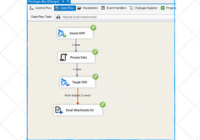
Introduction: While performing data migration most of the time, we need to migrate Email and Email Attachments, where we first migrate the Emails and then migrate the Email Attachments. However, when we did a run for this, we were facing the below error. ‘The attachment cannot be saved. Either specify activityId or ObjectTypeCode & ObjectId.’… Read More: Fixed – ‘The attachment cannot be saved. Either specify activityId… »

Populate the details from the Parent record to Child record in Resco

Introduction: Recently we had a business requirement to populate some of the details on the Child record from the Parent record when the child record is created by clicking the ‘+’ button on the child record sub-grid in Resco. We can achieve the above-said functionality easily in Dynamics CRM simply by adding the attributes mapping… Read More: Populate the details from the Parent record to Child record… »

Click2Clone for Dynamics 365 is now even more powerful!

Click2Clone is a productivity app for Microsoft Dynamics 365 Customer Engagement that empowers the users to automate the process of copying OOB & custom MS Dynamics CRM entities. Click2Clone simplifies the process of creating new records in Dynamics 365 and helps CRM users to significantly reduce the time spent on manual data entry and improve… Read More: Click2Clone for Dynamics 365 is now even more powerful! »

Make the Business Process Flow fields to be required conditionally

Introduction: Recently, we had a business requirement to make some fields, present in the Business process flow stage, to be required conditionally based on the value selected in one of the fields in the BPF stage. First, we tried to achieve this by writing a client side JavaScript code to make the Business Process fields… Read More: Make the Business Process Flow fields to be required conditionally »

Tip – Composite Name field in Dynamics 365

Introduction: Recently we had a requirement to show the middle name in the Composite Name field in Dynamics 365. Currently, the composite name field on the fly out only shows the First Name and the Last Name as shown in the screenshot below; However, the requirement was to show the middle Name too. There are… Read More: Tip – Composite Name field in Dynamics 365 »