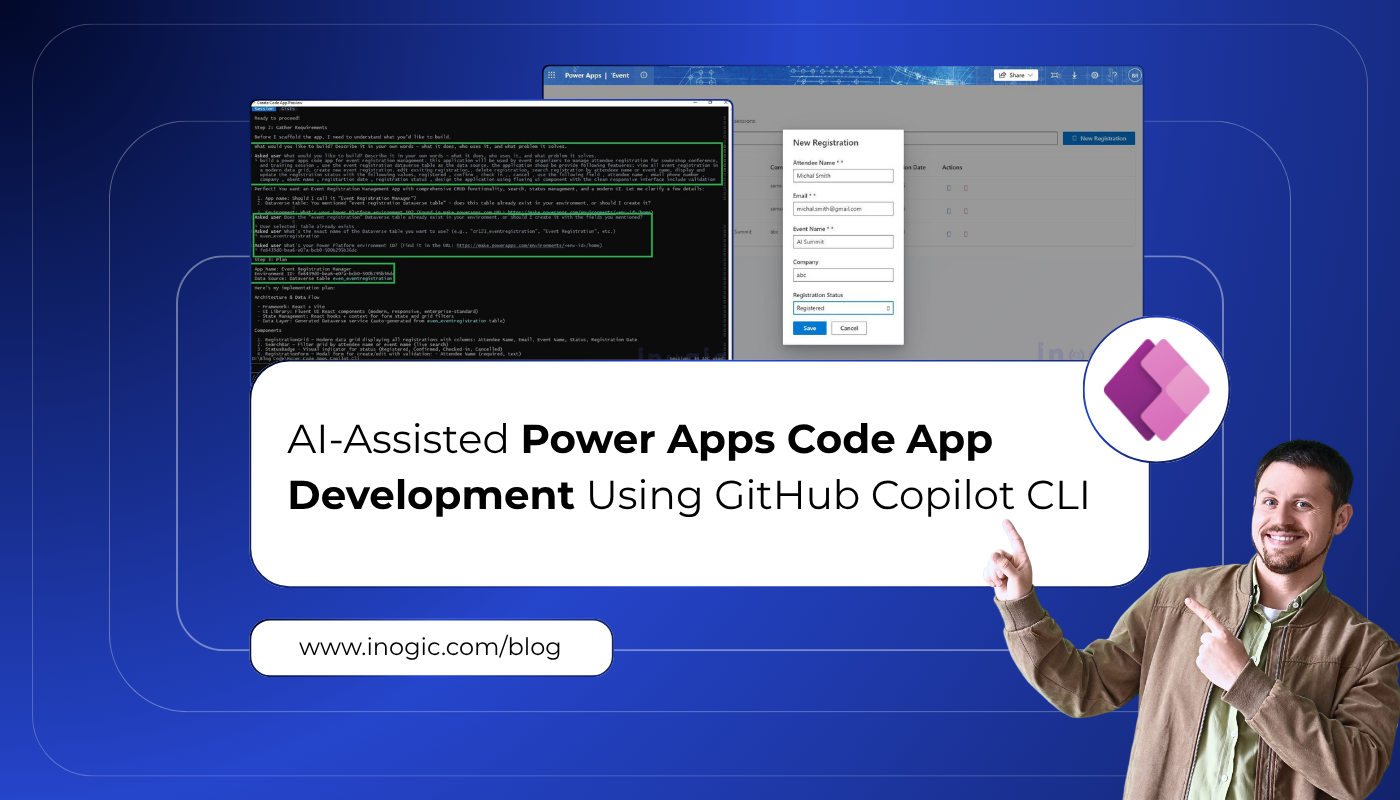
 Power Apps Code Apps bring modern web application development into the Power Platform ecosystem by combining React-based applications with Dataverse and Power Platform services. Traditionally, creating a Code App requires developers to manually scaffold projects, configure data sources, build UI components, and deploy applications.
With the introduction of Power Platform Skills for GitHub Copilot CLI, much of this process can now be automated through natural language prompts. Instead of manually creating screens, developing UI and configuring application logic, developers can describe their requirements and allow AI-powered skills to generate, build, and deploy the application.
In my previous blog, AI-Assisted Canvas App Development Using External Tools in Power Apps, I explored how GitHub Copilot CLI and Power Platform Skills can accelerate Canvas App development.
In this blog, I will demonstrate how I built an Event Registration Management application using GitHub Copilot CLI and Power Platform Skills with minimal manual effort.
Use Case:
For this demonstration, I created a custom Dataverse table called Event Registration.
The goal was to create a Code App that allows event coordinators to
- View registrations
- Create new registrations
- Update attendee information
- Delete registrations when required
Prerequisites
Before starting, ensure the following components are installed:
Node.js v22 or later , GitHub CLI ,GitHub Copilot CLI , Power Platform CLI (PAC CLI) ,Access to a Power Platform Environment ,Maker permissions in the target environment
Step 1: Create a Project Folder and Verify Prerequisites
Create a working folder where the Code App project will be generated.
Example:
D:\Blog Code\Event Registration App
Open Command Prompt or PowerShell in the project folder.
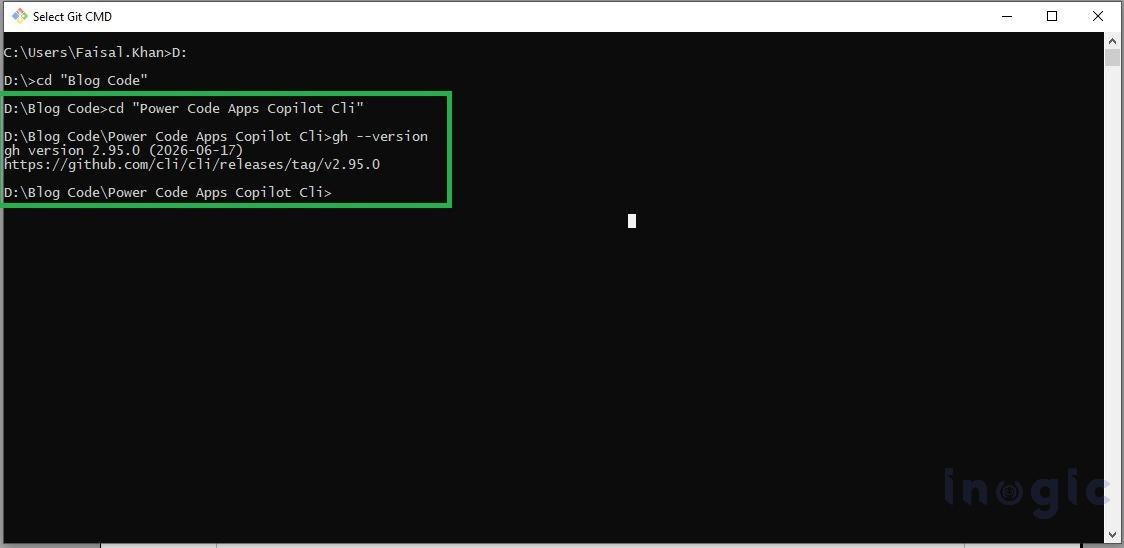
Verify that GitHub CLI is installed by running:
gh –version
If GitHub CLI is not installed, install it using:
winget install –id GitHub.cli
After installation, verify it again using
gh –version.
Next, launch GitHub Copilot CLI:
gh copilot
During the first launch, GitHub Copilot CLI is automatically downloaded and installed if it is not already available.
Step 2 – Install Power Platform Skills
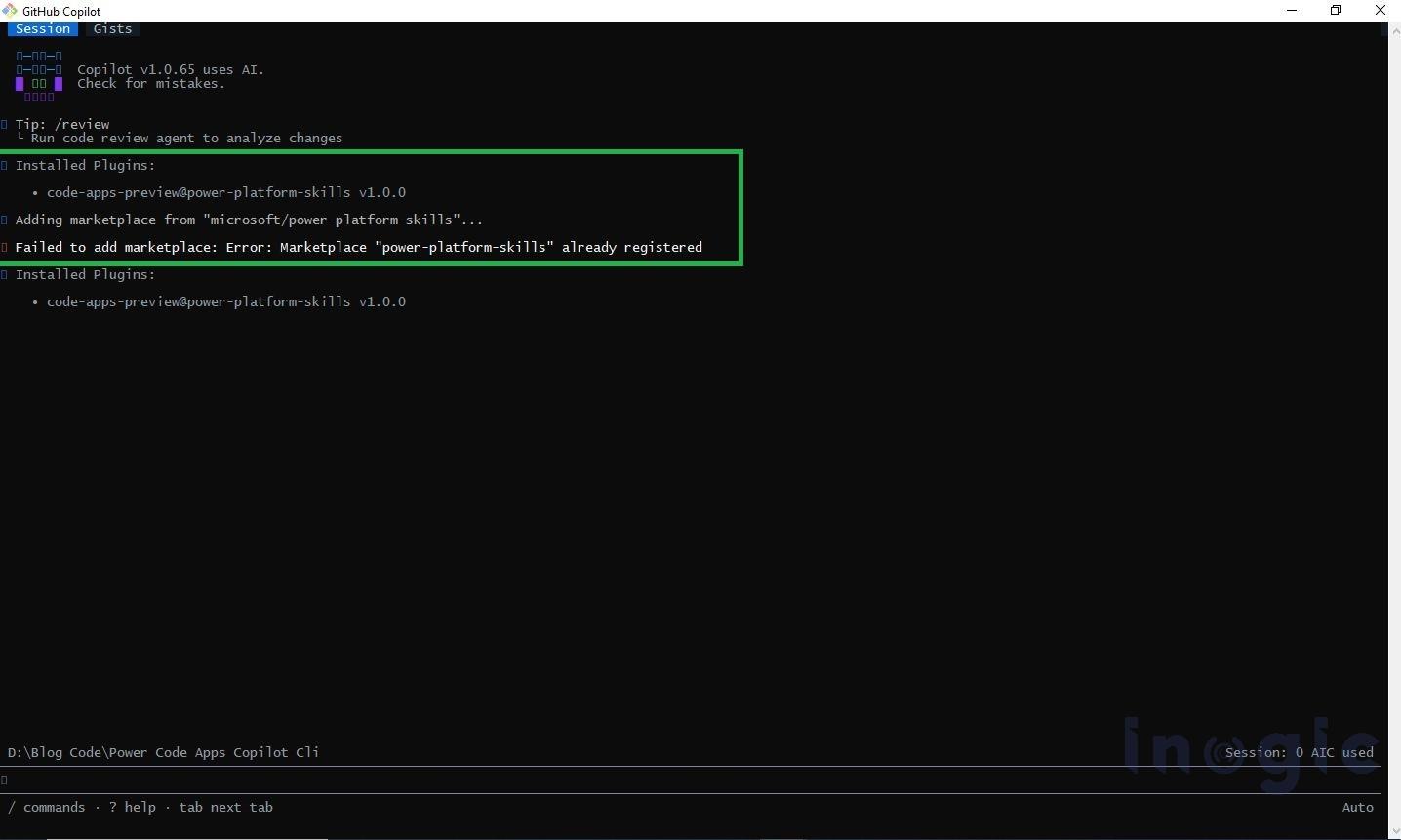
Inside the GitHub Copilot CLI session, add the Power Platform Skills marketplace:
/plugin marketplace add microsoft/power-platform-skills
Install the Code Apps plugin:
/plugin install code-apps-preview@power-platform-skills
Restart the Copilot CLI session after the installation completes.
To verify that the marketplace and plugin are available, run:
/plugin marketplace list
You should see power-platform-skills listed in the installed marketplaces.
Step3: Create the Code App Project
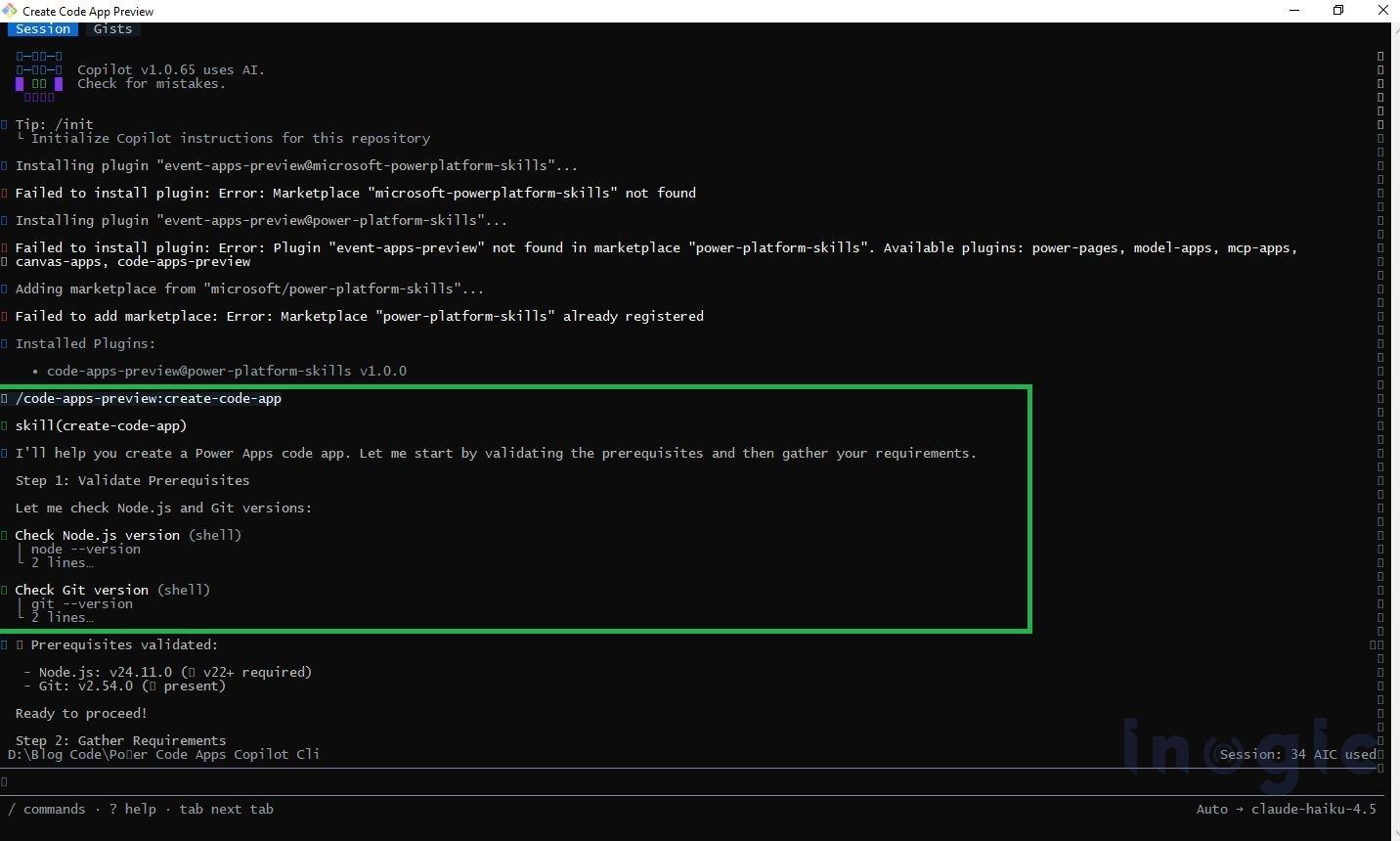
After installing the required plugin, start the Code App creation process by running the following command in GitHub Copilot CLI:
/create-code-app
The agent first validates the prerequisites before creating the project. It checks:
- Power Platform CLI authentication
- Active Power Platform environment
- Preferred solution
- Required Node.js version
- GitHub Copilot CLI configuration
- Power Platform Skills plugin availability
If all prerequisites are satisfied, the agent automatically creates the Code App project folder and initializes the project structure
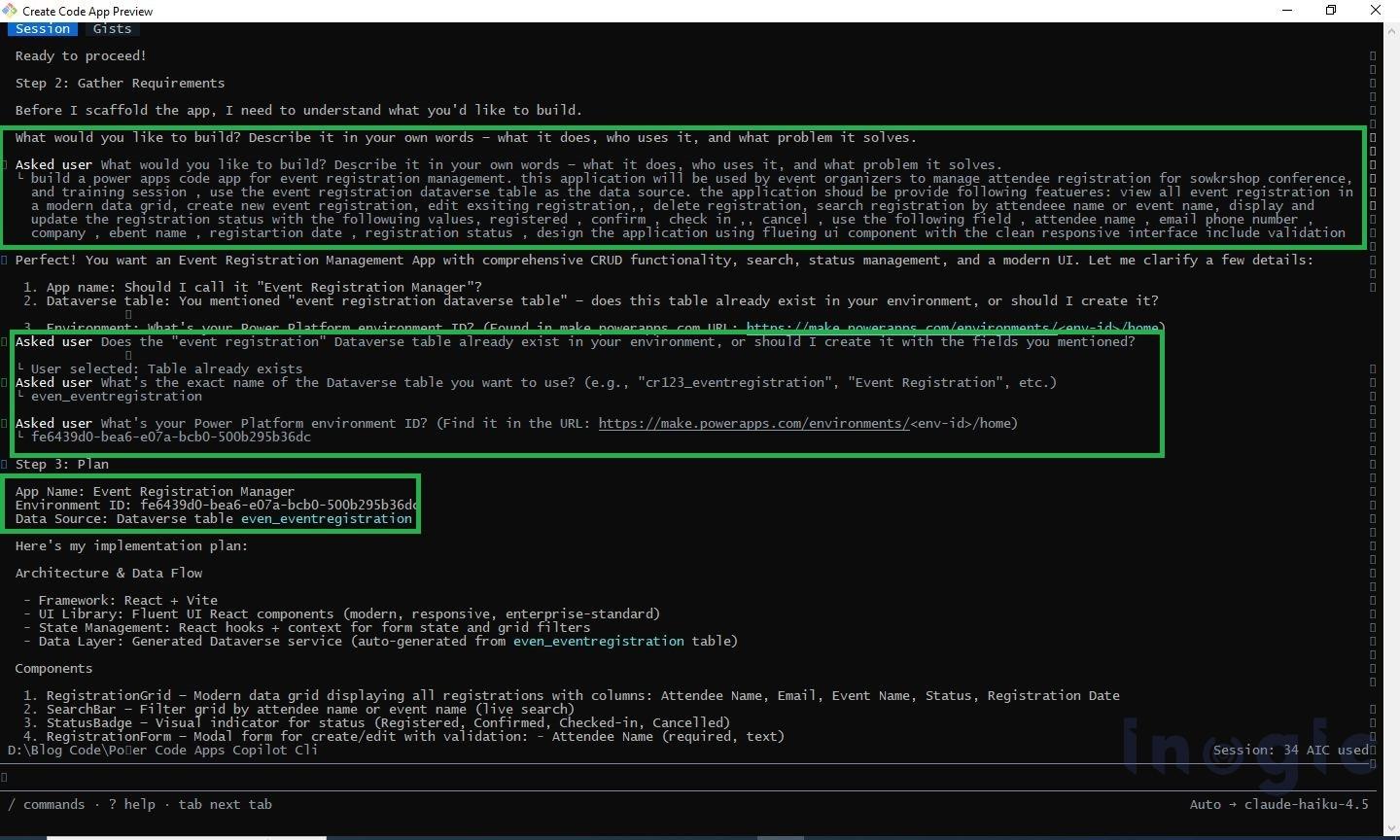
Step 4 – Provide the Application Requirements
Once the project is initialized, the AI agent asks a series of questions to understand the application requirements.
Application Description
Build a Power Apps Code App for Event Registration Management.
This application will be used by event organizers to manage attendee registrations for workshops, conferences, and training sessions.
Use the Event Registration Dataverse table as the data source.
The application should allow users to:
- View all registrations
- Create new registrations
- Edit existing registrations
- Delete registrations
- Search registrations
- Update Registration Status
Registration Status values:
- Registered
- Confirmed
- Checked In
- Cancelled
Use Fluent UI components to create a modern and responsive user interface.
The agent then prompts for the following information:
- Application Name – Event Registration Manager
- Power Platform Environment ID – Select or provide the target environment ID.
- Preferred Solution – Choose the solution where the Code App will be created.
- Dataverse Table Logical Name – even_eventregistration(replace with your table’s logical name)
- Columns to Display and Edit – Attendee Name, Email Address, Phone Number, Company, Event Name, Registration Date, Registration Status
- Theme Preference – Light (or Dark)
After collecting the required information, the AI agent automatically scaffolds the React application, connects the Dataverse table, generates Fluent UI components, and creates CRUD functionality.
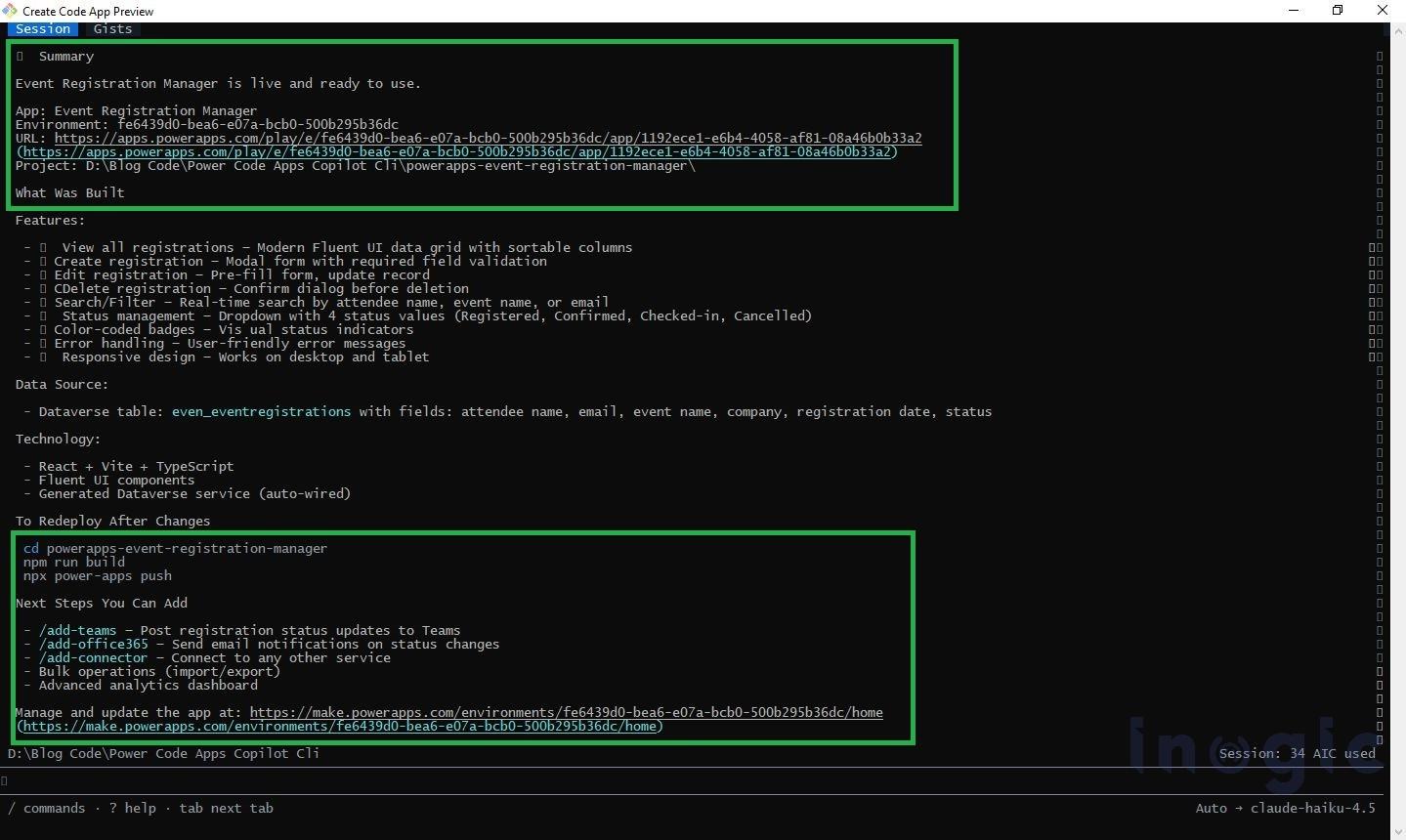
The agent then builds and deploys the application by executing:
npm run build
npx power-apps push
After a successful deployment, the CLI displays the Power Apps URL for the newly created Code App.
Step 5 – Verify the Application
Open Power Apps and navigate to Apps in the target environment.
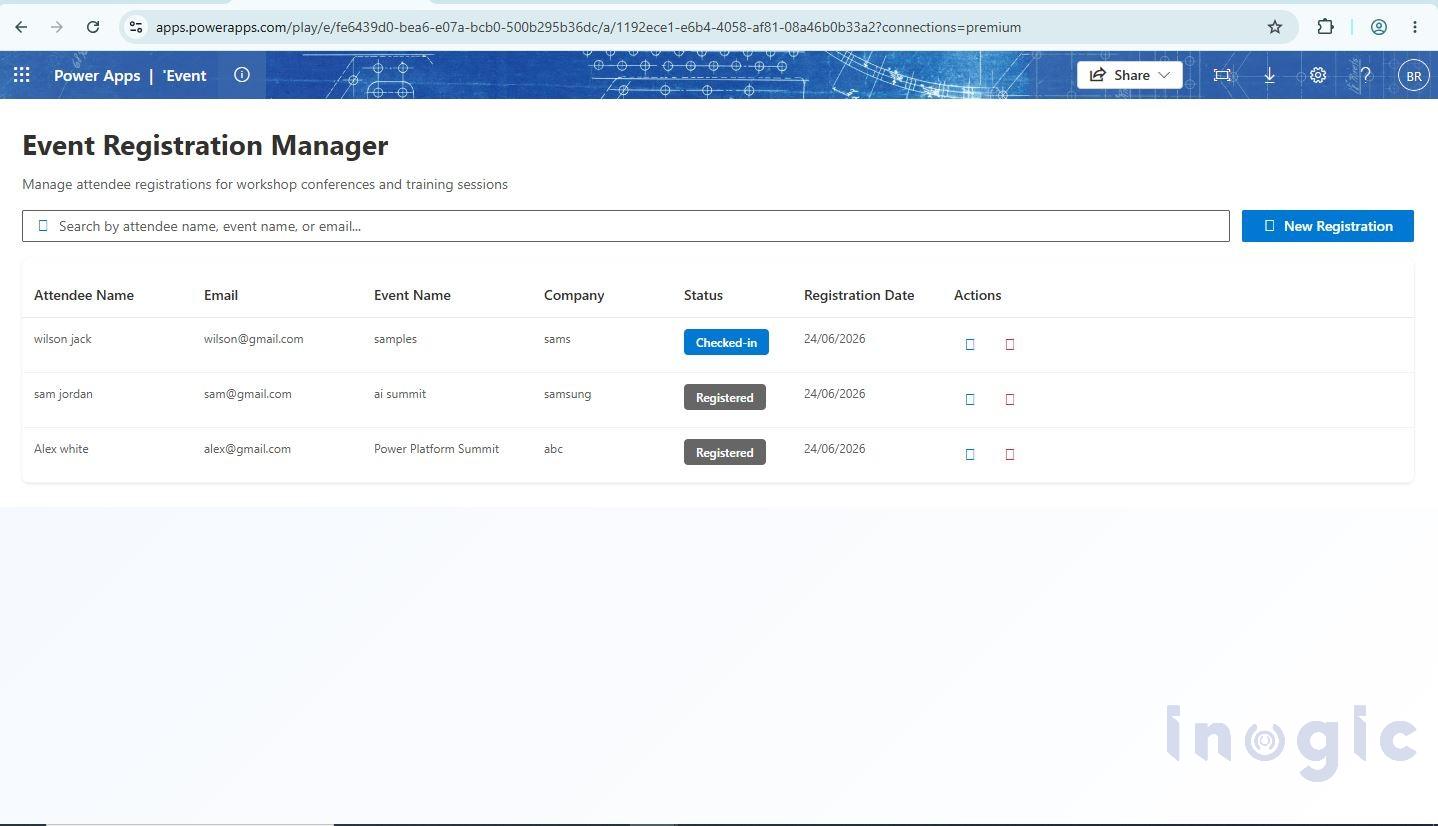
The generated Event Registration Manager application appears in the app list.
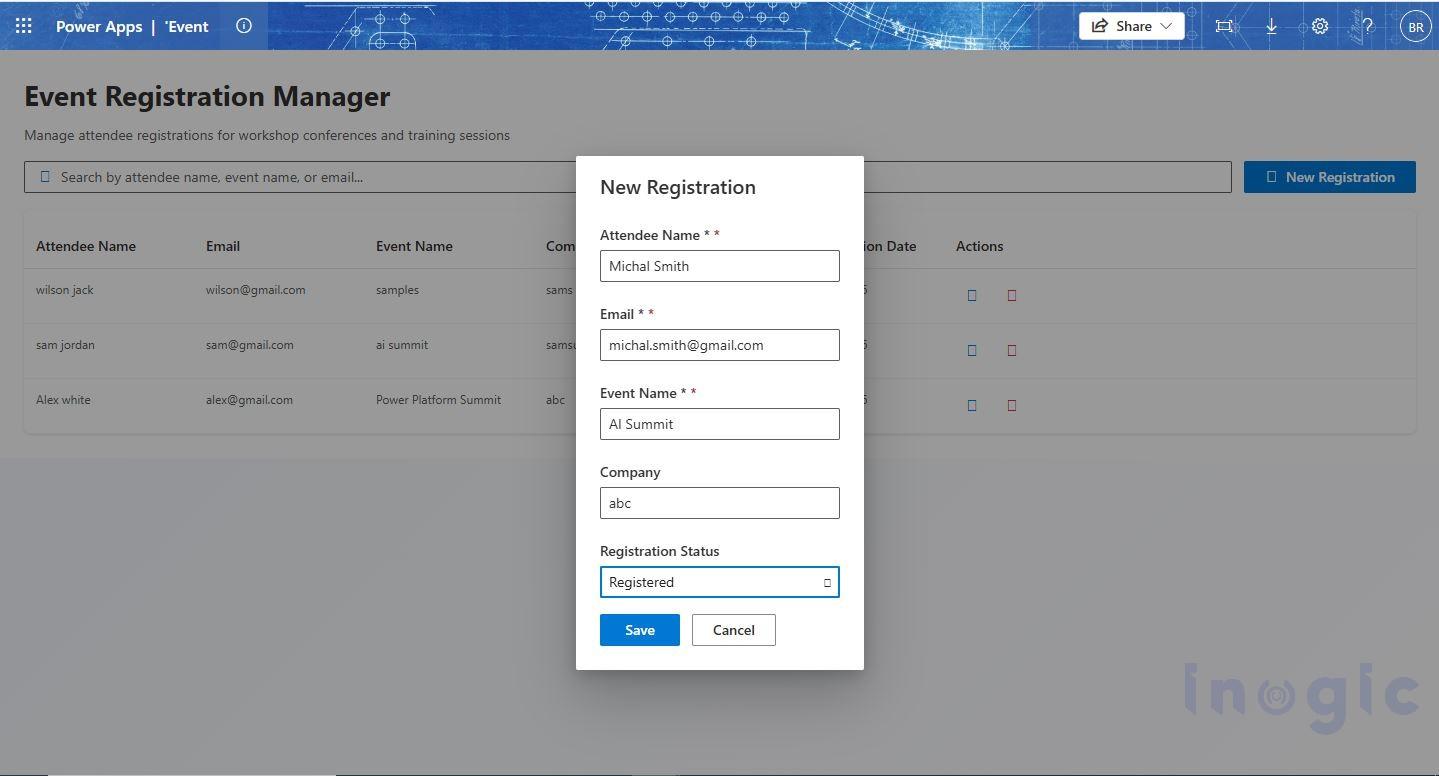
Launch the application and verify the following features:
- View event registrations
- Create new registrations
- Edit registration details
- Search registrations
- Update registration status
- Delete registrations
Step 6 – Final Output
Using GitHub Copilot CLI and Power Platform Skills, a complete Event Registration Management Code App was generated from natural language prompts with minimal manual effort.
The generated application includes:
- React-based Power Apps Code App
- Dataverse integration
- Fluent UI interface
- Complete CRUD operations
- Search functionality
- Registration status management
- Direct deployment of the Power Platform environment
Conclusion
GitHub Copilot CLI and Power Platform Skills significantly simplify the process of building Power Apps Code Apps. Instead of manually scaffolding a React project, configuring Dataverse connectivity, and developing the user interface, developers can describe their application requirements in natural language and let AI generate the initial solution.
For scenarios such as Event Registration Management, this approach accelerates development, reduces repetitive setup tasks, and enables developers to focus on implementing business requirements rather than project configuration. It provides an efficient way to move from an idea to a fully functional Power Apps Code App in just a few guided steps.
FAQs
What is the easiest way to build a Power Apps Code App using AI?
The easiest way is to use GitHub Copilot CLI combined with Power Platform Skills. Developers can describe their application requirements in natural language using the /create-code-app command, and the AI agent automatically scaffolds the React project, connects the Dataverse table, generates Fluent UI components, and deploys the app with minimal manual effort.
What is a Power Apps Code App?
A Power Apps Code App is a React-based web application built within the Power Platform ecosystem that connects to Dataverse and other Power Platform services, combining modern web development with low-code capabilities.
How does GitHub Copilot CLI help in building a Power Apps Code App faster?
GitHub Copilot CLI allows developers to describe what they want the app to do in plain language. Instead of writing code manually, the AI understands the requirements and automatically creates the app structure, connects the data source, builds the screens, and deploys the app in just a few guided steps.
Which UI framework is used in a Power Apps Code App generated by GitHub Copilot CLI?
Power Apps Code Apps generated through GitHub Copilot CLI and Power Platform Skills use Fluent UI components, which provide a modern, accessible, and responsive user interface aligned with Microsoft design standards.
Do you need coding experience to create a Power Apps Code App using GitHub Copilot CLI?
Not necessarily. While some initial setup is required, the AI agent handles the complex parts automatically. Developers simply answer a few questions about the app, such as what data to display and what actions users should perform, and the AI takes care of the rest.