




















Delivered Happiness Globally!
What's Attach2Dynamics?
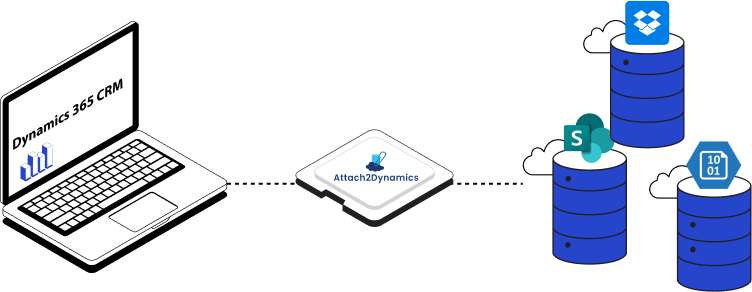
Attach2Dynamics is a Microsoft-certified attachment and storage management solution for Dynamics 365 CRM natively designed to help organizations control Dynamics 365 storage growth without disrupting CRM usage. It enables enterprises to seamlessly move attachments, notes, and emails from Dynamics 365 CRM to low-cost external storage platforms like SharePoint, Azure Blob Storage, and Dropbox, while keeping documents fully accessible from within CRM.
Built for CIOs and Dynamics administrators dealing with rising storage costs and performance issues, Attach2Dynamics delivers a scalable, governance-ready approach to document management, without changing how users work in Dynamics 365.
Recent Updates
Migrate the Outlook email body along with attached files to ensure full data transfer to cloud storage.
Upload and manage files up to 1.5 GB, making it easier to handle larger attachments.
UI improvements for faster, more efficient document access and navigation.
Add custom descriptions when sending files via email from within the Attach2Dynamics interface.
Information Vault
Benefits of using Attach2Dynamics
Save valuable Dynamics 365 storage space by moving files to low-cost external platforms.
Maintain secure document backups and reduce dependency on CRM storage limits.
Access and manage cloud-stored files within Dynamics 365 CRM through a familiar interface.
Enable precise control over document actions with user-based access permissions.
Supported On
Dynamics 365 CRM
Online | Dataverse
Supported Storages
SharePoint (Online) | Dropbox | Azure Blob Storage
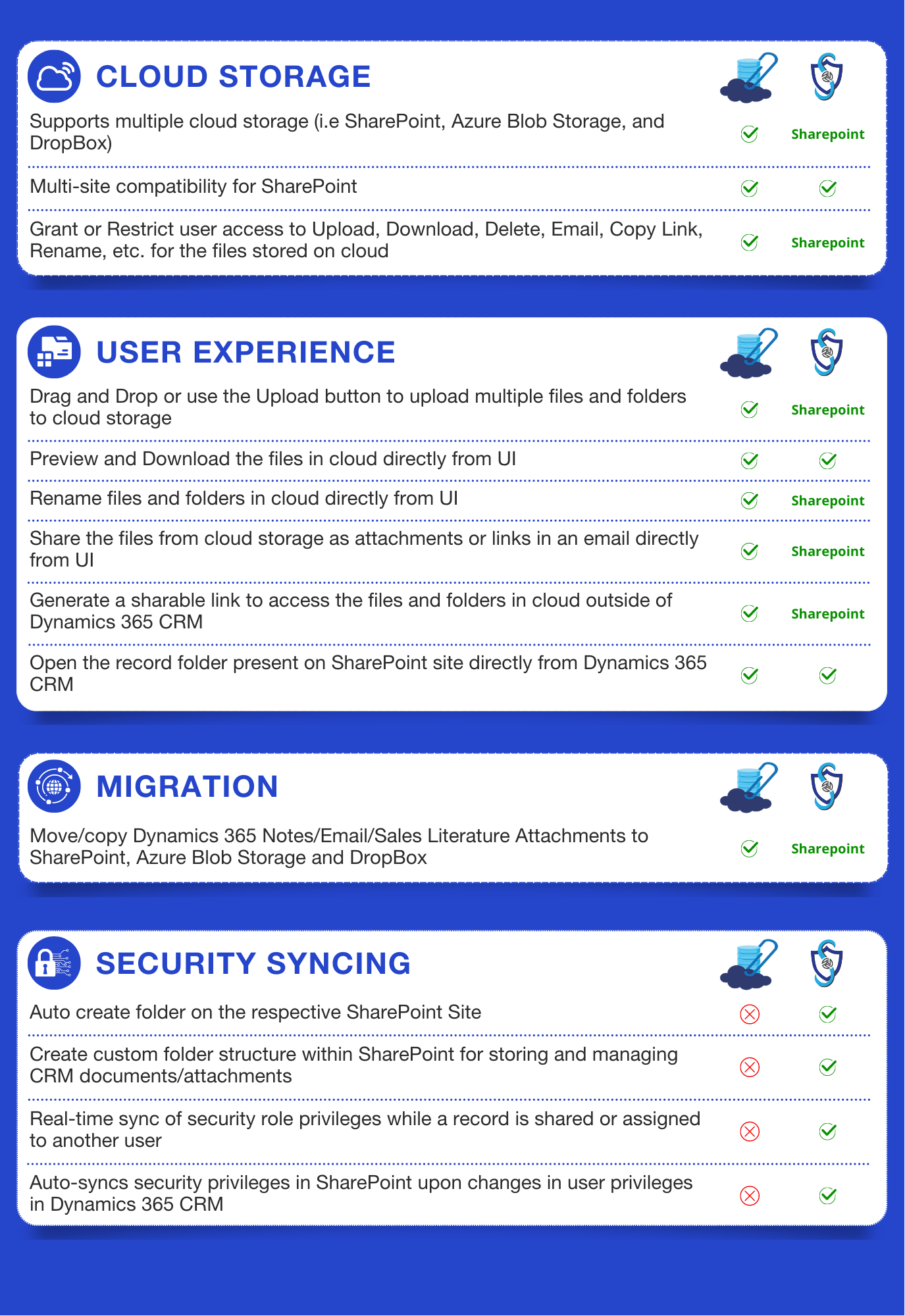
Attach2Dynamics works great in combination with its companion product SharePoint Security Sync that can replicate Dynamics 365 CRM security model in SharePoint!
Features
Here’s How It Elevates Your Document Management
Save Dynamics 365 Storage space and Cost
Is your CRM slowing down due to low storage space? And buying additional CRM storage is too costly for your business? Move your CRM attachments and files to affordable cloud storage, without ever leaving Dynamics 365. Attach2Dynamics seamlessly connects your CRM with SharePoint, Azure Blob Storage, and Dropbox, so you can free up your valuable CRM storage, cut costs, and keep your team working without disruption.
More storage flexibility. Less spend. Zero compromise.
- Migrate years of old CRM attachments, notes, and email content to cloud storage overnight
- Clear up disk space instantly with bulk migration of Dynamics 365 attachments
- Files remain fully accessible from within Dynamics 365
- Email content consumes nearly 70% of Dynamics 365 CRM storage
- Auto-move Dynamics 365 email attachments and notes to your preferred document management system in real time
- No more heavy emails piling up, zero impact on accessibility
This results in immediate storage relief, predictable costs, and a more responsive CRM system.
Access and Manage all documents from CRM
While files are stored externally, users still continue accessing those documents and working entirely inside Dynamics 365.
Attach2Dynamics ensures:
- Secure access to Dynamics 365 CRM documents in cloud storage
- Role- and business-unit–based control over upload, delete, share, and rename actions
- Centralized visibility without exposing the underlying storage platform
This balance of accessibility and control helps IT teams maintain governance without limiting productivity.
How does Attach2Dynamics save storage space and improve productivity?
Attach2Dynamics simplifies Dynamics 365 document migration while maintaining cost efficiency. Users can send cloud-stored documents directly from CRM without duplicating files back into Dynamics storage.
Key capabilities include:
- Predefined email recipients using Email Configuration
- Custom notes for contextual sharing
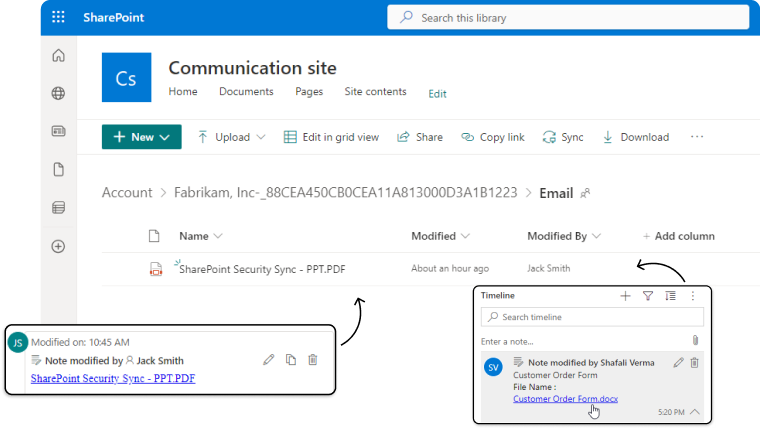
- Drag and Drop Email and its Attachments from Outlook to cloud storage with Dynamics 365
This reduces unnecessary storage duplication while keeping collaboration fast and controlled.
Attach2Dynamics eliminates the need to switch between platforms.
From within Dynamics 365, users can:
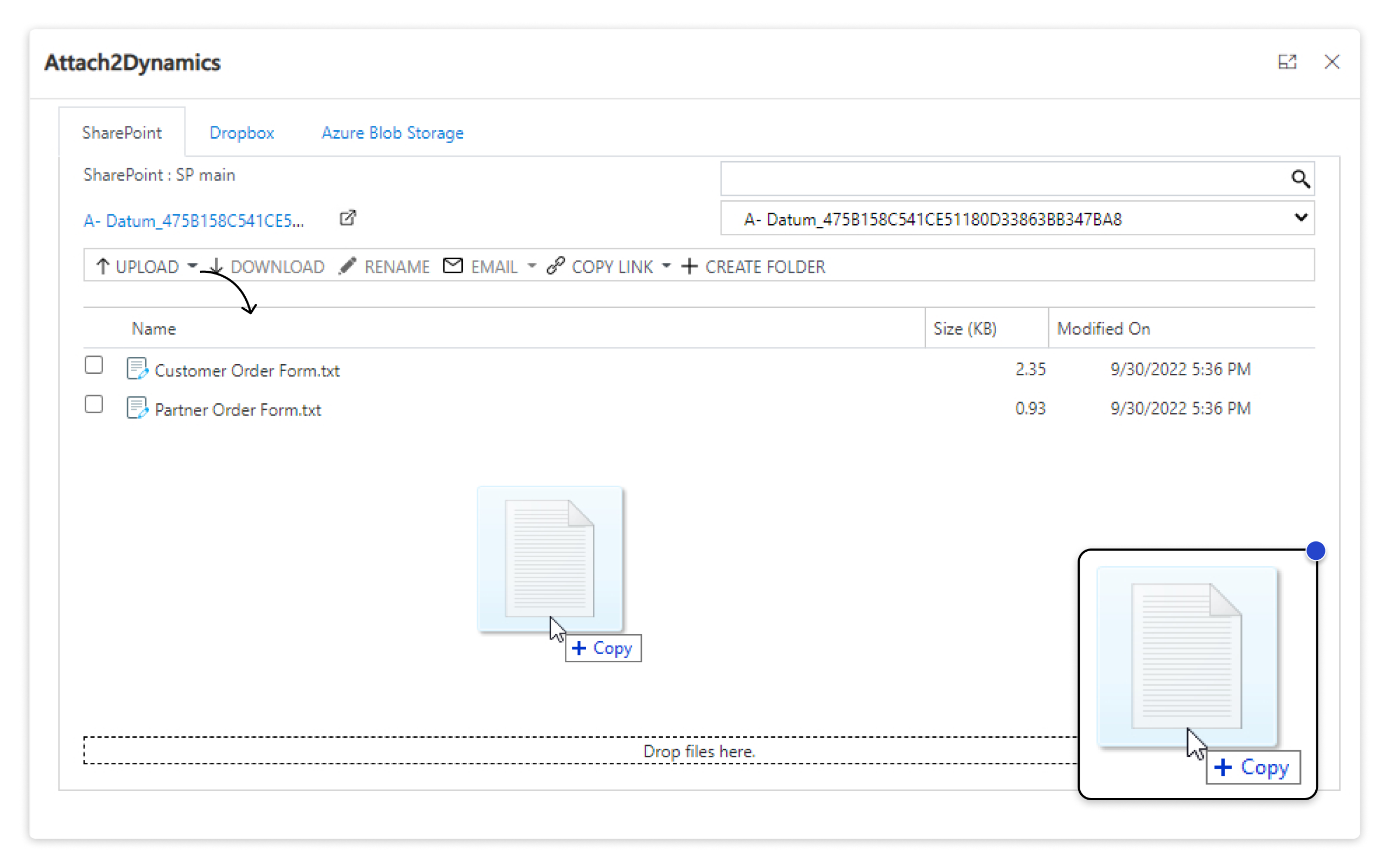
- Upload, download, rename, preview, delete, and share documents
- Use drag-and-drop uploads for faster adoption
- Automatically organize files using metadata-driven folder structures
For IT teams, this means standardized storage architecture; for users, it means simplicity without training overhead.
More Features
Single Sign-on
Single Sign-On ensures secure and streamlined access to cloud storage actions.
Deep Search
Deep Search functionality helps users instantly find folders and files by path or name.
Preview Files
File Preview allows users to view documents before downloading them.
Create Folders
Metadata-driven folder creation streamlines structured file organization.
Configure Email Audience
Users can set default from, to, cc, and bcc for an email using the ‘Email Configuration’ feature of Attach2Dynamics.
Bulk Upload
Bulk Upload- Supports large files and simultaneous uploads for multiple CRM records.
Transform Your Data Management:
The Ultimate Attach2Dynamics Guide
Streamline Processes, Enhance Collaboration, and Boost Productivity with Attach2Dynamics
testimonials
What Our Customers Are Saying?
Our Blogs
How to Improve SharePoint Online Storage Performance and Maintain Document Security
SharePoint is at the heart of Microsoft 365’s collaboration ecosystem, it often becomes a “document dump” before teams realize it…
Top Questions About Dynamics 365 CRM Document & Storage Management—Answered!
Efficient and secure document management in Microsoft Dynamics 365 CRM is vital for scalable growth, compliance, and collaboration…
Role-Based Access Control for Document Security in Dynamics 365 CRM!
In this blog, we’ll show you how to apply end-to-end RBAC, so your users only access what they need and only perform actions they’re allowed to…
Frequently Asked Questions
Attach2Dynamics provides Dynamics 365 SharePoint integration, Dropbox integration and Azure Blob Storage integration for managing and storing Dynamics 365 CRM attachments
Yes, Dynamics 365 attachments/documents migrated to SharePoint, Dropbox, and Azure Blob Storage are easily accessible. By using Attach2Dynamics UI, one can easily perform a number of actions such as view, download, email, copy link, delete, etc. on the attachments stored in any of the three cloud storages. Also, the links of migrated Note attachments are stored in the note description. For Email and Appointment entity, a note is created against the entity where the attachment links are stored.
No, there is no such limit. The user can move history attachments using ‘Bulk Migration’ feature of Attach2Dynamics. Here, user can define the period for which the attachments can be moved to cloud storages such as X weeks or X months.
The attachment size limit for Dynamics 365 is 128 MB for a single file in Dataverse, but this may vary based on storage capacity and configurations. You can overcome this limitation by enabling seamless integration with cloud storage platforms like SharePoint, Azure Blob, and Dropbox using Attach2Dynamics. It allows you to upload and manage up to 1.5 GB of attachments. With Attach2Dynamics, you can store, manage, and access large files directly from Dynamics 365 without worrying about storage constraints.
When document storage in Dynamics 365 reaches its limit, CRM performance slows down significantly. This can lead to delays in retrieving records, uploading files, and overall system inefficiencies—directly affecting business productivity. To avoid such issues, integrating cloud storage solutions is the best approach. Moving documents to platforms like SharePoint, Azure Blob, or Dropbox can free up CRM storage, ensuring smoother operations and faster data access. The Attach2Dynamics app streamlines this process, enhancing efficiency, reducing costs, and optimizing CRM performance.
Reach out to us today to know more!
