















Export Dynamics 365 Reports to PDF, Word & CSV

Export, Save, and Email Dynamics 365 Reports in 1 Click using Click2Export

Delivered Happiness Globally!

Export, Save, and Email Dynamics 365 Reports Without the Manual Work

Exporting a Dynamics CRM report usually means running it, downloading it, converting it, and attaching it to an email by hand. Click2Export replaces all of that with one click. Turn a Dynamics 365 report into PDF, Word, CSV, Excel, or TIFF, save a Dynamics 365 report as Word or CSV on the CRM record, or email a Dynamics 365 report as PDF or CSV straight from CRM. Need to export all Dynamics 365 reports for multiple records? Do it in bulk. Need the same report every week? Schedule it, and recipients get updated files automatically, with optional password protection. It works with OOB and custom entities on Dynamics 365 Online and On-Premises.

Recent Updates

Easily send emails to external domain users without CRM accounts, enabling smooth communication with everyone.

Embed shareable links in email templates for easy sharing of project updates & documents directly from the email body.

Users can encrypt confidential PDF files with a personalized password, offering both standard and advanced encryption options.

Users can schedule automated data exports at set intervals, sending Dynamics 365 CRM reports and templates directly to recipients without manual work.

Benefits of using Click2Export

Export a Dynamics 365 report in the format you need (PDF, Word, Excel, CSV, TIFF) so your data is ready for better decisions.

Save time by exporting multiple records at once and handling large data sets without repeating the same export.

Click2Export

Schedule exports at set intervals, so reports are emailed on time with no manual effort.

Create multiple templates with custom filters and add password protection to share securely with authorized recipients.

Start Your FREE Trial - Download the App Now!

EULA

Supported On

Dynamics 365 CRM
On-Premises and Online | Dataverse
Supported
Features

Here’s How Click2Export Simplifies Dynamics 365 Report Export

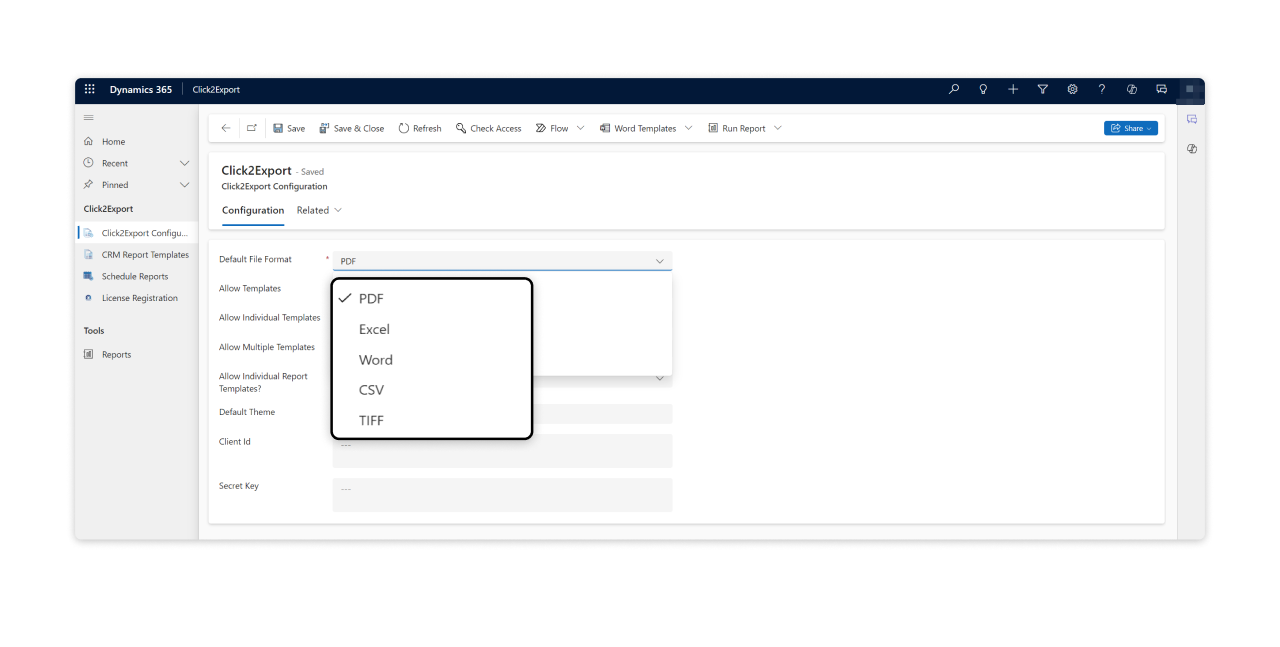
Export CRM reports in Multi-Format

Export a Dynamics 365 report to PDF, export a Dynamics 365 report to CSV, or convert a Dynamics 365 report to Word, Excel, and TIFF. Pick the format each report, document, or template needs.

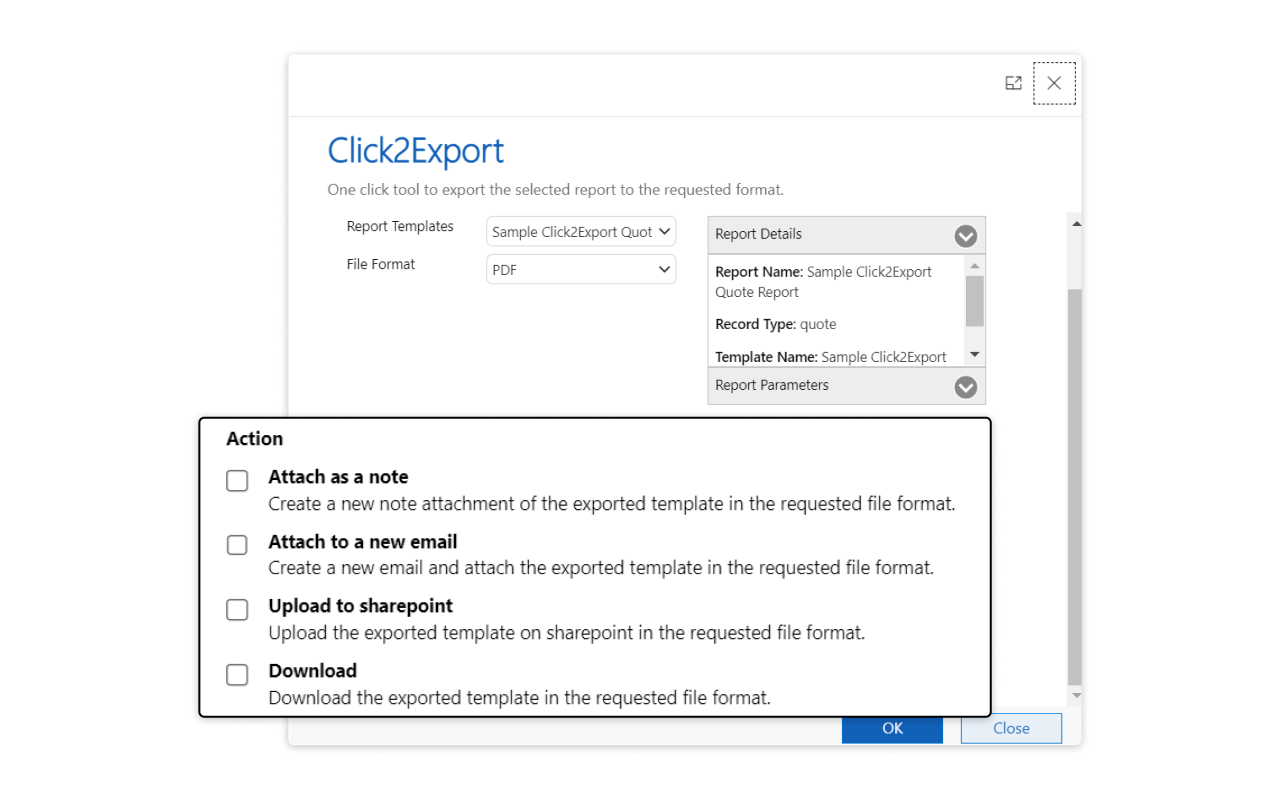
Flexible Export Actions

Choose what happens to the file: email a Dynamics 365 report as a PDF attachment, save a Dynamics 365 report as a Word or CSV note on the CRM record, upload it to SharePoint, or download it for offline access.

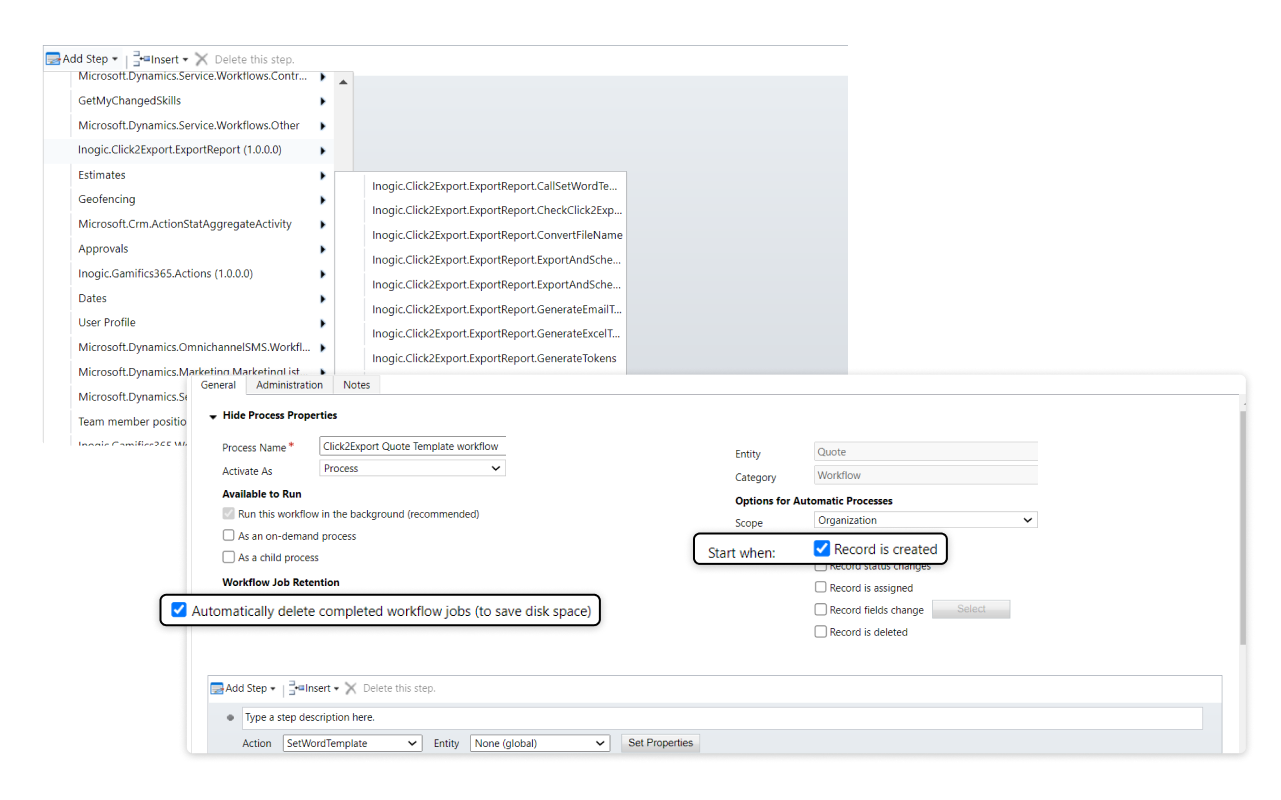
Workflow Automation

Trigger exports from CRM workflows and email Dynamics 365 reports with attachments automatically when specific events occur.

More Features

Click2Export from Subgrid

Export related records directly from the subgrid with a single click using the 'Click2Export' button.

Automated Email Sending

Automatically email Dynamics 365 reports as PDF or CSV to designated recipients, with no manual follow-up.

Bulk Export Capabilities

Need to export all Dynamics 365 reports for multiple records? Generate Word templates or SSRS reports for several records in a single action.

Export CRM Views Data in Table Format

Schedule and email CRM view data in various table layouts to designated recipients.

Export Related Records in Excel

Export related records to a customizable Excel template with tailored columns showing the associated data you need.

Flexible Email Recipient Selection

Email a Dynamics 365 report to Users, Queues, Teams, dynamic lookup fields, or Managers, with a choice of primary or secondary email addresses.

Streamline Reporting and Communication with 1-Click Automation!

testimonials

What Our Customers Are Saying?

Deppmann
I use this in a few places throughout my environment. I actually don't interact with the tools directly very much because Inogic has integrated the solution more directly such that it is engaged automatically. The package has never failed to deliver. We are using it in multiple areas to automatically generate a document into a PDF and either send an email automatically or bring the email up on screen for the user to complete. Inogic is a great developer to work with.
Tim Miller
Chartered Banker
Great solution for report automation. The Click2Export solution has changed the way we provide MI reports to our customers & saves our teams a significant amount of time by removing the manual work involved with creating and sending reports. The support provided by Inogic is also excellent, always very quick to respond and efficient with their assistance. Highly recommend this product!
Nick Reilly
Red Diamond
We have used Click2Export for years, it works as intended and their support is excellent.

Our Blogs

How to Effortlessly Export Reports, Templates, and CRM Data in One Click

Click2Export is a smart add-on for Microsoft Dynamics 365 CRM & Dataverse that lets you export reports, Word templates, Excel templates, and CRM views instantly.

Read More

Export Dynamics 365 Reports to PDF Automatically: Step-by-Step Guide

Click2Export is a powerful Dynamics 365 app that automates report exports and distribution. It handles the entire workflow-generating reports, converting them to PDF…

Read More

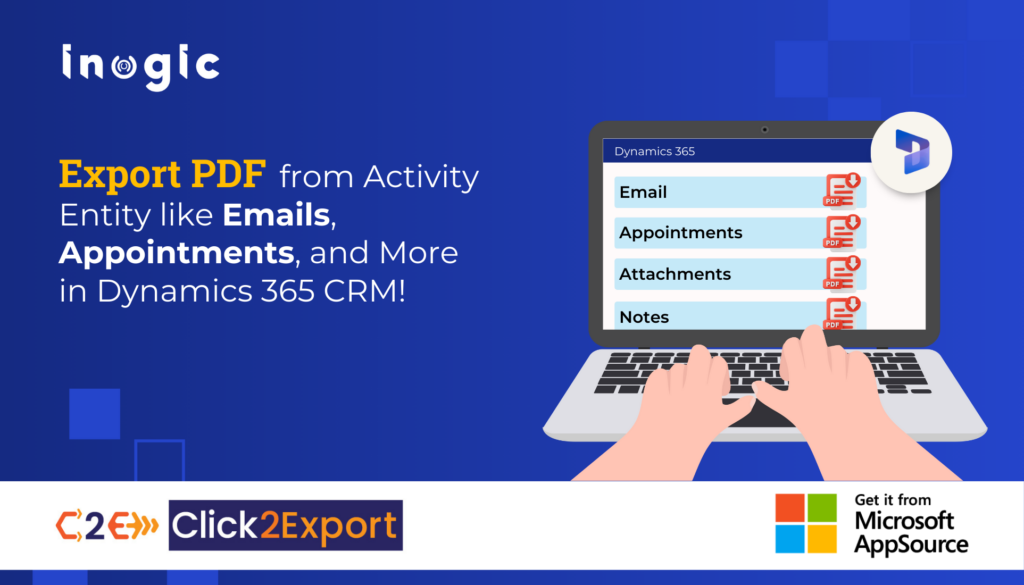
Export PDF from Activity Entity like Emails, Appointments & More in D365 CRM!

This highlights the need for a simple PDF conversion tool, especially within Dynamics 365 CRM, where document sharing and management are crucial…

Read More

Frequently Asked Questions

How do I export a Dynamics 365 report to CSV, PDF, or Word?

Click2Export exports Dynamics CRM reports, views, and document templates (Word, Excel, Email) in one click. Convert a Dynamics 365 report to PDF, Word, CSV, Excel, or TIFF without manual steps.

How do I email a Dynamics 365 report as a PDF?

Natively, you export the report, convert it to PDF, and attach it to an email by hand, which is slow and repetitive. Click2Export automatically generates SSRS reports as PDF and emails them from Dynamics 365 CRM. You can also email Dynamics 365 report CSV, Word, TIFF, or Excel files as your business requires.

How can I export a Dynamics 365 report repeatedly on a schedule?

Use the ‘Schedule Reports’ feature to set a daily, weekly, or monthly schedule. The data is exported and emailed to the right recipients every time, with no manual export.

Can I export all Dynamics 365 reports in bulk?

Yes. Click2Export lets you export Dynamics 365 CRM data in bulk with a single click. For Word templates, you can export around 20 records at once.

Export Dynamics 365 CRM reports to PDF, Excel, Word, or CSV with just a click

Contact Us

Get a Demo

Dynamics 365 v9.x/Dataverse

Presentation

whitepaper

Download eBook