














Interactive Kanban Board for CRM Execution

Kanban View for Dynamics 365 CRM to visualize pipelines, execute workflows, and move work forward faster.

Delivered Happiness Globally!

What's Kanban Board?

A Kanban Board for Dynamics 365 CRM is a workflow acceleration tool that turns static CRM grids into actionable, visual pipelines. Designed for Microsoft Dynamics 365 and Dataverse (Power Apps), it enables sales, service, and operations teams to manage opportunities, leads, cases, and custom records through interactive, drag-and-drop workflows. Unlike basic Kanban views, it supports configurable lanes and rows, real-time record updates, Business Process Flow alignment, and multi-entity visualization, helping teams not only see work, but move it forward faster. By transforming CRM data into execution-ready workflows, Kanban Board reduces manual follow-ups, surfaces bottlenecks instantly, and creates structured pipeline signals that tools like Microsoft Copilot can use to prioritize and gain insights. The result is faster deal progression, clearer ownership, and AI-ready operational visibility, directly inside Dynamics 365.

Recent Updates

Apply Business Process Flows across multiple CRM entities to create continuous pipelines and consistent execution signals across sales and service.

Sort Kanban lanes by card volume to instantly identify bottlenecks, prioritize high-activity stages, and focus teams on revenue-impacting work.

Enjoy smooth scrolling and faster performance with enterprise-ready lazy loading, ensuring reliable workflow execution even at scale.

Trigger personalized actions as cards move across lanes to automate processes, capture activity signals, and power smarter downstream workflows.

Benefits of using Kanban Board

Get instant pipeline clarity with visual views of hot deals, pending activities, and bottlenecks, enabling faster decisions and AI-ready CRM data inside Dynamics 365.

Prioritize high-value opportunities to maximize ROI while creating structured pipeline signals for smarter forecasting.

Kanban Board

Keep distributed teams aligned with shared Kanban workflows that reduce duplicate work and ensure consistent execution across regions.

Spot stalled deals early to shorten sales cycles, improve conversions, and drive predictable outcomes with actionable CRM insights.

Start Your FREE Trial - Download the App Now!

EULA

Supported On

Dynamics 365 CRM
Online | Dataverse
Supported On
Features

Here’s How It Helps You Visualize Your CRM Workflows

Workflow Automation with Kanban Board

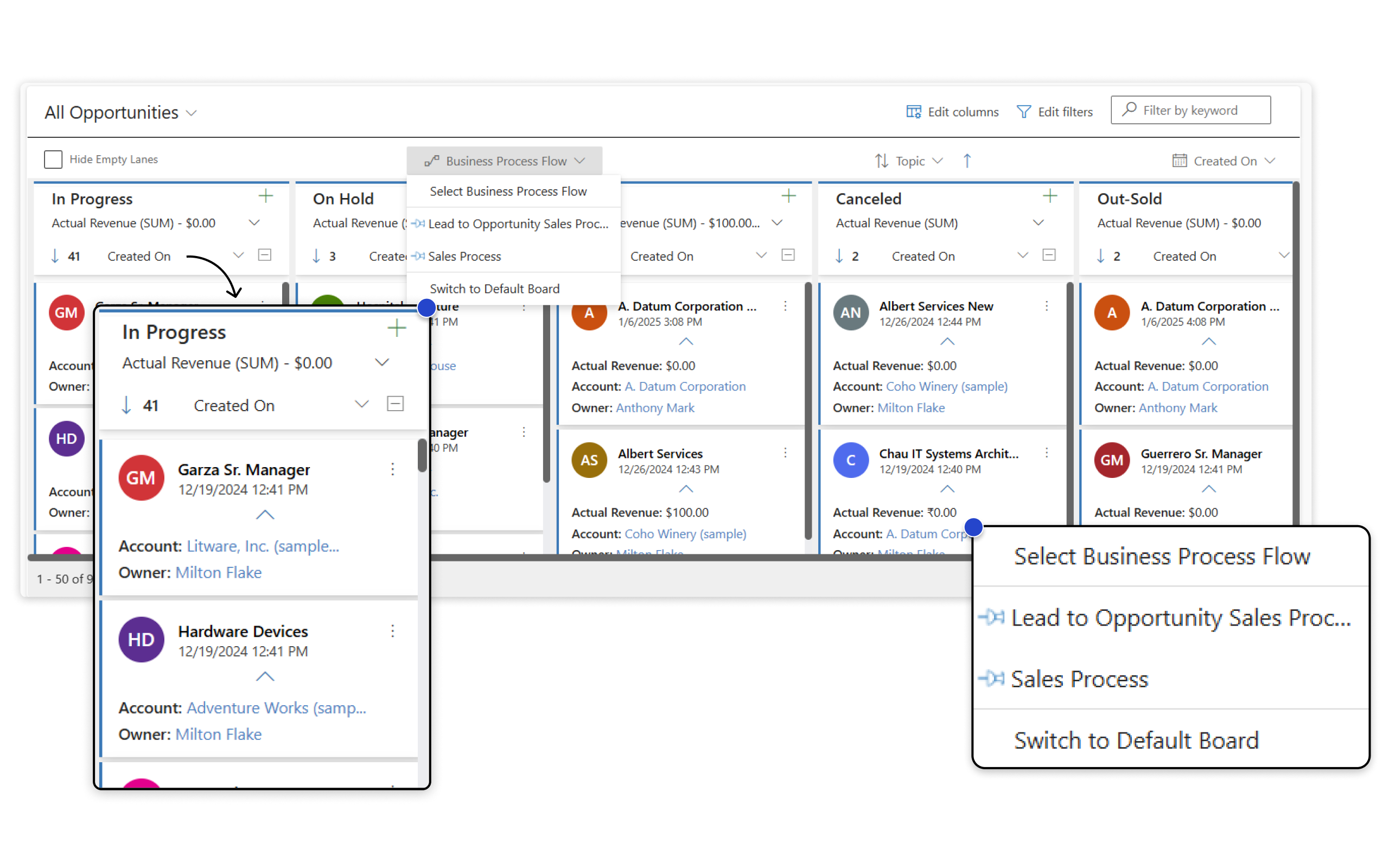
Business Process Flow Support

Looking to Streamline Your Workflows? Turn Business Process Flows into visual, execution-ready CRM workflows. Kanban Board aligns Dynamics 365 records with defined process stages, helping teams move every transaction forward while generating structured pipeline data for operational clarity and AI-assisted insights. Instead of managing processes across disconnected grids and forms, users work directly on Kanban cards mapped to Business Process Flow stages. This allows faster updates, clearer ownership, and consistent execution across sales, service, and operations.  Additionally, it gives improved process adoption, reduced manual follow-ups, predictable pipeline movement, and cleaner execution data for analytics and Copilot.

Apply Business Process Flows directly to Kanban Boards to organize CRM records by stage and priority.

  • Visualize every transaction as it moves through defined process stages
  • Pin Business Process Flows globally for team-wide consistency or personally for individual workflows
  • Maintain standardized processes while allowing user-level flexibility

Outcome: Improved process adoption, fewer manual follow-ups, and predictable pipeline movement.

Extend a single Business Process Flow across multiple CRM entities to create one continuous workflow.

For example, track a Lead-to-Opportunity process seamlessly as records move between entities, with stages automatically reflected in Kanban.

  • Follow records across Leads, Opportunities, and custom entities
  • Maintain real-time stage visibility across the funnel
  • Eliminate handoffs and disconnected process views

Outcome: Smoother transitions, better bottom-of-funnel visibility, faster deal progression, and unified pipeline signals across entities.

Seamless Data Visualization with Kanban View

Seamless Data Visualization with Kanban View

Convert any Dynamics 365 or Dataverse view into an interactive Kanban Board.

Organize records by entity, category, or custom fields to gain instant visibility into pipelines, cases, projects, or operational workflows.

  • Configure lanes, rows, and card layouts
  • Track progress visually across standard and custom entities
  • Replace static grids with actionable CRM workflows

Outcome: Faster prioritization, clearer ownership, simplified CRM operations, and execution-ready workflows that feed actionable insights.

Drag-and-Drop Execution with Real-Time Insights

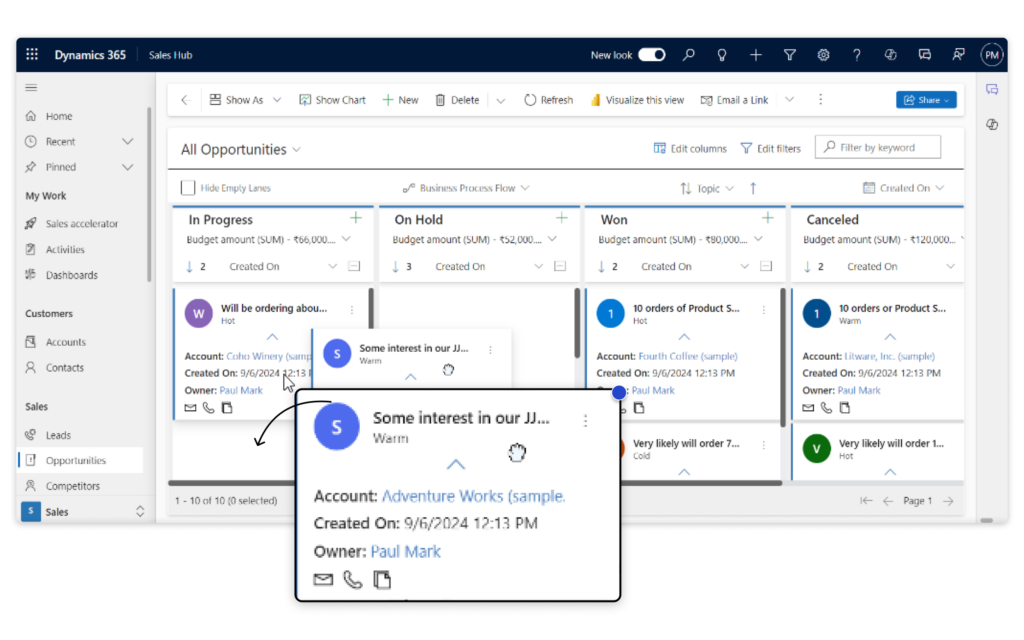
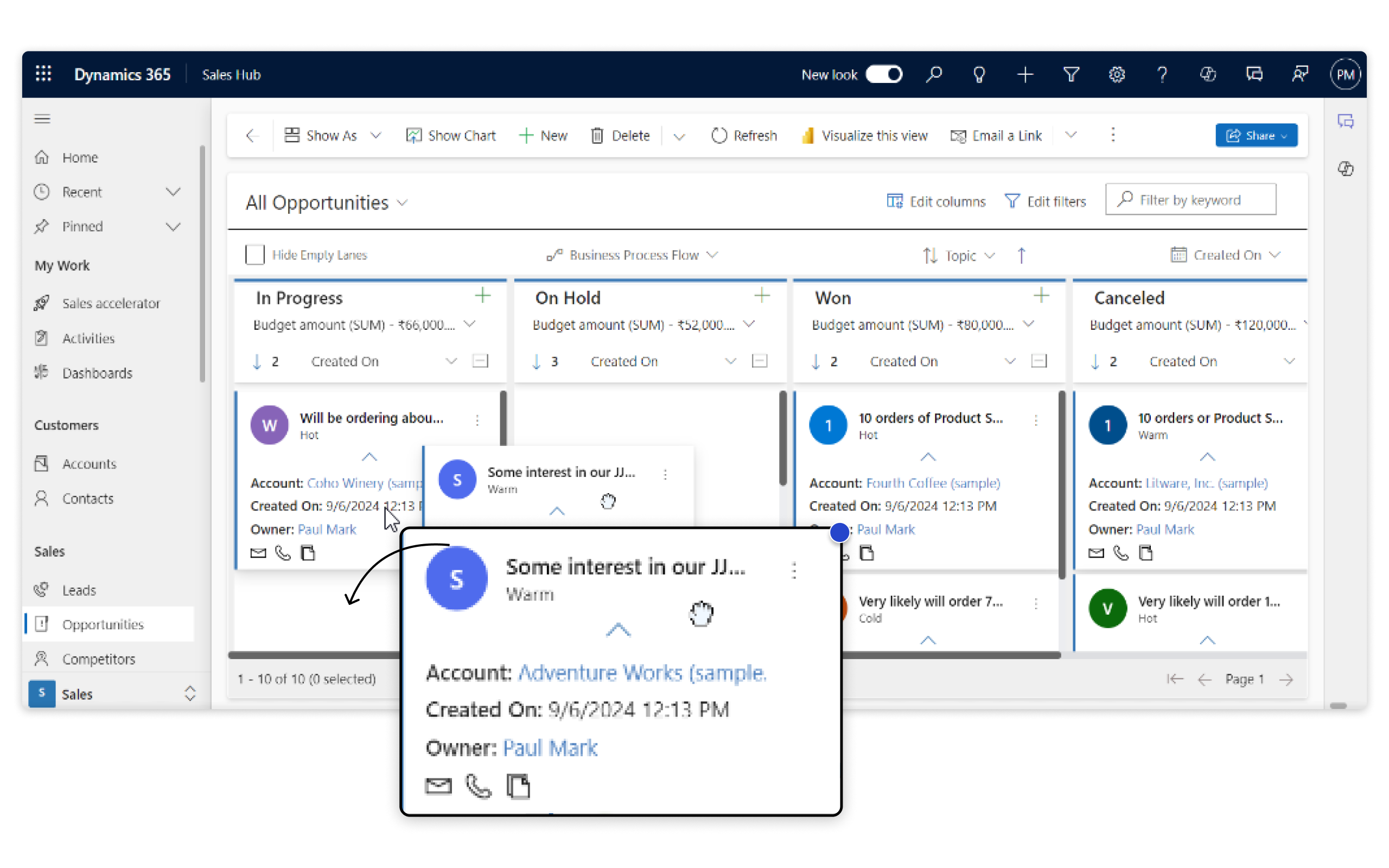
Drag & Drop Option to Maximize Efficiency and Enhance Agility

Move records across stages with simple drag-and-drop actions while Kanban Board updates CRM data instantly.

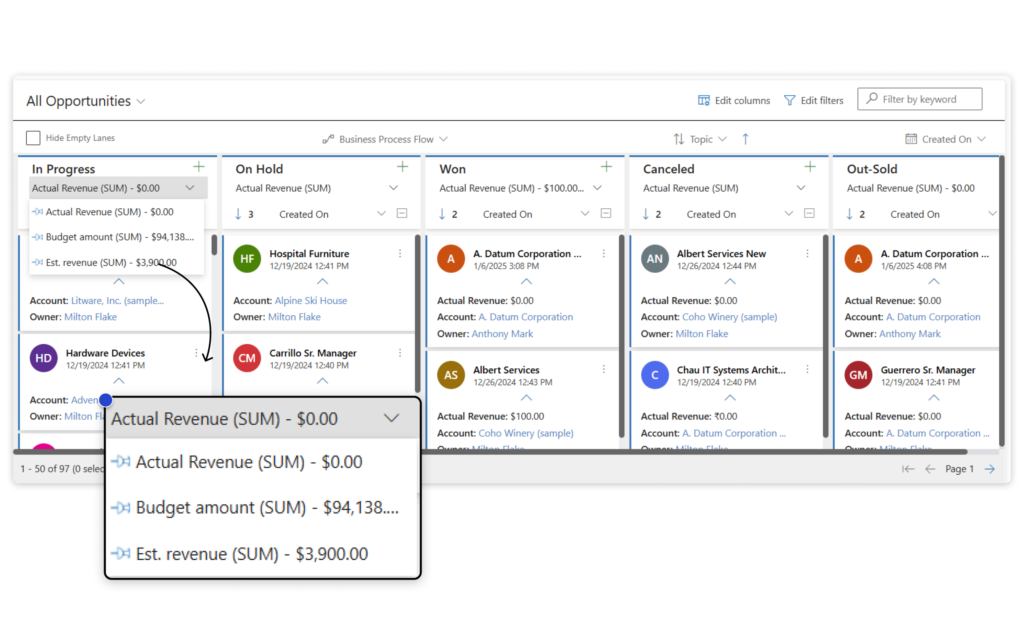
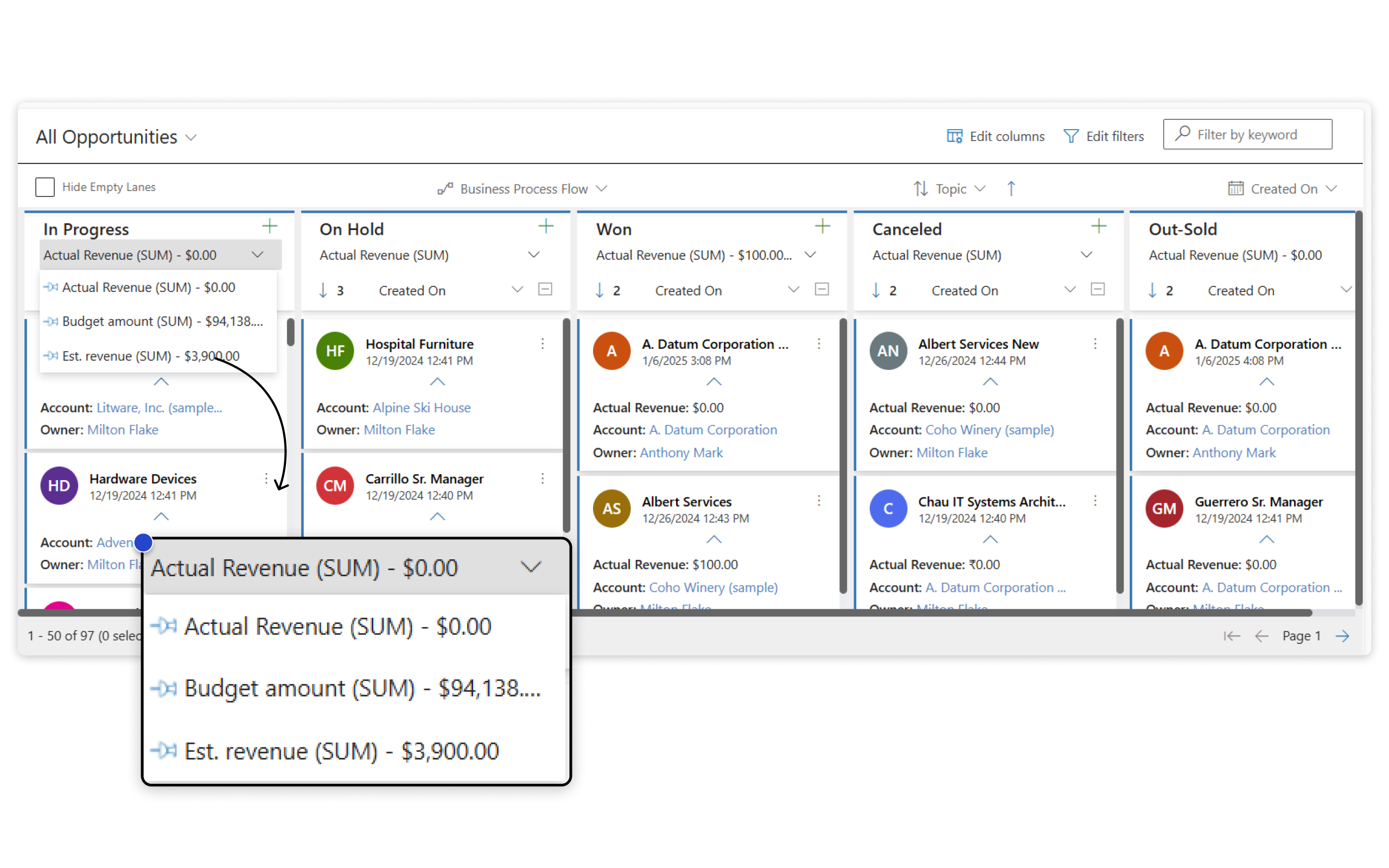
View aggregate values such as SUM, AVG, MAX, or MIN for key numeric fields like estimated revenue, deal size, or budget, directly on the board.

  • Update stages without opening records
  • See pipeline value and workload distribution in real time
  • Take action directly from Kanban cards

Outcome: Reduced clicks, improved productivity, and real-time visibility into pipeline health and business impact.

More Features

Organize Records by Workload, Owner, or Priority

Group records into rows using any field to reflect ownership, categories, or workload distribution. Drag records across rows and lanes to update CRM instantly, helping managers rebalance work.

Bulk Record Movement for Faster Updates

Move multiple Kanban cards at once to new lanes or rows. Perfect for mass status updates, pipeline cleanup, or task reorganization in just a few clicks.

Native Dynamics 365 Experience

Kanban Board runs directly inside your CRM as a Dataverse (Power Apps) component. It supports standard ribbon actions and replaces traditional views while preserving familiar Dynamics workflows and creating consistent execution signals for reporting and AI tools.

Dynamic Grouping with FetchXML

Automatically organize Kanban boards using FetchXML criteria to reflect complex business logic and custom CRM rules. Provides Enterprise-ready flexibility for advanced CRM scenarios.

Intelligent Search, Sort, and Filters

Use native CRM quick search along with advanced sorting and filtering to surface exactly the records you need. Sort by any field, including creation date, and filter lanes and rows to focus on active work.

Flexible Swim Lanes and Card Layouts

Maintain consistent board layouts with synchronized swim lanes and adjustable card widths. Expand or collapse rows together for a clean, structured workspace tailored to your workflow.

Smart Lane Prioritization by Activity

Sort Kanban lanes automatically based on card volume to highlight high-activity or high-priority stages. Quickly identify bottlenecks and generate actionable pipeline insights for managers.

Custom Event Integration for Workflow Automation

Trigger personalized actions before or after card movement, from opening custom pages to enforcing business rules or logging changes, turning Kanban into an execution layer that feeds downstream automation and CRM intelligence

High-Performance with Lazy Loading

Navigate thousands of CRM records with smooth scrolling and fast load times. Lazy loading dynamically loads data ensuring responsive performance and reliable workflow execution in large enterprise environments.

A Comprehensive E-Book On Kanban Board To Boost Your Productivity!

Kanban
testimonials

What Our Customers Are Saying?

Kanban Inside
We have conducted numerous tests with the Kanban solution provided by Inogic, and so far we have been very pleased with the results. The technical team is always ready to assist and has greatly supported our testing efforts. We believe that this Kanban solution is an excellent way to enhance the CRM process using solutions developed on Dynamics/Power Platform.
Erico Lima
Kanban Stearns
The configuration is easy, we were in production in 1 day. The service team started using this on cases and custom entities cutting daily stand up meeting times by 1/3.
Eric Stearns
Kanban United
We have been working with the Inogic Kanban board for a few months and are satisfied with both the solution and the helpfulness Inogiv offers. They are happy to help via an online call and provide good and helpful guides via email. The product meets our expectations in terms of quality, price and service.
Philip Nielsen

Our Blogs

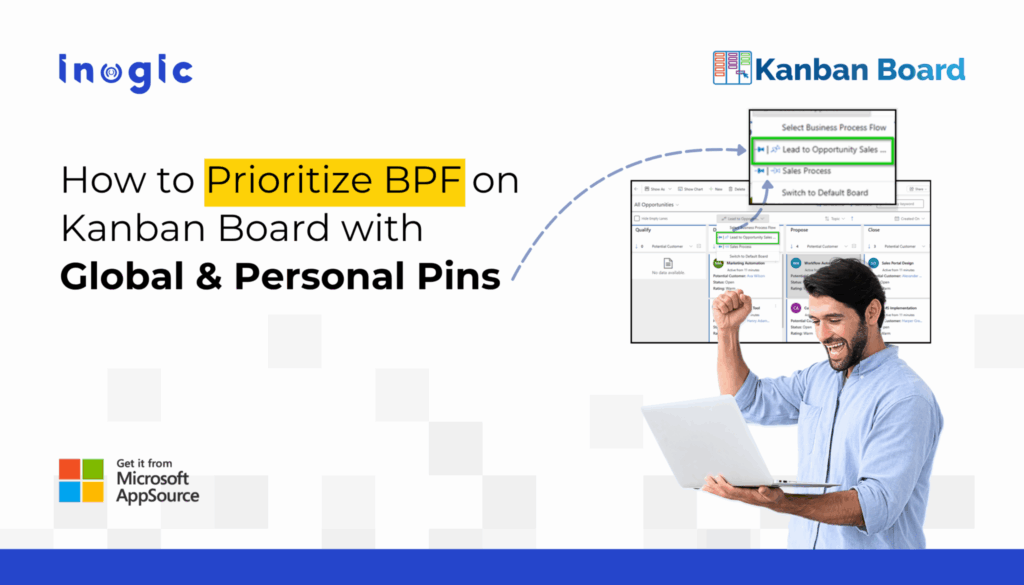
How to Prioritize Business Process Flows (BPFs) on Dynamics 365 Kanban with Global & Personal Pins

Business Process Flow (BPF) Pinning in Dynamics 365 Kanban allows users or admins to prioritize and pin a specific process so it automatically loads every time the Kanban view is opened.

Read More

How to Visualize Sales Data in Dynamics 365 CRM Using Kanban Board

In this blog, we’ll explore 5 practical ways CRM administrators use the Hierarchy Control in Dynamics 365 CRM, and how Map My Relationships takes those capabilities to the next level…

Read More

Dynamics 365 CRM Kanban View Gets an Upgrade: Prioritize with Lane Sorting!

If you’ve ever tried to answer these questions by looking at a cluttered CRM screen, you know how frustrating it can be. Managing tasks without a clear view is like trying to find your way through a maze in the dark….

Read More

Frequently Asked Questions

What is Kanban Board in Dynamics 365?

Kanban Board in Dynamics 365 is a visual tool that helps organize and track records in a card-based layout. It seamlessly integrates with your CRM, offering enhanced features like drag-and-drop updates, Business Process Flows, aggregate field values, and swim lanes for improved task management.

Once Kanban Board is installed is it possible to switch to normal grid view?

Yes, users can easily switch between Kanban view and Grid view as per their requirement. Kanban Board is a highly flexible that easily adheres to the requirement of Dynamics 365 CRM users.

What makes Inogic’s Kanban Board different from native Dynamics 365 Kanban?

Native Dynamics 365 Kanban is designed for basic visualization. Inogic’s Kanban Board goes further by enabling workflow execution with Business Process Flow support, row grouping, aggregate values, bulk record movement, automation triggers, and multi-entity visualization — helping teams not just see records, but move work forward faster.

Can I use Kanban Board with custom entities in Dynamics 365?

Yes. Kanban Board works with both standard and custom entities in Dynamics 365 and Dataverse, allowing organizations to apply visual workflows across sales, service, operations, and custom business processes.

Does Kanban Board support Business Process Flows (BPF)?

Yes. Kanban Board supports Business Process Flows, including multi-entity BPFs. This allows teams to manage records visually while following defined process stages — ensuring consistent execution across leads, opportunities, cases, and custom entities.

Can Kanban Board help improve sales pipeline visibility?

Absolutely. Kanban Board provides real-time visual pipelines with lane totals, workload grouping, and drag-and-drop updates, helping sales teams identify stalled deals early, prioritize high-value opportunities, and accelerate deal progression inside Dynamics 365.

Is Kanban Board suitable for enterprise-scale CRM environments?

Yes. Kanban Board is built for scale, supporting thousands of records with lazy loading, advanced filtering, FetchXML-based grouping, and workflow automation. It’s designed to perform reliably for distributed teams and large Dynamics 365 deployments.

Can teams automate actions when Kanban cards move?

Yes. With Custom Event Integration, organizations can trigger personalized actions when cards move across lanes, such as enforcing business rules, logging changes, opening custom pages, or updating related records, turning Kanban into an execution layer for CRM workflows.

Can multiple users work on the same Kanban Board?

Yes. Kanban Board supports shared views with global pins for team-wide consistency, while also allowing personal configurations. This keeps everyone aligned while giving individuals flexibility in how they manage their work.

Is Kanban Board compatible across devices?

Yes, Kanban Board is a highly flexible and agile app that provides a uniform experience across Web, Mobile and Tablet for Dynamics 365 CRM users.

Reach out to us today to know more!

Contact Us

Dynamics 365 v9.x/Dataverse

Presentation

Whitepaper

Download eBook
