

















Mailchimp Dynamics 365 CRM Integration
Unify your sales & marketing teams with Marketing4Dynamics
Book Your Free Demo
What's Marketing4Dynamics?
Marketing4Dynamics is a purpose-built app that integrates Mailchimp with Microsoft Dynamics 365 CRM, enabling a two-way flow of contacts, leads, audiences, and campaign data. Both sales and marketing teams gain a single, connected view of customer engagement, eliminating silos, manual imports, and duplicate records. With Marketing4Dynamics, you can design, execute, and analyze Mailchimp campaigns directly inside Dynamics 365 CRM for smarter, faster marketing.
Recent Updates
New 2026 Updates: Smarter Mailchimp Integration for Dynamics 365 CRM
Design, execute, monitor, and analyze Mailchimp email marketing campaigns directly within Dynamics 365 CRM.
Automatically synchronize Mailchimp audiences and subscriber lists with Dynamics 365 CRM marketing lists in real time.
Track Mailchimp Customer Journey email campaigns and engagement activity in real time inside Dynamics 365 CRM.
Personalize Mailchimp campaigns using Dynamics 365 CRM data, audience segmentation, and Mailchimp tags.
Information Vault
Benefits of using Marketing4Dynamics
Unified Audience Management
Organize Dynamics 365 CRM contacts and leads using Mailchimp audience data, tags, and engagement insights.
Data-Driven Growth
Track Mailchimp campaign performance in CRM to improve customer acquisition and retention.
Error-Free Sync
Automate bi-directional data sync to reduce manual entry, duplicates, and inconsistencies.
Real-Time Insights
Monitor live campaign analytics inside CRM to identify high-value leads and trigger targeted follow-ups.
Supported On
Dynamics 365 CRM
Online
Features
Here’s How it Enhances sales and marketing collaboration
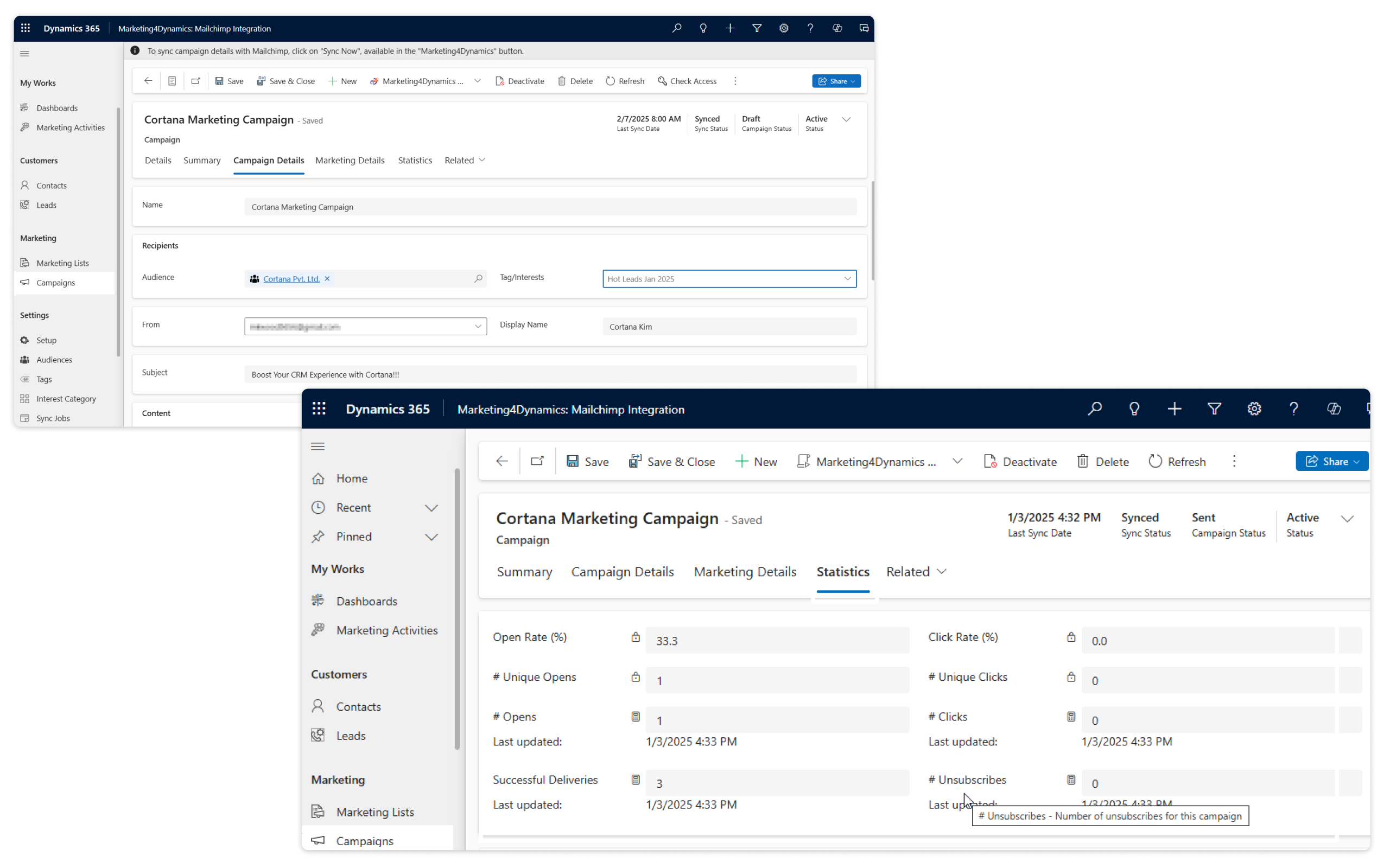
Manage Mailchimp Campaigns from Dynamics 365 CRM
Manage your Mailchimp campaigns directly from Microsoft Dynamics 365 CRM using Marketing4Dynamics, a powerful Dynamics CRM Mailchimp integration connector designed to simplify campaign execution, audience synchronization, and engagement tracking. Create, launch, and manage Mailchimp campaigns using CRM data while automatically syncing audiences and subscriber lists in real time.
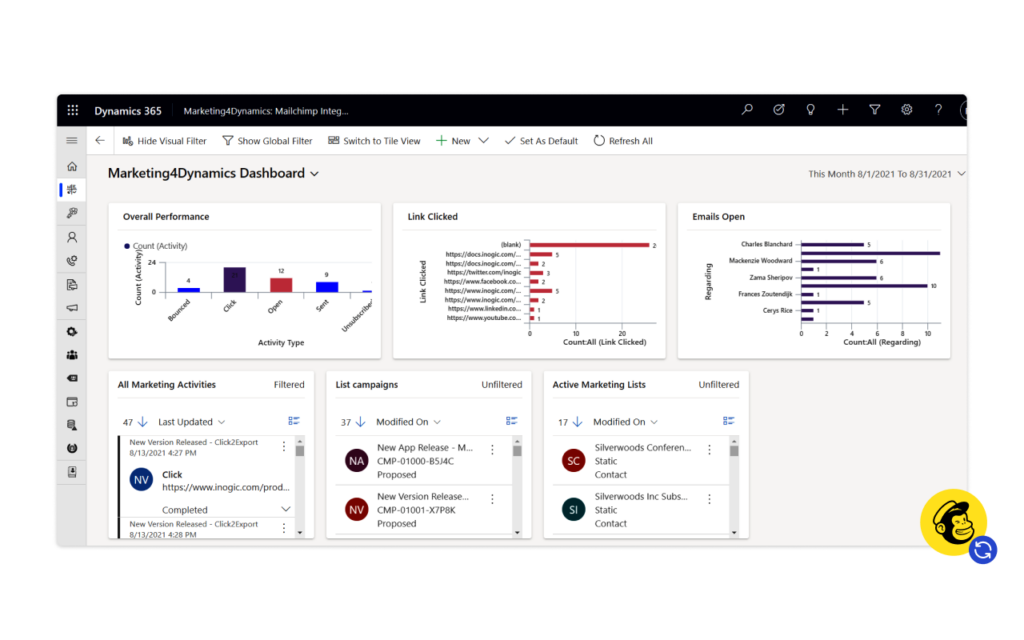
Track opens, clicks, bounces, and engagement directly inside Dynamics 365 CRM dashboards and reports. Every campaign interaction is linked to CRM records, giving sales and marketing teams complete visibility into customer engagement from a centralized Mailchimp Integration with Dynamics 365 platform
Enable Two-Way Mailchimp–CRM Data Sync
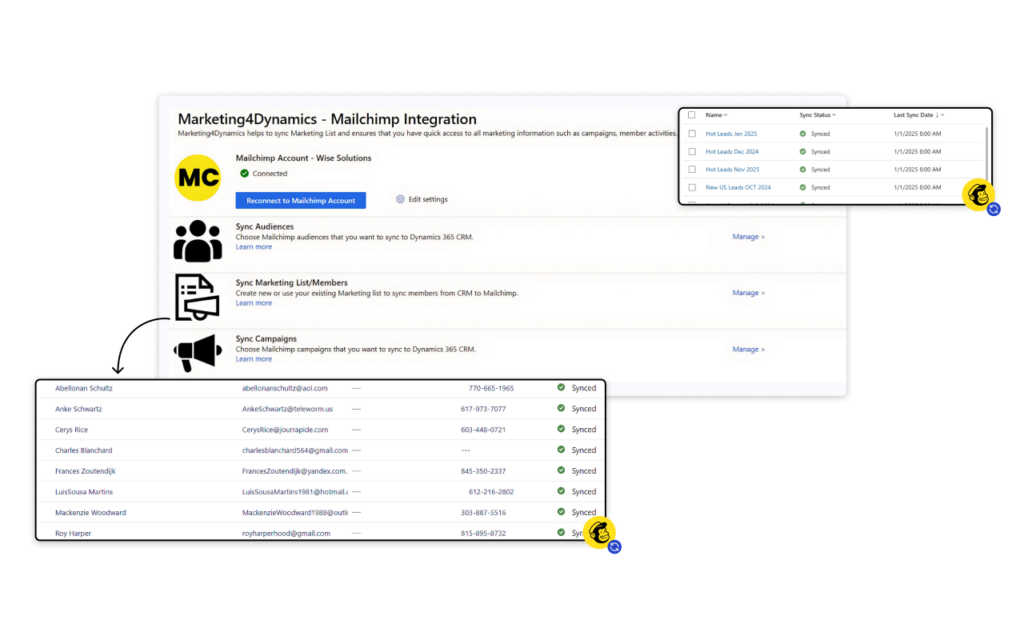
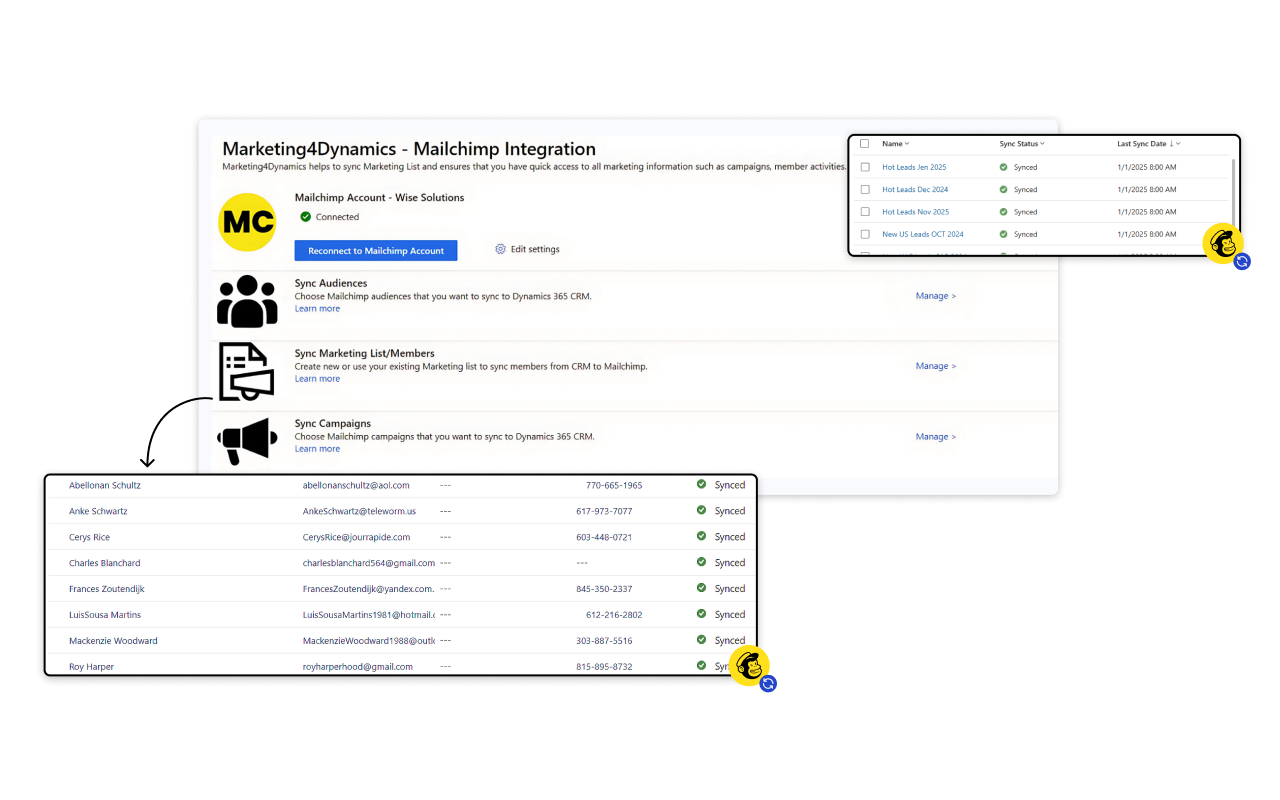
Marketing4Dynamics enables automated bidirectional data synchronization between Microsoft Dynamics 365 and Mailchimp, allowing customer and campaign data to flow seamlessly between both platforms in real time.
Sync contacts, leads, audiences, subscriber lists, tags, segments, interests, and campaign engagement without manual effort. Marketing teams gain accurate and up-to-date data for precise targeting and higher campaign performance, while sales teams can view Mailchimp engagement directly inside Dynamics 365 CRM to prioritize leads and personalize follow-ups using real customer interaction data collected through Dynamics 365 CRM for email marketing.
MailChimp Customer Journey Activity Syncing
Marketing4Dynamics syncs Mailchimp Customer Journey activities directly into Dynamics 365 CRM, allowing organizations to track Mailchimp email marketing engagement without leaving CRM. Actions like email sends, opens, and clicks are logged as CRM activities in real time.
Marketing teams use this data to optimize customer journeys and audience targeting, while sales teams gain clear visibility into customer intent. This helps align sales and marketing teams while improving campaign effectiveness through a centralized Dynamics CRM Mailchimp integration workflow.
More Features
Dynamic Contact & Lead Sync
Apply custom synchronization rules to sync only selected Dynamics 365 CRM contacts and leads with Mailchimp audiences.
Marketing List Support
Import Mailchimp audience members into Dynamics 365 CRM and map them across multiple marketing lists for better audience management.
Sync-only mode
Synchronize Mailchimp tags, categories, and interests with Dynamics 365 CRM without automatically creating marketing lists.
Segment, Tag & Interest Synchronization
Sync Mailchimp segments, tags, interests, and audience data directly with Dynamics 365 CRM for improved segmentation and targeting.
Automatic Campaign Activity Sync
Automatically track Mailchimp email campaign opens, clicks, unsubscribes, and engagement activity inside Dynamics 365 CRM.
Customer Journey Email Sync
Track Mailchimp Customer Journey email campaigns and engagement activity directly within Dynamics 365 CRM.
The Comprehensive Guide to Integrating Microsoft Dynamics 365 CRM with Mailchimp!
testimonials
What Our Customers Are Saying?
Our Blogs
The Complete Guide to Dynamics 365 CRM + Mailchimp Integration (2026)
This guide is designed for marketers, CRM admins, sales teams, and technical users who want a single, authoritative resource containing
5 Best Practices for Running Mailchimp Campaigns in Dynamics 365 CRM
In this blog, we’ll share five best practices to help you run Mailchimp campaigns more effectively in Dynamics 365 CRM and unlock smarter, data-driven marketing.
Dynamics 365 Mailchimp Integration: A Guide for Better Campaign Management
Marketing4Dynamics seamlessly connects Mailchimp with Microsoft Dynamics 365 CRM by automatically syncing contacts, lists, and campaign activities…
Frequently Asked Questions
Marketing4Dynamics allows businesses to integrate Mailchimp with Dynamics 365 CRM through simple no-code configuration directly inside CRM. The solution provides automated two-way synchronization between Mailchimp and Dynamics 365 CRM without requiring developer support or custom coding, making Mailchimp Integration with Dynamics 365 accessible to all users.
Yes. Marketing4Dynamics supports bi-directional syncing of contacts, leads, audiences, tags, and campaign data between Mailchimp and Dynamics 365 CRM. It helps businesses sync Mailchimp Dynamics 365 data automatically while maintaining accurate customer records across both platforms. However, Mailchimp audiences need to be manually synced to CRM.
With Marketing4Dynamics, users can manage Mailchimp campaigns entirely within Dynamics 365 CRM. This Dynamics CRM Mailchimp integration allows users to track engagement metrics like opens, clicks, and unsubscribes while viewing dashboards and reports to analyze campaign performance, audience interaction, and customer journey touchpoints without leaving CRM.
Yes. Marketing4Dynamics supports synchronization of Mailchimp segments, tags, interests, and audience data with Dynamics 365 CRM, helping organizations improve audience targeting, customer segmentation, and personalized marketing campaigns across both platforms.
Marketing4Dynamics automatically detects and manages duplicate contacts to maintain clean and consistent data across both platforms. It identifies duplicates based on a unique ID or email address to improve the accuracy of your Dynamics CRM Mailchimp integration workflows.
Yes. Marketing4Dynamics supports synchronization of Mailchimp segments, tags, interests, and audience data with Dynamics 365 CRM, helping organizations improve audience targeting, customer segmentation, and personalized marketing campaigns across both platforms using Mailchimp Integration with Dynamics 365.
Yes. Marketing4Dynamics syncs Mailchimp Customer Journey activity with Dynamics 365 CRM, including email sends, opens, and clicks.
Yes. Marketing4Dynamics brings Mailchimp engagement data into Dynamics 365 CRM, helping sales teams identify engaged leads and follow up with better context.
Integrate Mailchimp with Dynamics 365 CRM to manage campaigns and track performance seamlessly