















What's SharePoint Security Sync?
SharePoint Security Sync is an enterprise-grade, Microsoft Certified security automation app designed to eliminate permission inconsistencies between Dynamics 365 CRM and SharePoint. It automatically replicates the Dynamics 365 security model, including users, teams, roles, and privileges, into SharePoint, ensuring that document access is always aligned with CRM record-level permissions.
By removing manual permission management, SharePoint Security Sync reduces the risk of unauthorized access, supports governance and compliance initiatives, and allows IT teams to maintain centralized security control without increasing administrative effort.
Recent Updates
Link CRM fields to custom SharePoint columns for improved document search and auto-synced metadata between Dynamics 365 and SharePoint.
Allows Users to create and manage a tailored folder structure within SharePoint, allowing for organized storage that fits specific needs and preferences.
Allows an admin or manager to impose a security template to the existing team.
File versioning allows users to keep a record of all changes, making it easy to access, restore, or compare earlier versions of the file when needed.
Information Vault
Benefits of using SharePoint Security Sync
Overcome SharePoint’s 5,000-item limit using structured folder creation while maintaining secure, organized, and governed document storage aligned with Dynamics 365.
Reduce security risk by auto-synching access rights from Dynamics 365 CRM to SharePoint, ensuring permissions remain accurate without manual intervention.
Automated document library creation prevents unique permission limits in SharePoint, enabling storage growth without disrupting security or operations.
Securely back up emails and attachments to SharePoint, reducing the risk of data loss while improving visibility and control over CRM communications.
Supported On
Dynamics 365 CRM
Online | On-Premises
Just looking for ways to optimize your storage space in Dynamics 365 CRM? Check out our Attach2Dynamics that helps you save storage costs by enabling integration with multiple cloud storage like Azure Blob Storage, Dropbox and SharePoint
Features
Here’s How It Enhances the Security of SharePoint Document Management
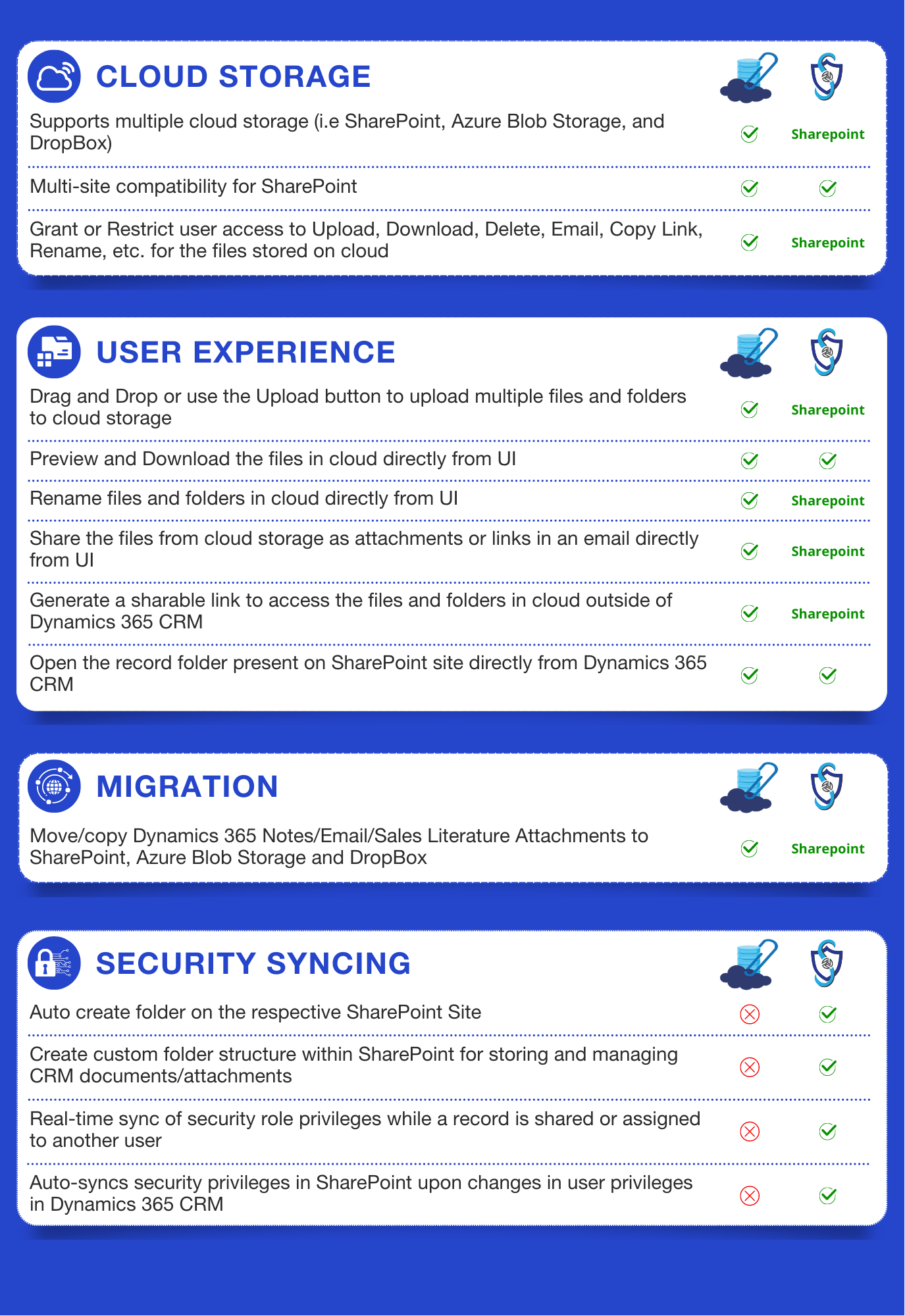
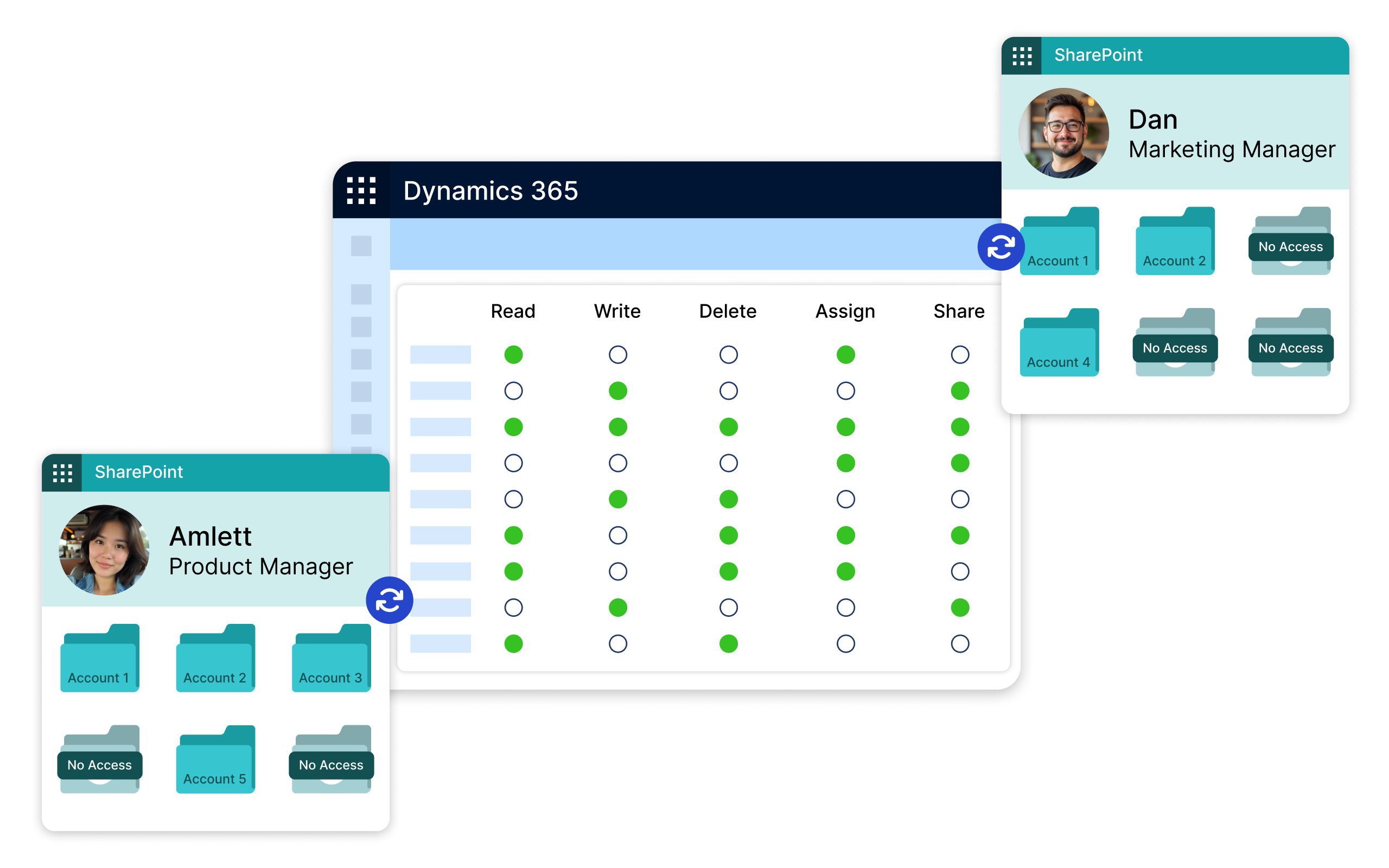
SharePoint Security Sync ensures that any change made to users, teams, or security roles in Dynamics 365 is automatically reflected in SharePoint. This guarantees consistent document-level security, removes the need for manual permission updates, and reduces the risk of accidental data exposure.
Security privileges are continuously synchronized between Dynamics 365 and SharePoint, even in complex security setups. Updates to roles, teams, or user access in CRM are instantly enforced in SharePoint, ensuring governance remains intact across both platforms.
Easily manage and update Dynamics 365 security roles to match your business needs, with real-time sync to SharePoint. As records are shared or assigned, access permissions are automatically updated, ensuring secure, role-based document access without manual effort.
Custom Folder Structure
Create structured, business-aligned folder hierarchies that support daily, weekly, monthly, or yearly organization. This approach improves document accessibility, overcomes SharePoint’s 5,000-item limit, and ensures secure, scalable document management without compromising performance or compliance.
SharePoint Metadata
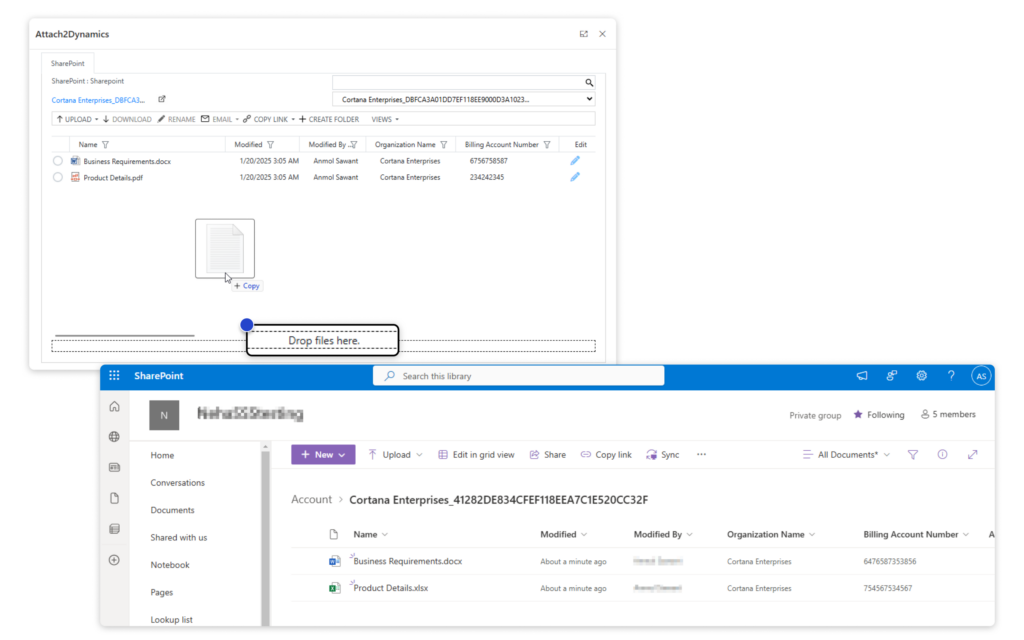
Manage SharePoint documents directly from Dynamics 365 CRM with an organized, metadata-driven experience. Automatically categorize files, upload multiple documents via drag-and-drop, and maintain synchronized CRM security, all without switching systems. This ensures productivity without sacrificing control.
More Features
Drag and Drop
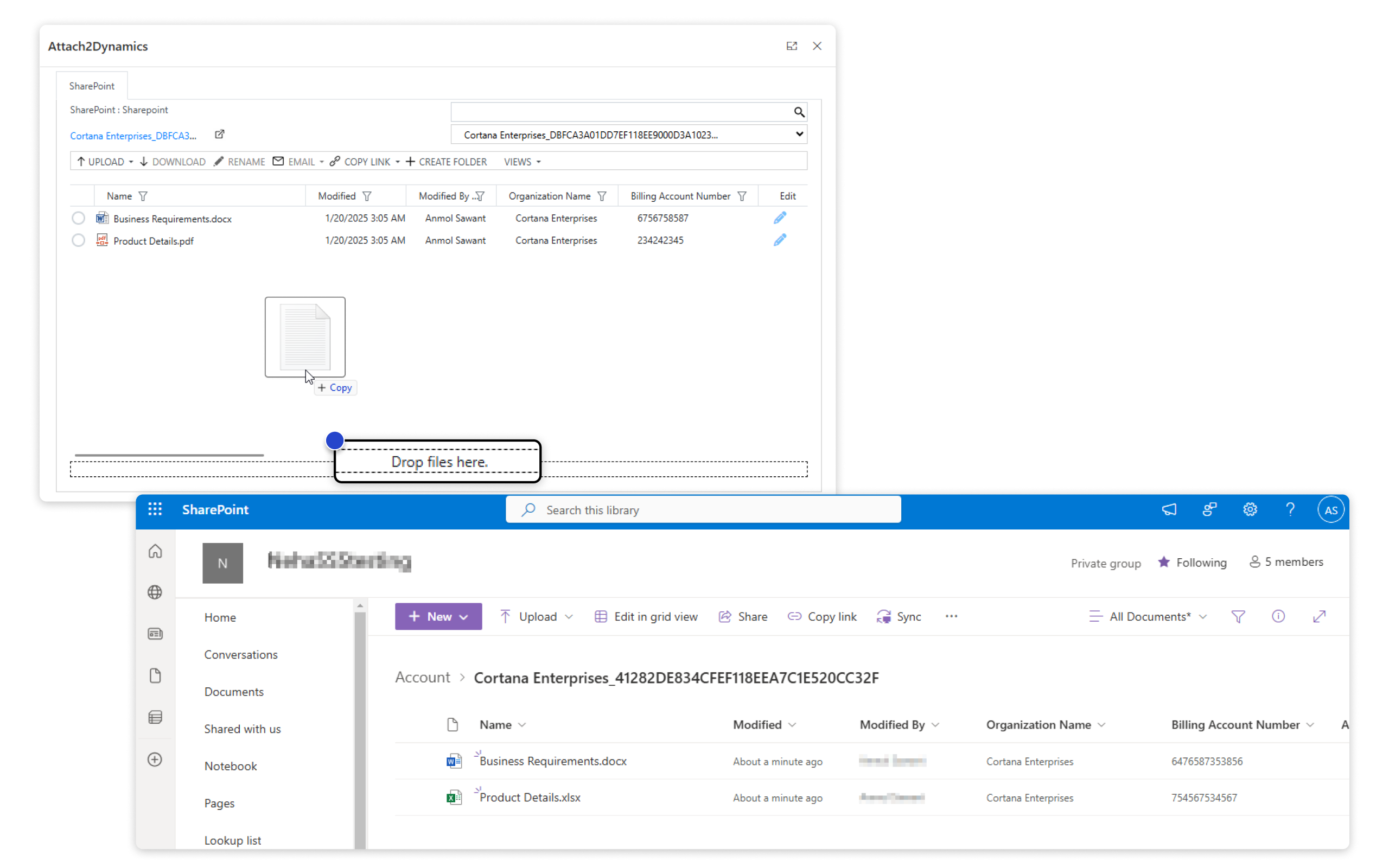
Drag and drop multiple files and folders from CRM to SharePoint, allowing you to move/upload folders easily.
Bulk Migration Job
Sync previous CRM records in bulk with SharePoint. Retry failed syncs with one click.
The Security Templates
It allows you to control users to perform actions like Upload, Download, Email, Copy Link, and Rename in SharePoint, Dropbox, and Azure Blob Storage.
Override Files
Choose whether to replace existing files or save them as new versions during migration.
DocuSign Integration
Users can electronically sign documents stored in SharePoint using DocuSign.
Configure Email Description
Customize the default link text in emails for better personalization when sending attachments through CRM.
Send Documents through Email from CRM
Share documents via email as links or attachments, offering flexibility for easy access or direct download by recipients.
SharePoint Security Sync Tool
Sync previous records in bulk and easily manage security privileges. Retry failed syncs with one click.
Email Body Content Migration
Migrate email content, including messages, images, and attachments, from CRM to SharePoint, preserving key details for organized records.
The comprehensive Guide to Microsoft Dynamics 365 CRM and SharePoint Security models!
testimonials
What Our Customers Are Saying?
Our Blogs
SharePoint Metadata – Enhance document searchability in Dynamics 365 CRM integration!
Organizations today face the challenge of managing vast amounts of information..
Restrict Unauthorized Users to Access CRM Data in SharePoint
In Dynamics 365 CRM, managing access to records is essential for maintaining security and protecting…
How the New Power Pages Security Workspace Enhances Site Protection
The synergy of Microsoft Dynamics 365 CRM and SharePoint is undeniable…
Frequently Asked Questions
SharePoint Security Sync provides support to SharePoint Communication, Team site and SharePoint Subsite.
No, SharePoint Security Sync has no such limit. However, SharePoint has a security scope limit of 50,000 items per list or library with unique SharePoint permissions. This limit should be taken into consideration while moving files to SharePoint. The Custom Folder Structure feature of SharePoint Security Sync can used to create customized document library structure within SharePoint which will help to overcome this limitation imposed by SharePoint.
Yes, by using ‘Bulk Synchronization Tool’ one can sync the previous records in bulk.
Yes, users access files/folders in SharePoint from Dynamics 365 CRM. By using ‘Open Folder’ feature, user can open record folders present on SharePoint site directly from Attach2Dynamics UI.
Yes, SharePoint is included with some Microsoft 365 licenses, but it does not include office web apps or services like Exchange, Teams, Yammer, Delve, etc.
You can use the SharePoint Security Sync app that easily integrates SharePoint with Dynamics 365 CRM. Along with effective document management, this app automatically syncs the Dynamics 365 CRM security model with SharePoint, preventing unauthorized access.
For step by step guide, watch our demo video: https://youtu.be/pZzZjULKGcs
Reach out to us today to know more!
