Controls in Dynamics 365 for Mobile App: Option Set
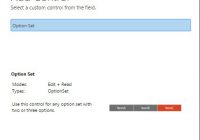
In our previous blogs of the ‘Controls in Dynamics 365 for Mobile App’ series, we discussed Input Mask, Multimedia, Website Preview, Auto-Complete, and Star Rating controls. Star Rating control allows users to add star ratings on entity records to rate it on a scale of 1 to 5 in Dynamics 365 Mobile and Tablet app.… Read More: Controls in Dynamics 365 for Mobile App: Option Set »

[SOLVED] Issue with moving Actions between environments using Solutions

Issue: Recently, while moving an Action from Dev environment to the Production environment through solutions, we faced an issue of “Resource not found”. Though the action seems to be imported successfully, it didn’t appear to work and was showing the mentioned error. Cause: Further investigating the issue, we came to know the reason behind it.… Read More: [SOLVED] Issue with moving Actions between environments using Solutions »

Inogic can help you with Dynamics CRM Development, Implementation, Migration & More

It has been 11 years since we first started Inogic back in 2006. Back then, Microsoft just upgraded the Microsoft CRM 1.0 and rebranded it to Microsoft Dynamics CRM 3.0. Since then, the application has evolved significantly, and we have been evolving with it and have adopted new technologies along the way to keep up… Read More: Inogic can help you with Dynamics CRM Development, Implementation, Migration… »

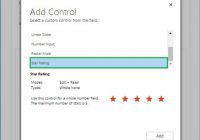
Controls in Dynamics 365 for Mobile App: Star Rating

In our previous blogs of the ‘Controls in Dynamics 365 for Mobile App’ series, we discussed Input Mask, Multimedia, Website Preview and Auto-Complete controls. The Auto-Complete control allows users to select a value from the drop-down list rather than typing the whole text and save time while entering data in the Dynamics 365 Mobile and… Read More: Controls in Dynamics 365 for Mobile App: Star Rating »

Thank You for Visiting our Booth at eXtreme365 2017!

The premier event for Dynamics 365 community, eXtreme365 2017 held in Lisbon, Portugal from 13-17th March was a phenomenal success. Team Inogic would like to thank everyone who visited our booth at the event and special thanks to the eXtreme365 team for the exceptional experience. We were a part of eXtreme365 for the very first… Read More: Thank You for Visiting our Booth at eXtreme365 2017! »

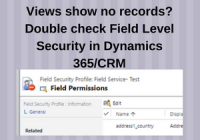
Views show no records – Double check Field Level Security in Dynamics 365/CRM

Apart from Security roles that allow controlling record level access, Dynamics 365/CRM also supports Field Level Security that allows you to control access to individual fields. Using Field Level Security, you can control ‘Read’, ‘Update’ and ‘Create’ access. If a user does not have “Read” access to a particular field, a lot of your processes… Read More: Views show no records – Double check Field Level Security… »

One Click is all it takes to Clone/Copy Dynamics 365 Records

One Click is all it takes to Clone/Copy Dynamics 365 Records The success of a business is defined by the efficiency of their employees. If the employees are spending time on activities that do not add value to the business process, the organization ends up losing valuable opportunities! A lot of time is wasted when… Read More: One Click is all it takes to Clone/Copy Dynamics 365… »

Show HTML Webresources in Charts within Microsoft Dynamics 365/CRM

Introduction: For a long time now, perhaps from version 2011 of Microsoft Dynamics CRM, we could design charts and these charts are displayed as a contextual pane beside the views that display the requested charts using the data currently being displayed in the View. It is only recently that we discovered a hidden gem, the… Read More: Show HTML Webresources in Charts within Microsoft Dynamics 365/CRM »

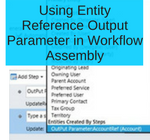
Using Entity Reference Output Parameter in Workflow Assembly

Introduction: Workflows in Dynamics CRM (now known as Process in Dynamics 365) allow users to create and manage automated business processes. It can be used to update entity records or related entity records. Using the OOB Workflow we can only update records which are accessible under the Workflow context. If you want to update any… Read More: Using Entity Reference Output Parameter in Workflow Assembly »

How to debug rsProcessingAborted Report Error?

Introduction: rsProcessingAborted Reporting Error is one of the most dreaded error faced by SSRS report developers. What could be the cause of this error? How to solve this? Why did this error originate? These are few of the multitude questions that goes through the developers mind. We have been in the same position. We had… Read More: How to debug rsProcessingAborted Report Error? »