In Part 1, we explored how Prompt Columns in Microsoft Dataverse bring generative AI directly into business data, helping organizations automatically summarize, classify, and extract insights from records inside their existing workflows.
But as AI adoption grows, businesses need more than intelligent automation, they need control.
Running AI on every record can quickly become inefficient, expensive, and disruptive. To address this, Microsoft has introduced an enhancement to Prompt Columns: filter-based execution
Together, this feature ensures AI only runs when specific business conditions are met.
The Problem It Solves
Without execution controls, Prompt Columns can trigger AI for every record update—even when the data does not require AI-generated insights.
This often creates three major challenges:
- Unnecessary AI Consumption
AI may process blank, incomplete, or low-priority records, generating little business value. - Higher Copilot Credit Usage
Every AI execution consumes Copilot credits. Running prompts without filters can quickly increase operational costs. - Workflow Delays
Real-time prompt execution across large volumes of records can slow down user actions and affect overall system performance.
With filters, organizations can eliminate these inefficiencies while maximizing AI impact.
Real-World Scenario: Smarter Customer Support Case Summaries
Consider a customer support team handling thousands of service tickets every day.
The organization uses a Prompt Column to automatically generate AI-powered case summaries for support agents. Initially, AI was running for every ticket, including simple requests like password resets or billing questions.
This resulted in unnecessary AI usage and increased costs, while many summaries provided little practical value.
To optimize the process, the team applied a filter so the Prompt Column runs only when:
Escalation Level = High
This ensures AI generates summaries only for complex cases where agents need deeper context.
As a result, the organization achieved:
- Faster case resolution through instant access to relevant case summaries
- Reduced Copilot credit consumption by avoiding low-value AI executions
- Improved agent productivity with less manual review of case history
- Better system performance by limiting AI execution to high-value records
Note: Instead of applying AI everywhere, they focused it where it delivered the most value.
How to Implement It
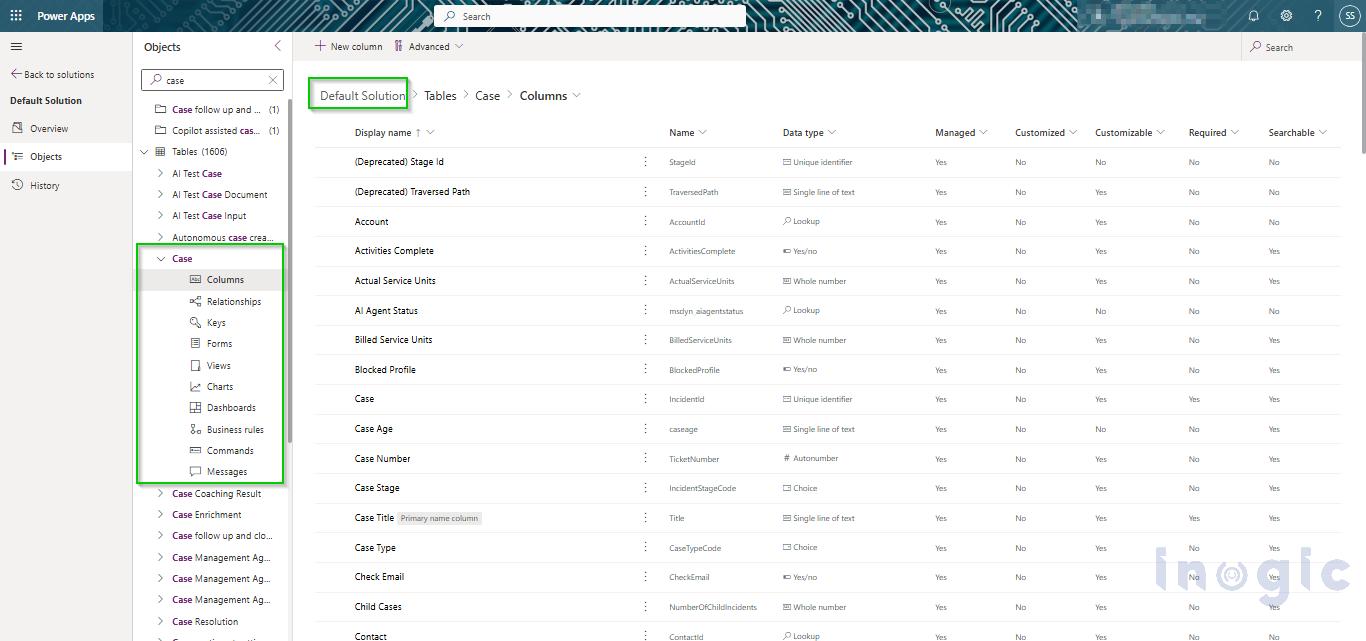
1. Open Your Dataverse Table
Navigate to your solution and select the table where you want AI-generated insights.
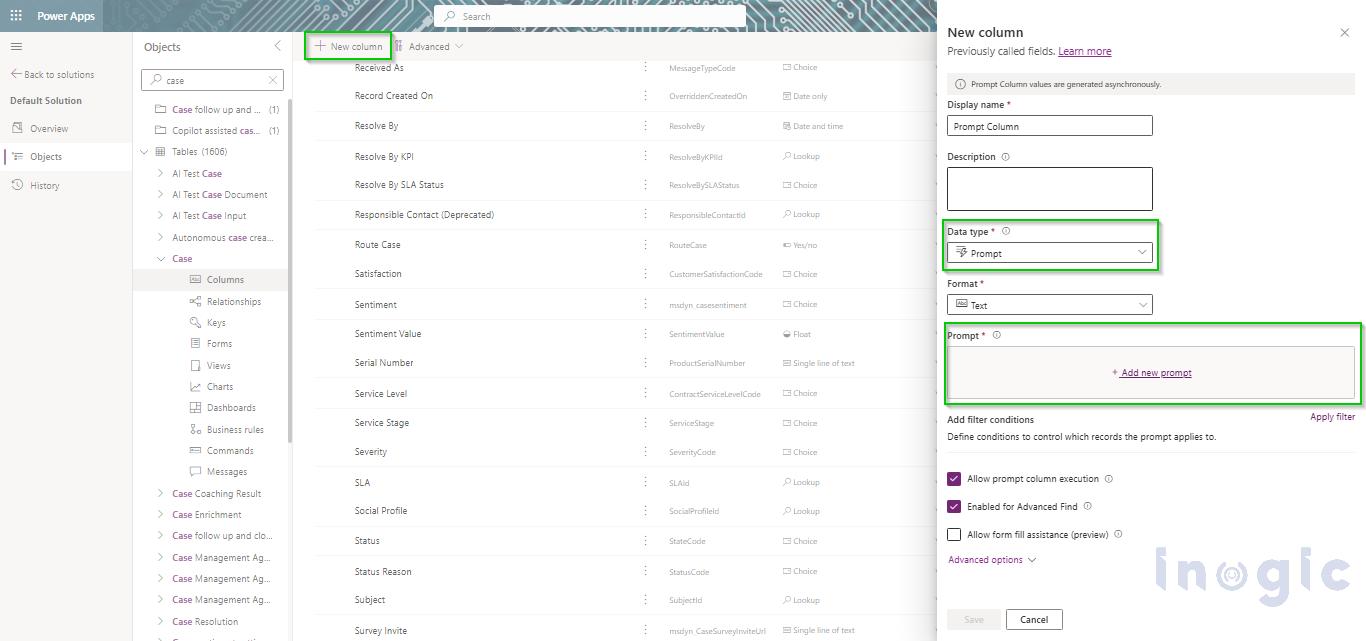
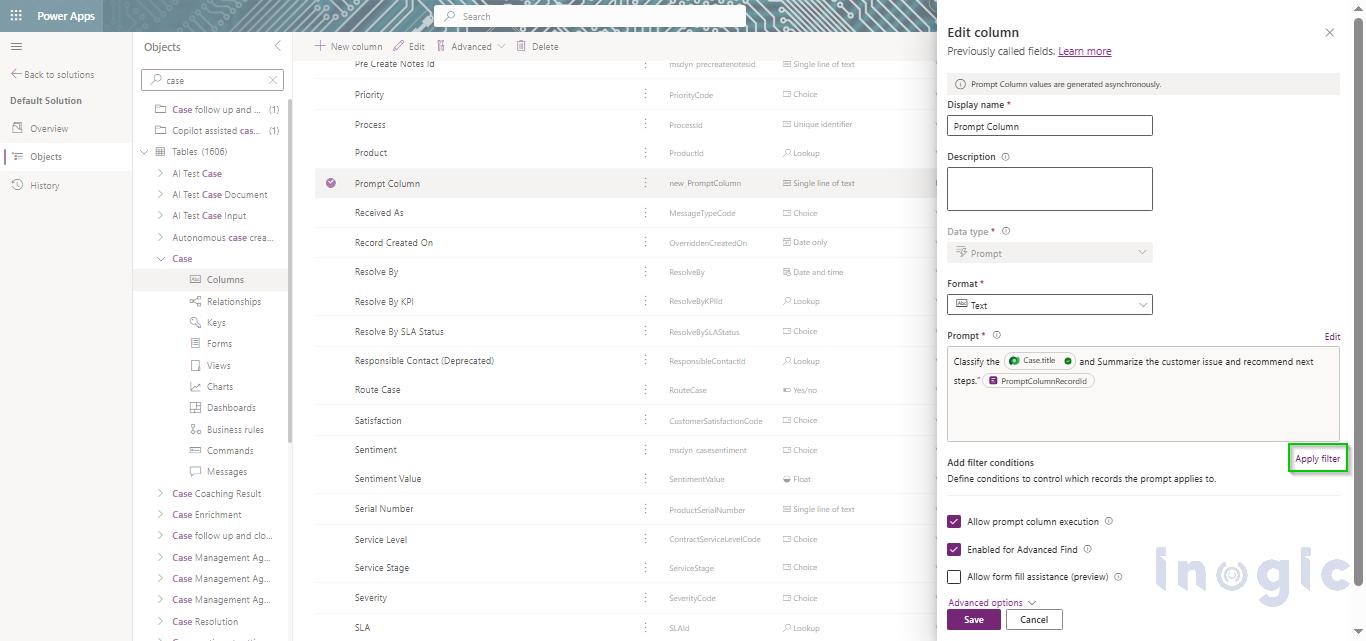
2. Create or Edit a Prompt Column
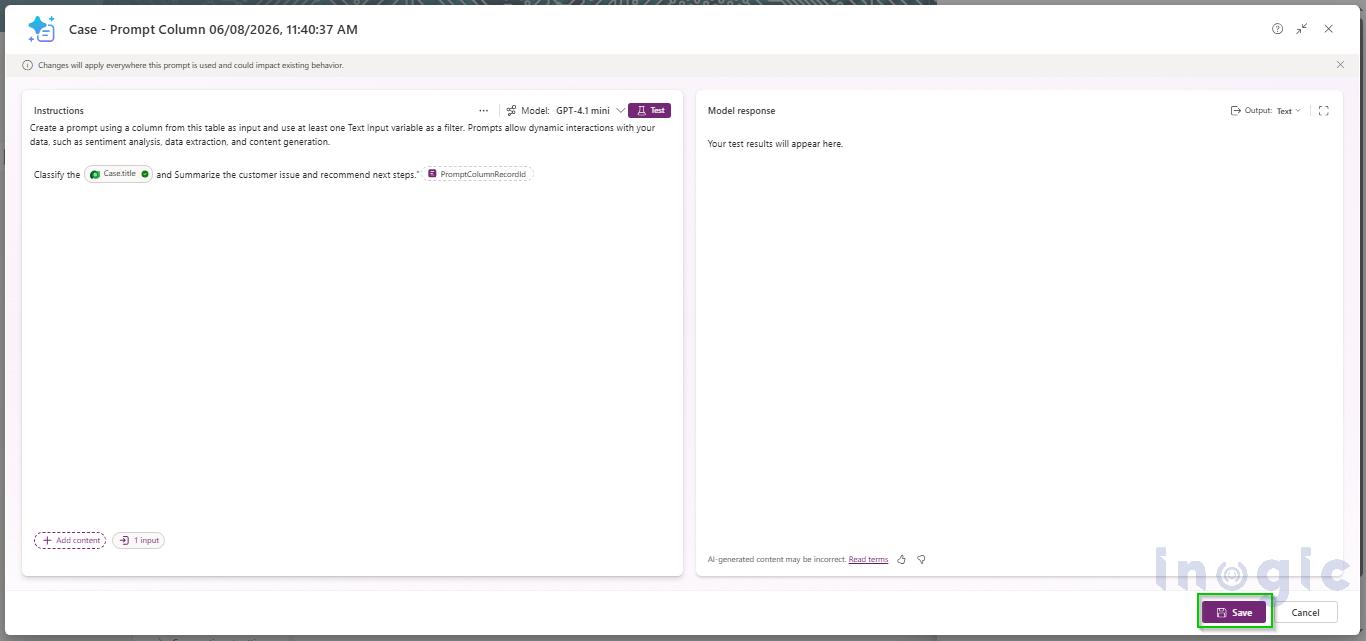
Add a new column with Prompt as the data type and define the AI instruction.
Example:
“Summarize the customer issue and recommend next steps.”
3. Apply a Filter
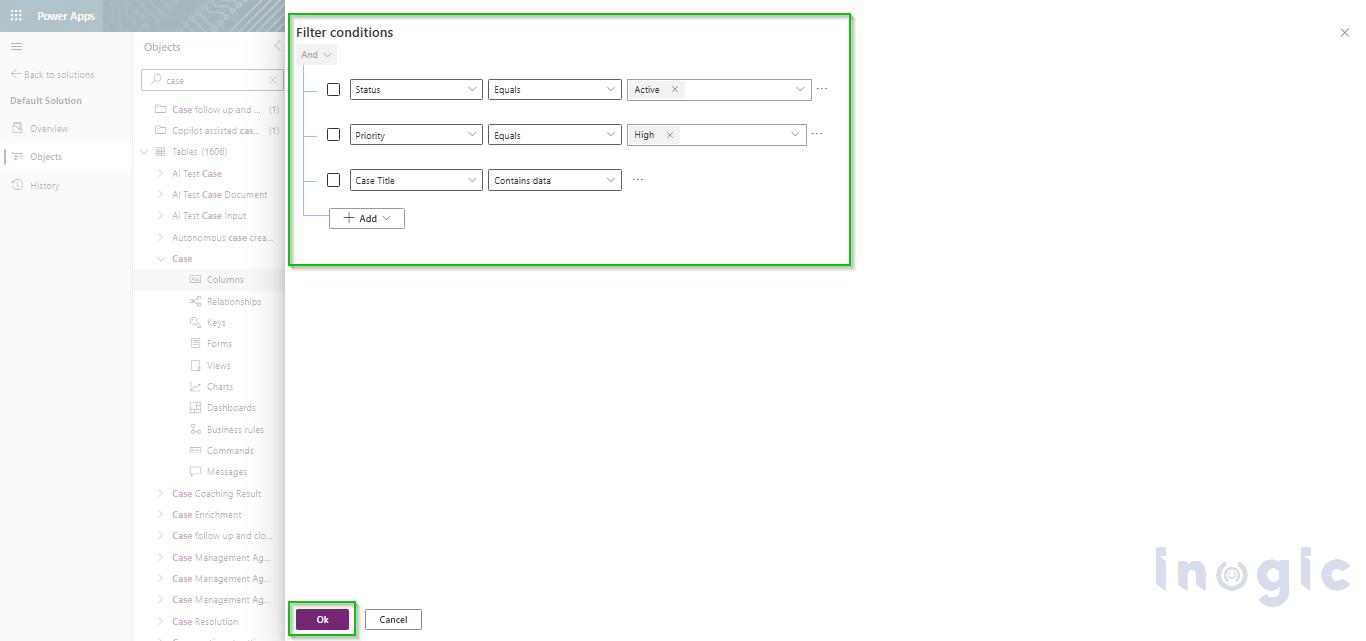
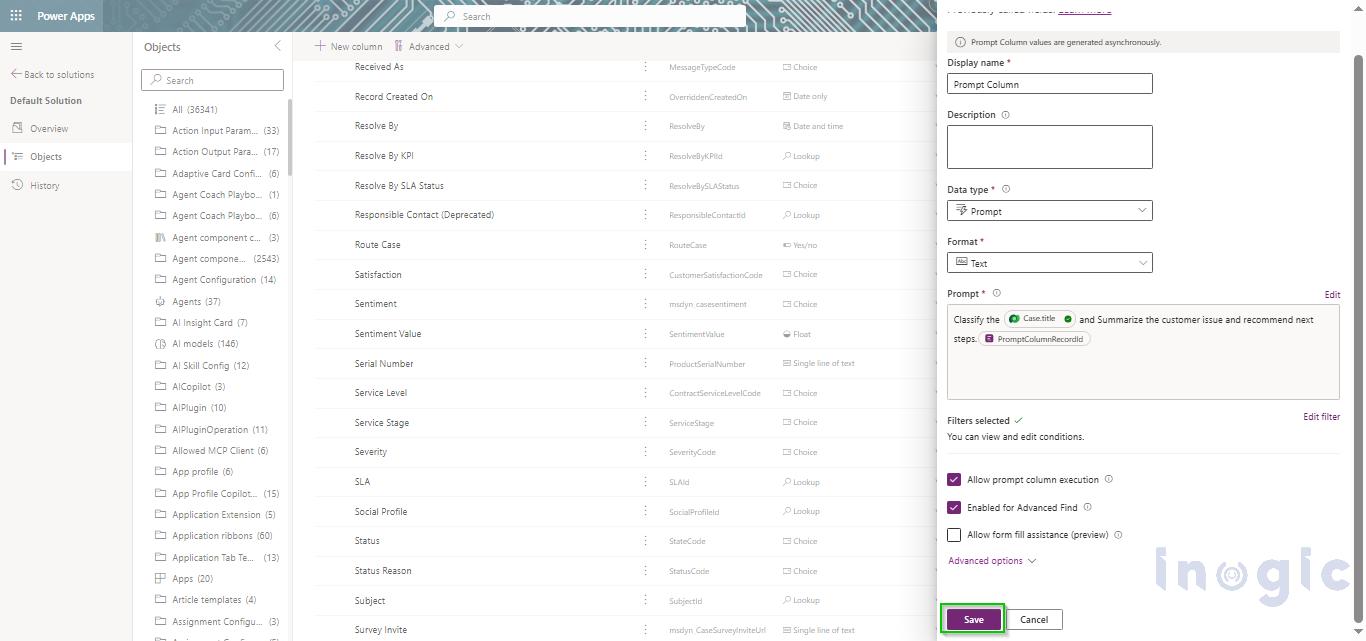
Select Apply Filter and define the conditions that determine when AI should run.
Examples:
- Status = Active
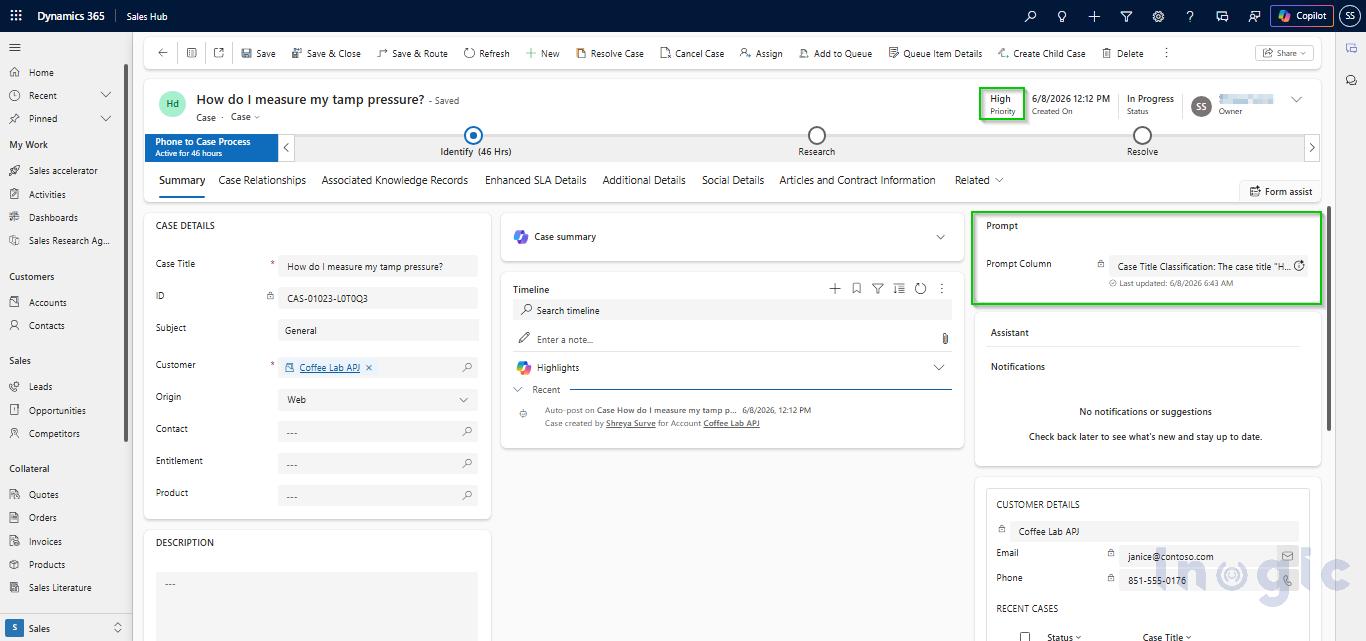
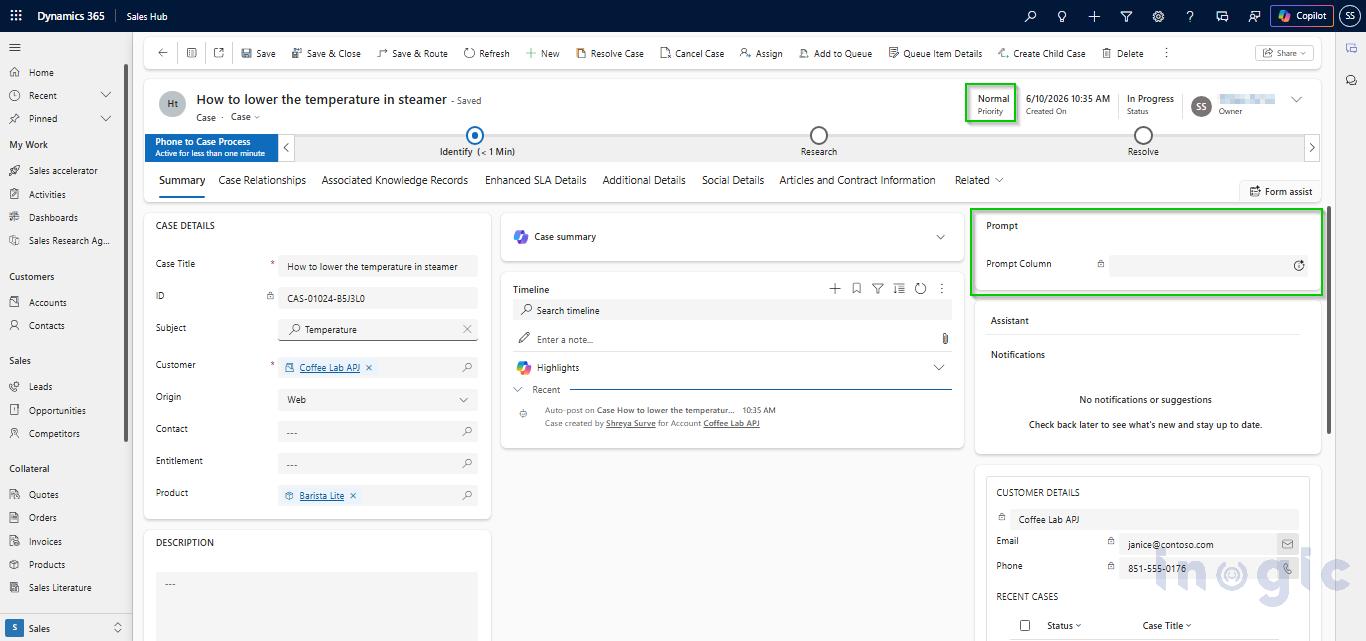
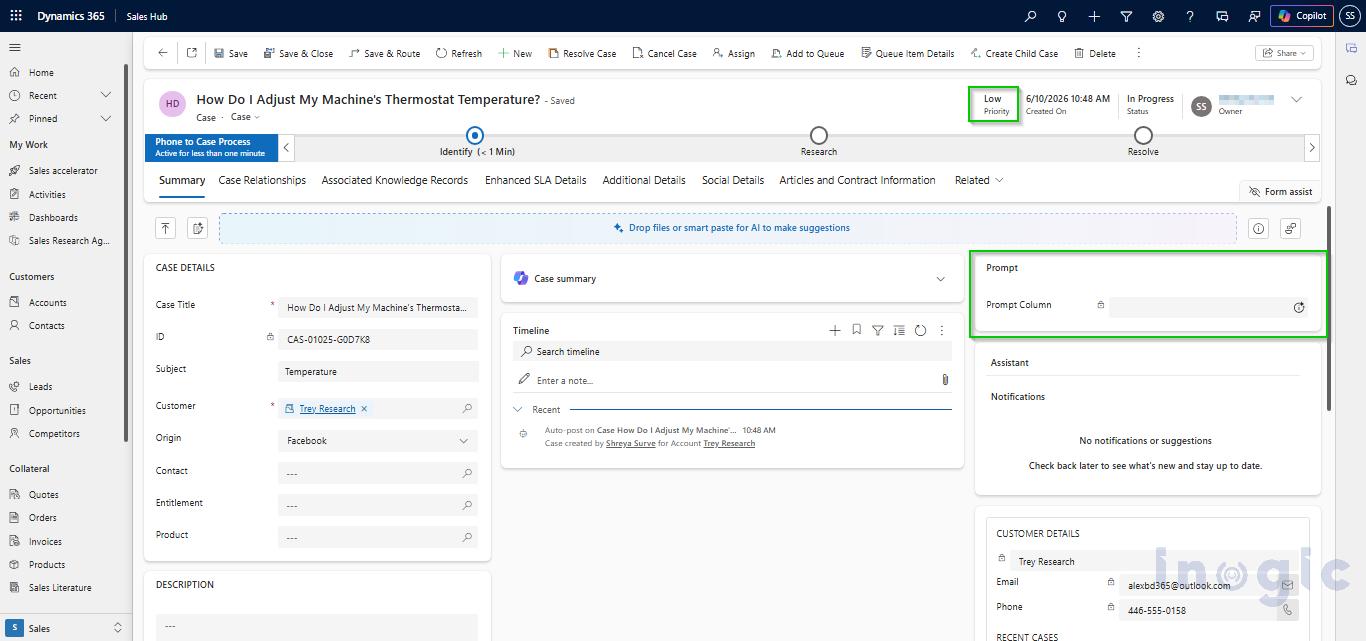
- Priority = High
- Required fields contain data
4. Monitor Execution Status
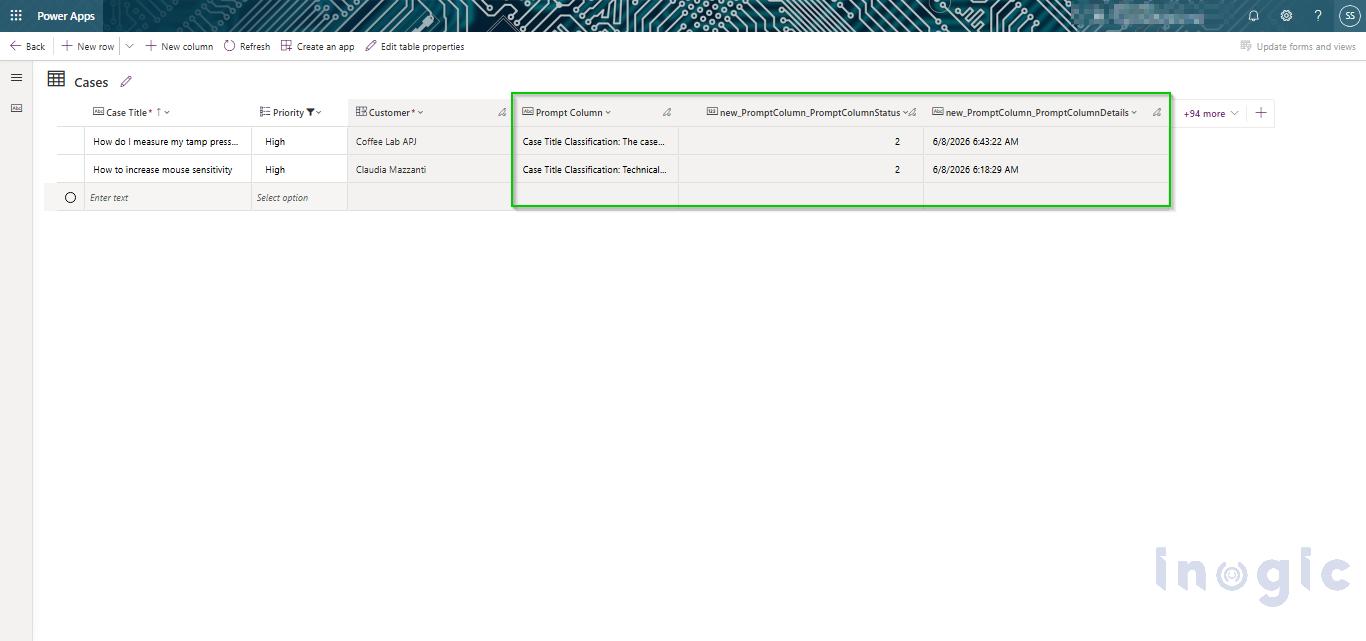
Dataverse automatically creates Status and Details columns, allowing teams to track whether prompts are:
- Not Started
- In Progress
- Completed
- Failed
This makes monitoring and troubleshooting easier.
Final Thoughts
With filter-based execution, Prompt Columns in Microsoft Dataverse become more than just an AI feature, they become a scalable business tool.
Organizations can now control when AI runs, reduce unnecessary costs, and ensure business workflows remain fast and efficient.
The result is simple: better AI utilization, stronger ROI, and smarter business automation.
Frequently Asked Questions (FAQs)
1. What are Prompt Columns in Microsoft Dataverse?
Prompt Columns in Microsoft Dataverse are AI-powered columns that use generative AI to automatically summarize, classify, or extract insights from data stored in tables. They help embed Copilot-like intelligence directly into business records and workflows.
2. How do filter-based Prompt Columns work in Dataverse?
Filter-based Prompt Columns allow you to control when AI is triggered. Instead of running on every record, the prompt executes only when defined conditions (such as Priority = High or Status = Active) are met, improving efficiency and reducing unnecessary AI usage.
3. Why should I use filters with Prompt Columns in Microsoft Dataverse?
Using filters helps organizations:
- Reduce Copilot credit consumption
- Avoid running AI on irrelevant or incomplete data
- Improve system performance
- Ensure AI is used only where it adds business value
4. Do Prompt Columns in Dataverse consume Copilot credits?
Yes. Every time a Prompt Column executes, it consumes Copilot or AI credits depending on your Microsoft licensing model. Applying filters helps significantly reduce unnecessary credit usage.