Category Archives: Dynamics CRM
Create Month or Year Only Field in Dynamics 365
Introduction: A lot of time we come across the situations where we would need to have one field to store just the Month part of the date and another one to store the Year part of the date. For example, Credit or Debit Card validity period where the user has to select Month and Year.… Read More: Create Month or Year Only Field in Dynamics 365 »
How to concatenate multiple string field values in Resco Mobile CRM
Introduction: Time and again we have received the requirement to concatenate two or more strings fields value & store it in a string field in Resco Mobile CRM. In this blog, will provide a quick walkthrough of the process to achieve this. Suppose we need to store the Address1 street1, Address1 street2, Address1 street3, Address1… Read More: How to concatenate multiple string field values in Resco Mobile… »
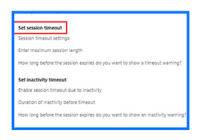
Setting Session Timeout in Dynamics CRM Online
Introduction: Earlier we had the option to set the session timeout in Microsoft Dynamics CRM On-Premises version. The session timeout for the online version, however, was defaulted to 24 hours. Microsoft has now provided the flexibility to modify the Session timeout for Dynamics CRM Online. Configuring Session Timeout for Dynamics CRM Online: To set the session… Read More: Setting Session Timeout in Dynamics CRM Online »
Fixed – Field Service database version is out of Sync error in Dynamics 365 Field Service V6.2.0.342
Introduction: If ever we face the error Database Out of Sync, then the reason behind this is the Database Version field that’s there on the Field Service Settings form was not updated while installing the latest version. Between Field Service versions, as schema and feature changes, Field Service ships upgrade scripts to ensure seamless upgrade… Read More: Fixed – Field Service database version is out of Sync… »
Unable to see the ‘Add Subcomponents’ and ‘Remove Component’ buttons in Dynamics 365
Introduction: ‘Add Subcomponents’ and ‘Remove Component’ buttons are one of the important features introduced in Microsoft Dynamics CRM 2016. This feature allows the users to select the components they want to have in their solution. In this blog, we will discuss why you are unable to see the ‘Add Subcomponent’ and the ‘Remove Component’ buttons… Read More: Unable to see the ‘Add Subcomponents’ and ‘Remove Component’ buttons… »
Change default language name in drop-down using translations in VOC Survey
Introduction: Since the introduction of Voice of the Customer surveys in Dynamics CRM 2016, it has enabled organizations to offer feedback surveys to customers and gain insights about their products and services directly from customers. Note: To open Voice of the Customer survey link in a specific language using translations, refer this article. Changing default language… Read More: Change default language name in drop-down using translations in VOC… »
Integrate QuickBooks & Dynamics CRM to Streamline Your Business Processes
With over 4.3 million businesses using QuickBooks, it is one of the leading and a preferred accounting application for SMBs. Also, according to a study conducted by Forrester polling 2,000 employees that were using Microsoft Dynamics CRM found that ROI, when a system is properly integrated, can exceed a whopping 245%. Businesses also prefer Dynamics… Read More: Integrate QuickBooks & Dynamics CRM to Streamline Your Business Processes »
Unable to create VOC Surveys in Dynamics 365
Introduction: Recently we had a business requirement to send VOC surveys that needed to be sent from the users having Sales Person role. We had placed a button on the opportunity form as shown in the screenshot below; On the click of this button, we are creating an email with the link to the survey… Read More: Unable to create VOC Surveys in Dynamics 365 »
Configure Sub Grid from CRM forms in Dynamics 365 Portal
Introduction: We can easily configure CRM entity form in Dynamics 365 Portal by creating an Entity Form. However, by using Entity Forms, we can only edit or create the fields on the Portal, we cannot add/edit records in the Sub Grid. To add/edit both the fields and the Sub Grids that are present on the… Read More: Configure Sub Grid from CRM forms in Dynamics 365 Portal »