Plugin Pre-validation Operation to Show an Error Message as well as Log the Error
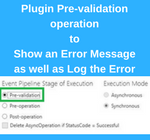
Introduction: We had a business requirement, where we created a custom entity with a grid of Associated Accounts. Here, we wanted to restrict the Account while adding Accounts in the Associated View. We wanted to do this when the Account does not have the status reason ‘Approved’ by showing an error message and sending an… Read More: Plugin Pre-validation Operation to Show an Error Message as well… »
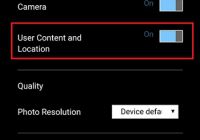

Get Current Location from the Device in Dynamics 365

Introduction: Dynamics 365 is a leap forward from previous versions in terms of features and improvements. Even the mobile and tablet app of Dynamics 365 is updated with useful features to get the most out of the Dynamics CRM platform. Dynamics 365 Mobile and Tablet app now offers the ability to get the current user… Read More: Get Current Location from the Device in Dynamics 365 »

Inogic at eXtreme365 2017 for the First Time!

eXtreme365 is here! This year’s event will be held in Lisbon, Portugal from 13-15 March for Partners and 16-17 March for Customers. With a core focus on Microsoft Dynamics 365, eXtreme365 is a premier event dedicated to help the Dynamics CRM Community maximize business benefits from their solutions. We are thrilled to be a part… Read More: Inogic at eXtreme365 2017 for the First Time! »

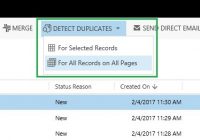
Detect Duplicates Ribbon Button in Dynamics 365

Introduction: Duplicate Detection has been around for a while. Earlier Duplicate detection could be scheduled as a job or it would auto-popup when creating/updating records based on the duplicate detection rules that have been defined. With Dynamics 365, we now have a way to find duplicates with a single click for the selected record. Now… Read More: Detect Duplicates Ribbon Button in Dynamics 365 »

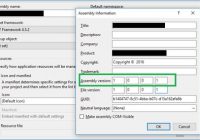
Watch out for Issues with Version & Updating Plug-in assembly in Dynamics 365/CRM

Introduction: Plugin Assemblies are versioned and need to be signed with a strong key for them to be registered to Dynamics CRM. Any update to the library and compiling the project may cause the version # to change or to maintain versioning practices you may decide to change the version # and this can cause… Read More: Watch out for Issues with Version & Updating Plug-in assembly… »

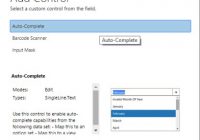
Controls in Dynamics 365 for Mobile App: Auto-Complete

In our previous blogs of the ‘Controls in Dynamics 365 for Mobile App’ series, we discussed Input Mask, Multimedia and Website Preview Control. Website Preview Control allow users to get a brief description of the URL they enter in the ‘Website’ field right within Dynamics 365 Mobile and Tablet app. Today, let us discuss Auto-Complete… Read More: Controls in Dynamics 365 for Mobile App: Auto-Complete »

Modify OOB ribbon button for Specific Activity Type Entity

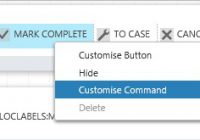
Introduction: We recently had a business requirement where we wanted to hide the ‘Mark Complete’ OOB button from the home page of Activity entity. However, we wanted to hide this button for Service Activity entity and not for other activity types like Task, Appointment, Email, etc. ‘Mark Complete’ is a button on the Home Page… Read More: Modify OOB ribbon button for Specific Activity Type Entity »

Dynamics 365/CRM + Add-Ons = Better Productivity

People drive businesses! When you equip people with the right tools, they can conquer complex situations effortlessly. Dynamics 365/CRM is a platform designed to empower users to achieve more. In addition, there are many add-ons and integration solution for Dynamics 365/CRM, which further extend its capabilities. Add-Ons and Integration apps for Dynamics 365/CRM allow users… Read More: Dynamics 365/CRM + Add-Ons = Better Productivity »

Controls in Dynamics 365 for Mobile App: Website Preview

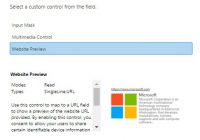
In our previous blog posts of the ‘Controls in Dynamics 365 for Mobile App’ series, we discussed Input Mask and Multimedia Control. Multimedia Control allow users to add audio or video to CRM records and access them on the Dynamics 365 Mobile and Tablet app. Today, let us discuss Website Preview Control. How Website Preview… Read More: Controls in Dynamics 365 for Mobile App: Website Preview »