Category Archives: Dynamics 365

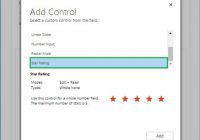
Controls in Dynamics 365 for Mobile App: Star Rating

In our previous blogs of the ‘Controls in Dynamics 365 for Mobile App’ series, we discussed Input Mask, Multimedia, Website Preview and Auto-Complete controls. The Auto-Complete control allows users to select a value from the drop-down list rather than typing the whole text and save time while entering data in the Dynamics 365 Mobile and… Read More »

Views show no records – Double check Field Level Security in Dynamics 365/CRM

Apart from Security roles that allow controlling record level access, Dynamics 365/CRM also supports Field Level Security that allows you to control access to individual fields. Using Field Level Security, you can control ‘Read’, ‘Update’ and ‘Create’ access. If a user does not have “Read” access to a particular field, a lot of your processes… Read More »

Show HTML Webresources in Charts within Microsoft Dynamics 365/CRM

Introduction: For a long time now, perhaps from version 2011 of Microsoft Dynamics CRM, we could design charts and these charts are displayed as a contextual pane beside the views that display the requested charts using the data currently being displayed in the View. It is only recently that we discovered a hidden gem, the… Read More »

Using Entity Reference Output Parameter in Workflow Assembly

Introduction: Workflows in Dynamics CRM (now known as Process in Dynamics 365) allow users to create and manage automated business processes. It can be used to update entity records or related entity records. Using the OOB Workflow we can only update records which are accessible under the Workflow context. If you want to update any… Read More »

Plugin Pre-validation Operation to Show an Error Message as well as Log the Error

Introduction: We had a business requirement, where we created a custom entity with a grid of Associated Accounts. Here, we wanted to restrict the Account while adding Accounts in the Associated View. We wanted to do this when the Account does not have the status reason ‘Approved’ by showing an error message and sending an… Read More »

Get Current Location from the Device in Dynamics 365

Introduction: Dynamics 365 is a leap forward from previous versions in terms of features and improvements. Even the mobile and tablet app of Dynamics 365 is updated with useful features to get the most out of the Dynamics CRM platform. Dynamics 365 Mobile and Tablet app now offers the ability to get the current user… Read More »

Watch out for Issues with Version & Updating Plug-in assembly in Dynamics 365/CRM

Introduction: Plugin Assemblies are versioned and need to be signed with a strong key for them to be registered to Dynamics CRM. Any update to the library and compiling the project may cause the version # to change or to maintain versioning practices you may decide to change the version # and this can cause… Read More »

Controls in Dynamics 365 for Mobile App: Website Preview

In our previous blog posts of the ‘Controls in Dynamics 365 for Mobile App’ series, we discussed Input Mask and Multimedia Control. Multimedia Control allow users to add audio or video to CRM records and access them on the Dynamics 365 Mobile and Tablet app. Today, let us discuss Website Preview Control. How Website Preview… Read More »