Category Archives: JavaScript

Tip – Call JavaScript on change of the field on Form in Resco
Introduction: Resco Mobile App is a boon for the Field Technicians; it’s crisp, it’s smooth and has a lot of functionalities that could ease the life of a Technician. Resco provides us Form Rules to perform many things in the face of onchange, onload and onsave event on the form. Limitations: We could say, Resco… Read More: Tip – Call JavaScript on change of the field on… »
Modify OOB ribbon button for Specific Activity Type Entity

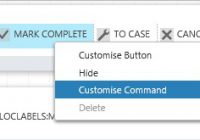
Introduction: We recently had a business requirement where we wanted to hide the ‘Mark Complete’ OOB button from the home page of Activity entity. However, we wanted to hide this button for Service Activity entity and not for other activity types like Task, Appointment, Email, etc. ‘Mark Complete’ is a button on the Home Page… Read More: Modify OOB ribbon button for Specific Activity Type Entity »

Set Default Price List field on Product as Read-Only in Dynamics CRM

Introduction: In Dynamics CRM/365, we set the Default Price List on Product to define the calculation for Pricing that needs to be applied to the respective product. So there could be a business case where we may need to disallow a user from editing the default price list on the product. The First Solution: We… Read More: Set Default Price List field on Product as Read-Only in… »

Hide Add Button on a Subgrid by Applying Custom JavaScript Rule

Recently we came across a scenario where we needed to show and hide the subgrid add button on satisfaction of a certain condition. We had to take the help of Ribbon Workbench to achieve the same. Working: Install Ribbon workbench in your Dynamics CRM/365. Create a solution with the entity whose subgrid button you want… Read More: Hide Add Button on a Subgrid by Applying Custom JavaScript… »

Execute the Global Action Using Web API in Dynamics CRM

Introduction: We have already discussed how to perform entity specific custom action using Web API in one of our earlier blog. But when we want an action to be performed on multiple entities, we need to create a global action. Create global action:- Go to Settings → Processes → Click New then select category as “Action” and entity… Read More: Execute the Global Action Using Web API in Dynamics CRM »

Retrieve, Update and Delete Record Using Alternate Key in Dynamics CRM Web API

Before Alternate key concept was introduced in Dynamics CRM it used to be the only GUID of the record which was used to retrieve, update or delete any record. Hence we had to get the record GUID first for any retrieve, update or delete operation. But with the introduction of Alternate keys concept this overhead… Read More: Retrieve, Update and Delete Record Using Alternate Key in Dynamics… »

Deep Linking for Dynamics CRM Tablet Client

Introduction With Dynamics CRM Tablet client now supporting web resource on tablet client, it is now also possible to open the CRM record through a hyperlink in the web resource. It has been a common requirement that the custom web resources have the need to provide a link to the actual records being displayed. Until… Read More: Deep Linking for Dynamics CRM Tablet Client »

Tricks to Resolve Common Scripting Errors on Dynamics CRM Mobile Forms

Introduction: There are some common mistakes which we do while scripting which forms an error on Dynamics CRM mobile forms. For instance, while adding ribbon buttons on the form there are possibilities of mistakes made by us which does not form an error on Web form but we can get an error on Mobile form.… Read More: Tricks to Resolve Common Scripting Errors on Dynamics CRM Mobile… »

Execute Web API request using Angular JS in Dynamics CRM

Introduction In our earlier blogs of  Web API introduced in Dynamics CRM 2016, we have explained different requests and functions of Web API to querying and performing operations in Dynamics CRM. This blog will show you how to execute Web API request using Angular JS. This article would be helpful for those who have knowledge of… Read More: Execute Web API request using Angular JS in Dynamics CRM »