Tag Archives: Resco Mobile Dynamics CRM App

Using Barcode or QR Code Scanner Control in Custom HTML Page in Resco Mobile App

Introduction Recently we had a business requirement where we needed to scan the barcode/QR Code of the Customer Asset entity record so it can show its information on the HTML page on the home screen of the Resco Mobile App. To achieve this, we followed the below steps: 1. We developed an HTML Page with… Read More: Using Barcode or QR Code Scanner Control in Custom HTML… »
How to show Form based on a Condition in Resco Mobile App

With Resco Mobile App, we now have the ability to show a specific form of an entity. The Resco Mobile App provides the feature of ‘Select Form’ to control which form should be displayed based on a condition. Often the use case is that a type (e.g. Option Set) has a dedicated form which should… Read More: How to show Form based on a Condition in Resco… »

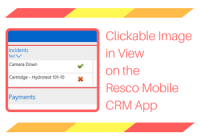
Clickable Image in View on the Resco Mobile CRM App

Introduction: We had a requirement where we wanted to add a view that will list out all the Work Order Incidents on the Resco Mobile CRM app. We also wanted to add clickable images to this view to allow the user to mark Work Order Incidents as resolved or unresolved through a visual guide. To… Read More: Clickable Image in View on the Resco Mobile CRM App »