Category Archives: Dynamics CRM

Appointments on Schedule Board in Dynamics 365 Field Service
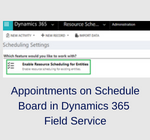
Introduction: Schedule board in an important feature in Dynamics 365 which gives an overview of the resource availability and bookings user can make. Whenever the Field Service solution is installed, the schedule board shows the work orders by default. But what about the other entities? What if I want to schedule the appointments too on… Read More »

Create New Records in Dynamics CRM using Microsoft Flow

Introduction: Microsoft Flow is a powerful business application that allows the user to create and automate workflows across multiple applications and services without developers help. In one of our blog “Microsoft Flow – Create a record in Dynamics 365 using Gmail Connector”, we saw how to create a record in Dynamics 365 using Gmail Connector.… Read More »

New Email Feature in Dynamics 365 v9.0

With the release of Dynamics 365 v9.0, Microsoft has introduced many new features that make our Dynamics 365 even better. With the new User Interface changes, we just can’t stop looking at it. The new User Experience added in the Dynamics 365 has become more consistent across multiple devices such as desktop, mobile and, tablet.… Read More »

Working with Translation for Managed Solution in Dynamics 365

Translation help users to understand the given details in their native language when user is unaware of that language. In CRM it is especially helpful when we are working on a packaged solution. Dynamics 365 CRM allow us to provide translation using Import/Export of translation as below. And also by adding XML tag for translation… Read More »

How to associate Knowledge Article with Incident (Case) Programmatically in Dynamics 365

Introduction: Microsoft has introduced a knowledge management system for Dynamics CRM 365. This enables users to create rich knowledge articles, which also supports embedding external multimedia content like images and videos in the form of links. It also allows translations and versioning for the articles. In this blog will discuss about how to associate Knowledge… Read More »

Hide the Question Text of checkbox for Voice of Customer in Dynamics 365

Introduction: Voice of Customer in Dynamics 365 helps to capture feedback regarding your product or service from CRM. With Voice of the Customer, we can easily set up surveys, distribute them to contacts via workflows, and capture responses. Recently we had a business requirement where we only need to show the checkbox text and not… Read More »