In modern enterprise applications, integrating external systems with Microsoft Dataverse has become increasingly common for automation, analytics, AI-driven workflows, and scalable CRM integration.
In the previous blog, we demonstrated how to perform CRUD operations in Microsoft Dataverse using Python with MSAL authentication, Dataverse Web API, and manual HTTP request handling. This approach required developers to manually construct requests and manage API communication logic.
In the recent blog, we used the Microsoft Dataverse Python SDK PowerPlatform-Dataverse-Client, which still works on top of Dataverse Web APIs but provides inbuilt Web API functions in Python. This reduces manual effort and makes CRUD operations simpler, cleaner, and more maintainable.
Please find below steps to perform CRUD operations using above:
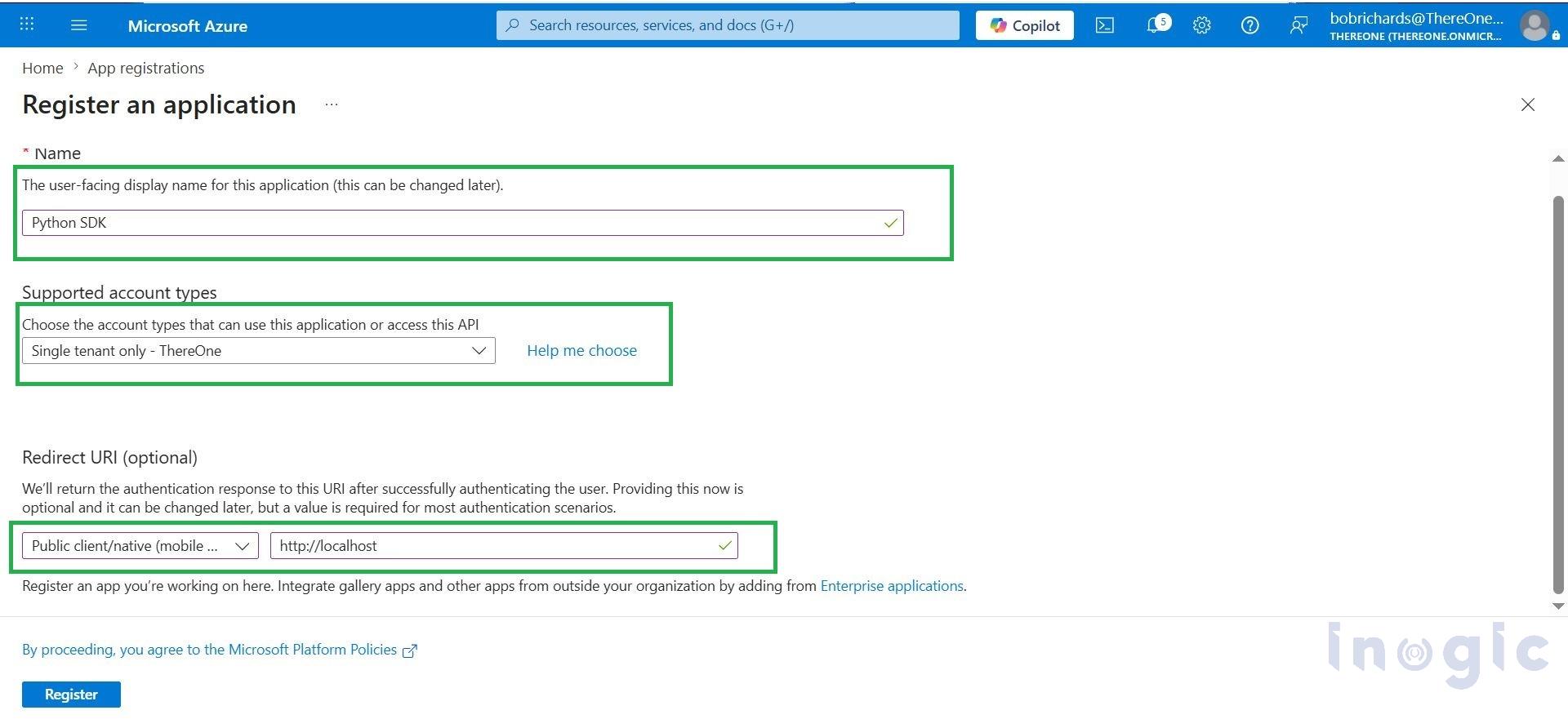
Step 1: Create App registration on azure portal
Please redirect to Azure Portal
Step 2: Configure API Permission to create azure app
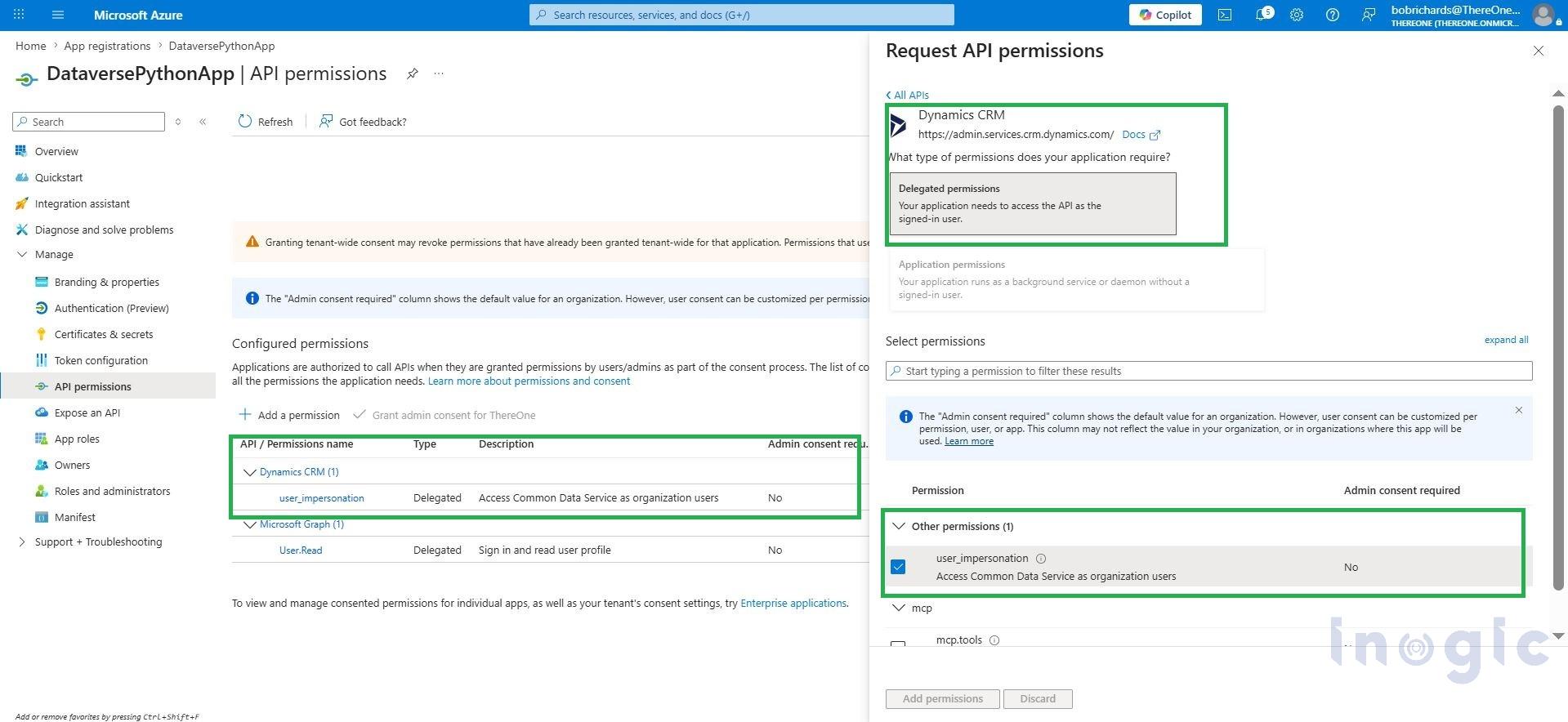
Go to API Permissions > Add Permissions > API my organization uses tab
Add Permission: Dynamic CRM > select User Impersonation > Grand Admin Consent
Step 3: Import Library from Power Platform Dataverse Client and Azure identity
pip install PowerPlatform-Dataverse-Client
Import packages
from azure.identity import InteractiveBrowserCredential

from PowerPlatform.Dataverse.client import DataverseClient
Python Code:
# CONFIGURATION

CLIENT_ID = "Your Client ID"

TENANT_ID = "Your Tenant ID"

BASE_URL = "Crm Base URL"

EMPLOYEE_TABLE = "Table"

# AUTHENTICATION

print("? Connecting to Dataverse...")

credential = InteractiveBrowserCredential(

tenant_id=TENANT_ID,

client_id=CLIENT_ID

)

client = DataverseClient(BASE_URL, credential)

print(" Connection Successful")
Step 4: Create Record Using Python
def create_employee():

print("\nCreating Employee...")

data = {

"ale_name": "Jordan Root",

"ale_email": "root@company.com",

"ale_department": "IT",

"ale_salary": 80000

}

result = client.records.create(EMPLOYEE_TABLE, data)

print("Employee Created")

print("Response:", result)

return result
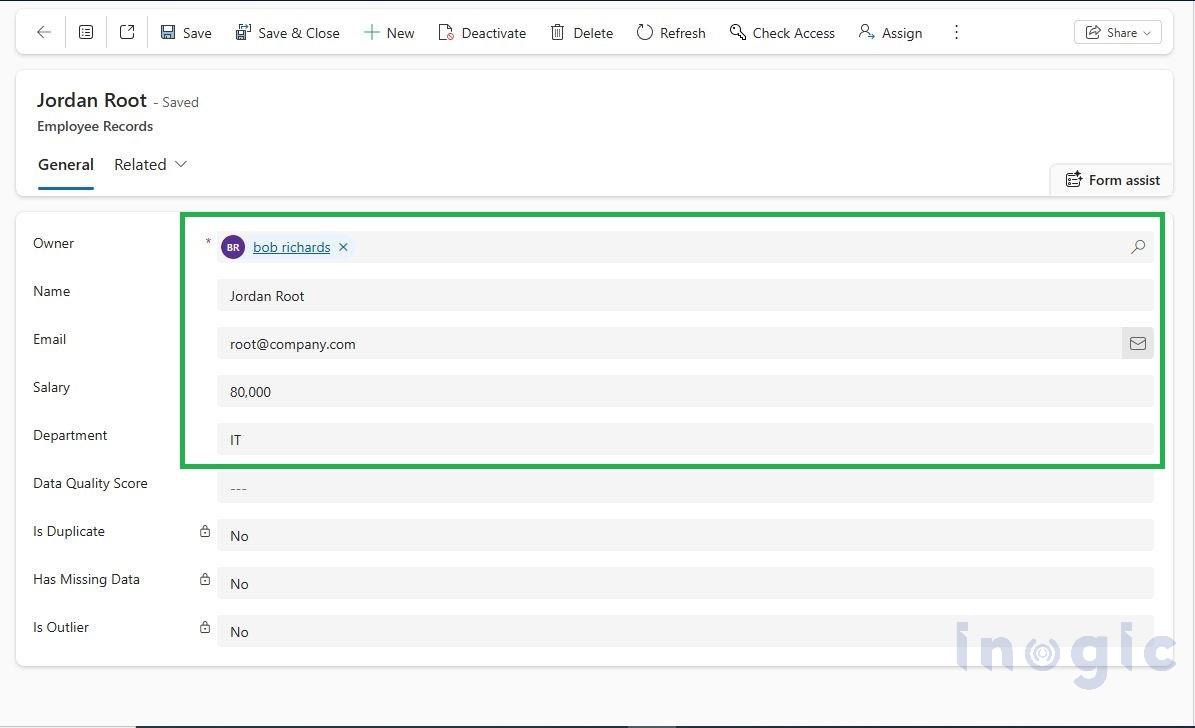
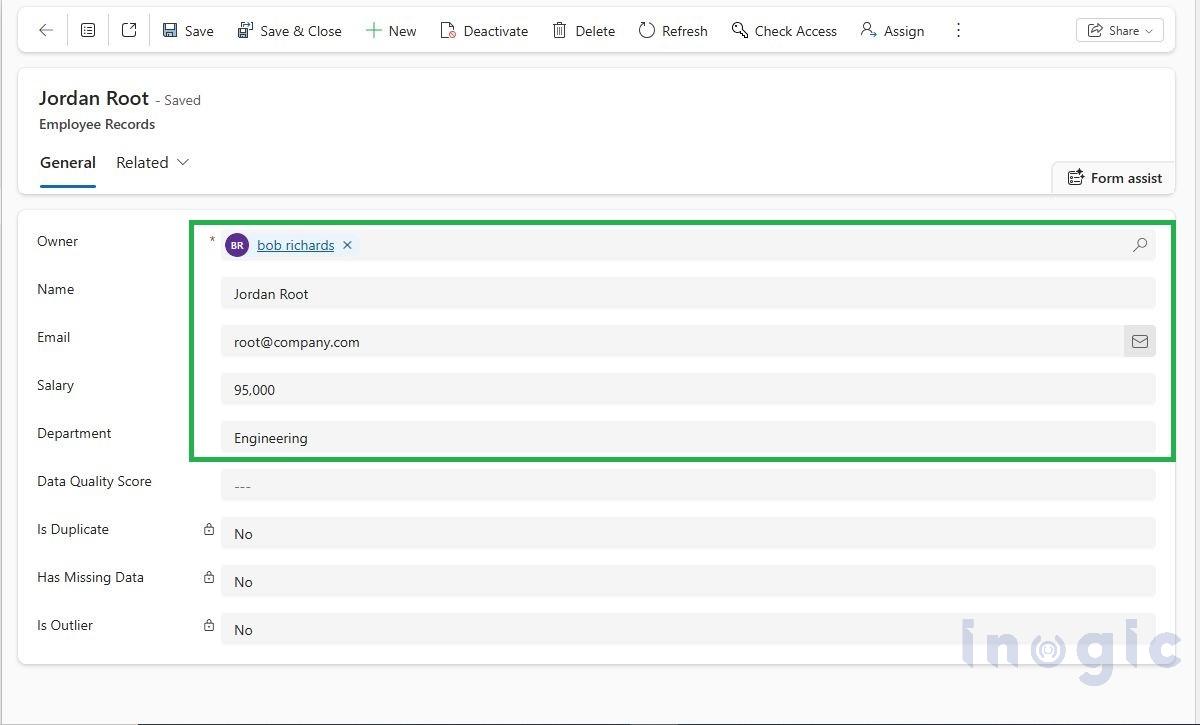
Step 5: Update the Record below is the python code and output</strstyle=”border: 1px solid #000000; padding: 1px; margin: 1px;”ong>
def update_employee(record_id):

print("\n Updating Employee...")

data = {

"ale_salary": 95000,

"ale_department": "Engineering"

}

client.records.update(EMPLOYEE_TABLE,record_id,data)

print(" Employee Updated")
Step 6: Delete the Record below python code to delete the record
def delete_employee(record_id):

print("\n Deleting Employee...")

client.records.delete(EMPLOYEE_TABLE,record_id)

print(" Employee Deleted")
Conclusion:
The Microsoft Dataverse SDK for Python provides a modern and simplified approach for integrating Python applications with Microsoft Dataverse.
Compared to the traditional Web API implementation, the SDK reduces manual coding efforts by abstracting authentication, request handling, endpoint management, and CRUD operations into reusable methods.
This result is cleaner code structure, better maintainability, reduced development complexity, easier enterprise scalability, faster implementation.
The SDK is especially useful for enterprise developers, data scientists, and AI application developers who want to build intelligent and scalable business solutions on top of Dataverse using Python.
Frequently Asked Questions (FAQs)
1. What is the Microsoft Dataverse Python SDK?
The Microsoft Dataverse Python SDK (PowerPlatform-Dataverse-Client) is a Python library that simplifies interactions with Microsoft Dataverse. It provides built-in methods for authentication, record management, and CRUD operations, eliminating the need to manually construct HTTP requests and Web API calls.
2. How do I perform CRUD operations in Microsoft Dataverse using Python?
You can perform CRUD (Create, Read, Update, and Delete) operations in Microsoft Dataverse using the PowerPlatform-Dataverse-Client library. After authenticating with Azure Active Directory, you can use built-in SDK methods such as create(), retrieve(), update(), and delete() to manage Dataverse records.
3. What are the prerequisites for connecting Python to Microsoft Dataverse?
Before connecting Python to Dataverse, you need:
- An active Microsoft Dataverse environment
- An Azure App Registration
- Appropriate Dataverse API permissions
- Client ID and Tenant ID
- The PowerPlatform-Dataverse-Client and Azure Identity libraries installed in Python
4. Why use the Dataverse Python SDK instead of direct Web API calls?
The Dataverse Python SDK reduces development complexity by handling authentication, request construction, endpoint management, and API communication internally. This results in cleaner code, faster development, easier maintenance, and improved scalability compared to manually using Dataverse Web APIs.