 In today’s business environment, organizations are not only adopting AI-powered agents to automate tasks but also looking for better ways to control how these agents are accessed and used across different users and departments. To address this, Microsoft introduced Admin Management in Dynamics 365 Customer Service and Copilot Studio, allowing organizations to centrally manage AI agents, control user access, customize prompts and experiences, and ensure a more secure and streamlined AI-driven workflow across the organization.
To enable Agent Management in Dynamics 365 Customer Service, navigate to Copilot Service admin center → Productivity → Copilot settings. Under the Agents within Copilot section, enable the required agent, such as Admin Management (Preview), to make the agent available for selected users within the Copilot side pane.
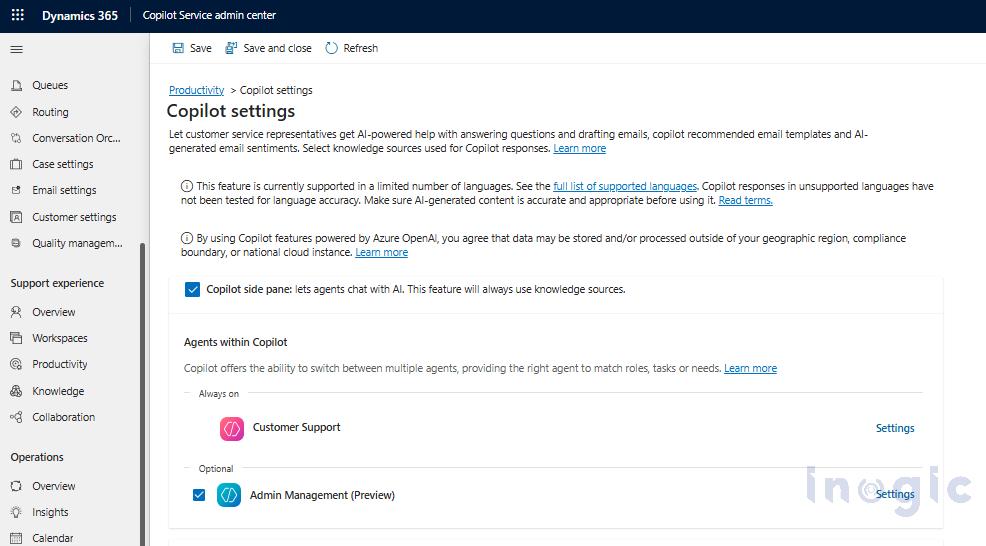
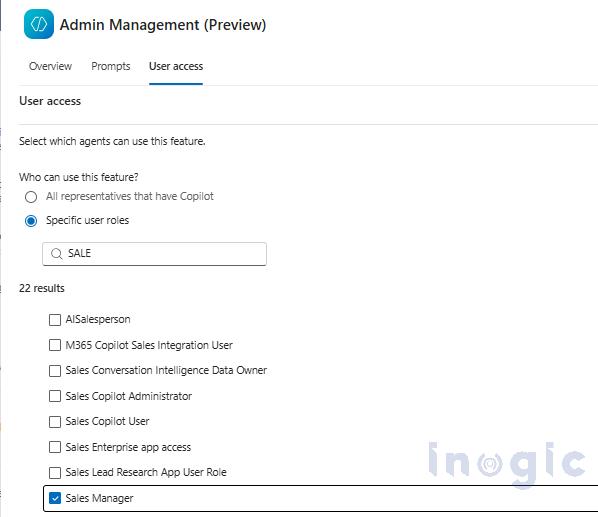
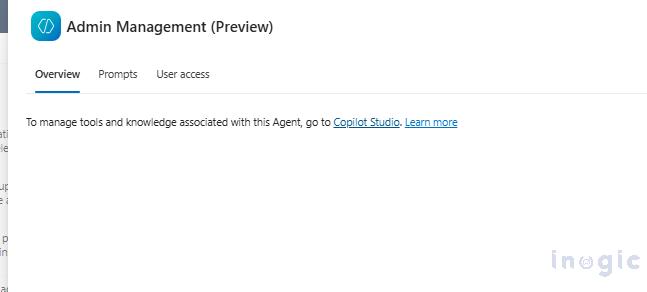
After enabling Admin Management (Preview), three configuration sections become available: Overview, Prompts, and User access.The User access section allows organizations to control who can access the Admin Management experience. Administrators can either enable it for all Copilot users or restrict access to specific security roles, ensuring that only authorized users can use the feature within Dynamics 365 Copilot.
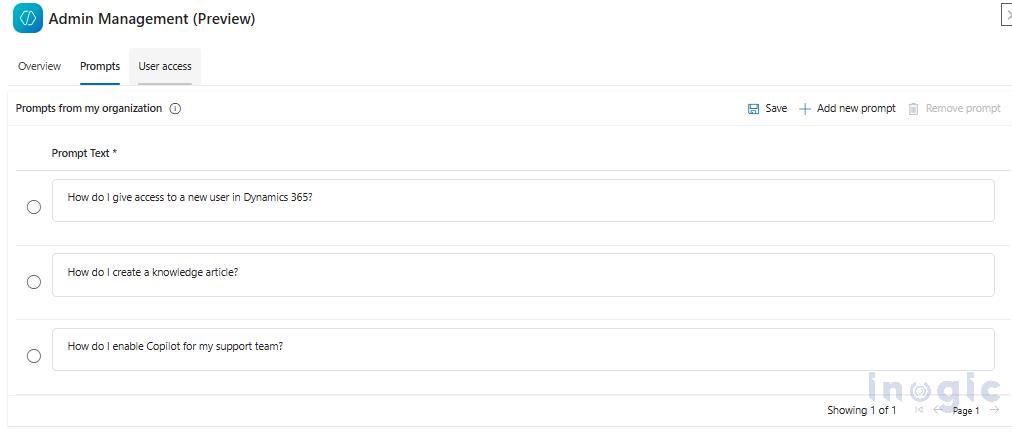
The Prompts section allows organizations to define and manage custom prompts that users can directly interact with through the Admin Management experience. These prompts can be tailored based on specific business requirements or support scenarios. In our implementation, we configured custom prompts related to our use case, enabling users to quickly access guided responses and perform administrative tasks more efficiently within Dynamics 365 Copilot.
 From the Overview section, selecting the Copilot Studio link opens the out-of-the-box (OOB) Copilot agent experience, where organizations can further customize the Admin Management agent based on their business requirements. Within Copilot Studio, custom topics, prompts, tools, knowledge sources, and agent behaviors can be configured to create a more tailored and role-specific experience for users.
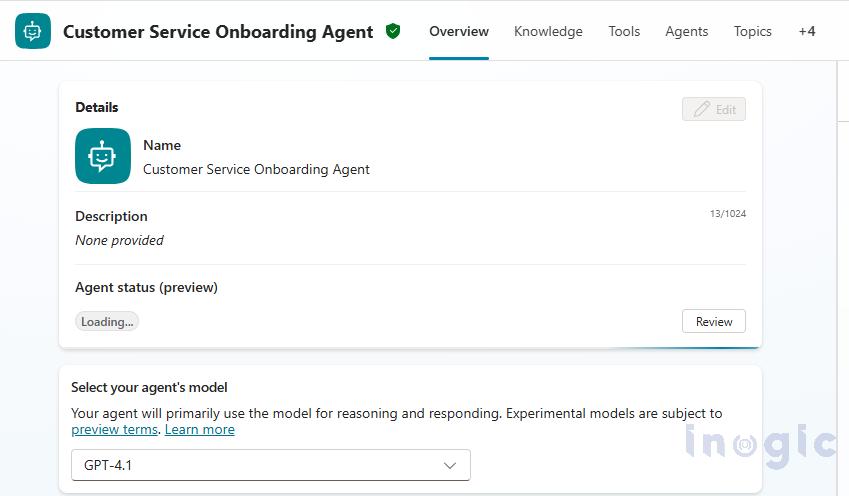
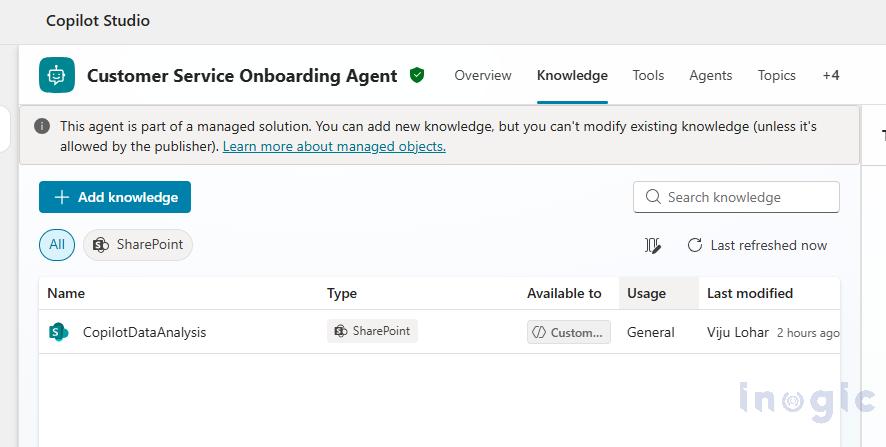
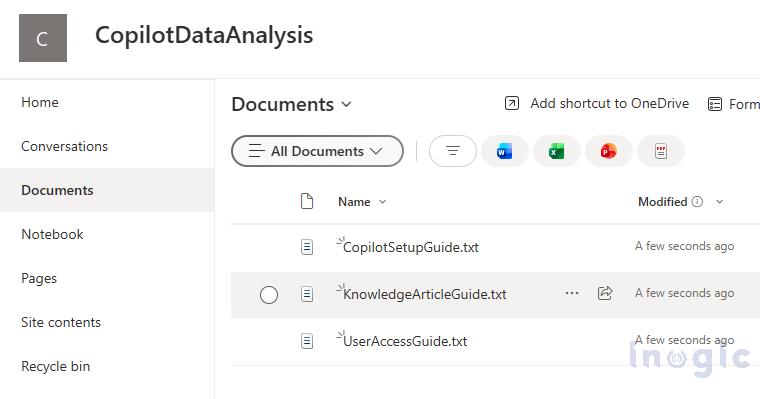
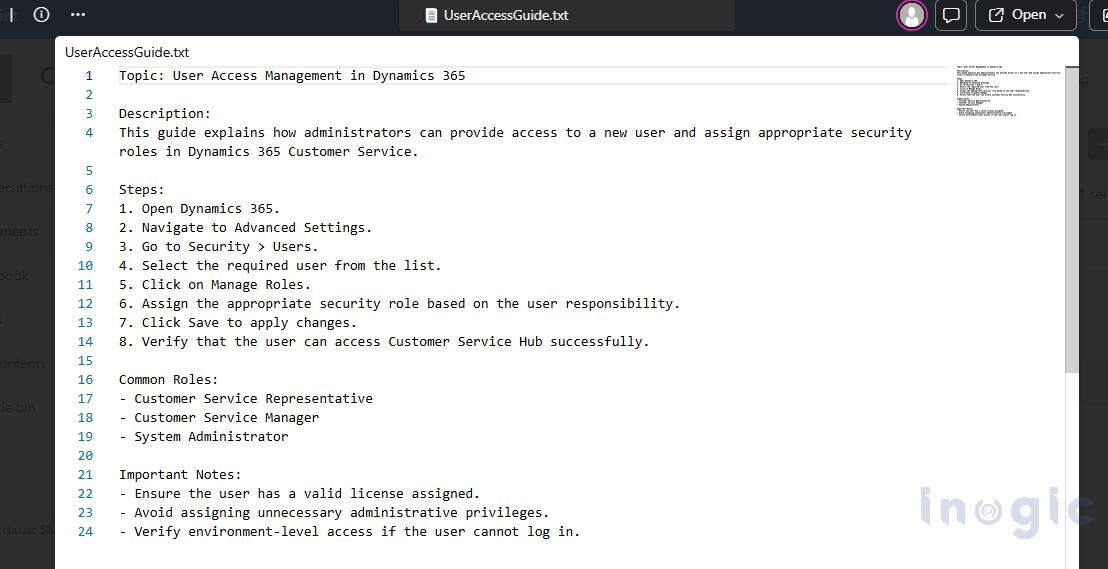
For our use case, we configured the Admin Management agent with custom prompts and connected it to a SharePoint knowledge source within Copilot Studio. The SharePoint library contains guidance documents and support-related information, allowing the agent to directly retrieve and provide relevant responses based on the user’s query. This enables users to quickly access organizational knowledge and administrative guidance without manually searching through documents or portals.
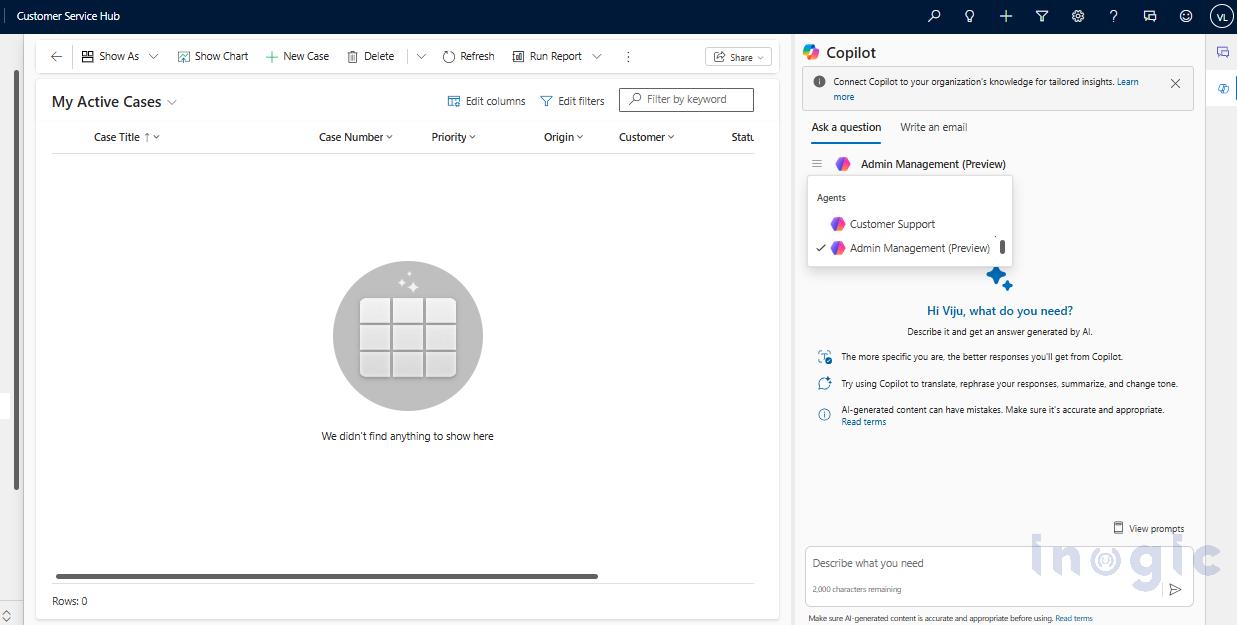
 After completing the required configurations in Copilot Studio, the customized Admin Management agent can be published and accessed directly from the Copilot side pane within Dynamics 365 Customer Service. Users can switch between the available agents, such as Customer Support and Admin Management (Preview), allowing them to interact with the appropriate AI experience based on their specific business needs and access permissions.
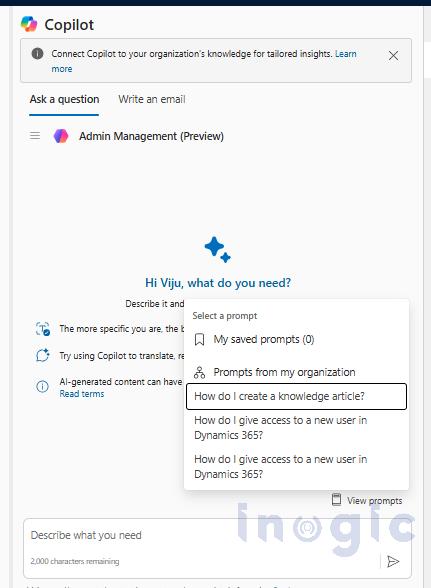
The configured prompts are directly available within the Copilot side pane, allowing users to quickly select predefined organizational prompts without manually typing queries. This provides a faster and more guided experience while interacting with the Admin Management agent and accessing organizational knowledge
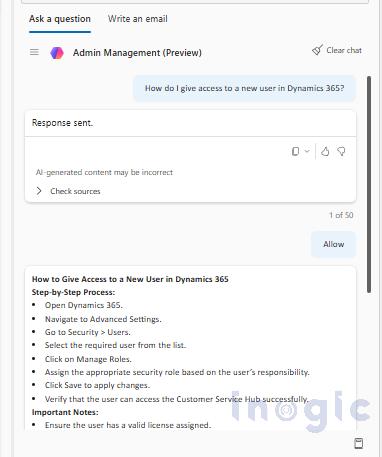
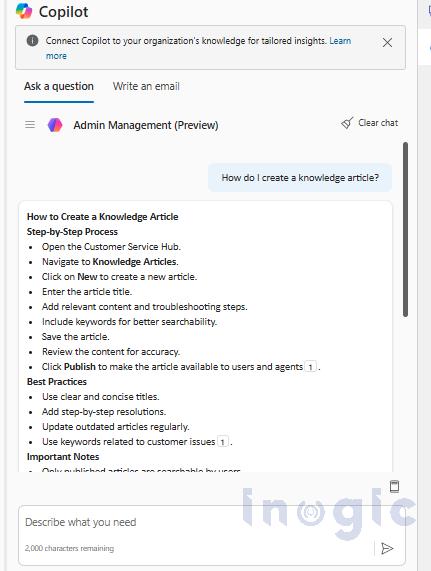
After completing the configuration, users can interact directly with the Admin Management agent from the Copilot side pane and select predefined prompts based on their requirements. The agent retrieves relevant information from the connected SharePoint knowledge source and generates structured responses within Dynamics 365 Customer Service. This helps users quickly access organizational guidance and administrative information without manually searching through multiple documents or systems.
Conclusion
In this blog, we explored how Admin Management (Preview) in Dynamics 365 and Copilot Studio can be configured using custom prompts, role-based access, and SharePoint knowledge integration. This implementation helps users quickly access organizational guidance and creates a more efficient AI-driven experience within Dynamics 365 copilot Service.
FAQs
What is Admin Management in Dynamics 365 Customer Service?
Admin Management is a Copilot-powered feature in Dynamics 365 Customer Service that enables administrators to manage AI agent access, configure prompts, customize agent behavior, and control user permissions across the organization
Can organizations customize Copilot agents without coding?
Yes. Using Copilot Studio, organizations can customize prompts, topics, knowledge sources, and agent behavior through a low-code interface without extensive development effort.
How does Microsoft Copilot help customer service teams find internal knowledge faster?
Microsoft Copilot can connect to trusted knowledge sources like SharePoint and deliver contextual answers directly within Dynamics 365 Customer Service, reducing the need to search multiple systems manually.
How do custom AI agents improve customer service operations in Dynamics 365?
Custom AI agents provide faster access to organizational knowledge, automate information retrieval, support employees with guided responses, and improve service efficiency.
What are the benefits of integrating SharePoint with Dynamics 365 Copilot?
SharePoint integration enables users to access organizational knowledge, support documents, and administrative guidance directly within Dynamics 365, reducing manual searches and improving productivity.