In business, Sales & Marketing always go hand in hand. So, if you want to enhance your Sales & Marketing team productivity, then the first step is to collate data from both departments on a single platform. To help businesses achieve this, Inogic introduced its Mailchimp Microsoft Dynamics 365 integration app– Marketing4Dynamics – through which you can easily integrate the popular email marketing solution Mailchimp with Dynamics 365 CRM, making the integration a seamless part of your daily workflow.
Let’s have a brief look at some of the key features of Mailchimp + Microsoft Dynamics 365 CRM Integration:
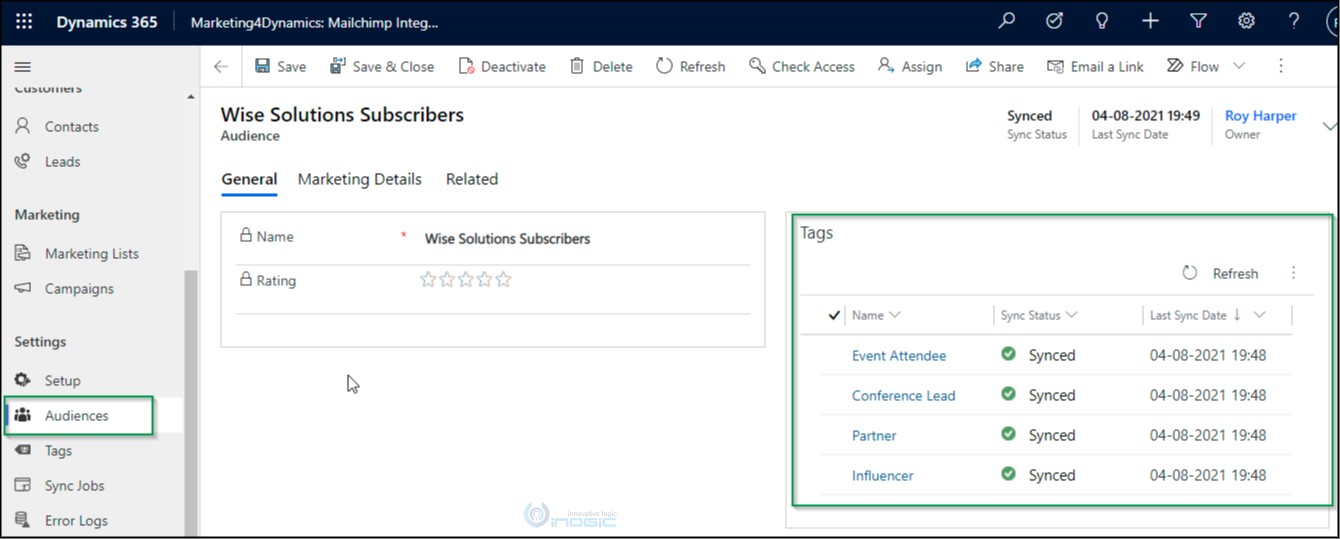
Sync Mailchimp Audience
Mailchimp Audience is where all your contacts/members and tags are kept. Based on this, marketing campaigns are sent to your specific audiences or tags. With Marketing4Dynamics, you can now choose the Mailchimp Audiences and sync them to Dynamics 365 CRM. This Microsoft Dynamics 365 Integration with Mailchimp ensures your audience data remains updated across both platforms, reducing manual effort.
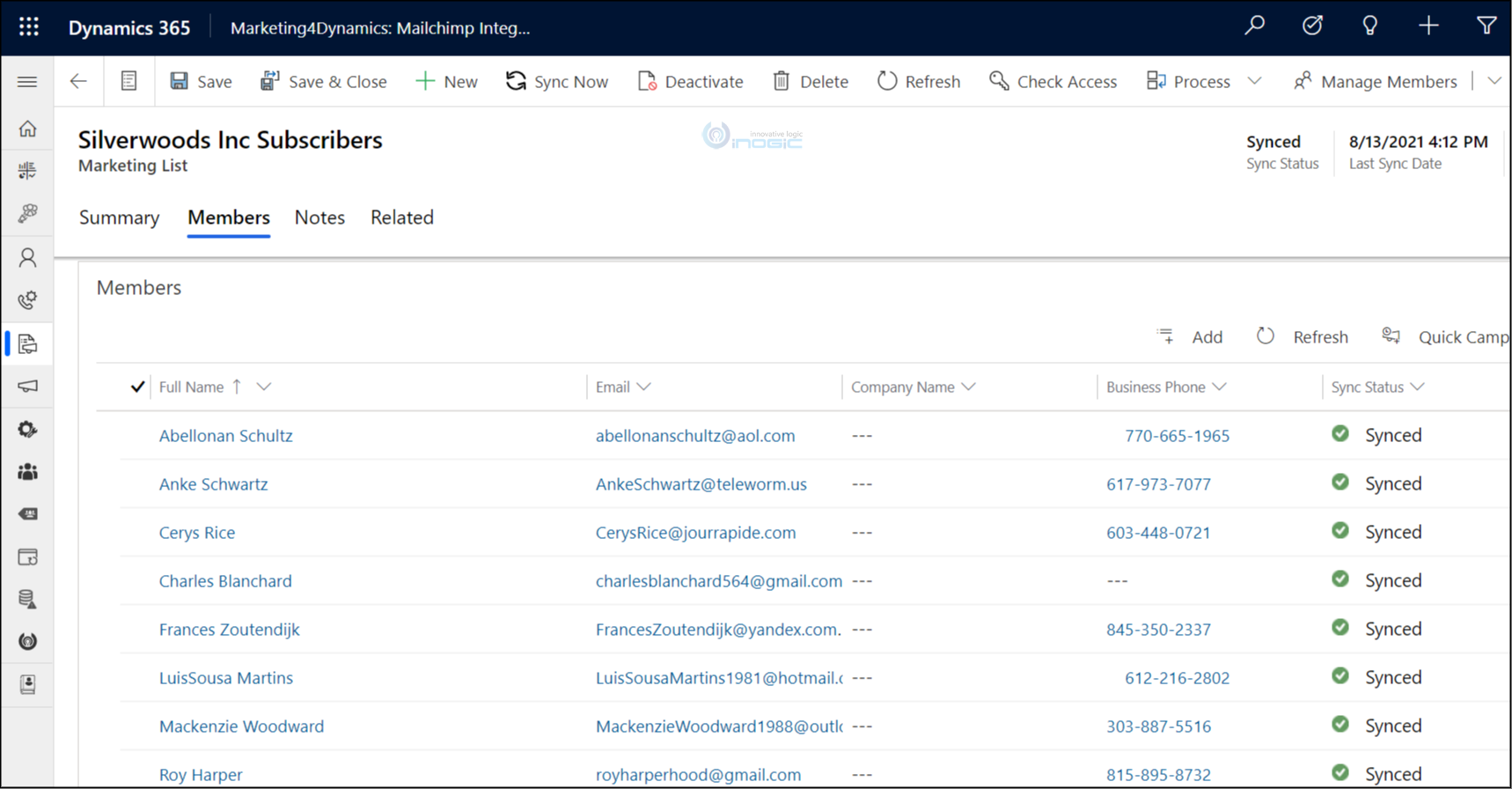
Sync Dynamics 365 CRM Marketing Lists
With Marketing4Dynamics, you can now sync Dynamics 365 CRM Marketing Lists to Mailchimp. The contacts/leads you have in CRM can be promoted to Mailchimp by syncing Marketing Lists. This is especially helpful when you want to plan and execute email marketing with Dynamics CRM through Mailchimp while targeting the right customers. The Marketing team will be further exempted from creating new audiences in Mailchimp, thereby saving valuable time and effort.
Sync Mailchimp Campaigns
With this feature, all the campaigns in Mailchimp that have been sent to subscribers will be synced to Dynamics 365 CRM. You can now view the statistics of various campaigns and member activities conducted through Mailchimp within Dynamics 365 CRM. This makes Dynamics CRM-powered email marketing easier to monitor while helping sales and marketing teams plan and execute more effective future strategies.

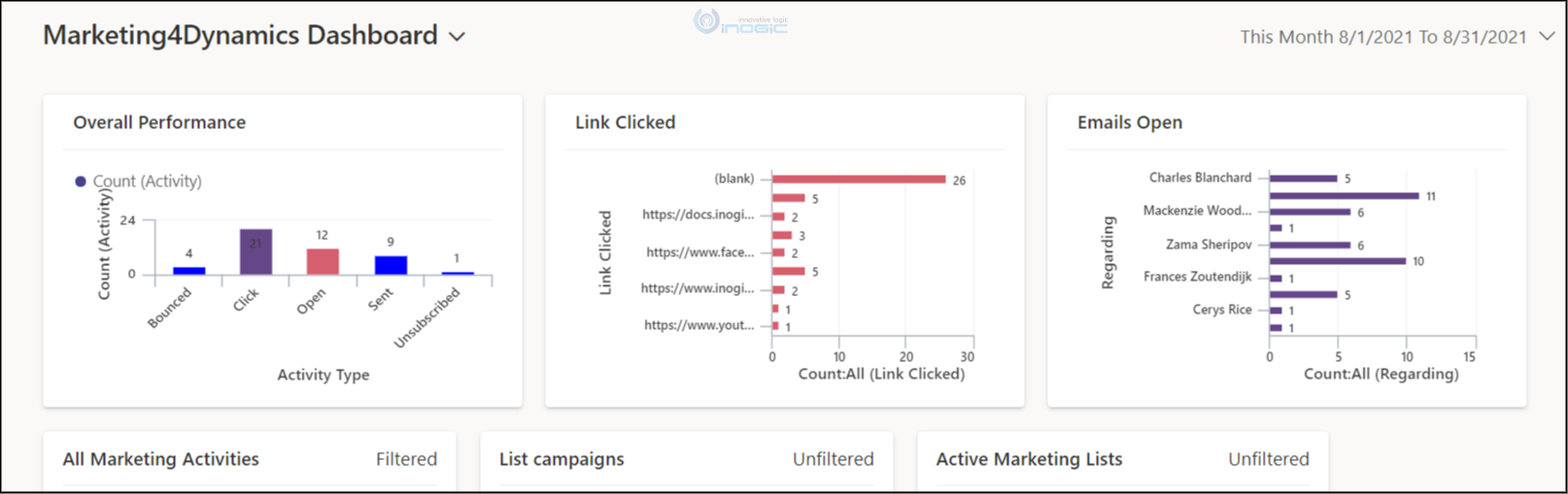
Dashboard & Reporting
Marketing4Dynamics will give you a graphical representation of Mailchimp data, including campaign and member activities (Open, Sent, Clicked, Unsubscribed, and Bounced). As Mailchimp member activity data is available in CRM, you can fetch the information you want to analyze. Having Mailchimp Microsoft Dynamics 365 Integration in place makes it easy to visualize campaign performance and customer engagement from one location. This analysis further helps in planning and developing email campaigns through Dynamics CRM that capture customer interest and contribute to higher sales and profits.
So, what say? Isn’t Marketing4Dynamics by Inogic quite handy? If you’re looking to simplify using Dynamics CRM for email marketing while benefiting from a reliable Mailchimp and Microsoft Dynamics 365 Integration, grab this opportunity and download this app from our website or Microsoft AppSource for a trial period of 15 days. And do let us know your findings and expectations at crm@inogic.com.
Until then – Go Sales, Go Marketing!