
Every B2B sales team knows the feeling of a week that got away from it. Monday starts with good intentions, a few meetings move, a customer calls with something urgent, and by Thursday the rep has driven across the same region three times and still has accounts left unvisited.
Most of the time, the problem is weak planning. When customer records sit in Microsoft Dynamics 365 as rows of names and addresses, it is hard to see which visits belong together, which accounts have gone quiet, and what the best order for the week looks like.
This is where an integrated map helps. Inogic’s Maplytics, a certified geo-analytical solution for Dynamics 365, Power Apps, Power Pages, and Dataverse, shows your CRM records on an interactive map, so planning a week starts from where your customers actually are.
Key Takeaways
|
Here is a simple way to plan one.
Step 1. See Where Your Customers Are
Before planning any visit, a rep needs a picture of the week’s possibilities. Maplytics plots supported Dynamics 365 records, such as accounts, contacts, and leads, on a map. Instead of reading a list, the rep sees clusters. One cluster of customers in the north, a few scattered accounts in the east, and a handful of overdue follow-ups on the edge of the region.
That picture alone changes the plan. A rep can decide to spend Tuesday in the north because five accounts sit within a short drive, rather than booking one meeting there on Tuesday and another on Friday.
Step 2. Group Visits That Belong Together
Once the Google map, Azure map, or Mapbox shows the clusters, the next step is grouping. Visits in the same area go on the same day. Far-apart visits are spread across the week or handled by phone and video.
Maplytics’ Radius Search helps here. A rep can pick a location, set a distance or travel time, and see which accounts and leads fall inside it. If a key meeting is already booked in one town, the rep can quickly find other nearby customers worth visiting on the same trip, instead of driving back later.
Step 3. Put the Stops in the Best Order
With a day’s visits chosen, the order matters. Visiting stops in the sequence they were booked can mean doubling back, while a better sequence saves time and fuel.
Maplytics Route Optimization lets users plot multiple stops and optimize the route by shortest time or shortest distance, with turn-by-turn directions. A rep who would have spent a morning working out the order can have a route ready in minutes.
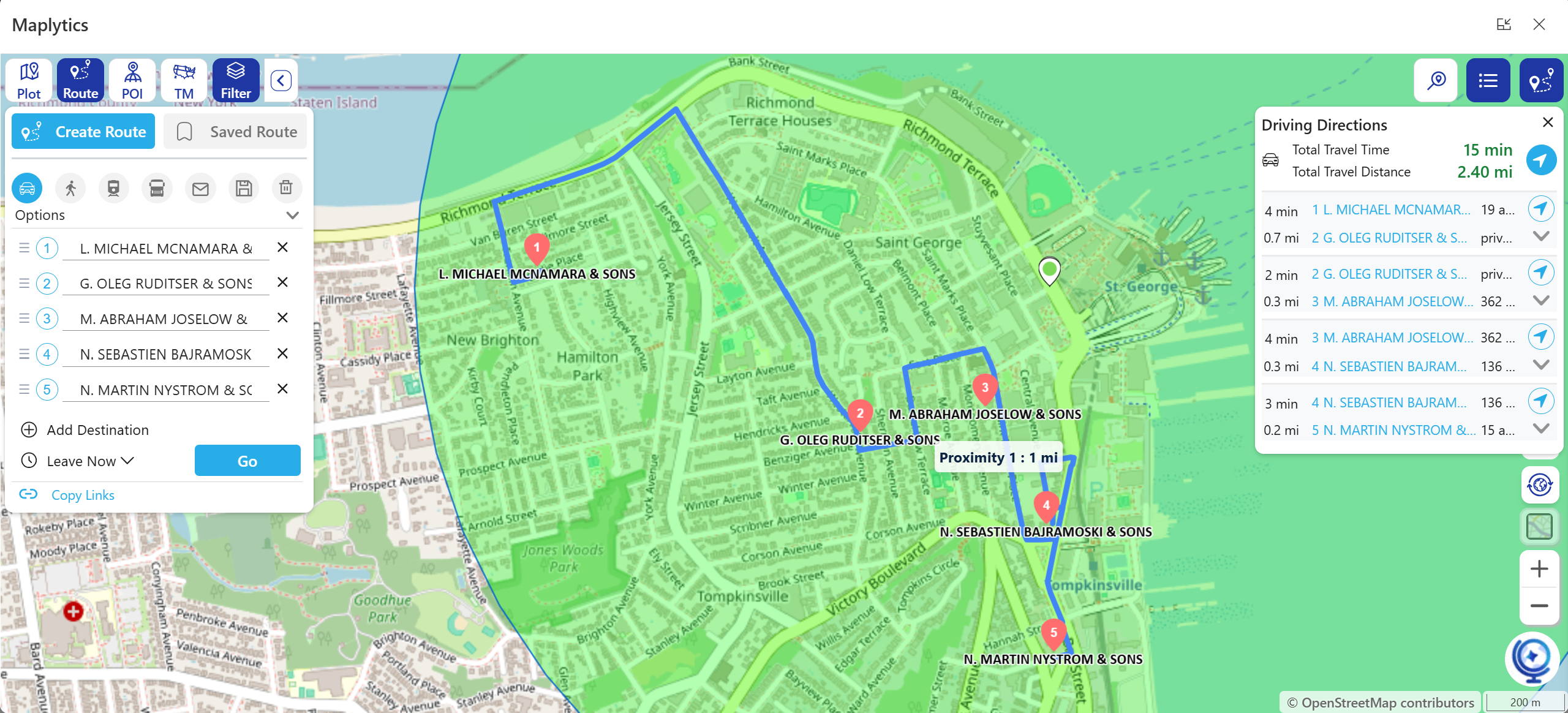
Many reps run the same loop every few weeks. Saving a route means the next planning session starts from last time’s route, with only the changes adjusted, rather than from a blank page. That is a small habit, but it removes one of the most repetitive jobs in field sales.
Step 4. Make Sure Coverage Is Fair
Zoom out from one rep’s week to the whole team, and a different question appears. Is every customer being covered, and is anyone being covered twice?
Maplytics’ Territory Management lets managers create, visualize, and manage territories on the map. Overlaps and gaps stand out immediately. Two reps visiting the same customer, or a pocket of accounts nobody has seen in months, are far easier to spot on a map than in a spreadsheet.
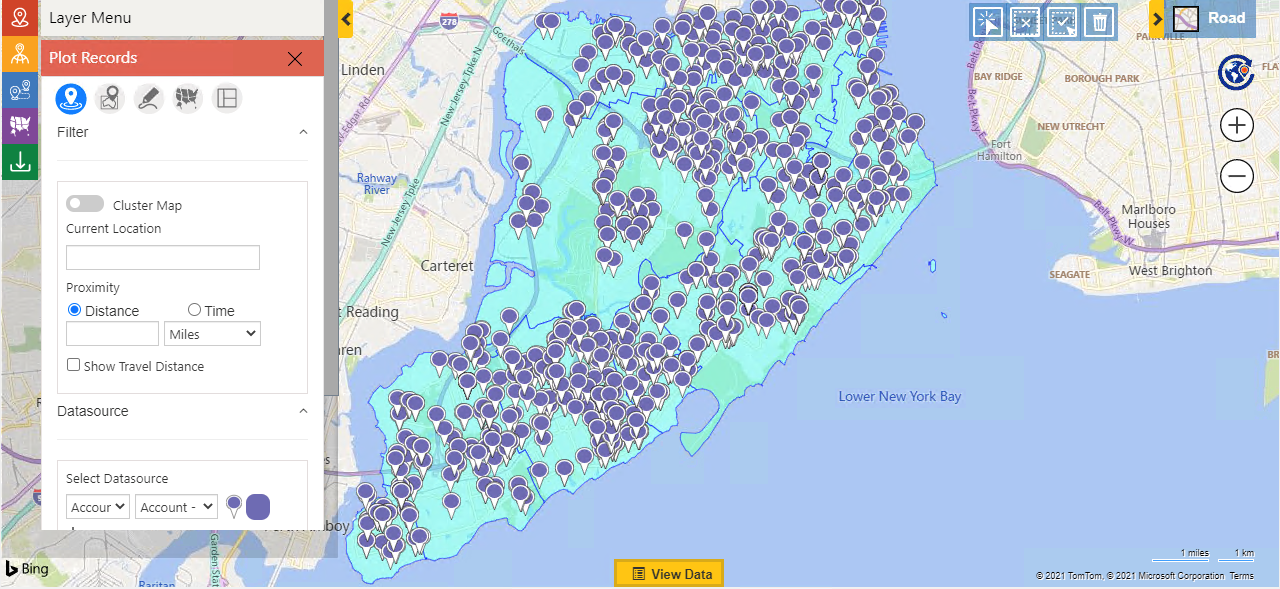
A map will not decide how to balance workloads. Managers still need to think about account size, rep capacity, and priorities. What the map offers is a clear geographic starting point for those conversations.
Step 5. Fill the Gaps in the Day
Even a well-planned day has gaps. A meeting finishes early, or a customer cancels, and the rep is left with an hour and no idea what is nearby.
This is where searching around the rep’s current location becomes useful. Radius Search shows nearby accounts and leads, and Maplytics also lets users look for records along a route, so a drive to the next appointment can include a quick stop on the way. Free time becomes a chance to meet someone who might otherwise have waited another month.
Step 6. Keep the Team in Sync
Plans change. A manager who can see where the team is can respond better than one who has to ask.
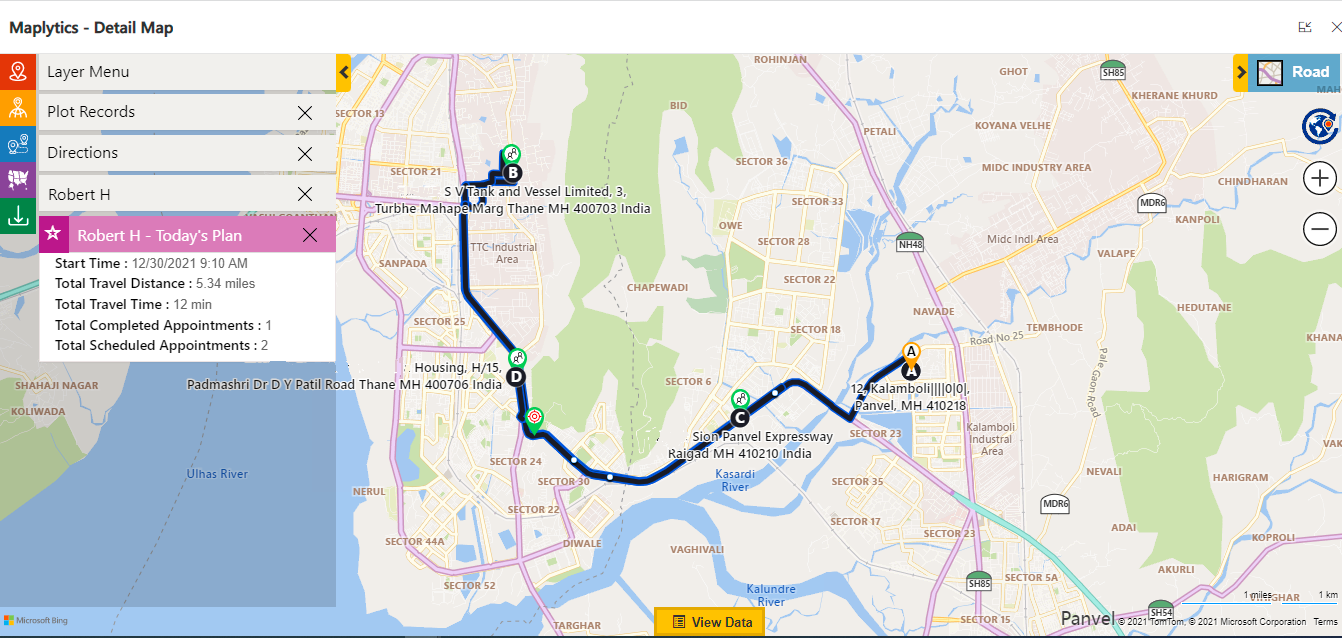
Maplytics’ Real-Time Tracking shows the locations and travel history of tracked field representatives, which helps managers coordinate a busy week and answer customers who ask when someone will arrive. For scheduling across a team, Auto Scheduling can build optimized schedules over multiple days and users, taking location and existing appointments into account.
A Few Things to Check First
A map is only as good as the data behind it. Before planning your first week this way, it helps to confirm three things.
- Addresses are usable. Records need valid location details to appear in the right place.
- Records are current. Old accounts and outdated contacts add noise to the map.
- Roles are clear. Decide who plans their own week and who plans for a team.
Maplytics supports planning and coordination. It does not replace judgment about which customers deserve a visit, or the relationships that win deals.
A Better Week Starts with a Better View
Planning a field sales week does not need to be complicated. See where your customers are, group the visits, order the stops, check coverage, and fill the gaps. Each step is quicker when your Dynamics 365 data sits on a map instead of in a list.
| Commonly asked Questions-
1. How does Maplytics help plan a field sales week in Dynamics 365? 2. Can I find nearby customers to visit on the same trip? 3. Can I reuse a route I run every few weeks? 4. How does Maplytics help managers balance territories? 5. What should I check before planning with Maplytics? |
What’s More?
If you wish to combine maps, routes, schedules, and real-time updates to make a difference, Maplytics with MapCopilot, its AI assistant, is available immediately for Dynamics 365, Power Apps, Power Pages, and Dataverse. Organizations interested in adoption, 15-day free trials, or personalized demos are encouraged to contact Maplytics’ sales team at crm@inogic.com
For more information, visit our website or Microsoft Marketplace. One can hop onto the detailed Blogs, Client Testimonials, Success Stories, Industry Applications, and Video Library for quick query resolution. Technical docs for the working of Maplytics are also available for reference.
Please leave us a review or share your experience on the Microsoft Marketplace or the G2 Website.