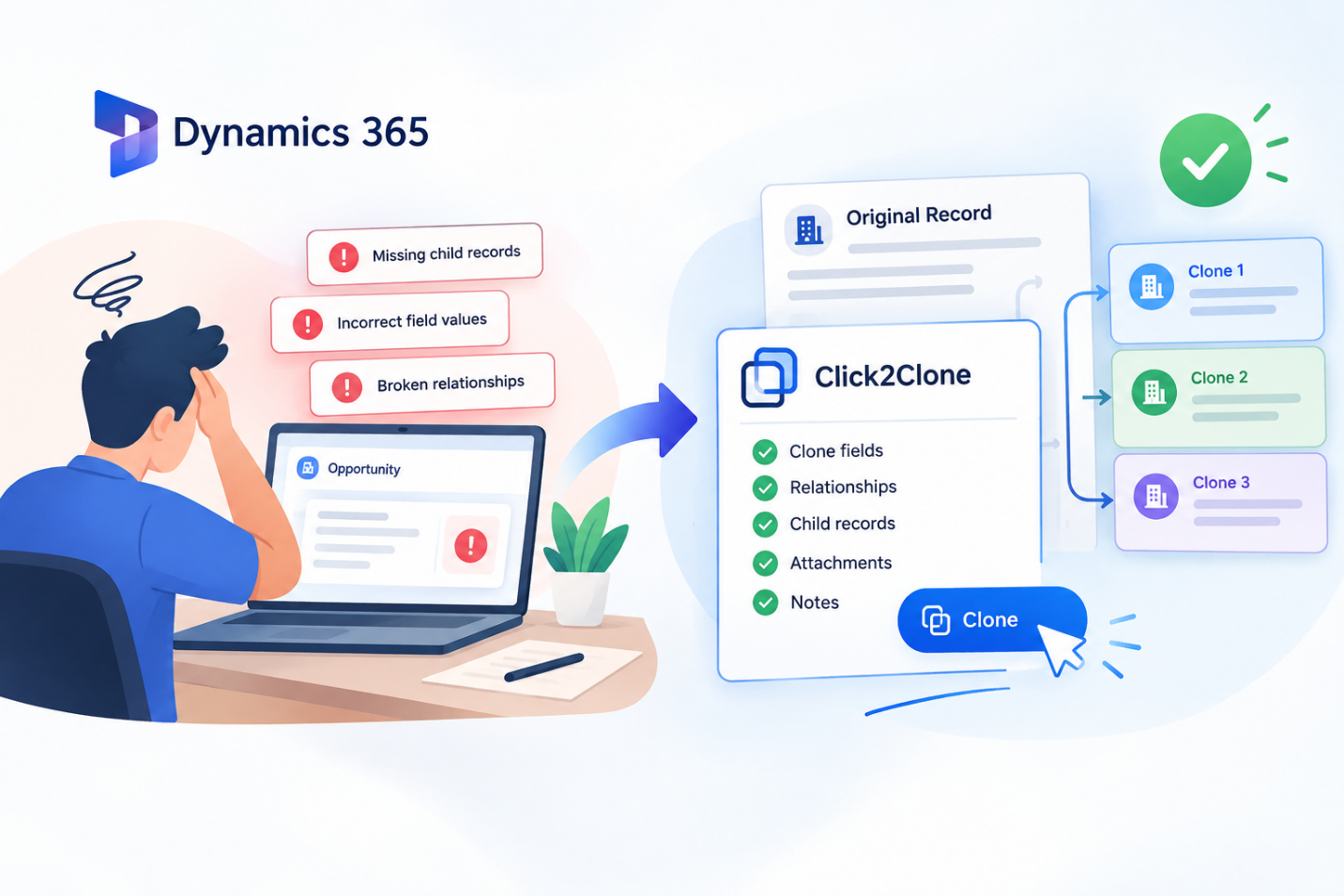
 Cloning records in Dynamics 365 CRM saves time, but when done manually or with limited native tools, it often introduces errors that quietly damage data quality. Missing child records, broken relationships, and incorrect field values are common outcomes of ad hoc duplication.
These Dynamics 365 record cloning errors don’t just create rework, they can distort reporting, break automation, and erode trust in CRM data across sales and service teams. Tools like Click2Clone by Inogic were built specifically to eliminate these errors through automated, rule-based cloning, more on that shortly.
Key Takeaways
- Manual cloning in Dynamics 365 frequently misses related child records and relationships.
- Copy-pasted records often carry over outdated or incorrect field values.
- Native Dynamics 365 tools offer limited control over what gets duplicated.
- Automated cloning tools like Click2Clone prevent these errors by design.
- Rule-based templates ensure consistent, accurate cloning every time.
Common Dynamics 365 Record Cloning Errors
1. Missing Parent-Child Relationships
When records are duplicated manually, linked child records, such as order line items or case activities, are frequently left behind. This breaks the hierarchy and forces users to manually recreate associations.
Example: A sales rep duplicates a Quote but forgets to copy its Quote Line Items. The new record looks complete but is functionally empty, leading to inaccurate pricing when converted to an Order.
2. Incorrect or Outdated Field Values
Copying a record often carries over field values that no longer apply, like an old owner, a stale date, or an incorrect status. Without a way to update fields during cloning, every duplicate need manual correction afterward.
Use case: A service team clones a Case template to open a new support ticket, but the “Resolved” status and closed date copy over as well, requiring manual cleanup before the case can be worked.
3. Duplicate Records Without Traceability
Native duplication in Dynamics 365 doesn’t track which record a clone originated from. This makes auditing, troubleshooting, and reporting difficult once multiple clones exist.
4. Broken Cross-Entity Copies
Copying data across entity pairs, such as Opportunity to Order, requires manual field mapping. A single missed mapping can result in incomplete or misaligned records downstream.
5. Performance Issues with Bulk Cloning
Attempting to duplicate large volumes of records manually, or through basic scripts, often causes CRM slowdowns or partial failures, especially with complex hierarchies involving 100+ line items.
How to Avoid These Errors
- Use rule-based cloning templates
Instead of relying on manual copy-paste, configure templates that define exactly which fields, relationships, and child records should be included every time.
- Automate field updates during cloning
Fields like owner, date, or status should update automatically based on rules, not require manual correction after every clone.
- Maintain source-to-clone traceability
Choose a solution that stores a reference between the original and cloned record, making audits and troubleshooting straightforward.
- Test cross-entity mappings before scaling
When cloning across entities like Quote to Invoice, validate field mappings on a few records before running bulk operations.
- Choose a tool built for volume
For hierarchies with extensive line items or nested child records, use a solution designed to handle bulk and deep cloning without performance degradation.
Why Click2Clone Solves This
Click2Clone by Inogic eliminates these cloning errors by design. Instead of manual copy-paste, it uses configurable templates to clone Dynamics 365 CRM records, along with their fields, relationships, notes, attachments, and child records, in a single click or in bulk.
With Click2Clone, teams can:
- Deep clone multi-level parent-child hierarchies without missing a single related record
- Automatically update field values (owner, date, status, lookups) during cloning, removing manual corrections
- Clone across entity pairs like Opportunity to Order or Quote to Invoice using configurable field mapping
- Maintain built-in source-to-clone traceability for easy auditing
- Handle bulk cloning and records with 100+ line items without performance issues
Teams using Click2Clone report cutting duplication time by up to 70% and reducing manual data entry errors by up to 90%, turning a common source of CRM errors into a reliable, repeatable process.
Want to try it firsthand? Get a 15-day free trial directly from our website or Microsoft Marketplace.
Prefer a guided walkthrough? Book a personalized demo and watch the difference unfold in real time.
Have questions? Reach out to us at crm@inogic.com – we’re always happy to help.
FAQs
What causes cloning errors in Dynamics 365?
Most cloning errors stem from manual duplication missing related child records, outdated field values carrying over, or incomplete field mapping across entities. Click2Clone eliminates these root causes with rule-based templates that define exactly what gets copied every time.
Can Dynamics 365 clone records automatically?
Native Dynamics 365 offers basic record duplication, but it lacks automated field updates, deep relationship cloning, and traceability. Click2Clone adds this automation, letting users clone records with fields, relationships, and child data pre-populated in one click.
How do I clone a record with its child records in Dynamics 365?
Use a cloning tool that supports deep cloning, which replicates parent records along with linked 1:N and N:N child records in a single action. Click2Clone’s deep cloning feature does exactly this, without missing a single related record.
Does cloning affect data accuracy in Dynamics 365?
It can, if field values aren’t updated during cloning. Click2Clone’s Update Fields feature automatically corrects values like owner, date, or status during the cloning process, so no manual post-clone correction is needed.
Is bulk cloning safe for large Dynamics 365 hierarchies?
Yes, when using a tool designed for volume. Click2Clone is built to handle bulk cloning and records with 100+ line items without performance degradation, unlike manual or script-based approaches.
Which tool is best for cloning records in Dynamics 365 CRM?
Click2Clone by Inogic is a Microsoft Marketplace-certified app purpose-built for cloning Dynamics 365 records, relationships, and custom entities, cutting duplication time by up to 70% and reducing manual errors by up to 90%.