 Microsoft Dynamics 365 Customer Service provides AI-powered assistance through Copilot features that help customer service representatives improve productivity and streamline support operations.
One of the latest additions is Copilot immersive (preview), which introduces a conversational workspace experience directly inside Dynamics 365 Customer Service.
In this blog, we will explore how to enable Copilot immersive preview, configure the required settings, and test the conversational workspace experience.
Key Takeaways
- Copilot immersive (preview) introduces a dedicated AI-powered conversational workspace inside Microsoft Dynamics 365 Customer Service.
- Customer service representatives can interact with AI conversationally while managing support cases.
- AI-generated summaries help reduce manual effort and improve case understanding.
- Integrated Copilot assistance minimizes context switching and improves productivity.
- Multiple Copilot agents, including Customer Support and Admin Management (Preview), support different operational scenarios.
Business Scenario
Consider a customer support representative handling a product damage complaint.
A customer creates a support case stating that the delivered product was damaged, and replacement assistance is required.
Traditionally, the support representative would need to:
- manually review case details
- understand the customer concern
- search related information
- prepare a response for the customer
With Copilot immersive preview, representatives can access a dedicated conversational AI workspace directly inside Dynamics 365 Customer Service to interact with AI assistance more efficiently.
The representative can:
- attempt case summarization
- review contextual information
- interact conversationally with AI
- receive AI-powered assistance
- streamline customer support interactions
What is Copilot Immersive Preview?
Copilot immersive preview provides a dedicated conversational AI workspace within Dynamics 365 Customer Service.
Unlike the traditional Copilot side pane, the immersive experience creates a focused interaction environment where service representatives can collaborate with AI while handling customer cases.
Key capabilities include:
- a dedicated conversational workspace
- AI-powered customer service assistance
- contextual support interactions
- integrated Copilot experience inside Dynamics 365
Configuration Steps
Step 1 – Dynamics 365 Customer Service Admin Center
Navigate to:
→ Productivity
→ Copilot settings
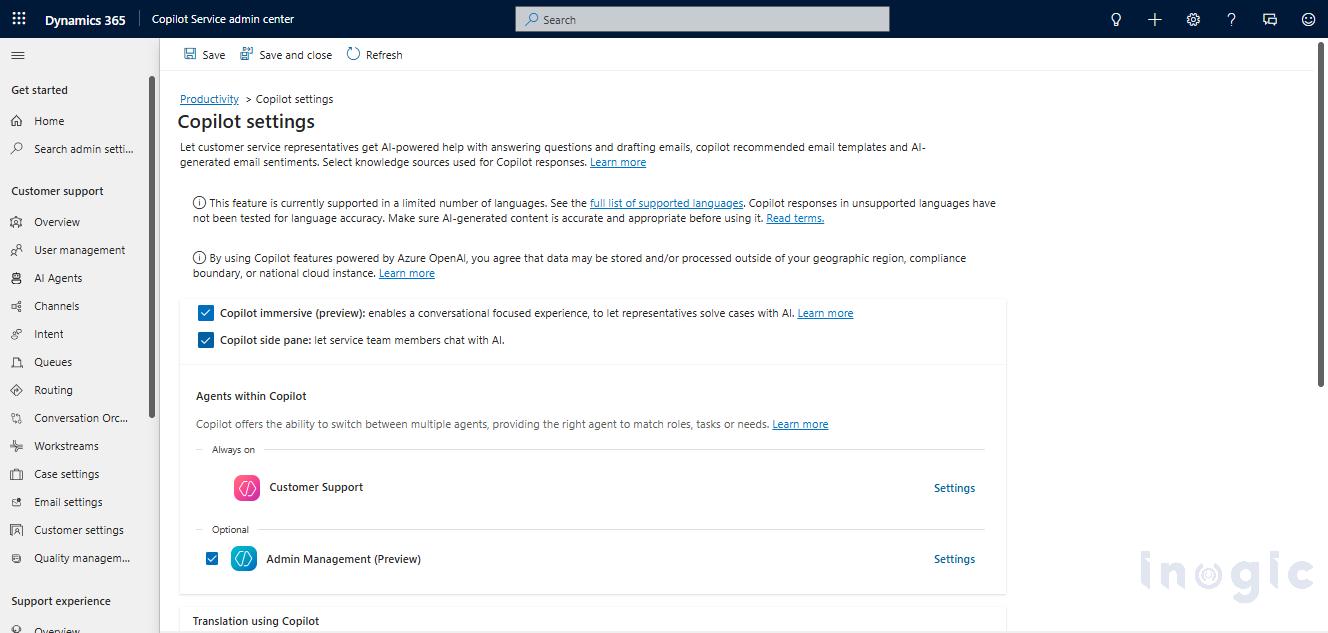
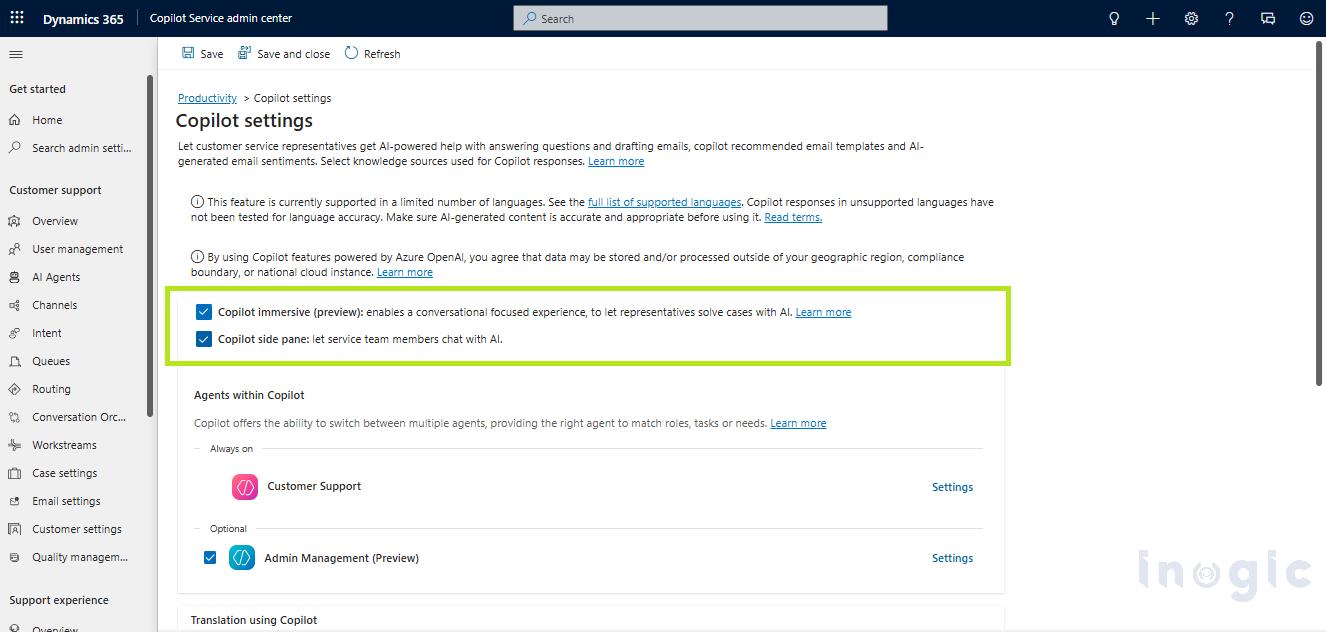
- Copilot settings page
- Both checkboxes enabled:
- Copilot immersive (preview)
- Copilot side pane
Testing the Feature
After enabling the configuration, Open Copilot workspace, Tab of Copilot will be visible in the Copilot Service Workspace
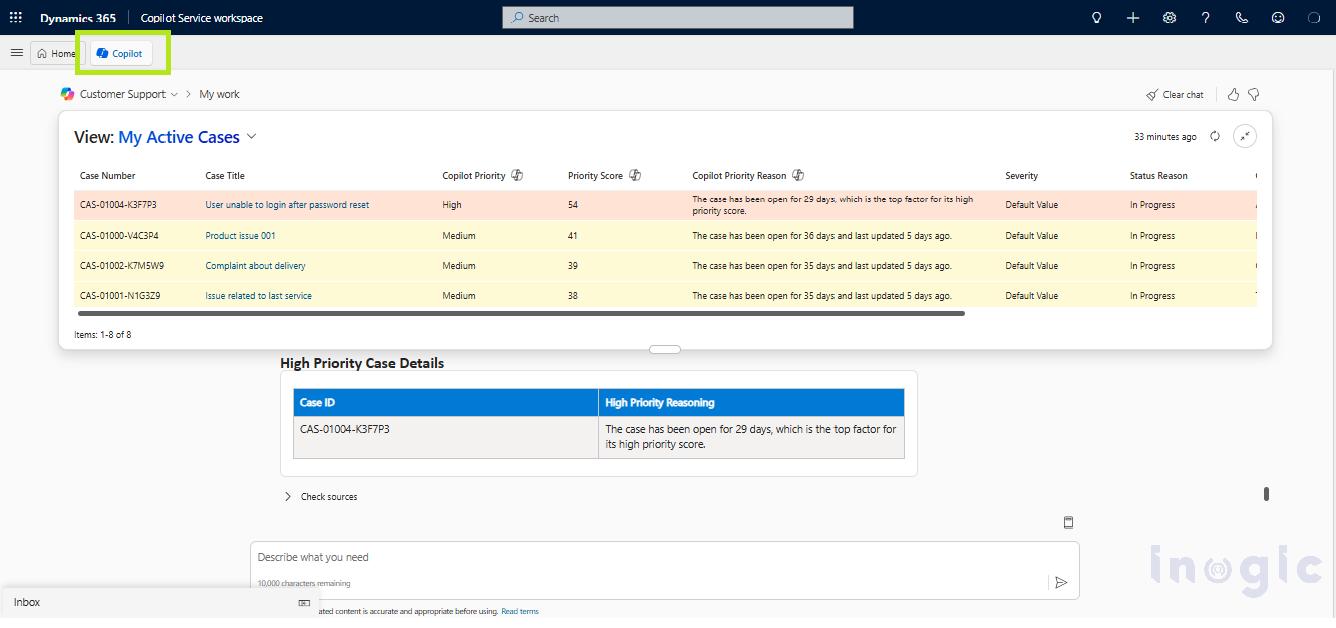
A sample customer complaint case was opened to test the immersive experience.
Sample Case Details
Title
Damaged product received
Description
Customer reported about a damaged product. The customer requested replacement assistance and asked for resolution at the earliest.
The following prompts were tested:
- “Summarize this case”
- “Provide issue summary”
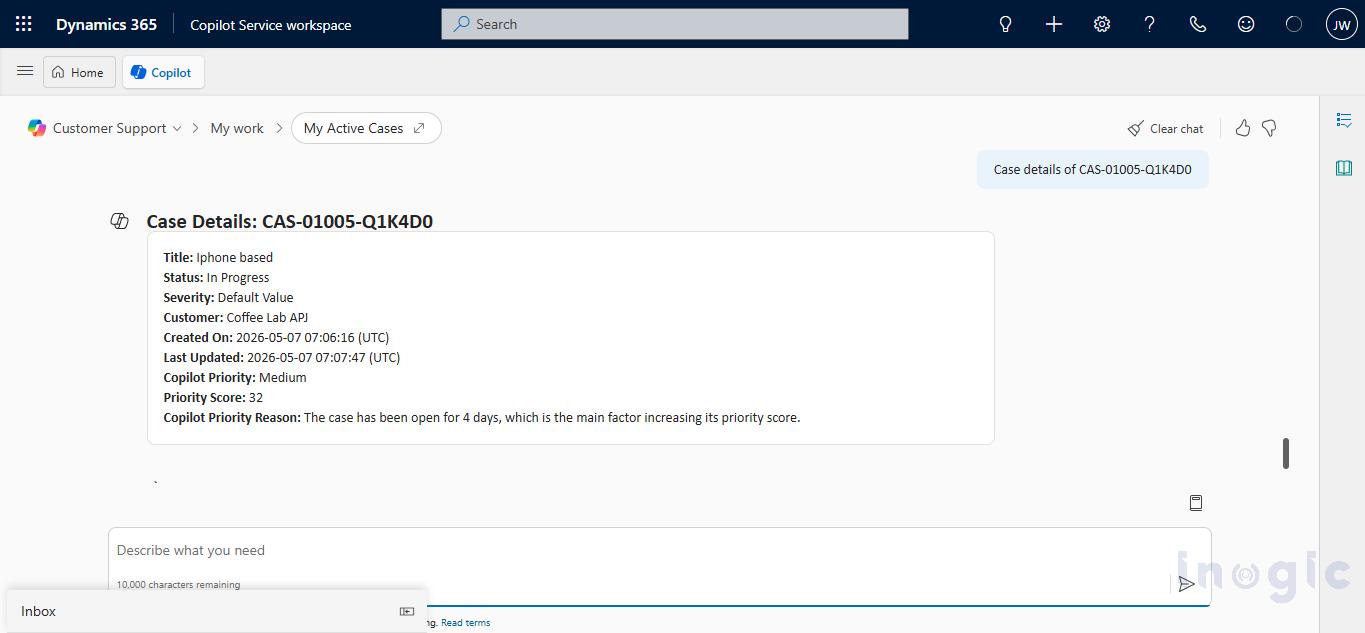
Testing Conversational AI Interaction
Additional prompts were tested inside the immersive conversational interface.
The system attempted to process contextual AI requests for:
- Summarize high-priority cases. It should include an overall summary of all high-priority cases.
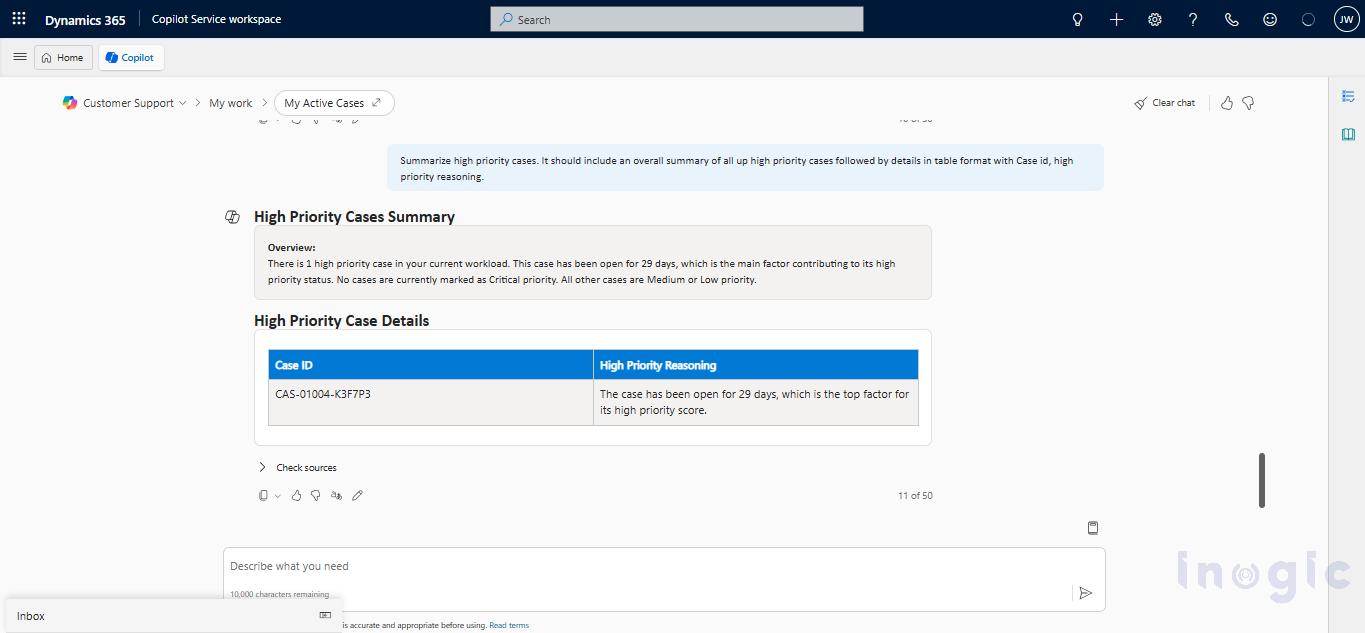
Business Benefits
| Capability | Business Benefit |
| AI-generated summaries | Faster case understanding |
| Conversational assistance | Reduced context switching |
| Knowledge suggestions | Faster issue resolution |
| Integrated AI workspace | Improved productivity |
| AI recommendations | Better customer support consistency |
Additionally, Available Copilot Feature
During testing, multiple Co-pilot agents were available within the Copilot conversational workspace in the Home tab, including:
- Customer Support
- Admin Management (Preview)
These agents provide different AI-assisted conversational experiences inside Dynamics 365 Customer Service based on operational context and user requirements.
The Customer Support agent is primarily focused on customer service interactions such as:
- case-related assistance
- contextual customer support interactions
- conversational AI support for service representatives
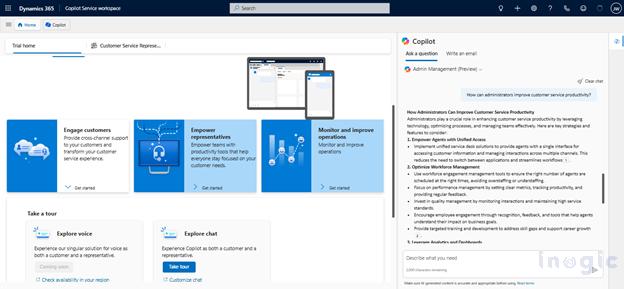
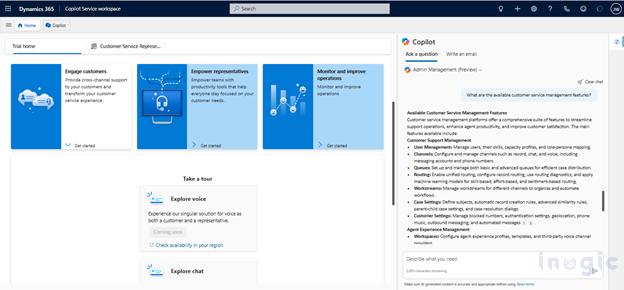
The Admin Management (Preview) agent is designed to assist with administrative and management-oriented interactions within the Dynamics 365 environment. This preview agent helps users explore AI-assisted administrative guidance, productivity recommendations, and operational support through the conversational Copilot interface.
The availability of multiple agents demonstrates how Copilot can support different business roles and scenarios using specialized conversational AI experiences.
Configuration of Admin Management (Preview)
The Admin Management (Preview) agent configuration is available within the Copilot service administration settings.
To access the available agents:
Dynamics 365 Customer Service Admin Center
→ Productivity
→ Copilot settings
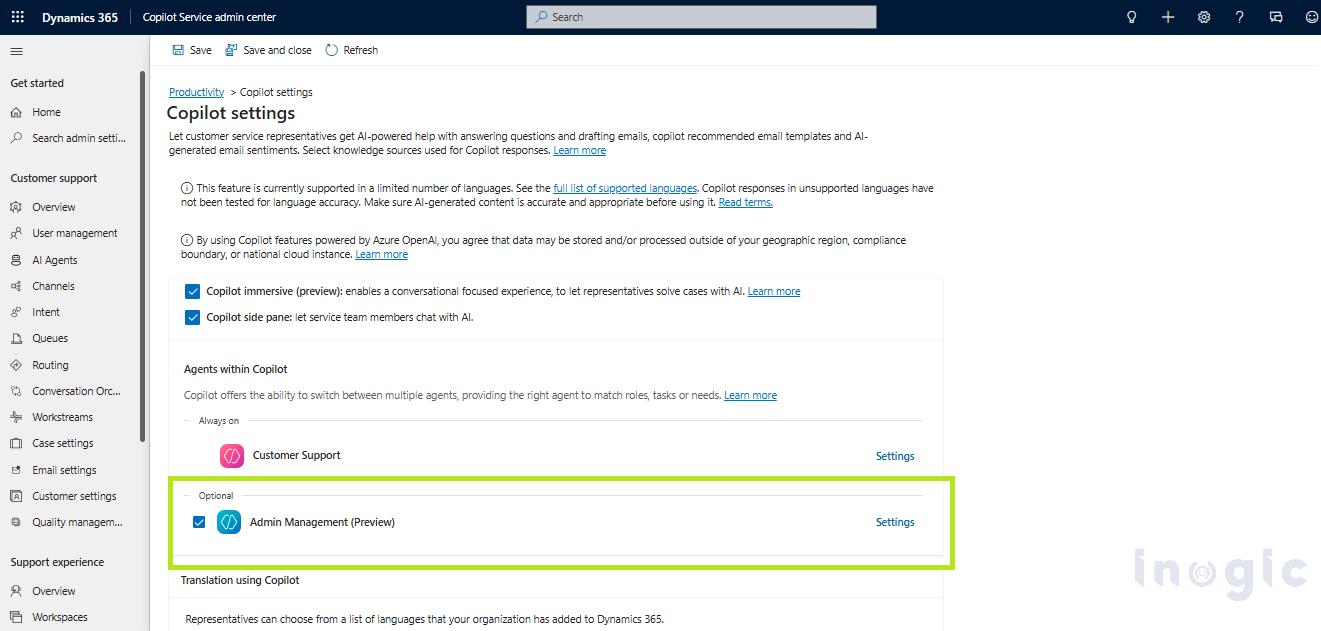
After enabling the available Copilot productivity features, the Admin Management (Preview) agent became accessible within the Copilot workspace under the “Agents within Copilot” section.
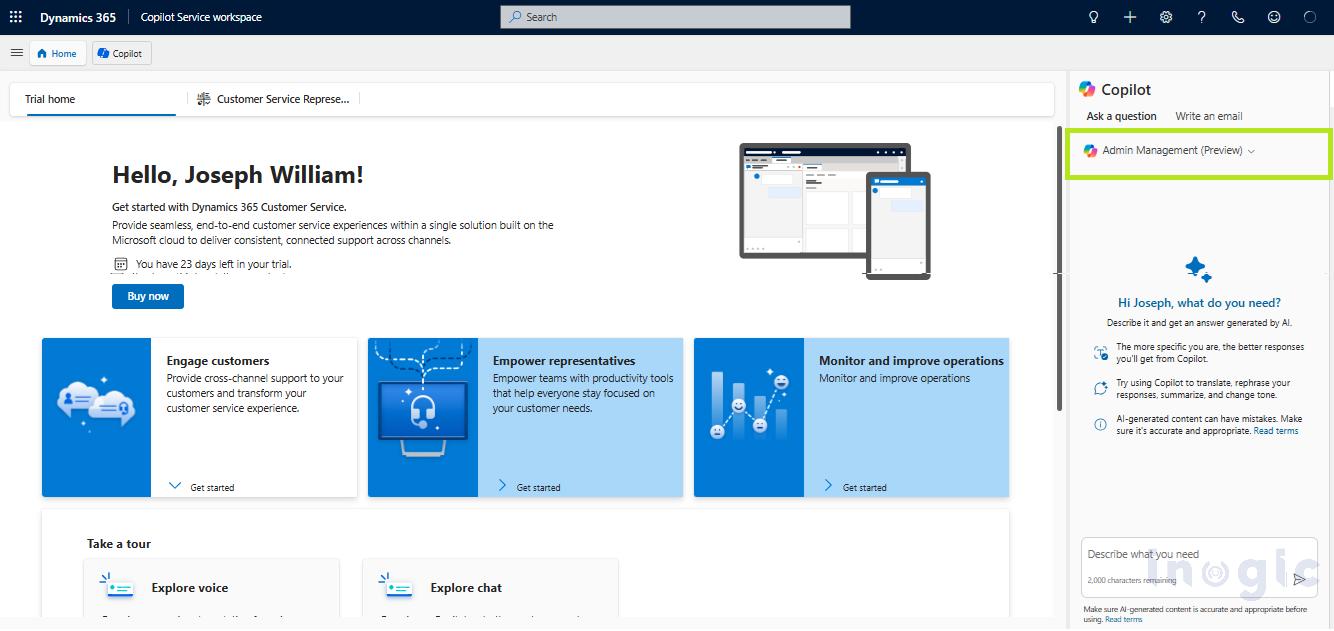
Testing Admin Management (Preview)
The Admin Management (Preview) agent was tested using management-oriented conversational prompts to explore the administrative AI assistance capabilities available within Dynamics 365 Customer Service.
The following prompts were tested:
Conclusion
Copilot immersive preview enhances the customer service experience in Dynamics 365 by providing a conversational AI-driven workspace for support and administrative interactions. With features such as contextual assistance, AI-powered conversations, and multiple Copilot agents, the platform helps users streamline customer service operations and improve overall productivity.
During testing, both Customer Support and Admin Management (Preview) agents demonstrated conversational AI capabilities for handling customer-service-related and operational queries within the workspace environment.
Although the feature is currently in preview mode and may experience intermittent limitations, it highlights Microsoft’s ongoing efforts toward building AI-powered and role-based conversational experiences within Dynamics 365 Customer Service.
As Copilot capabilities continue to evolve, immersive AI workspaces are expected to become an increasingly important component of modern customer service and administrative operations.Top of Form
FAQs
1. What is Copilot immersive preview in Dynamics 365 Customer Service?
Copilot immersive preview is an AI-powered conversational workspace within Microsoft Dynamics 365 Customer Service that enables customer service representatives to interact with Copilot in a dedicated interface while handling support cases.
2. How do I enable Copilot immersive preview in Dynamics 365?
To enable Copilot immersive preview:
- Open Dynamics 365 Customer Service Admin Center
- Navigate to Productivity → Copilot settings
- Enable:
- Copilot immersive (preview)
- Copilot side pane
3. What are the benefits of Copilot immersive preview?
Key benefits include:
- Faster case summarization
- Reduced manual effort
- Improved agent productivity
- AI-powered conversational assistance
- Better customer support consistency
- Reduced context switching
4. How does Copilot help customer service representatives?
Copilot assists representatives by:
- Generating case summaries
- Providing contextual suggestions
- Supporting conversational AI interactions
- Recommending responses and actions
- Improving issue resolution speed