While working with Power Pages across Development and UAT environments, one recurring risk becomes obvious, non-production portals can accidentally be switched to public access, exposing incomplete pages, test forms, and even sample data to external users.
To address this, Microsoft has introduced a tenant-level governance control that allows administrators to restrict whether non-production Power Pages sites can be made publicly accessible.
This feature acts as an additional security safeguard by ensuring that unfinished or testing websites are not unintentionally exposed to the internet. Below are the implementation details and how this governance setup works.
Use Case
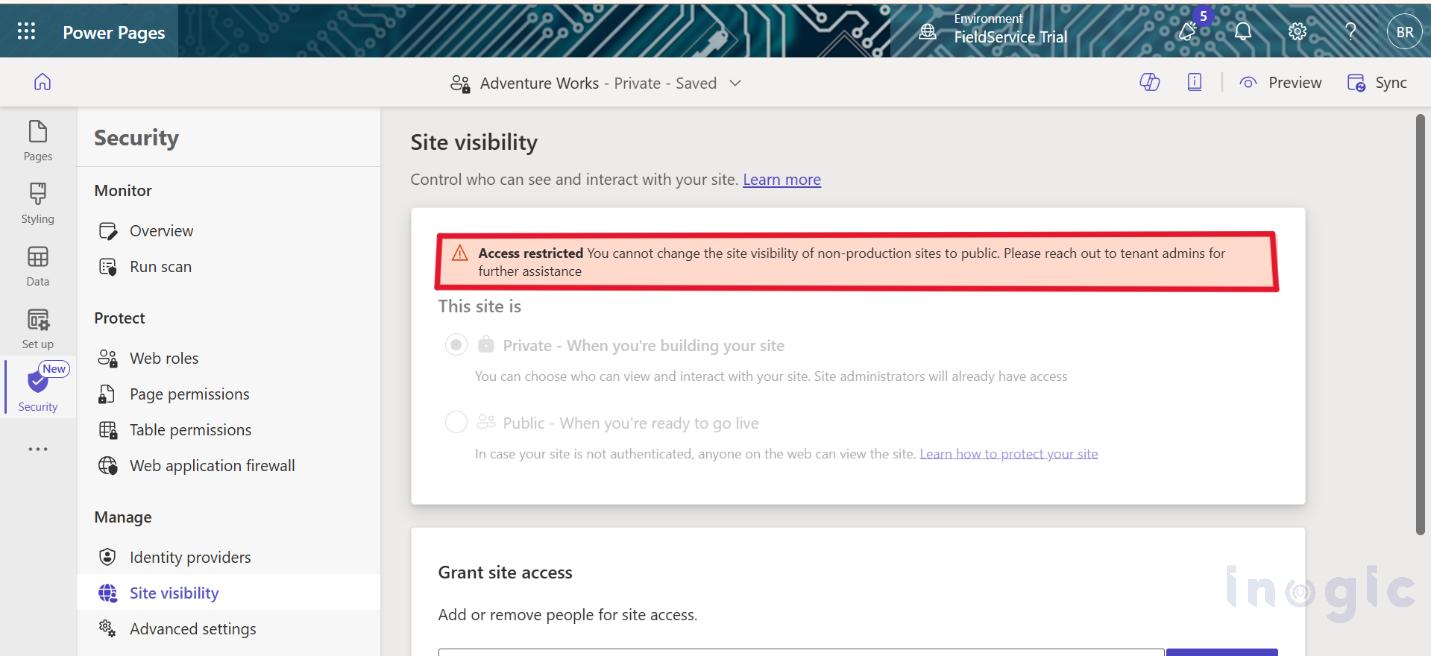
Let us consider an example. For instance, you are creating a Power Pages website for a bank. The developer and his/her colleagues develop various modules of the website such as login pages, application forms for loans, and others. While developing, your colleague publishes the website by mistake. In this case, the website will be accessible to everyone who has the URL address. Everyone on the Internet will be able to visit the site just by using the link. In case this option is enabled, users will not be able to make the site public unless they have the required administrative permissions. This means even if someone tries to change the site visibility, it will be restricted and require proper admin approval. This adds an extra layer of security and helps prevent accidental exposure of the site
Note: When the feature is initially enabled, the policy set by default is ‘None’. Therefore, no site is visible externally.
 Step-by-Step Implementation
 Step-by-Step Implementation
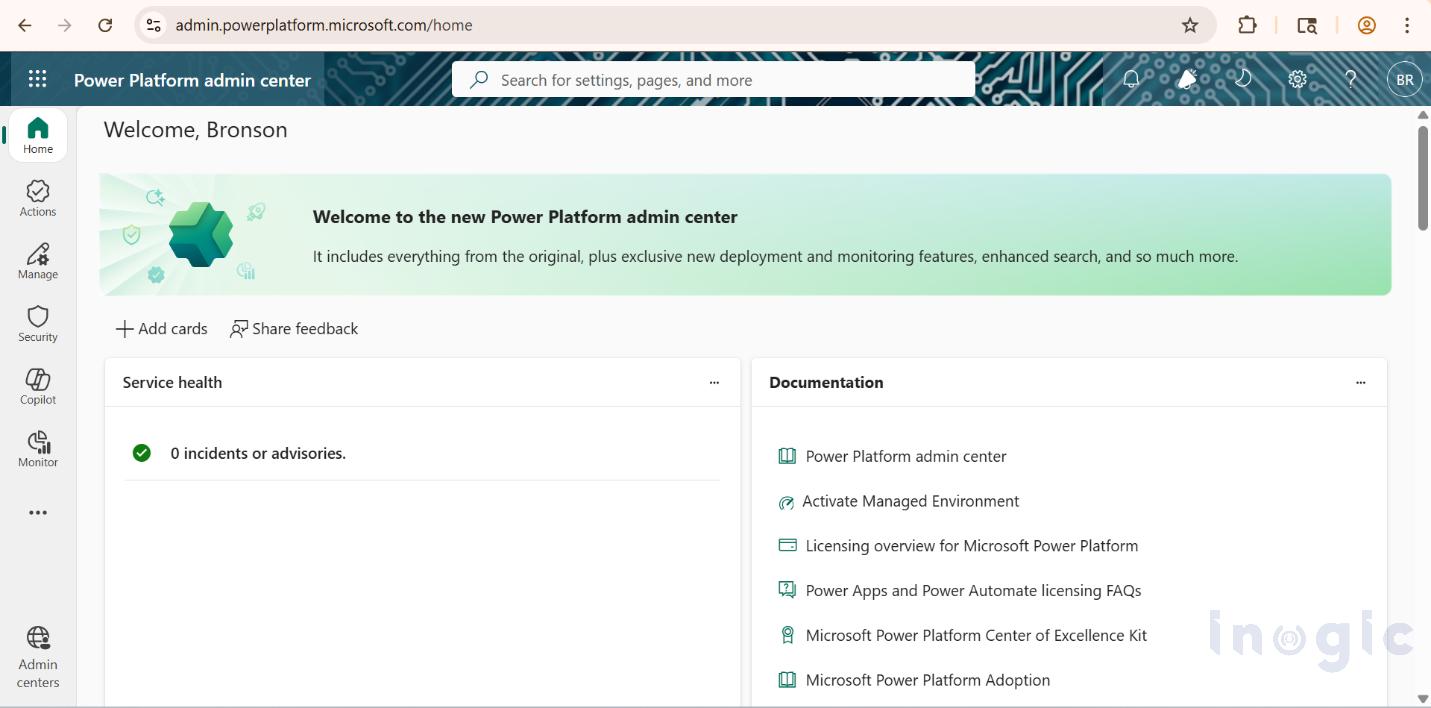
- Redirect and sign in to the Power Platform Admin Center.

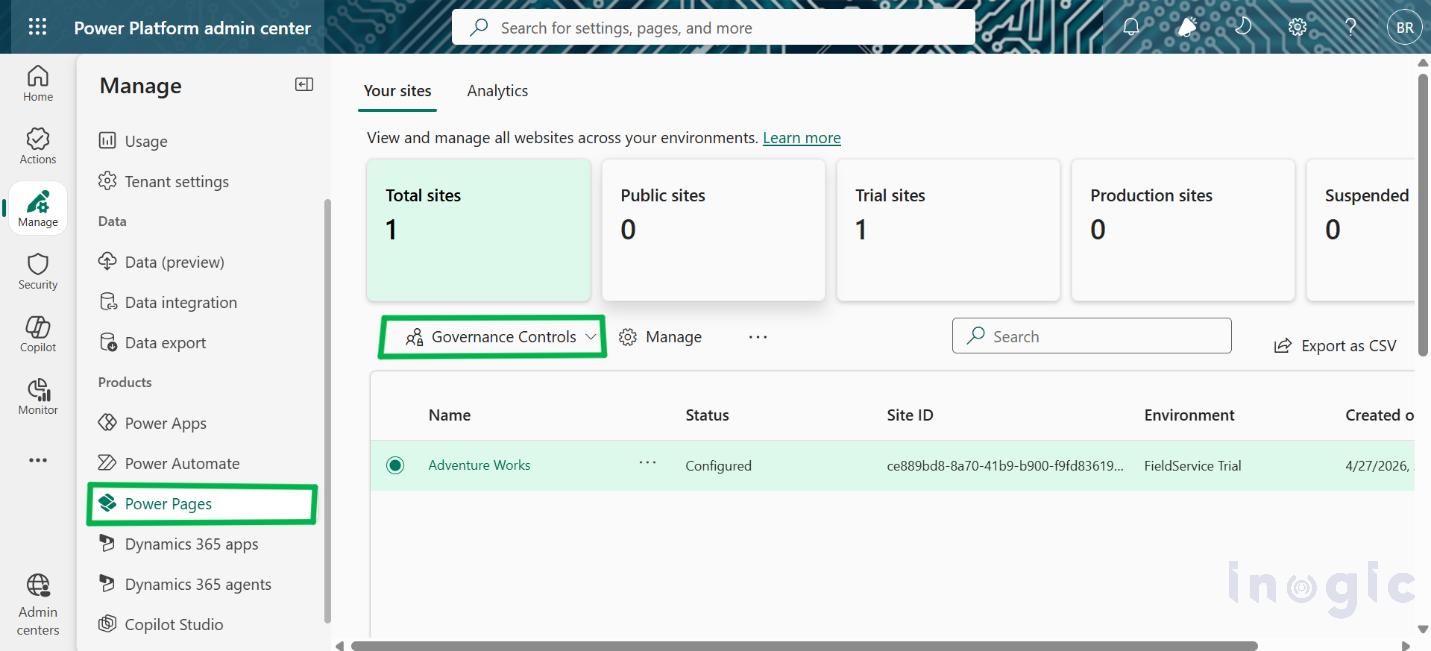
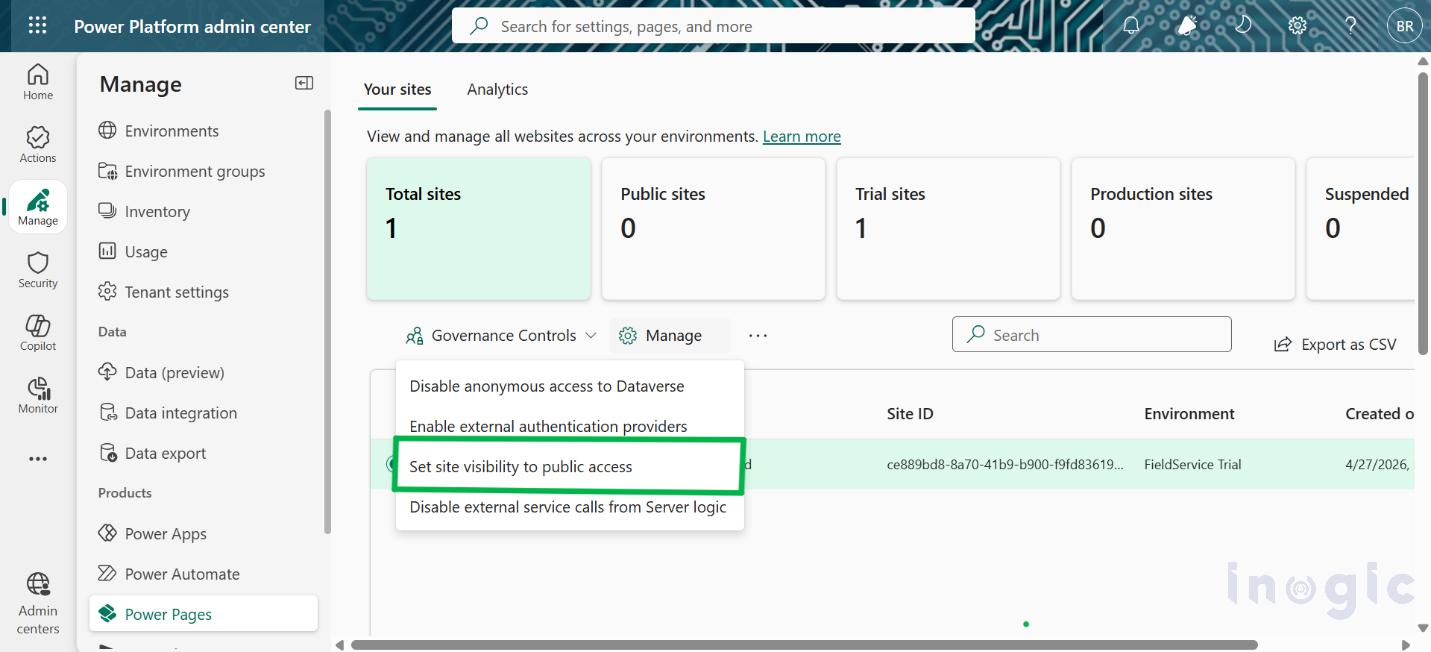
- Set Governance Controls option: Manage → Power Pages → Governance Controls

- From the dropdown, select:
“Set site visibility to public access for non-production sites”
- Select the environment where you want to apply this governance control.

- Configure Policy Value
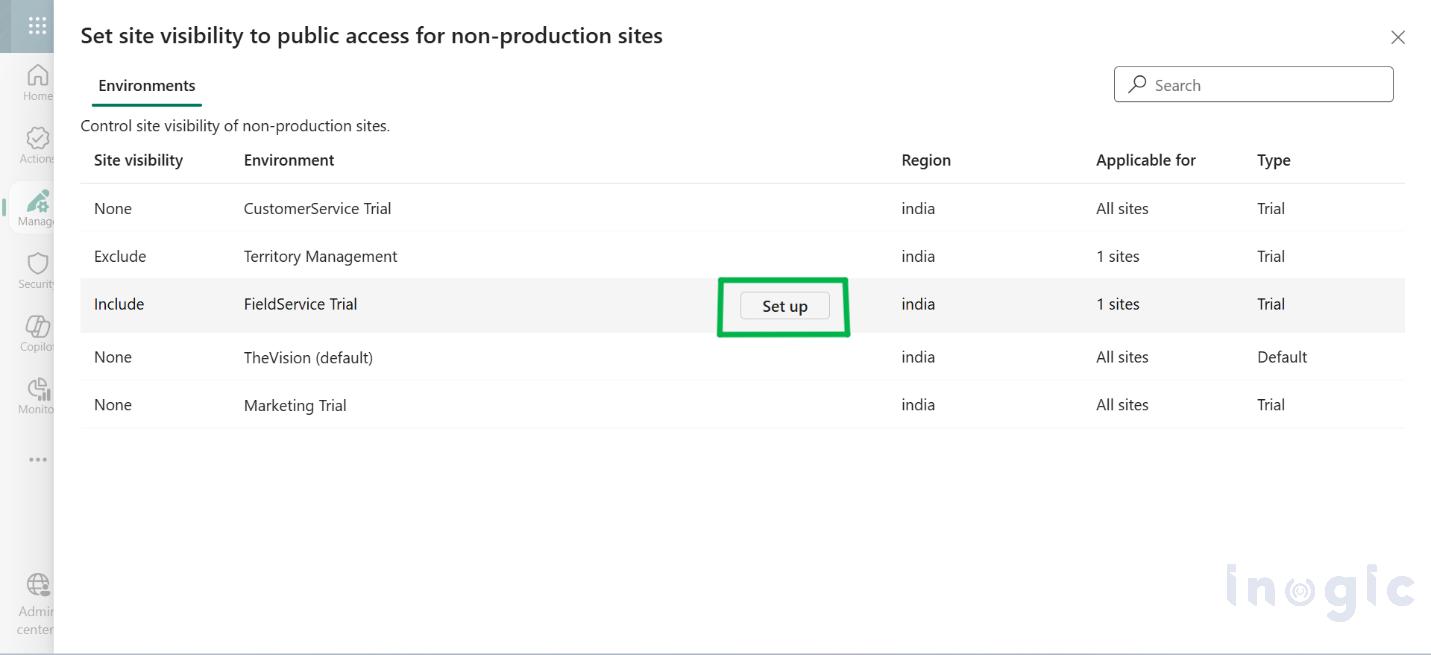
Choose one of the site visibility options based on your requirements:
- None (Default) – Makers cannot make non-production sites public. All sites remain private best for Strict security environments
- All-Makers can make any non-production site public or private. Best for Flexible development environments
- All sites except specific sites – Except the ones you explicitly restrict. Best for partial control.
- Specific sites – Only selected sites can be made public. All others remain restricted. Best for controlled exposure.
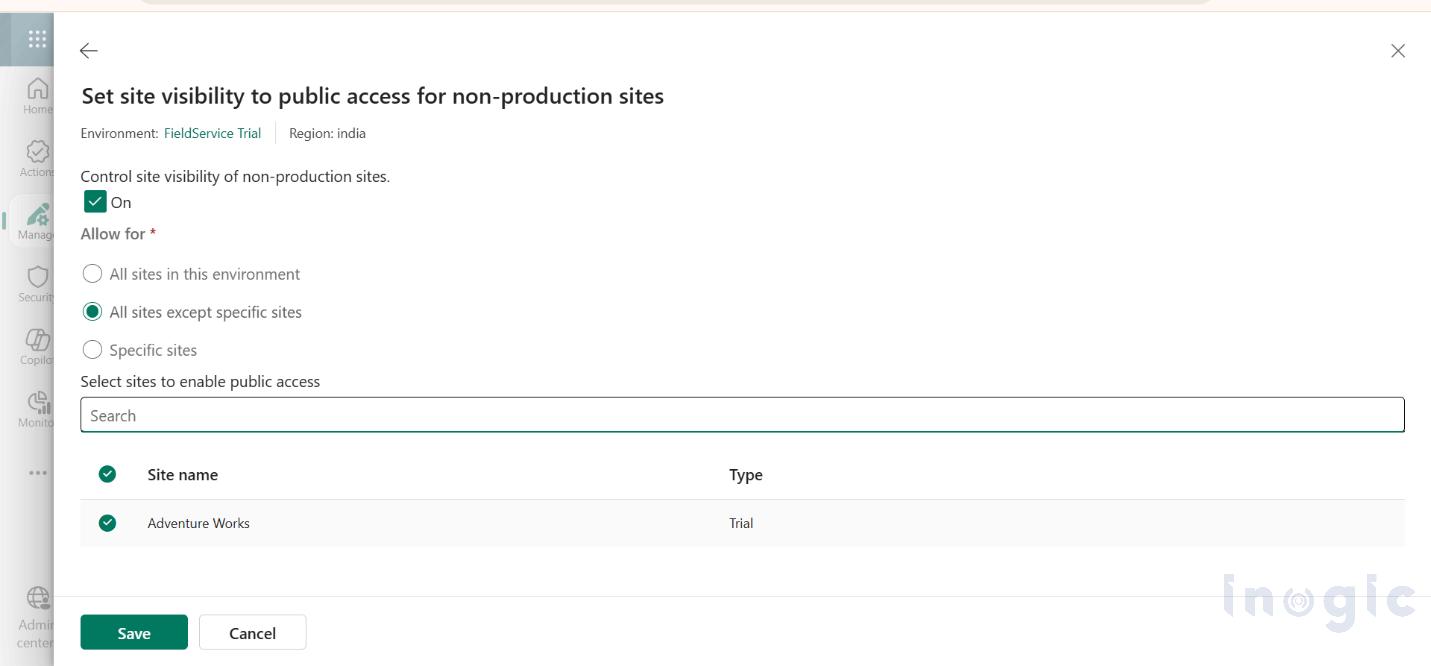
- Save Changes
Click Save to apply the configuration.
Working
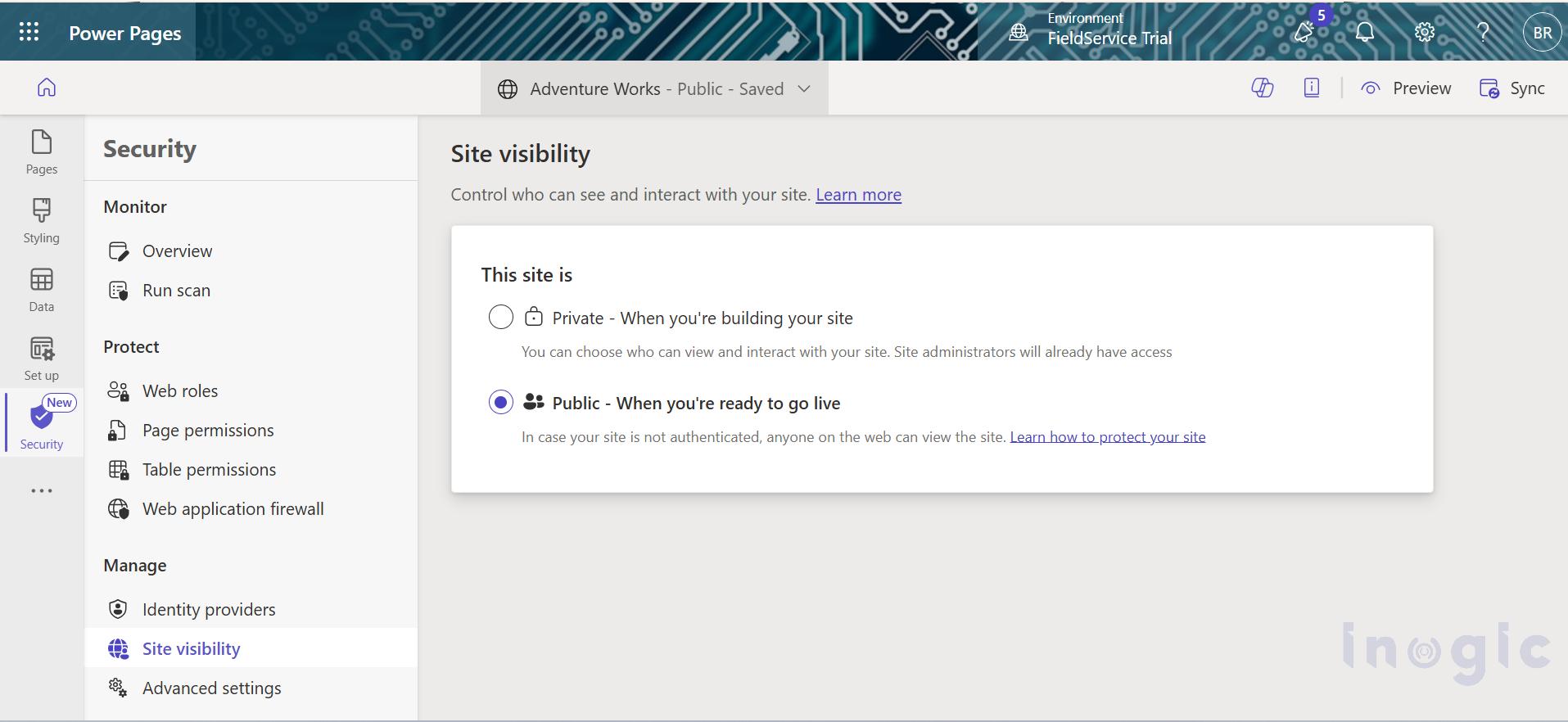
Once this is configured, the control is applied at the tenant level and makers must follow the defined visibility rules. They can only make sites public based on the policy set by the admin, which helps prevent accidental exposure. This ensures that development and UAT sites remain secure, and only approved sites are exposed publicly.
Notes
- This control only applies to non-production sites
- It does not affect production environments
- Changes are reflected directly in the maker’s experience
Conclusion
Controlling public visibility for non-production Power Pages sites is a simple but highly effective governance safeguard for organizations working across Development and UAT environments.
By restricting who can expose non-production portals publicly, administrators can significantly reduce:
- Accidental data leaks
- Unfinished portal exposure
- Compliance and security risks
- Unnecessary public visibility during testing
In short, this feature provides stronger administrative control while making the publishing rules much clearer for makers.
Frequently Asked Questions (FAQs)
1. Can makers make non-production Power Pages sites public by default?
No. Once the governance control is enabled with the default None policy, makers cannot make non-production Power Pages sites publicly accessible unless the tenant administrator allows it through policy configuration.
2. Does this governance control affect production Power Pages websites?
No. This setting only applies to non-production environments such as Development, Sandbox, or UAT. Production Power Pages sites remain unaffected by this policy.
3. Where can administrators configure public access restrictions for Power Pages sites?
Administrators can configure this setting from the Power Platform Admin Center under:
Manage → Power Pages → Governance Controls
There they can define whether non-production sites are allowed to be public or remain private.
4. What happens if a maker tries to publish a non-production Power Pages site when restrictions are enabled?
If the tenant-level governance policy does not permit public visibility, the maker will be restricted from making the site public even if they attempt to change the visibility settings.