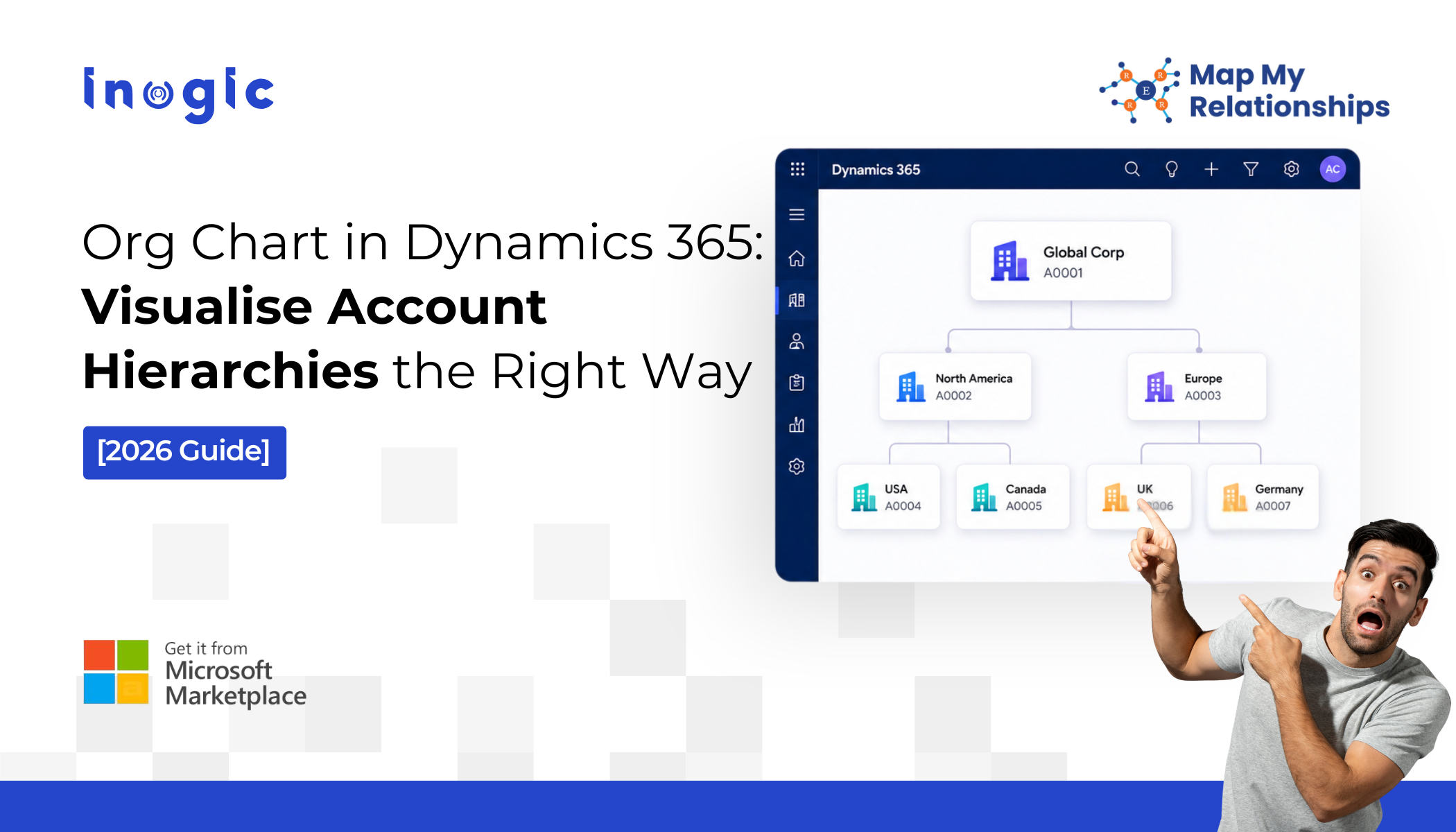
 You’re walking into a high-stakes meeting. A six-figure deal is on the line. Everything you need is in Microsoft Dynamics 365 – the stakeholders, the subsidiaries, the real decision-maker.
But you can’t see it. Not clearly. Not in one place. Not fast enough.
So you guess. You piece things together. You hope you’re talking to the right person.
And that’s where deals slip.
Not because your product isn’t strong. Not because your pricing is off.
But because your CRM shows data, not relationships.
Key Takeaways
- Dynamics 365 stores relationship data, but doesn’t visualize it effectively
- Native hierarchy view is static and limited, not built for decision-making
- Poor visibility into account structures leads to missed deals and hidden risks
- Visual relationship mapping enables faster, more informed sales decisions
- Map My Relationships transforms CRM data into an interactive, actionable org chart
What’s Missing in Dynamics 365 Account Hierarchy and Record Visualization
Dynamics 365 does have a hierarchy view. Most teams assume it’s enough until they’re mid-deal and realise it isn’t.
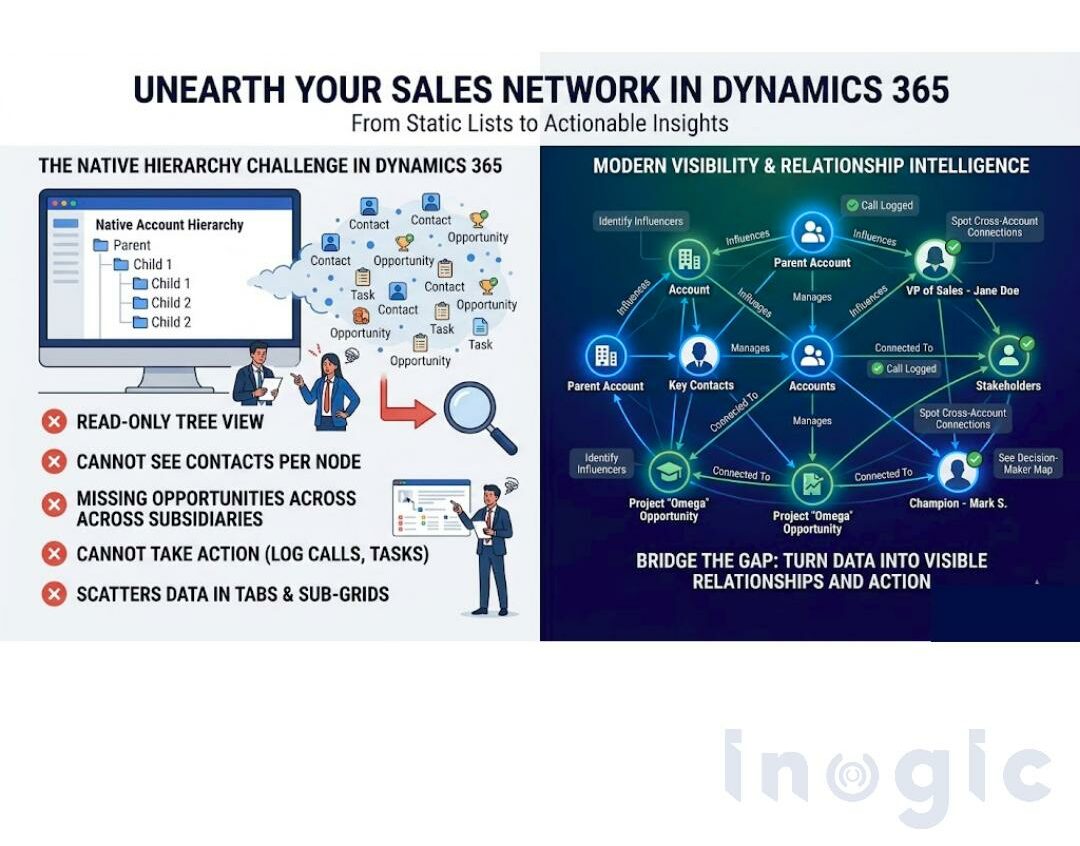
Here’s what the native hierarchy view actually gives you: a read-only tree. Parent account, child accounts, maybe one level deeper.
- You can look at it.
- You cannot act on it.
- You cannot see contacts tied to each node.
- You cannot spot the open opportunity sitting two subsidiaries down.
- You cannot create a record, trigger a task, or log a call without abandoning the view entirely.
And if your account hierarchy runs five levels deep? The native view becomes a slow, scrolling frustration, not a decision-making tool.
Meanwhile, your account data, the relationships, the org structure, and the stakeholder map is scattered across lookup fields, sub-grids, and tabs that no one has the time to piece together before a meeting.
The data exists. The visibility doesn’t. And that gap is costing you.
Modern B2B sales don’t happen in isolation. They happen across networks of people, decision-makers, influencers, stakeholders, and internal champions.
But here’s the problem:
- Sales teams struggle to identify key influencers
- Account managers can’t see cross-account connections
- Leadership lacks a complete view of relationship dynamics
Even though the data exists, it’s buried in records, not visible as relationships.
This is where most teams hit a wall with Dynamics 365’s visualize relationships capabilities.
 What a Real Org Chart in Dynamics 365 Needs to Do
 What a Real Org Chart in Dynamics 365 Needs to Do
A useful account hierarchy view isn’t a static tree diagram. For it to actually change how your team works, it needs to:
- Show unlimited levels of parent–child accounts in a single visual map
- Surface related contacts, opportunities, and custom records at every level
- Let you act directly – create records, log activities, trigger workflows, without leaving the view
- Update in real time, with every change saved back to Dynamics 365 automatically
Anything short of that is a screenshot, not a tool.
Instead of scrolling through records, you could:
- Instantly see who is connected to whom
- Identify hidden influencers in a deal
- Understand relationship strength and reach
- Navigate complex account ecosystems visually
This is what relationship intelligence in Dynamics 365 should look like.
Not static. Not linear. But interactive and visual.
How Map My Relationships Gives You the Org Chart Dynamics 365 Never Had
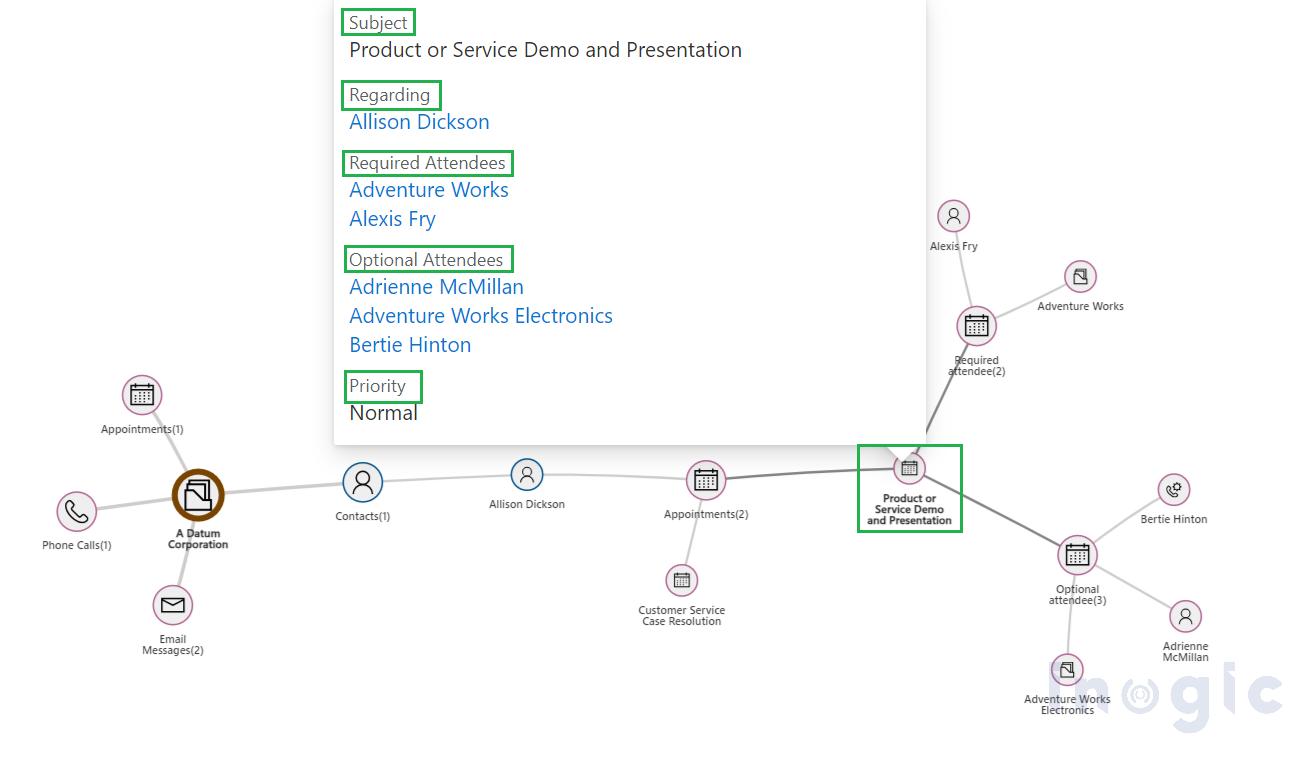
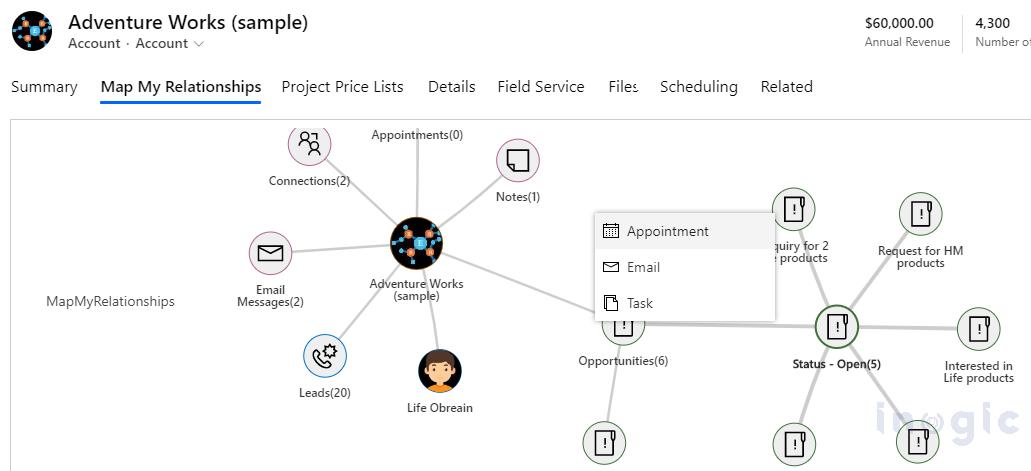
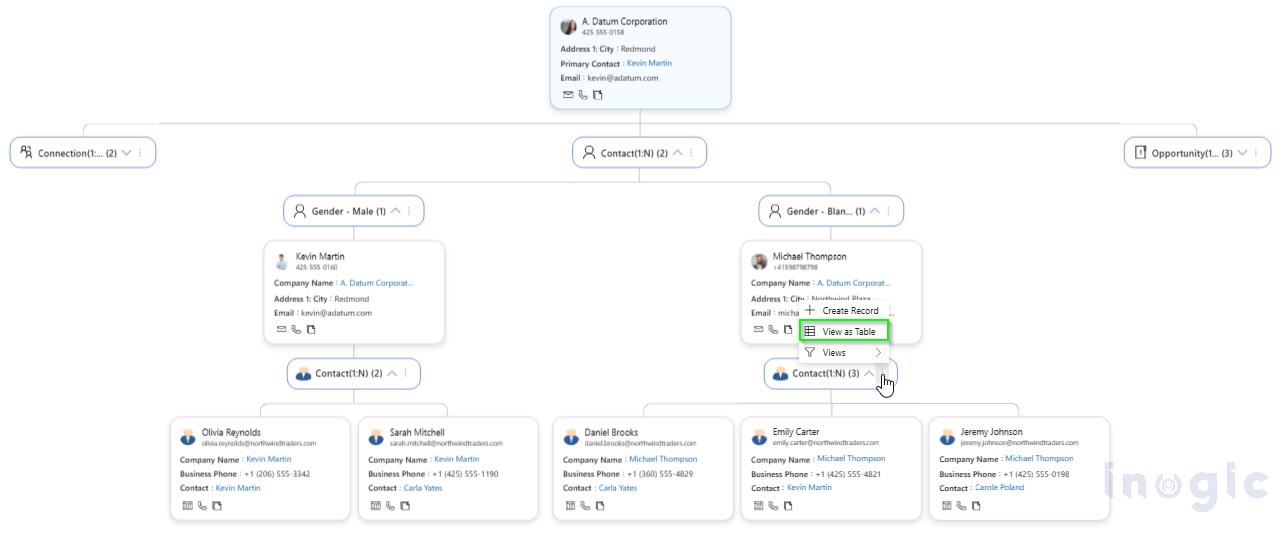
Map My Relationships is a Dynamics 365 add-on built specifically to solve this. It turns your disconnected CRM records into a fully interactive, visual account hierarchy, right inside D365.
Here’s what changes the moment you install it:
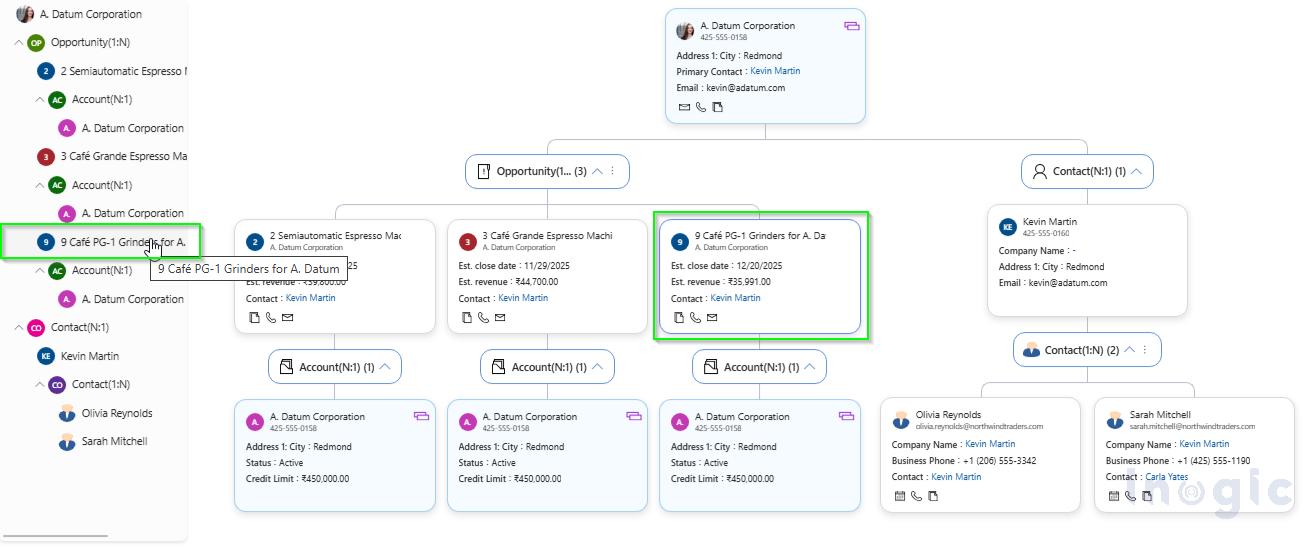
- You see the full picture of Dynamics 365 CRM Relationships, finally: Navigate N-level account hierarchies in a tree view that shows parent companies, subsidiaries, regional offices, and site-level accounts – all connected, all in one screen. Click any node to expand its children or move up to the parent instantly.
- Contacts and opportunities appear alongside accounts and custom entities: Map My Relationships supports standard and custom entities. That means your key contacts, open deals, and active cases sit right next to the accounts they belong to, so you can see the complete stakeholder map before you walk into any room.
- You act from the map, not from a list: Create a child record, send an email, log a task, or run an on-demand workflow, all directly from the hierarchy view. Every action links automatically to the right record. No manual association. No context switching.
- You can share what you see: Export your account hierarchy as an image in one click. Drop it into a meeting brief, a proposal, or a QBR deck. Your account structure, made presentable in seconds.
How to Truly Visualize Relationships in Dynamics 365
If you’re looking to move beyond basic hierarchy views, here’s the shift:
- Move from structure to relationships
- Adopt a visual relationship map approach
- Use tools that enable real-time interaction
- Focus on influence, not just reporting lines
This is how you truly visualize Dynamics 365 relationship charts and unlock the full value of your CRM
Now it’s your turn. Don’t let your next deal hinge on a lookup field.
Map My Relationships ensures you walk into every meeting with clarity, not assumptions.
Start your 15-day free trial from the Inogic website or Microsoft Marketplace and see every feature in action.
Questions or prefer a strategic demo for your business? The Inogic team is ready at crm@inogic.com.