 Sales teams mostly start their day with daily interactions with customers. Another tedious time-consuming work they do is to track those interactions in the timeline as activities. The conversations like Phone calls, Meeting Notes, Appointments and Follow-ups.
Due to tedious entries of activities in timeline manually there are chances that follow ups can be missed. Imagine if you want mechanism by which those activities inbuilt start providing you AI recommendation for next actions.
There is Microsoft AI feature to analyze those activity descriptions and suggests next actions like creating activities, meetings, tasks, or contacts. That’s exactly where “Notes Analysis” feature comes into picture.
Let us understand this better by meeting the sales executive “Joseph” of organization named “ABC Ltd”.
Like many salespeople, Joseph also relies heavily on notes but due to this legacy approach important action items sometimes get buried in text. Admin recognizes this problem and precautionarily enables the “Notes Analysis” feature for better sales.
Key takeaways:
- AI converts notes into actionable sales insights
- Reduces manual follow-up creation and tracking work
- Suggests next actions directly from sales notes
- Improves productivity by automating CRM activity creation
- Extracts intent from unstructured natural language notes
As Notes Analysis uses inbuilt AI to scan what Joseph writes in notes and automatically suggests next actions. It converts unstructured text into actionable insights. It transforms everyday sales notes into AI-driven recommendations, helping sales team to automatically convert conversations into meaningful actions intelligently.
To enable this feature there are simple steps as below:
- Under Sales Hub > Change areain the lower-left corner of the page, and select “Sales Insights settings”.
- On the site map under “Productivity” select Notes analysis turn on the toggle and make “Notes Analysis” Enabled
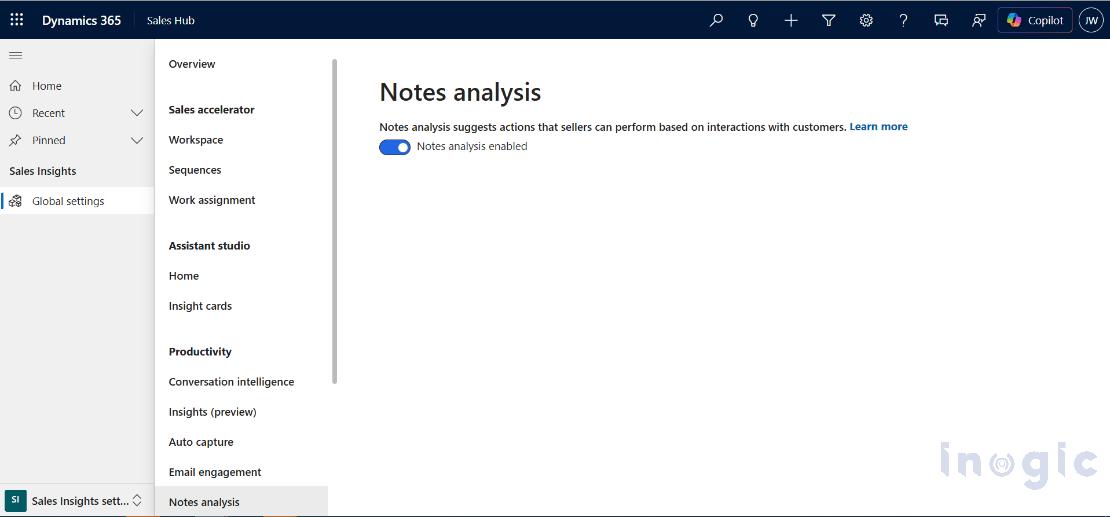
You can find more details related to configuration setup in this Microsoft doc.
In this blog we will consider few use cases to understand this feature better.
Create actions based on suggestions
Use Case1: After speaking with a lead, Joseph create a Notes record with text as “Interested in a product demo next Tuesday at 3 PM. Also asked to share pricing details.”
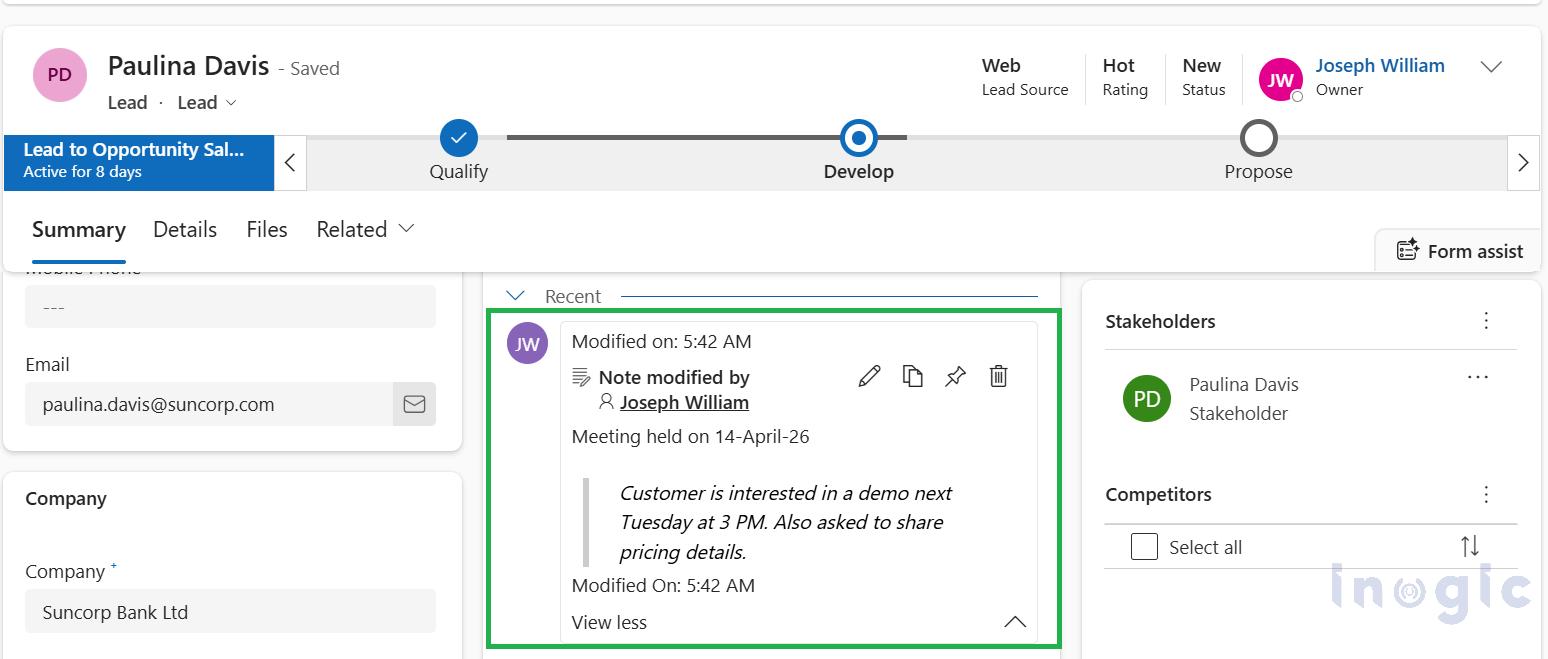
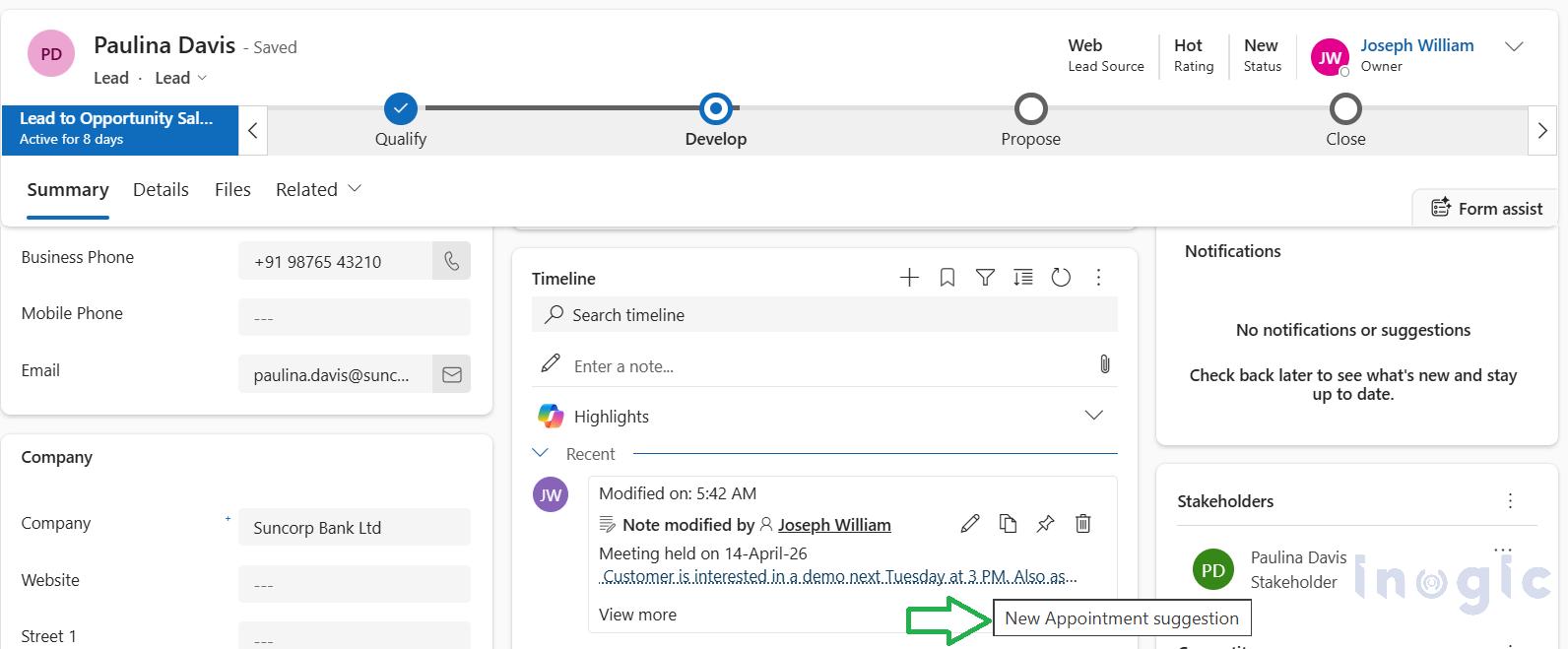
Once notes record is saved in timeline, this Note is now a clickable link and once you click on it, based on the context of the Note entered, it will show next actionable item to be performed.
When hover over the link it shows “New Appointment suggesion” as heighlighted below:
Now when you click on the text link one or multiple AI suggestions will start appearing depend upon the text context, in our use case you can observe there are 2 suggestions as below:
Based on the note, Joseph sees AI-driven suggestions such as:
- Create an Appointment for the demo with dedicated date mentioned in text
- Add a follow-up task for pricing details
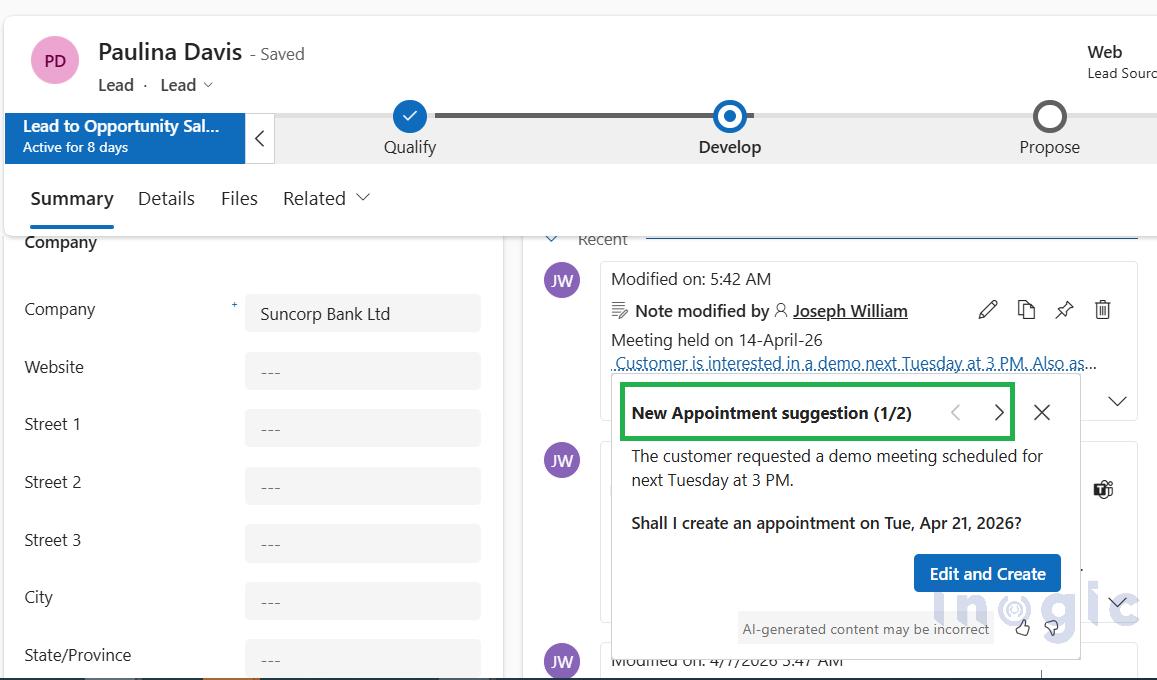
When click on “Edit and Create” it not only opens the quick create form of Appointment but intelligently maps subject and calculates the next week Tuesday date that is 21st April 2026 and maps the same as below:
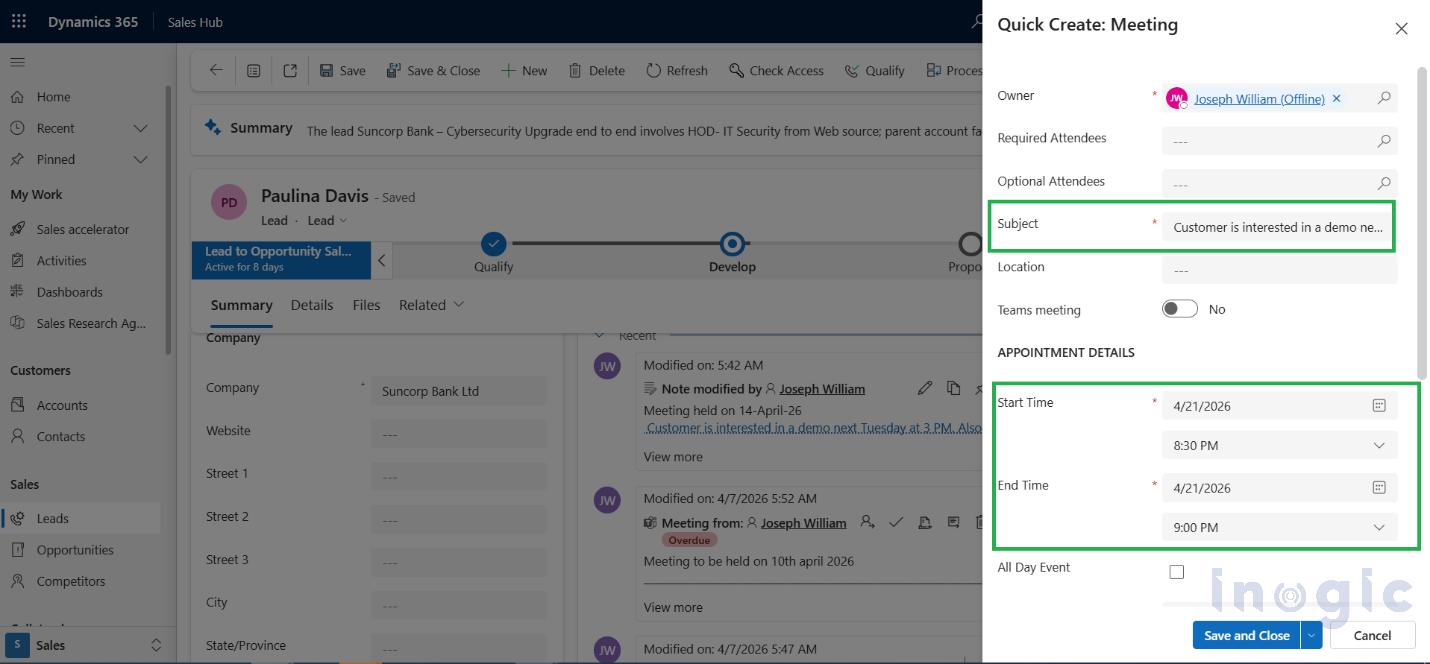
With a single click Joseph can see below UI experience:
- A meeting is created with pre-filled details
- A task is logged automatically
- No manual re-entry required
Likewise, 2nd task creation suggestion can be viewed by clicking the arrow icon to switch between the suggestions as highlighted below:
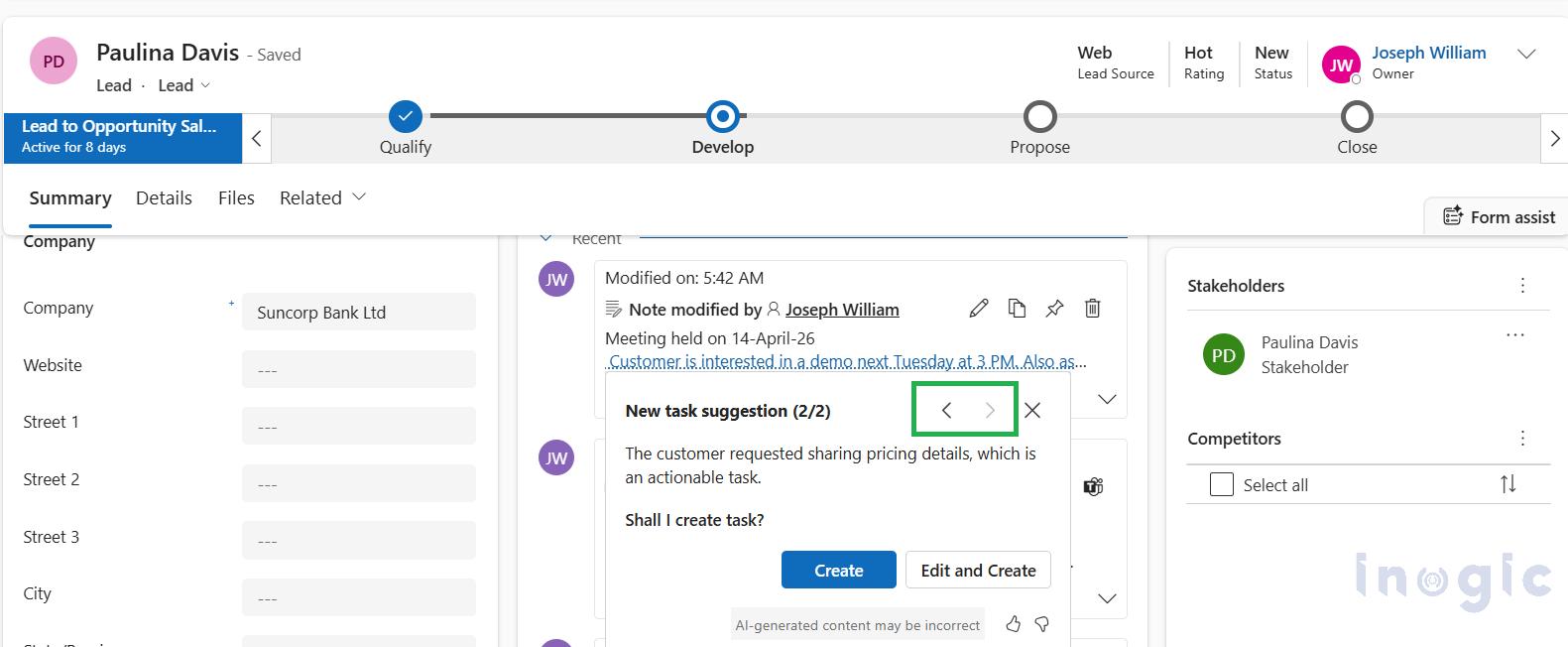
If you click on “Edit and Create” same as earlier experience task quick create form opens up with prefilled data as below:
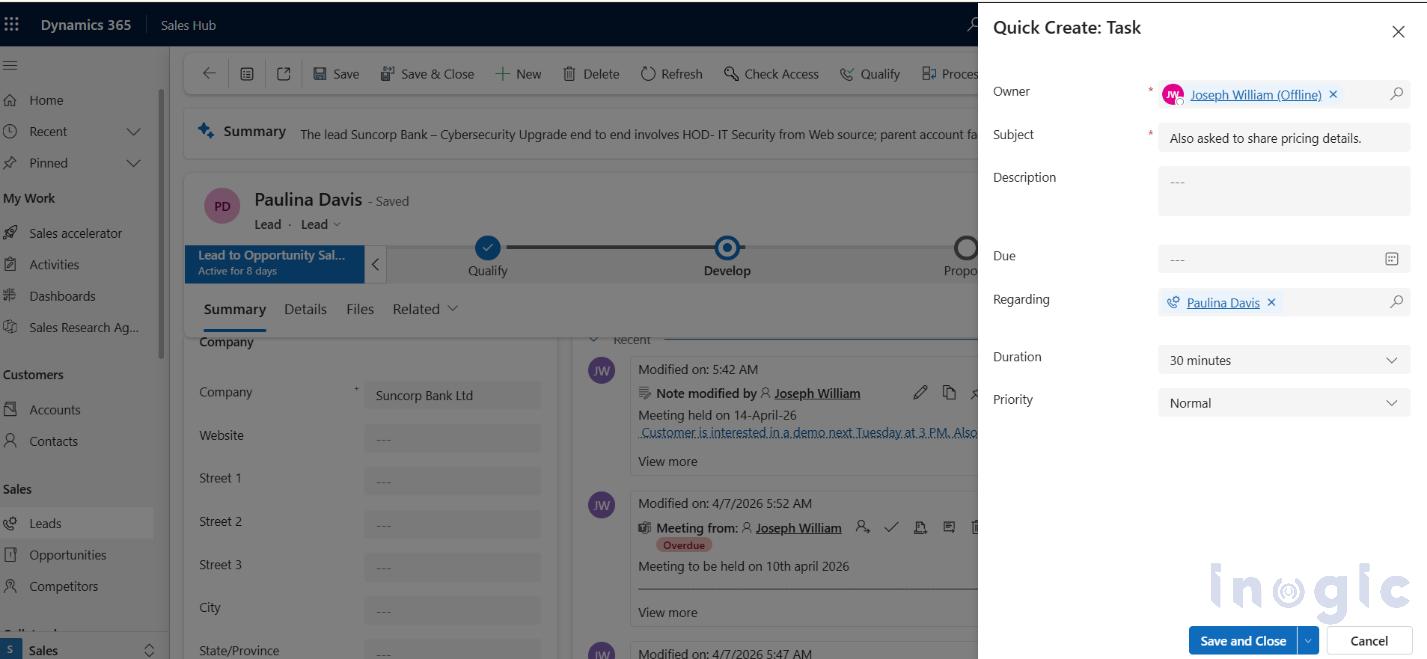
You can find more details about this feature in this Microsoft doc.
Conclusion:
Traditionally, Interactions were tracked within timeline to maintain the conversation history and now with Notes Analysis it now become proactive assistants, guiding sales team on what to do next intelligently and will increase the overall sales team efficiency.
FAQs
1. What is Notes Analysis in Dynamics 365 Sales?
Notes Analysis is an AI-powered feature in Microsoft Dynamics 365 Sales that analyzes sales notes and automatically suggests next actions like creating tasks, appointments, or follow-ups.
2. How does Notes Analysis help sales teams?
It reduces manual work by converting unstructured notes into actionable recommendations, helping sales reps never miss follow-ups and improve productivity.
3. What kind of suggestions does Notes Analysis provide?
The AI can suggest:
- Creating meetings or appointments
- Adding follow-up tasks
- Scheduling reminders
- Capturing lead or contact updates
4. How does AI understand sales notes?
The system uses Microsoft AI models to analyze natural language in notes and extract intent, such as dates, actions, and customer requests.
5. Can Notes Analysis create tasks automatically?
Yes. With one click on “Edit and Create,” users can instantly generate tasks or appointments with pre-filled details based on the note context.