 Community Summit North America 2026 brings more than 600 education sessions, Academy classes, networking events, and activities across the Gaylord Opryland Resort in Nashville. With so much happening across five days, keeping track of the sessions and events that matter to you becomes part of the experience.
How do you make sure you don’t miss the sessions that actually matter to you?
First-time summit attendees are asking this question right now. They’re searching for how to stay informed, how to get alerts, how to keep track of everything so they don’t accidentally miss a critical session.
That’s a real problem. But here’s a bigger one: your sales team faces this exact challenge every single day inside Dynamics 365, and most organizations haven’t solved it.
Key Takeaways
- Staying informed at Community Summit NA requires real-time alerts. Your Dynamics 365 CRM needs the same approach all year.
- Most sales teams miss critical deals and customer updates because they don’t receive real-time notifications.
- Dynamics 365 CRM notifications and email alerts connect your team to opportunities the moment they happen.
- Organizations using Dynamics 365 notifications report faster response times, fewer missed deals, and better pipeline visibility.
- Alerts4Dynamics brings real-time notification discipline to your Dynamics 365 environment year-round.
Why Dynamics 365 CRM Notifications Matter
Here’s what Summit NA organizers understand: thousands of attendees need to be notified about events at the exact right time. Without real-time alerts, people miss sessions, miss networking, miss business growth moments.
The same principle applies to your Dynamics 365 CRM.
Without real-time notifications, your sales team is constantly missing opportunities.
What Missing Notifications Look Like
- A new lead arrives. Nobody knows. Hours pass. A competitor responds. The deal is lost.
- A customer escalates. Your team is unaware. The issue compounds. The relationship fractures.
- A deal enters an at-risk stage. Nobody notices. It quietly decays. By the time someone checks the CRM, the opportunity is gone.
These aren’t rare situations. They’re the norm at organizations without proper Dynamics 365 notifications.
Native Dynamics 365 Alerts Are Not Enough!
When businesses evaluate their Dynamics 365 setup, they focus on features. Can it track leads? Manage pipelines? Report on forecasts?
But there’s a harder question that doesn’t appear on product pages:
What is it actually like when your team works inside Dynamics 365 every day?
The answer: information sits in the system, but the people who need to act on it don’t know it’s there.
They’re not ignoring opportunities. They’re not lazy. They simply don’t know an opportunity exists until it’s too late.
The Cost for Each Team
Sales Reps: Without real-time Dynamics 365 email alerts, reps spend hours checking the CRM manually. Did a customer reply? Is there a new lead? This invisible work eats 5+ hours per week per rep.
Meanwhile, leads contacted within 5 minutes are 21 times more likely to convert than those contacted after 30 minutes. Yet only 7% of companies hit that window. The average response time? 42 hours.
Sales Managers: Without Dynamics 365 notifications, managers check static reports and miss real-time signals. A deal decaying. A rep who isn’t following up. A forecast that shifted. By the time they see the problem, it’s already a disaster.
Finance and Executives: Without Dynamics CRM notifications, both groups are perpetually surprised during reviews. They need real-time visibility into pipeline changes to forecast accurately.
How Real-Time Dynamics 365 Notifications Fix This
When organizations implement proper Dynamics 365 alert tools, everything changes.
What Changes When You Have Proper Alerts
Reps stop hunting for updates. They get notified the moment a lead arrives and respond within minutes instead of hours.
Managers see pipeline changes in real-time instead of discovering problems in meetings.
Finance gets live visibility into pipeline health and forecasts accurately.
Executives have real-time visibility into what’s actually happening in their revenue pipeline.
The Numbers Tell the Story
Organizations using proper Dynamics 365 email alerts and notifications report:
- Faster response times: Minutes instead of hours
- Higher conversion rates: First responders win
- Fewer missed deals: Real-time alerts catch opportunities before they decay
- Less firefighting: Teams focus on selling, not searching
- Better forecasting: Accurate visibility means no quarterly surprises
- 50+ hours saved per week: Per 10-person team that no longer hunts manually
Alerts4Dynamics: Real-Time Dynamics 365 Notifications
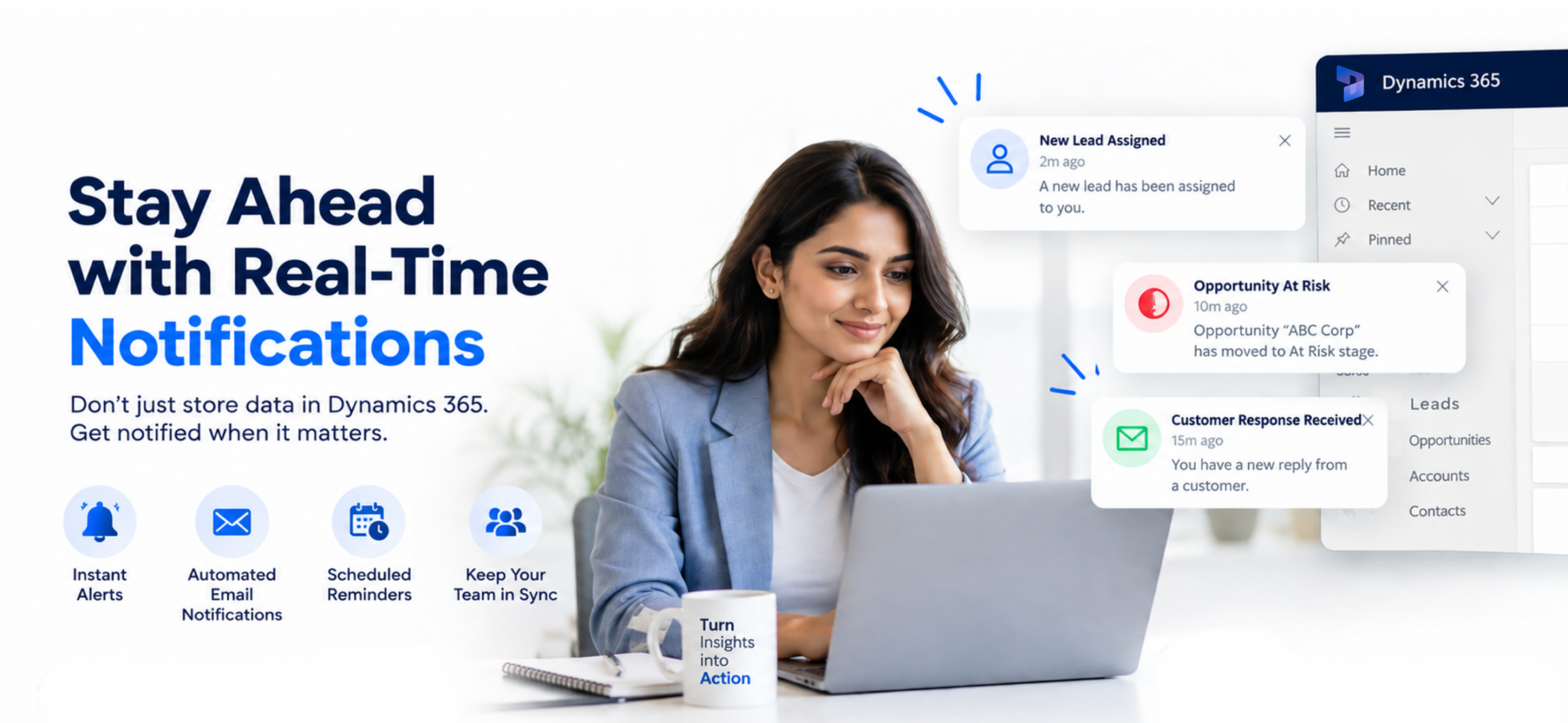 Alerts4Dynamics watches your Dynamics 365 environment continuously and sends targeted notifications to the right team members when something requires their attention.
It’s simple: the right person gets the right alert at the right time.
What Each Role Receives
Sales Reps Get Alerts For:
- New leads arriving (5-minute window)
- Customer responses
- Deal stage changes
- Overdue follow-ups
- Task reminders
Sales Managers Get Alerts For:
- Pipeline changes
- At-risk deals
- Forecast updates
- Rep performance issues
- Customer escalations
Finance and Executives Get Alerts For:
- Quarterly pipeline status
- Deal decay trends
- Forecast vs. actual changes
- Customer churn signals
- Revenue opportunity shifts
How Alerts4Dynamics Delivers Notifications
Through email alerts, in-app notifications, and other channels so your team gets alerted even when they’re outside Dynamics 365.
Bulk alerts ensure multiple people receive the same notification simultaneously. No delays. No missed handoffs. No information sitting in someone’s inbox unnoticed.
Why It’s Different From Native Dynamics 365 Alerts
Native Dynamics 365 CRM notifications are generic and miss critical scenarios.
Alerts4Dynamics provides:
- Targeted, role-specific email alerts
- Bulk scenarios handled automatically
- Complex conditional alerts
- Escalations standard Dynamics 365 can’t manage
- Customized alerts for your specific processes
Before You Go to Summit NA: What You Should Do Right Now
Here’s the timing opportunity:
- Step 1: Implement Alerts4Dynamics before October 9 so your team experiences what real-time notifications feel like.
- Step 2: Go to Community Summit NA October 11-15 and learn about new Dynamics 365 features at Inogic Booth # 733.
- Step 3: Come back with both the new knowledge AND the execution speed to actually implement it.
Because here’s the paradox: You’ll learn about cutting-edge Dynamics 365 capabilities and AI agents at Summit NA. But if your team isn’t getting real-time notifications about what’s actually happening in your environment, all that learning becomes worthless.
Execution beats knowledge every single time.
The rep who responds in 5 minutes beats the rep who knows about AI agents but responds in 42 hours.
The manager who sees a deal decay alert in real-time beats the manager who hears about advanced forecasting at a keynote.
Ready to Get Started?
Visit Inogic team at Community Summit 2026
When: October 11–15, 2026
Where: Gaylord Opryland Resort & Convention Center, Nashville
Booth: #733
Click here to register.
Exclusive offer: Use promo code InogicMapl15 to get 15% off your Summit registration.
Get Alerts4Dynamics 15 days free trial or Download from Microsoft Marketplace to start immediately!
Frequently Asked Questions
What exactly does Alerts4Dynamics do?
Alerts4Dynamics watches your Dynamics 365 CRM continuously and sends targeted notifications to the right team members when something requires their attention. New leads, customer updates, deal changes, and at-risk opportunities trigger customized alerts.
How is Alerts4Dynamics different from native Dynamics 365 notifications?
Native Dynamics 365 CRM notifications are generic. Alerts4Dynamics provides targeted, role-specific Dynamics 365 email alerts that reach the exact person who needs to act. It also handles bulk scenarios, complex conditional alerts, and escalations that standard notifications can’t manage.
Can Alerts4Dynamics send email alerts?
Yes. Alerts4Dynamics delivers notifications through email, in-app alerts, and other channels so your team is alerted even when working outside Dynamics 365.
What kinds of Dynamics 365 CRM alerts can we set up?
Organizations configure Alerts4Dynamics to notify about new leads, customer escalations, deal stage changes, forecast updates, overdue follow-ups, contract renewals, and dozens of other scenarios. The system handles both simple and complex alert rules.
How quickly do teams see results with Alerts within Dynamics 365?
Most organizations see faster response times within the first week. Lead response times drop significantly. Deal visibility improves. Pipeline forecasting becomes more accurate because updates reach the right people instantly.
Is it complicated to set up alerts within Dynamics 365?
Alerts4Dynamics is designed to work within your existing Dynamics 365 environment. Teams can set up their first alerts quickly. Inogic provides implementation support to ensure the system works for your specific processes.
Can we use bulk alerts for multiple team members in Dynamics 365?
Yes. Alerts4Dynamics specifically handles bulk notification scenarios where multiple people need to be alerted about the same event—like a customer escalation reaching both the account manager and their manager, or a high-value lead being distributed to the sales team simultaneously.