Traditionally, creating a Dataverse solution involves manually creating tables, columns, relationships, and sample records through the Power Apps maker portal or by writing scripts and using Power Platform CLI.
With Dataverse skills for coding agents, we can describe our requirements in natural language and let the coding agent implement them directly in the connected Dataverse environment.
In this blog, I will demonstrate this capability by building a Recruitment Management solution using a coding agent.
The objective is to create the required Dataverse tables, establish relationships, add realistic sample data, and verify that everything has been provisioned successfully in the connected environment.
| Key Takeaways |
| 1. Natural language drives Dataverse development.
Describe your solution in plain English. No manual table creation or CLI scripting required. 2. End-to-end automation inside Dataverse. The coding agent handles the full Power Platform development workflow for tables, relationships, sample data, and verification. 3. Less context switching, faster delivery. Stay inside the coding agent experience instead of jumping between the Power Apps maker portal, CLI, and documentation. 4. Human-in-the-loop approval keeps environments safe. Before any Dataverse resource is modified, the agent requests sign-off that is critical for shared and sandbox environments. 5. Accelerated solution building with GitHub Copilot. What once took multiple manual steps across tools now starts with a single natural language prompt. |
Use Case: Recruitment Management
For this demonstration, we are building a simple Recruitment Management solution that takes a few tables like jobs, interviews, etc.
Prerequisites
Before starting the implementation, I had the following prerequisites:
- GitHub Copilot/coding agent
- Power Platform CLI
- Dataverse skills configured for the coding agent
GitHub Copilot Installation
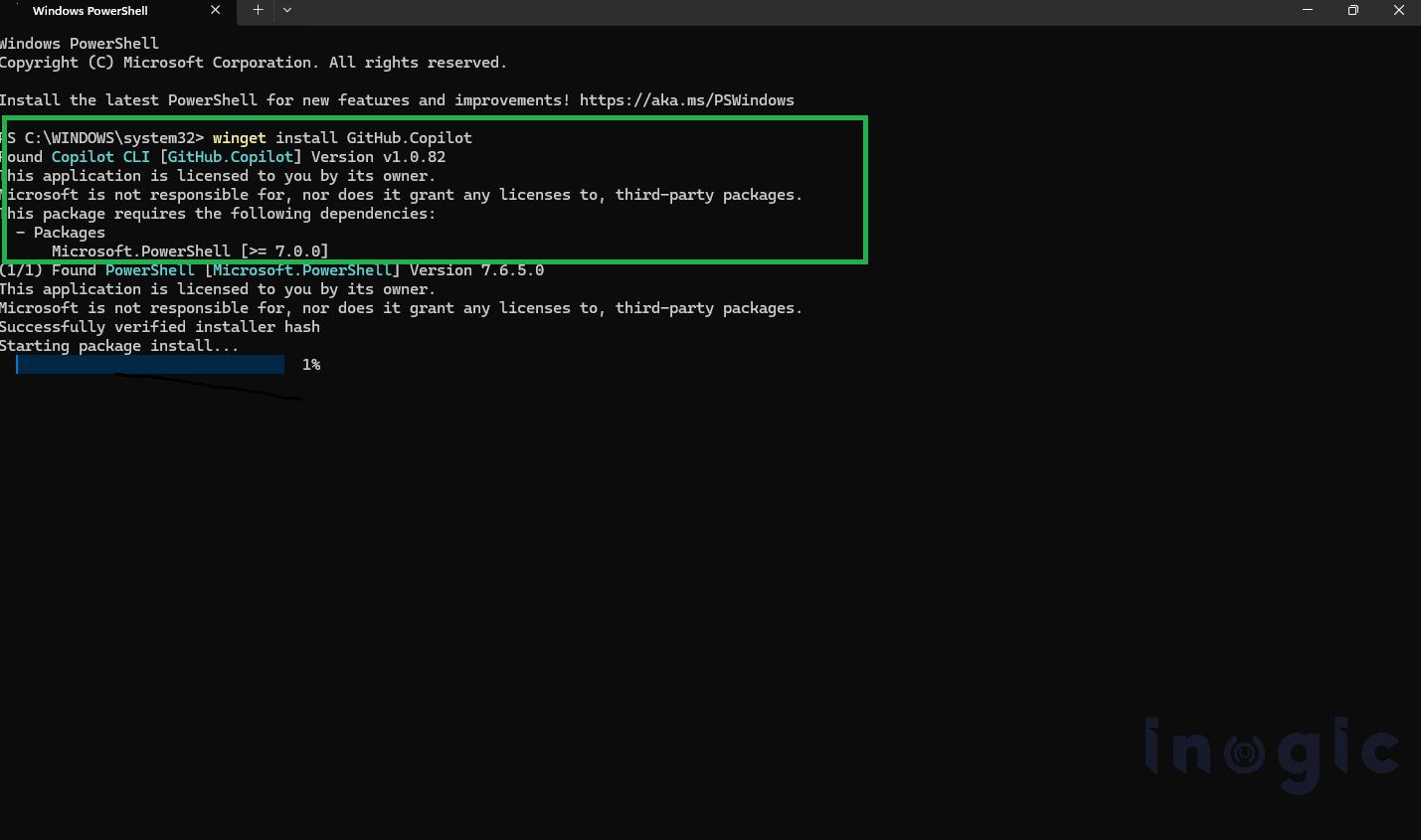
The first step is to install and configure GitHub Copilot in your development environment.
After installation, verify that Copilot is available in your development environment and that you can interact with the coding agent.
Step 1: Connect to the Dataverse Environment
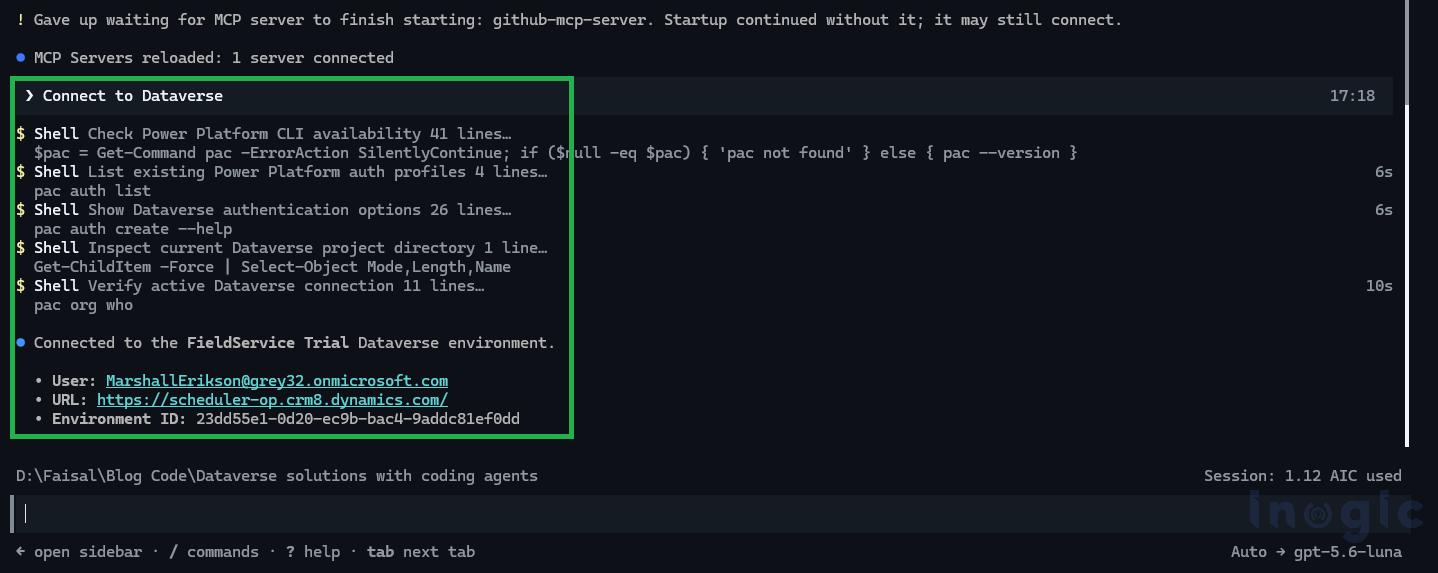
The first step is to authenticate the coding agent with the target Microsoft Dataverse environment. This establishes the connection required for the agent to discover and work with Dataverse resources.
Using Power Platform CLI, authenticate against your Dataverse environment with the following command:
pac auth create –url https://<your-org>.crm.dynamics.com
Replace <your-org> with the URL of your Dataverse environment.
Once authentication is complete, verify the available authentication profiles:
pac auth list
With the Dataverse environment connected, the coding agent can work with the environment to create and manage solutions, tables, relationships, and data as part of the implementation.
Step 2: Add Dataverse Skills
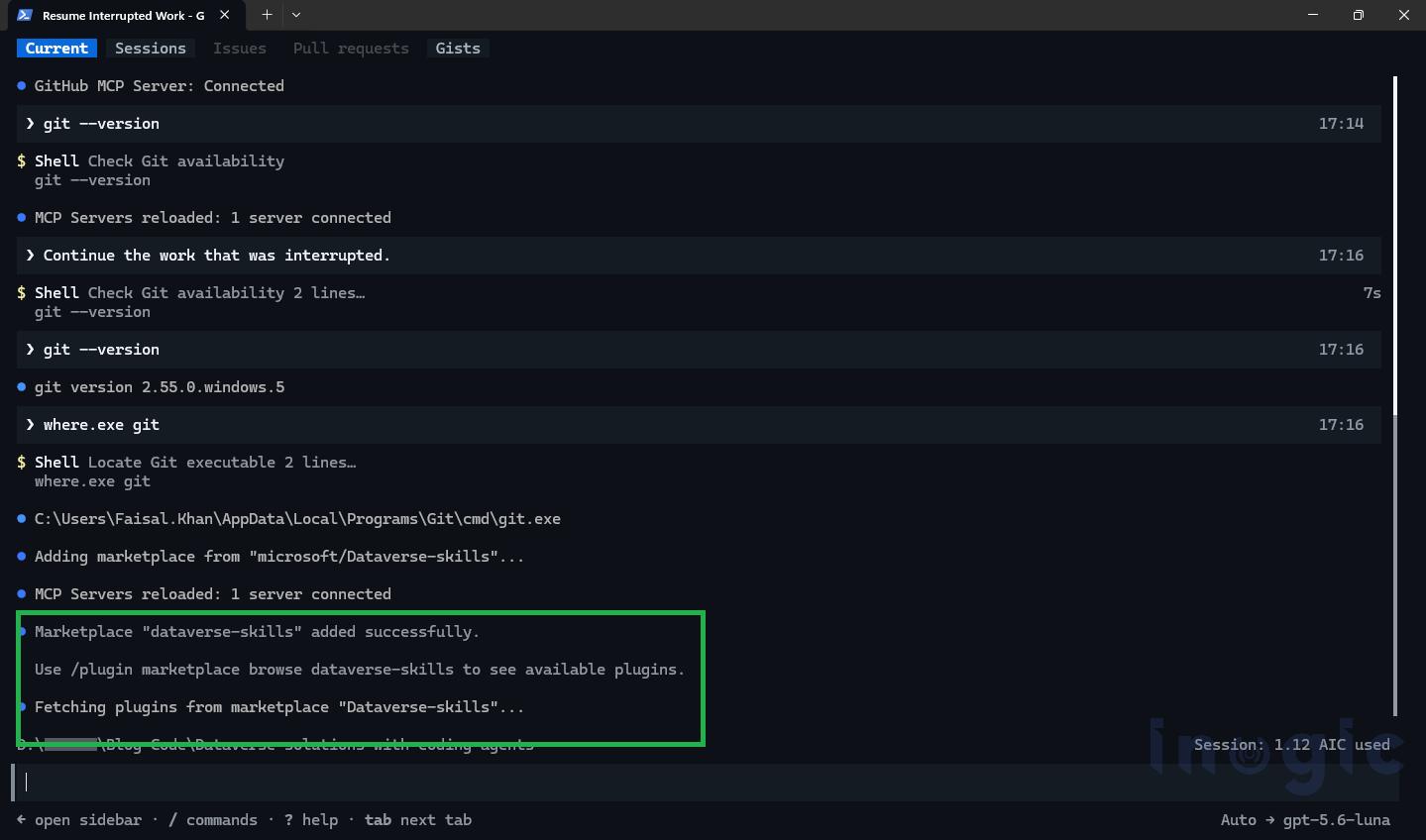
Once the Dataverse environment is connected, the next step is to add the Dataverse skills to the coding agent.
Dataverse skills provide the agent with the knowledge and capabilities required to understand Dataverse concepts and perform common development tasks, such as creating solutions, tables, columns, relationships, and data.
In the coding-agent terminal, add the Dataverse skills using:
/plugin marketplace add dataverse
After the Dataverse skills are added, the coding agent can use them when working with the connected Dataverse environment.
The key benefit is that developers don’t need to manually provide every Power Platform CLI command, tool parameter, or implementation detail. Instead, we can describe the desired outcome in natural language, and the coding agent can orchestrate the required Dataverse operations.
This also reduces context switching between documentation, CLI commands, scripts, and the Dataverse UI, allowing the development workflow to remain within the coding-agent experience.
Step 3: Give the Prompt to the AI Agent
Now comes the implementation part.
Instead of manually creating five tables and their relationships, we can describe the solution we want using natural language.
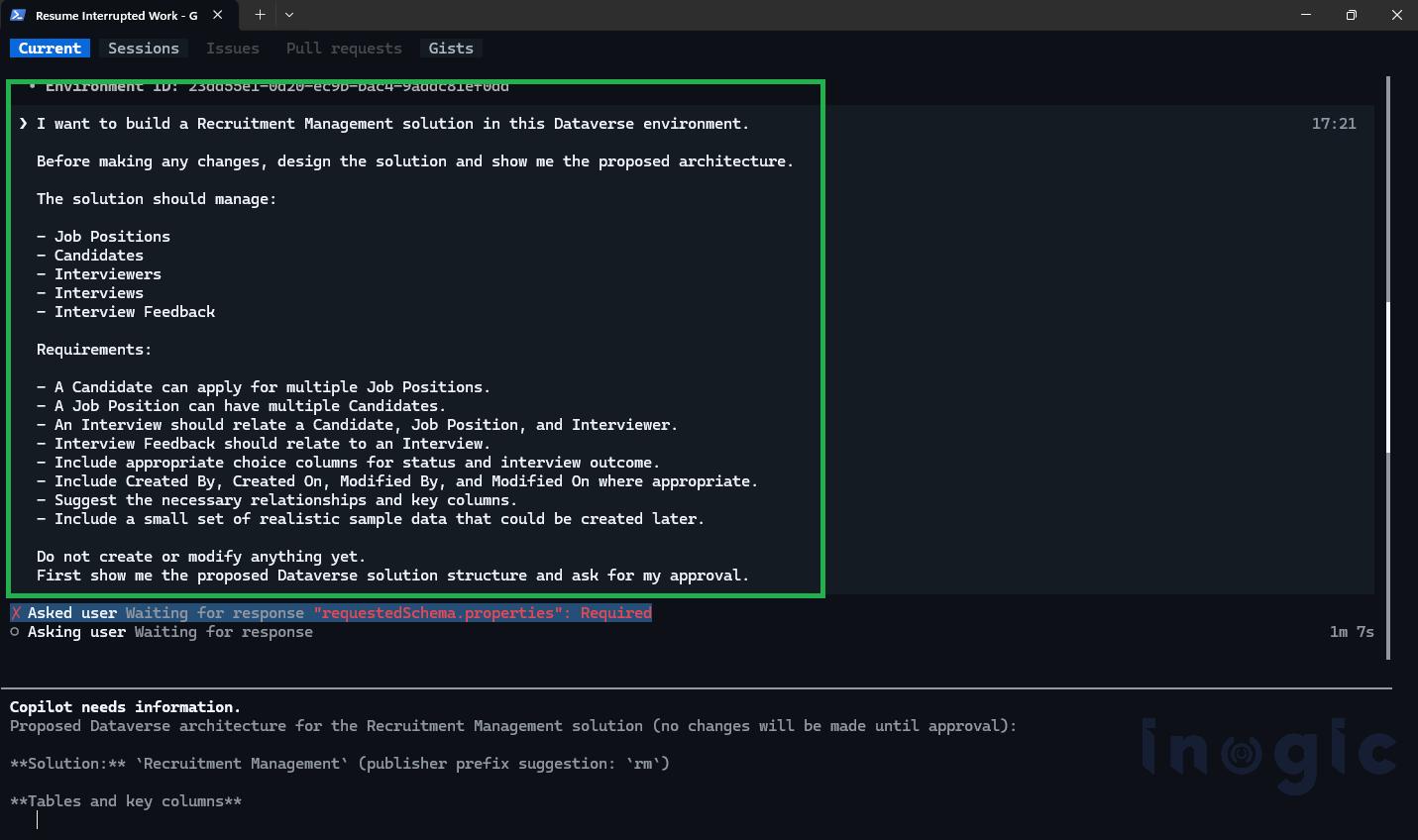
The agent interprets the requirements and determines the Dataverse components that need to be created.
At this point, we don’t have to manually specify every CLI command or create each table from the Power Apps maker portal.
Step 4: Approving Changes
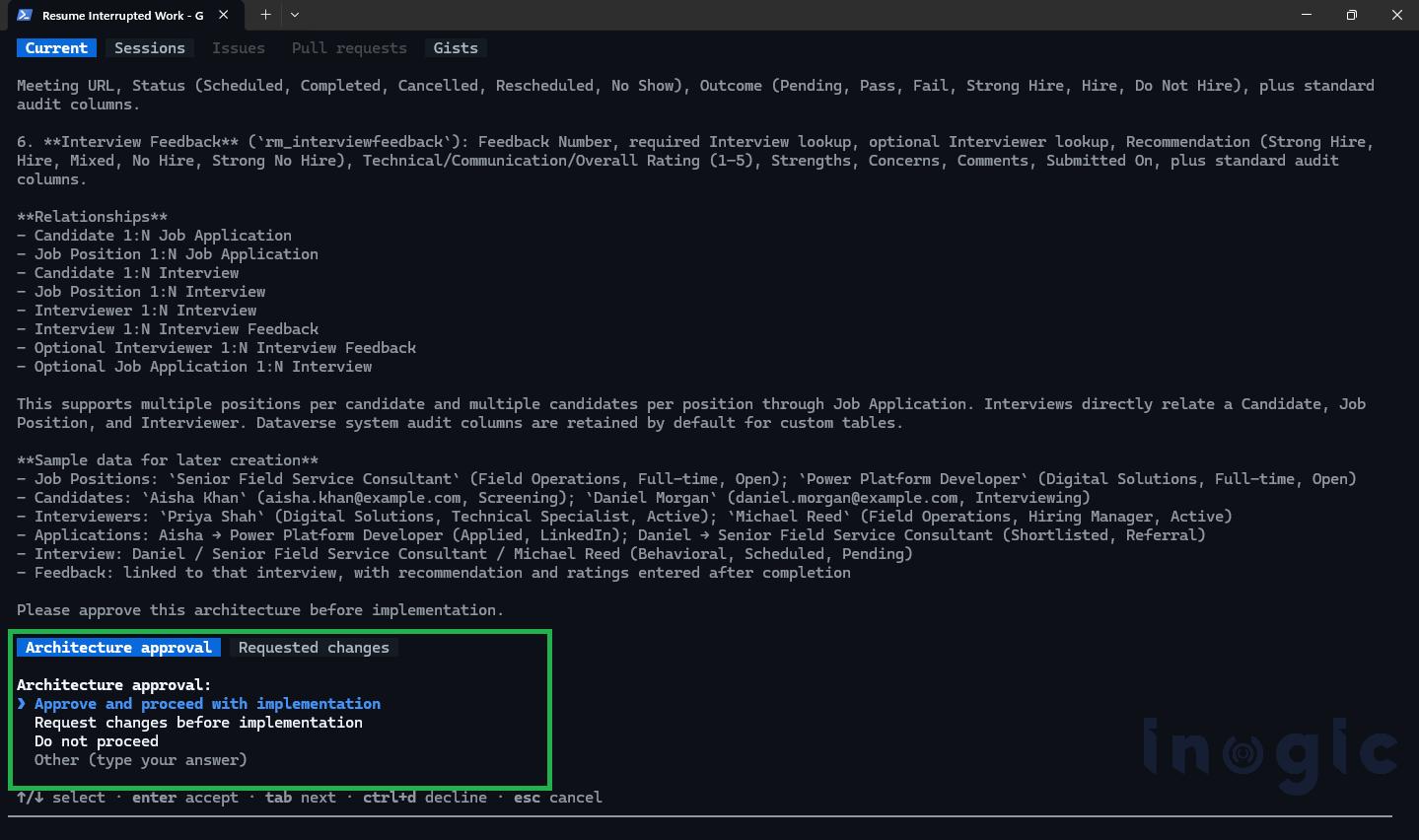
As the agent performs operations against the environment, it may ask for approval before executing certain actions.
For example, the agent may request approval to:
- Create or modify Dataverse components
- Execute Power Platform CLI commands
- Run generated scripts
- Load data into the environment
Review the proposed action and approve it when you are comfortable with the changes.
This approval step is particularly important when working with development or shared environments because the coding agent is capable of making actual changes to Dataverse resources.
Output
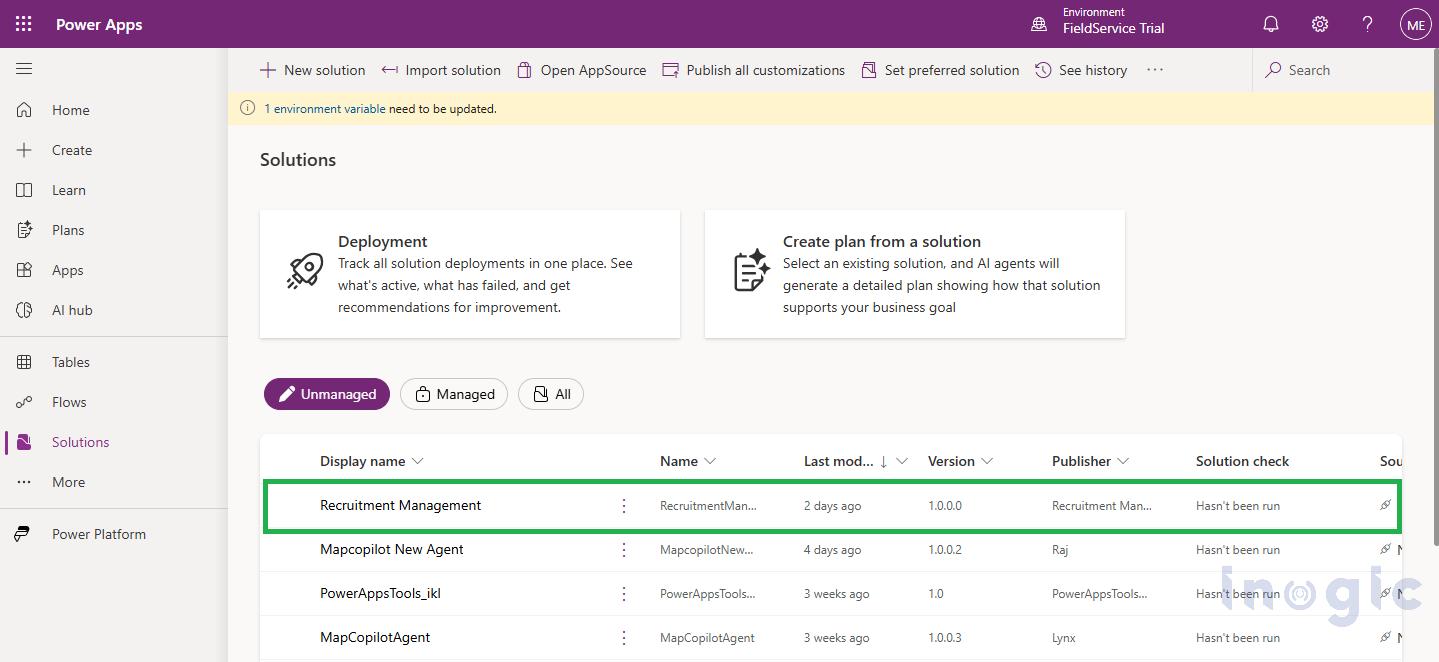
After the agent completes the requested operations, we can verify the solution in Dataverse.
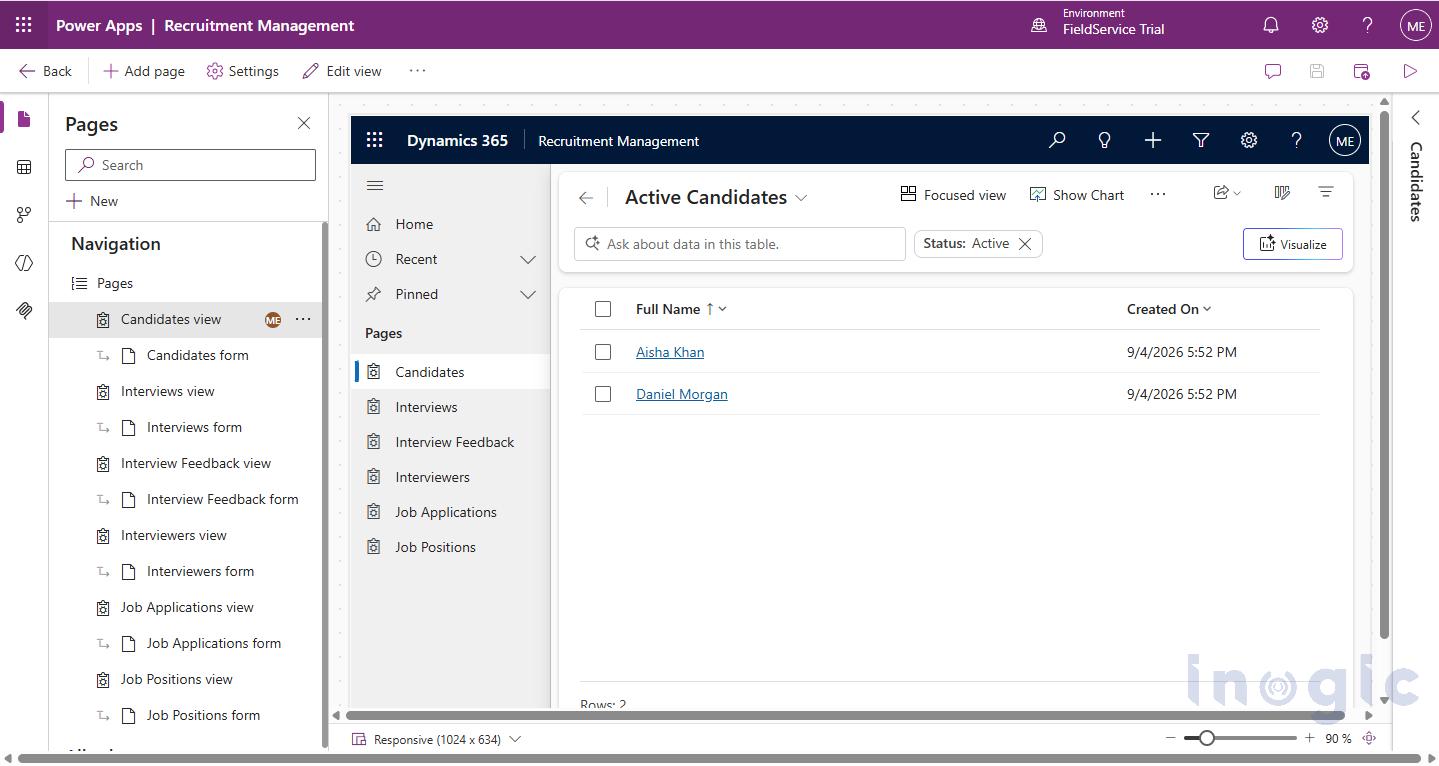
The Recruiting solution should now contain the requested tables and relationships.
We can also inspect the tables and their relationships to verify that the requested data model was created successfully. The agent can then query the newly created data and answer business questions.
Conclusion
The introduction of Dataverse skills for coding agents provides a new way to build and manage Dataverse solutions using natural language. We use a coding agent to create the required tables, relationships, sample records, and verify the resulting components directly in the connected Dataverse environment.
FAQs
What are Dataverse skills for coding agents?
Dataverse skills are capabilities added to a coding agent such as GitHub Copilot that give it the knowledge to understand Dataverse concepts and perform development tasks like creating tables, columns, relationships, and data, all from natural language instructions.
Do I need to know Power Platform CLI to use this?
Basic familiarity helps for the initial setup and authentication steps, but once Dataverse skills are configured, you interact with the agent in natural language rather than writing CLI commands manually.
Is it safe to use a coding agent in a live Dataverse environment?
The agent includes an approval step before executing actions that affect Dataverse resources. It is still recommended to test in a development or sandbox environment before working with production data.
What kinds of Dataverse operations can the coding agent perform?
The agent can create and manage solutions, tables, columns, relationships, and sample data. It can also query the environment and answer business questions based on the data model it has built.
Can the coding agent replace a Dataverse developer entirely?
Not entirely, but it significantly reduces the time and effort required for common development tasks. Developers still need to review, approve, and validate the agent’s output to ensure it meets business requirements.
Does this work with any Dataverse environment?
Yes, as long as the environment is accessible via Power Platform CLI and the coding agent is authenticated against it using the standard pac auth create command.
What happens if the agent makes a mistake?
Because the agent requests approval before executing changes, you have the opportunity to review and reject any action that does not look right before it affects your environment.