 Field service has always been a coordination challenge. The moment a technician leaves the office, the variables multiply, traffic, client availability, urgent requests, travel time between stops, and the constant pressure to fit more into the day without burning out the team.
Key Takeaways-
- Dynamics 365 lacks geographic intelligence; it manages data well, but can’t handle location-based scheduling needs.
- Maps in CRM enhance Dynamics 365 with map-based scheduling, route optimization, and skills-based technician assignment.
- Automation handles the admin, geofenced check-ins, route optimization, and Outlook sync, reducing manual effort and errors.
- Built to scale, managers can plan, track, and adjust schedules for entire field teams from a single map view.
- Real-time visibility into technician locations helps teams respond faster to urgent service requests and schedule changes.
- Better routing and scheduling lead to improved technician productivity, reduced travel time, and enhanced customer service.
Dynamics 365 is an exceptional CRM platform. It stores everything- work orders, service appointments, technician profiles, and client histories.
But it was not designed to handle the geographic complexity of field operations.
- Records are presented as lists, not locations.
- Schedules are built without visibility into travel time.
- There is no map showing who is closest to a new urgent request.
- No automatic route between stops, and
- No way to visualize the full picture of a team’s day in one place.
That gap, between what Dynamics 365 knows and what field service operations actually need, is precisely what Maplytics, the certified geo-mapping application of Microsoft Marketplace, was built to close.
The Scheduling Gap in Field Service
Before exploring the solution, it helps to name the problem clearly. Most field service scheduling gaps fall into a few recurring patterns-
- Technicians are assigned to jobs without considering how far apart those jobs are,
- Urgent requests come in and disrupt carefully built schedules.
- Dispatchers have no real-time visibility into where their team is.
- Back-to-back appointments leave no buffer for travel, documentation, or the unexpected.
Each of these is manageable in isolation. Together, they create a system where field teams are perpetually reactive, managers are firefighting, and clients are waiting.
Maplytics, the flagship product of Inogic, addresses each of these gaps, feature by feature, without requiring custom development or a separate platform.
1. Auto Scheduling- Planning the Full Week, Not Just Tomorrow
The Gap- Most field service teams plan one day at a time. There is no forward visibility, no ability for technicians to plan around their schedule, and no structured picture of the week ahead. The result is a team that feels reactive rather than organized.
How Maplytics Solves It- Auto Scheduling in Maplytics allows managers to create full-field calendars for one or more technicians, covering days or weeks ahead, directly in Dynamics 365. Working hours, meeting duration, break time, buffer time between appointments, and start and end locations are all configured once and applied automatically. The system runs advanced logic considering distance and drive time, then generates the most efficient schedule for each resource and displays it on an interactive map for review before it goes live. Technicians receive a clear, realistic field calendar, not a list of tasks with no context.

2. Characteristic-Based Scheduling- Sending the Right Person, Every Time
The Gap- Proximity alone does not determine whether a technician is the right fit for a job. A client with a complex technical issue needs someone with the right certifications and skills, not just whoever happens to be nearby.
How Maplytics Solves It- Characteristic-Based Auto Scheduling in Maplytics goes beyond location. It reads the skills, certifications, and qualifications stored against each technician in Dynamics 365 Field Service and matches them to the requirements of each work order. The system then builds an optimized schedule that is both geographically efficient and skills-appropriate. The right technician reaches the right job with an optimized route, with no manual cross-referencing required.
3. Real-Time Schedule Adjustments- Handling the Unexpected Without Chaos
The Gap- Field service is dynamic. A technician calls in sick. A client escalates an issue. A new urgent request comes in at noon. Any one of these events can unravel a manually built schedule, sending dispatchers back to the drawing board.
How Maplytics Solves It- Maplytics supports real-time schedule adjustments from within Dynamics 365. When a new service request arrives, managers can see on the map which technician is nearest and has capacity, slot the appointment into their schedule, and automatically recalculate the optimized route for the rest of their day. Existing appointments are visible before any decision is made, so conflicts are caught at the planning stage. The updated schedule is reflected immediately, on the map, in the Dynamics 365 record, and in the technician’s Outlook Calendar, which syncs automatically.
4. Check-In and Check-Out with Geofencing- Accurate Records Without Manual Effort
The Gap- Field reps are expected to log arrival and departure at every client site. In practice, this is frequently skipped, forgotten, or done retroactively. The result is unreliable data, no audit trail, and disputes about whether visits actually took place.
How Maplytics Solves It- Maplytics uses geofencing to automate Check-In and Check-Out. When a technician enters the defined radius around a client location, the system registers their arrival in Dynamics 365 automatically. The same happens on departure. No manual entry. No forgotten updates. Managers get a timestamped, location-verified record of every visit, invaluable for compliance, SLA reporting, and client billing. Technicians stay focused on service, not administration.
5. Multi-Rep Scheduling and Route Colour Coding- Managing the Team, Not Just the Individual
The Gap- When a manager is responsible for ten or twenty field technicians, manually creating and maintaining individual schedules for all of them, while monitoring everyone in real time, becomes unmanageable at scale.
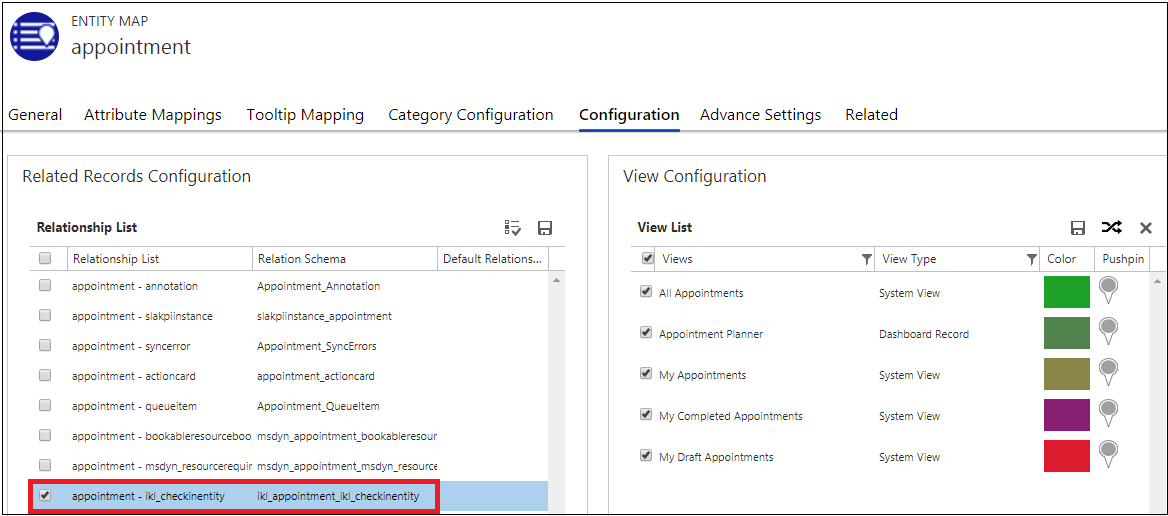
How Maplytics Solves It- Maplytics allows managers to plan and visualize schedules for multiple field reps simultaneously. Each technician is assigned a distinct route colour on the Dynamics 365 map, making it immediately clear who is going where without confusion. Managers can view the full team’s day in one map-based layout, monitor progress in real time via Live Tracking, and make individual adjustments without affecting the rest of the group. Configuration Detail Records allow default scheduling preferences to be saved once and applied consistently across the team.
6. Outlook Sync and the Trip Summary View- Closing the Communication Loop
The Gap- Schedules created in CRM often do not reach the people who need them. Technicians check email for updates; managers check CRM. The two are never fully in sync, creating miscommunication and missed appointments.
How Maplytics Solves It- Every appointment scheduled through Maplytics syncs automatically to the technician’s Outlook Calendar. What is in Dynamics 365 is what is in Outlook, no manual updates, no version mismatch. On the technician’s end, the Auto Scheduling interface provides a clear Trip Summary, an Appointment Calendar view, and the optimized route plotted on the Dynamics 365 map, all in one place, all accessible on mobile. The information needed to run the day is always current and always accessible, whether the technician is at their desk or in the field.
The Result- A Field Service Operation That Runs on Clarity
The scheduling gap in field service is not a failure of effort; it is a structural limitation of tools that were not built for geography. Maplytics closes that gap inside the platform your team already uses, with no code required and no additional system to manage.
More completed visits. Fewer wasted kilometres. A team that plans rather than reacts, and clients who notice the difference.
What’s More?
If you wish to combine maps, routes, schedules, and real-time updates to make a difference, Maplytics with MapCopilot, its AI assistant, is available immediately for Dynamics 365, Power Apps, Power Pages, and Dataverse. Organizations interested in adoption, 15-day free trials, or personalized demos are encouraged to contact Maplytics’ sales team at crm@inogic.com
For more information, visit our website or Microsoft Marketplace. One can hop onto the detailed Blogs, Client Testimonials, Success Stories, Industry Applications, and Video Library for a quick query resolution. Technical docs for the working of Maplytics are also available for reference.
Please leave us a review or share your experience on the Microsoft Marketplace or the G2 Website.