 Managing enterprise applications across Microsoft Power Platform and Dynamics 365 can be challenging for administrators. Teams must continuously monitor storage, licensing, environmental health, operational failures, and platform updates across multiple systems.
As organizations increasingly depend on these platforms for business-critical operations, even a minor issue can quickly disrupt users and impact overall business processes if not identified and resolved in time.
Consider a company using Power Apps and Dataverse for customer service operations across multiple departments. One day, Dataverse storage begins nearing its limit. Because Dataverse throttles performance when storage exceeds allocated capacity, workflows begin slowing down, users face delays while creating records, and some automations stop working properly.
Because the alert is often buried across emails, dashboards, or separate monitoring tools, administrators may not notice the issue immediately. By the time teams investigate, business operations are already impacted.
To address challenges like this, Microsoft introduced Notifications and Announcements (Preview) in the Power Platform admin center.
This feature provides a centralized and proactive administration experience where admins can:
- Monitor tenant health directly from the admin center
- Identify operational issues earlier
- Stay informed about Microsoft platform updates
- Respond faster to critical alerts
- Reduce dependency on multiple monitoring systems
Instead of manually searching across different portals, administrators can now review important operational alerts and product communications directly within their daily workflow. For enterprise teams, this means less firefighting and more proactive control.
Requirements to Access Notifications and Announcements
During the preview phase, access to Notifications (🔔) and Announcements (📣) is limited to specific administrator roles in Microsoft Entra ID.
Only users assigned one of the following roles can access these features inside the Power Platform admin center:
- Power Platform Administrator
- Dynamics 365 Administrator
- Global Administrator
Follow the steps to assign required role
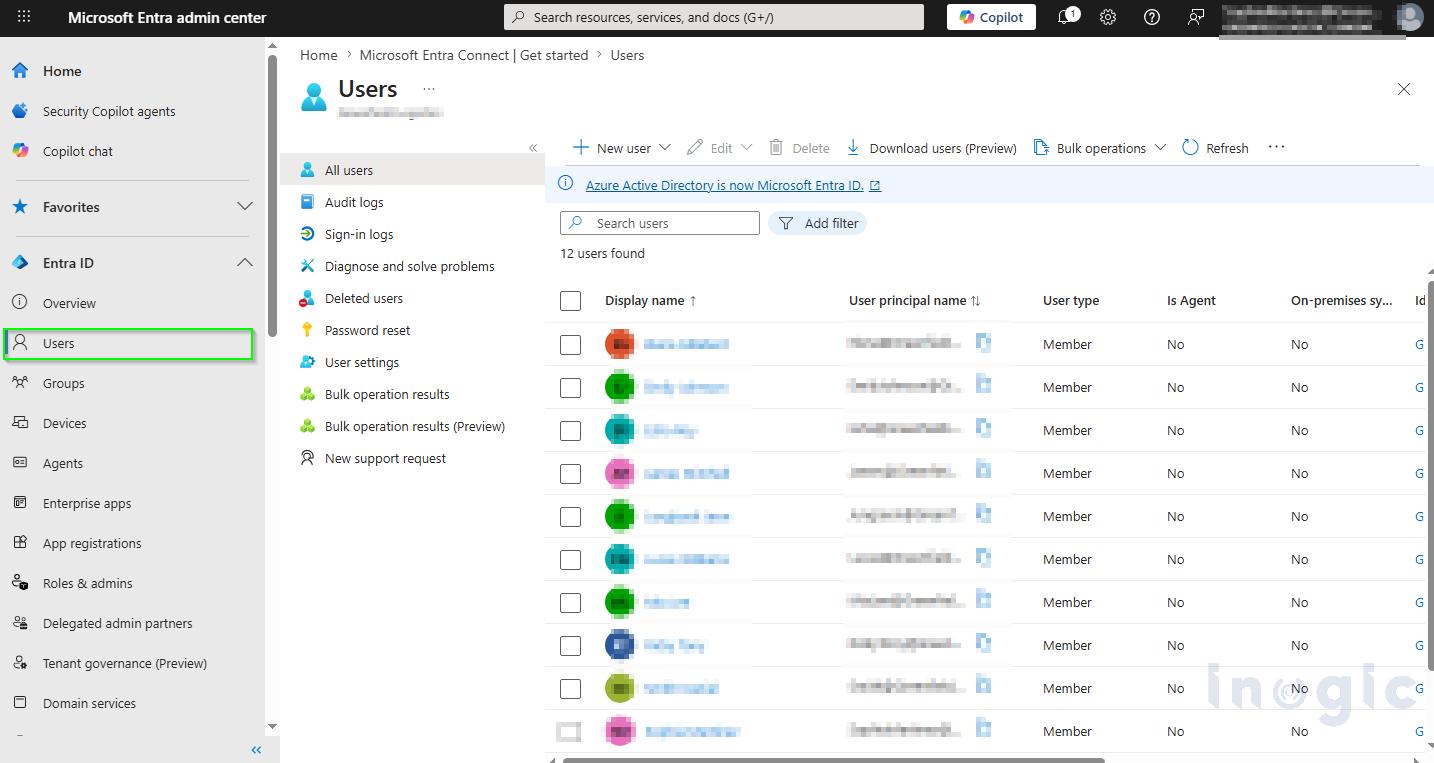
- Open the Microsoft Entra Admin Center and sign in with an administrator account.
- In the left navigation pane, go to Identity → Users.
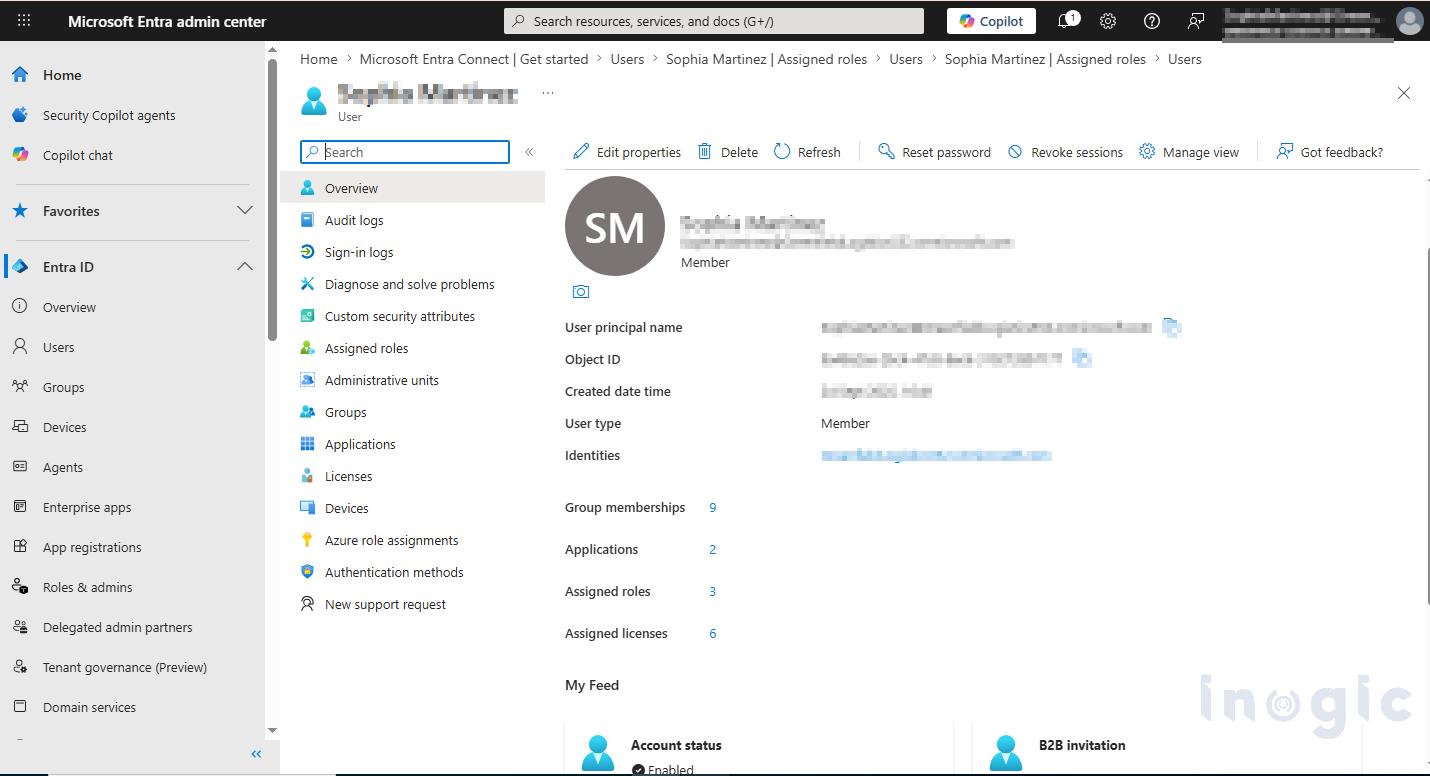
- Select the user who needs access to Notifications and Announcements in the Power Platform admin center.

- Open the user profile, then select Assigned roles or Manage roles.

- Click Add assignments to assign a new administrator role. And
- Assign one of the following Microsoft Entra administrator roles:
- Power Platform Administrator
- Dynamics 365 Administrator
- Global Administrator

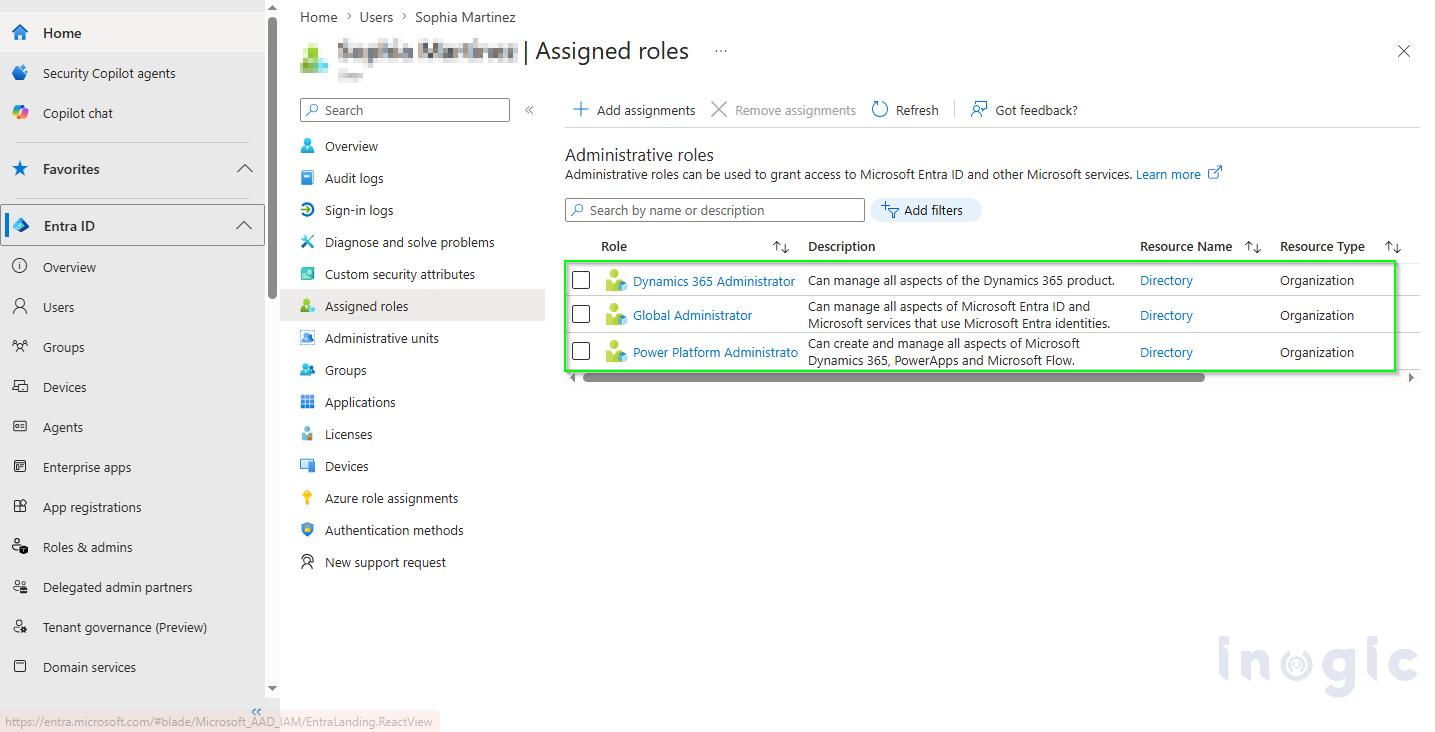
Save the changes and sign in to the Power Platform admin center. The user will then be able to access the Notifications (🔔) and Announcements (📣) icons from the top toolbar.
Notifications (🔔)
Notifications help administrators monitor important operational issues directly inside the Power Platform admin center. These alerts are tenant-specific and help admins quickly identify issues related to environment health, storage, licensing, compliance, or other operational risks.
For example, if Dataverse storage starts nearing its limit, administrators can take action before workflows, apps, or business operations are affected.
Notifications may include:
- License or capacity alerts
- Dataverse storage warnings
- Compliance or environment-related issues
Admins can access notifications directly from the Bell icon (🔔) available in the upper-right corner of the Power Platform admin center, as shown in the screenshot below.
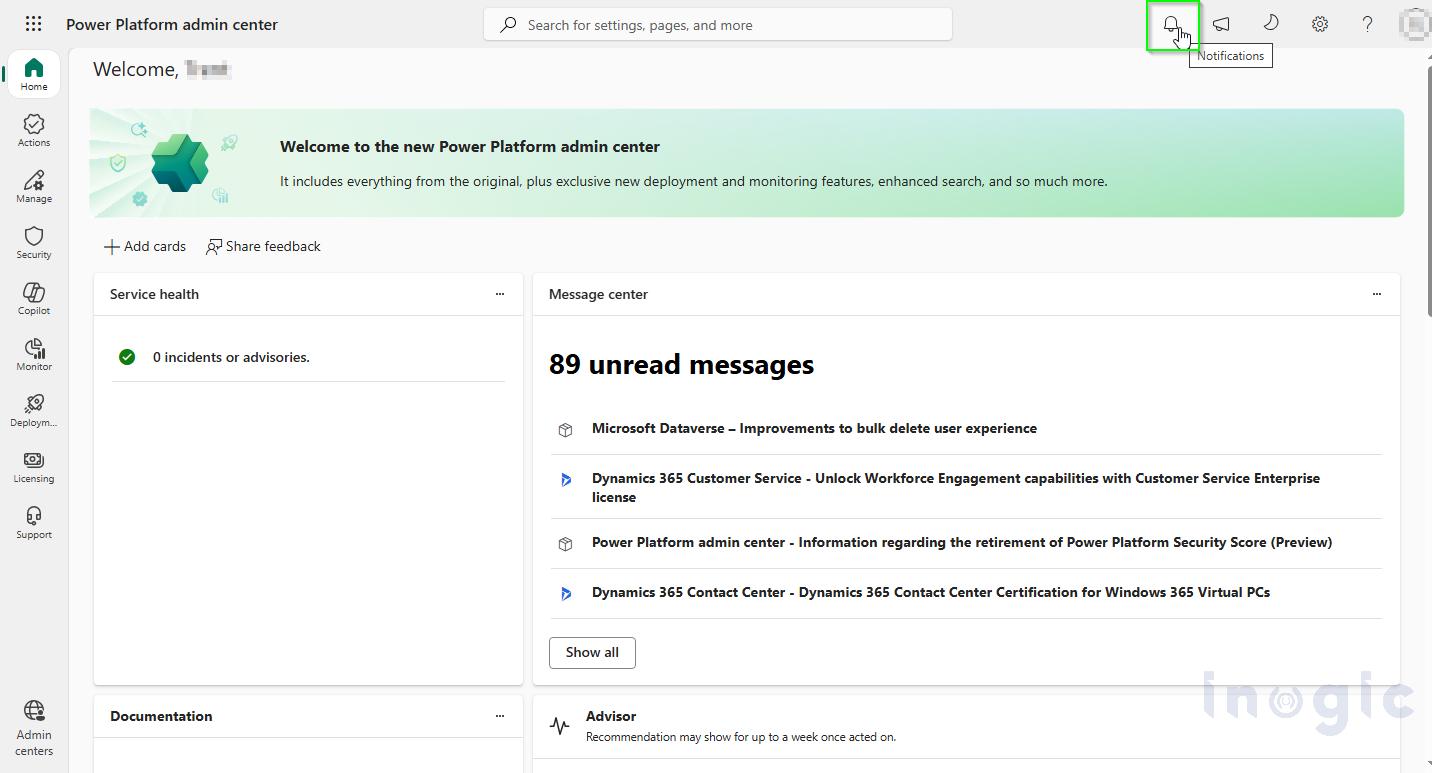
The Notifications pane displays:
- Unread alerts
- Notification summaries
- Severity indicators such as Info, Warning, or Critical
- Timestamps for newly generated alerts
The Notifications pane also categorizes alerts by severity to help administrators prioritize issues more effectively:
- Info – Informational updates or recommendations that do not require immediate action
- Warning – Potential risks or approaching limits that may require attention soon
- Critical – Urgent issues or service disruptions that require immediate action
As shown below, notifications are currently available in this environment because notifications appear only when tenant-level operational events or alerts are generated.
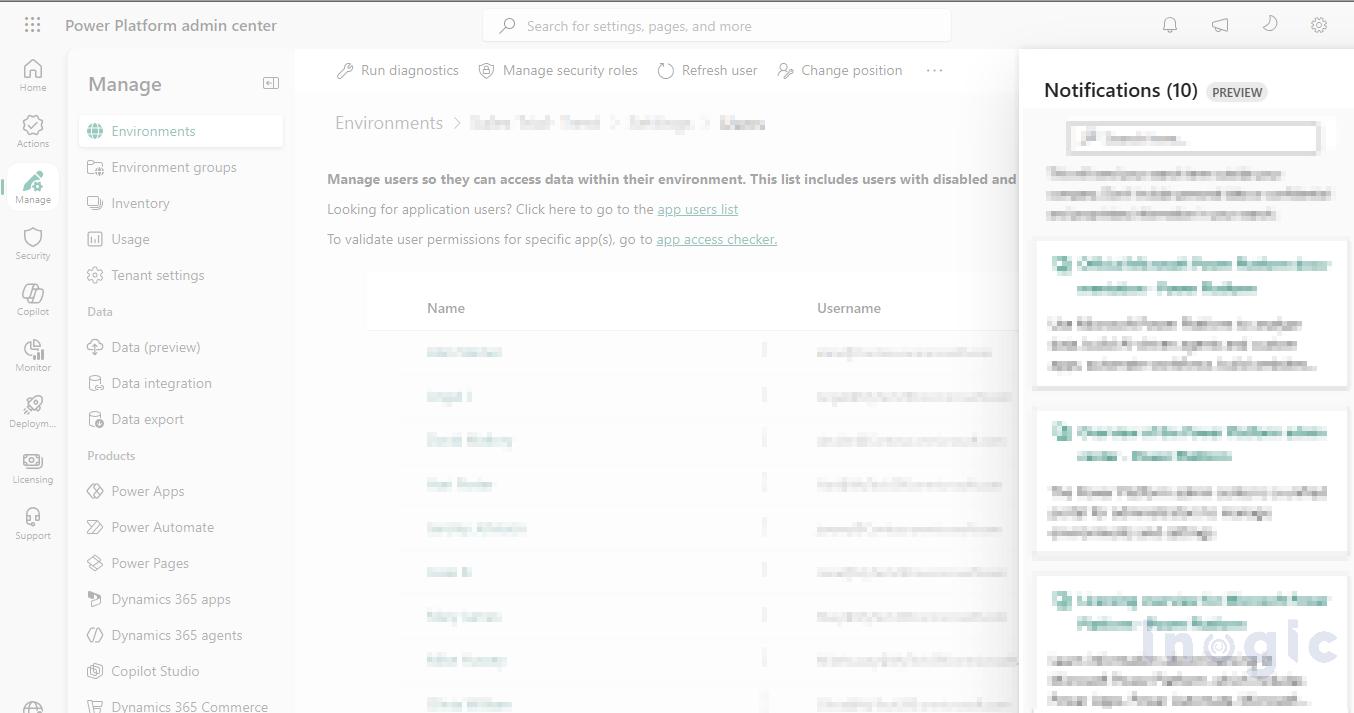
Selecting a notification opens the full message and may provide direct links to related areas such as Capacity, Licensing, or Environments, helping administrators investigate issues faster.
How to Act on a Notification (Example):
If you receive a Dataverse storage warning, clicking the notification typically links directly to the Capacity page. From there, you can view usage breakdowns, purchase additional storage add-ons, or identify tables with stale data to purge. This creates a clear path from alert to resolution.
Admins can also:
- Mark notifications as read
- Dismiss notifications from the list
- Receive toast notifications during sign-in or page refresh for newly generated alerts
About Toast Notifications:
Toast notifications are temporary pop-up messages that appear briefly in the corner of your screen when you sign in or refresh the page. They ensure you don’t miss new critical alerts even if you don’t have the Notifications pane open. After a few seconds, they disappear automatically without disrupting your workflow.
Overall, Notifications improve operational visibility and help organizations respond to platform issues more proactively.
Announcements (📣)
Announcements help administrators stay updated with the latest Microsoft platform updates directly inside the Power Platform admin center. Unlike Notifications, which focus on operational issues, Announcements are mainly designed for product updates, feature releases, webinars, and upcoming platform changes.
Administrators no longer need to rely entirely on multiple Microsoft blogs and documentation portals to stay informed about important updates.
Announcements may include:
- Public preview features
- General Availability (GA) updates
- Product enhancements
- Microsoft events and webinars
- Release notes and learning resources
Admins can access Announcements from the Megaphone icon (📣) in the top-right corner of the admin center, as shown in the screenshot below.
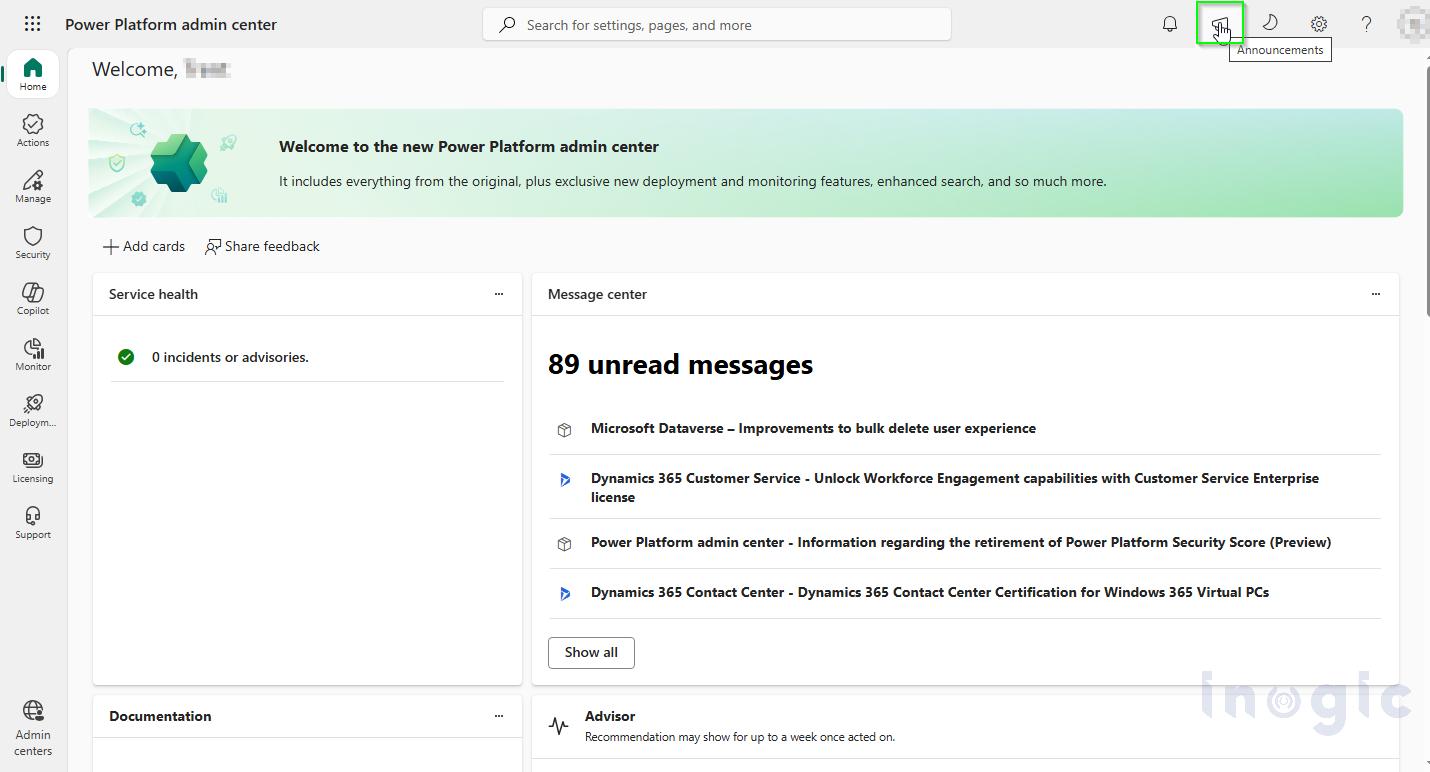
The announcements panel displays recent updates, summaries, and publication details to help administrators quickly review important Microsoft communications. As shown below, announcements are currently available in this environment because announcements appear based on Microsoft product communications and preview availability.
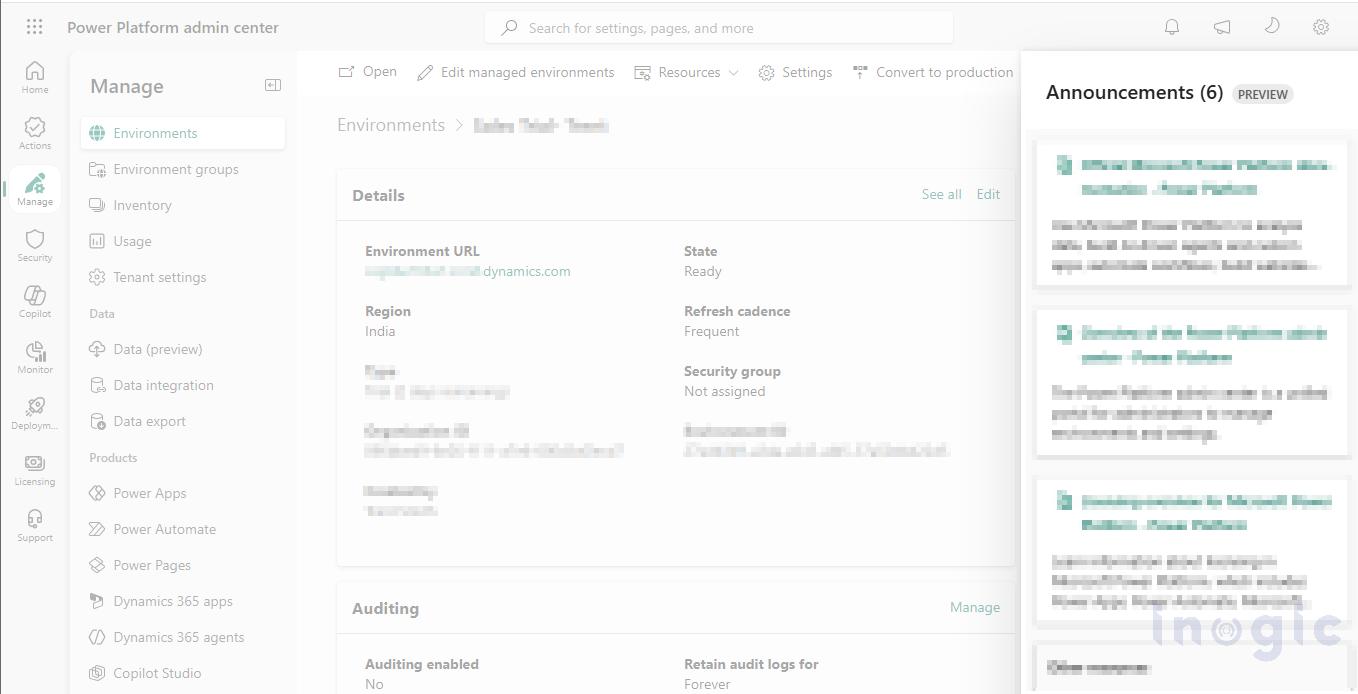
Another useful benefit is that announcements often include direct links to Microsoft Learn documentation, release notes, and product blogs, helping organizations understand and plan for upcoming changes more efficiently.
Notifications vs Announcements
Although Notifications and Announcements are available together inside the Power Platform admin center, both serve different purposes.
Consider a real-world example:
A company notices that Dataverse storage is reaching its limit. Administrators receive a Warning notification, allowing them to take action before workflows, apps, or automations are affected. This is an operational alert that directly impacts the organization’s environment.
At the same time, Microsoft may publish an Announcement about an upcoming Power Platform feature release or licensing update. While this does not require immediate action, it helps administrators prepare for future platform changes and adoption planning.
In simple terms:
- Notifications help admins monitor and respond to operational or tenant-level issues.
- Announcements help admins stay informed about Microsoft product updates, releases, and upcoming changes.
Together, these features provide a more centralized and proactive administration experience inside the Power Platform admin center.
Relationship with Microsoft 365 Message Center
The Power Platform admin center Notifications are designed to complement existing Microsoft 365 monitoring and communication systems rather than replace them. Together, they help administrators get a complete view of both tenant health and platform-wide updates.
For organization-wide updates such as feature rollouts, deprecations, breaking changes, or service announcements, administrators continue to rely on the Microsoft 365 Message Center. It is the primary source for Microsoft 365-wide communications that may impact multiple services across an organization, including Power Platform.
In contrast, Power Platform Notifications focus on tenant-specific operational alerts. These alerts help administrators quickly identify and respond to issues related to environment health, storage capacity, licensing, compliance, or service disruptions that directly affect their Power Platform environments.
For example, if a Dataverse environment is nearing its storage limit, administrators receive a notification within the Power Platform admin center and can take action before it impacts applications, workflows, or users.
In simple terms:
- Microsoft 365 Message Center is used for planned changes, updates, and Microsoft-wide communications.
- Power Platform Notifications are used for real-time, tenant-level operational issues.
Together, they provide better visibility by combining long-term platform communication with real-time operational monitoring inside the Power Platform admin center.
Conclusion:
Power Platform admin center Notifications and Announcements (Preview) provide administrators with a more proactive and centralized management experience.
Notifications help teams respond quickly to tenant-level operational issues such as storage, licensing, and environment risks, while Announcements keep administrators informed about upcoming Microsoft updates, features, and platform changes.
Together, these features improve visibility, streamline administration, and complement the Microsoft 365 Message Center for a more complete view of both operational issues and platform updates.
FAQs
1. What are Notifications in the Power Platform admin center?
Notifications are tenant-specific operational alerts that help administrators monitor issues related to storage, licensing, environment health, compliance, and service disruptions within Microsoft Power Platform.
2. What are Announcements in the Power Platform admin center?
Announcements are informational updates from Microsoft that include feature releases, public previews, product enhancements, webinars, release notes, and upcoming platform changes.
3. Who can access Notifications and Announcements in the Power Platform admin center?
During the preview phase, only users assigned the following Microsoft Entra administrator roles can access these features:
- Power Platform Administrator
- Dynamics 365 Administrator
- Global Administrator
4. How are Notifications different from Microsoft 365 Message Center updates?
Microsoft 365 Message Center provides organization-wide updates such as feature rollouts and planned changes, while Power Platform Notifications focus on real-time tenant-level operational alerts like storage limits, licensing issues, or environment health warnings.
5. Can Notifications help monitor Dataverse storage capacity?
Yes. Notifications can alert administrators when Dataverse storage approaches allocated capacity limits, helping teams take corrective action before workflows, applications, or automations are impacted.