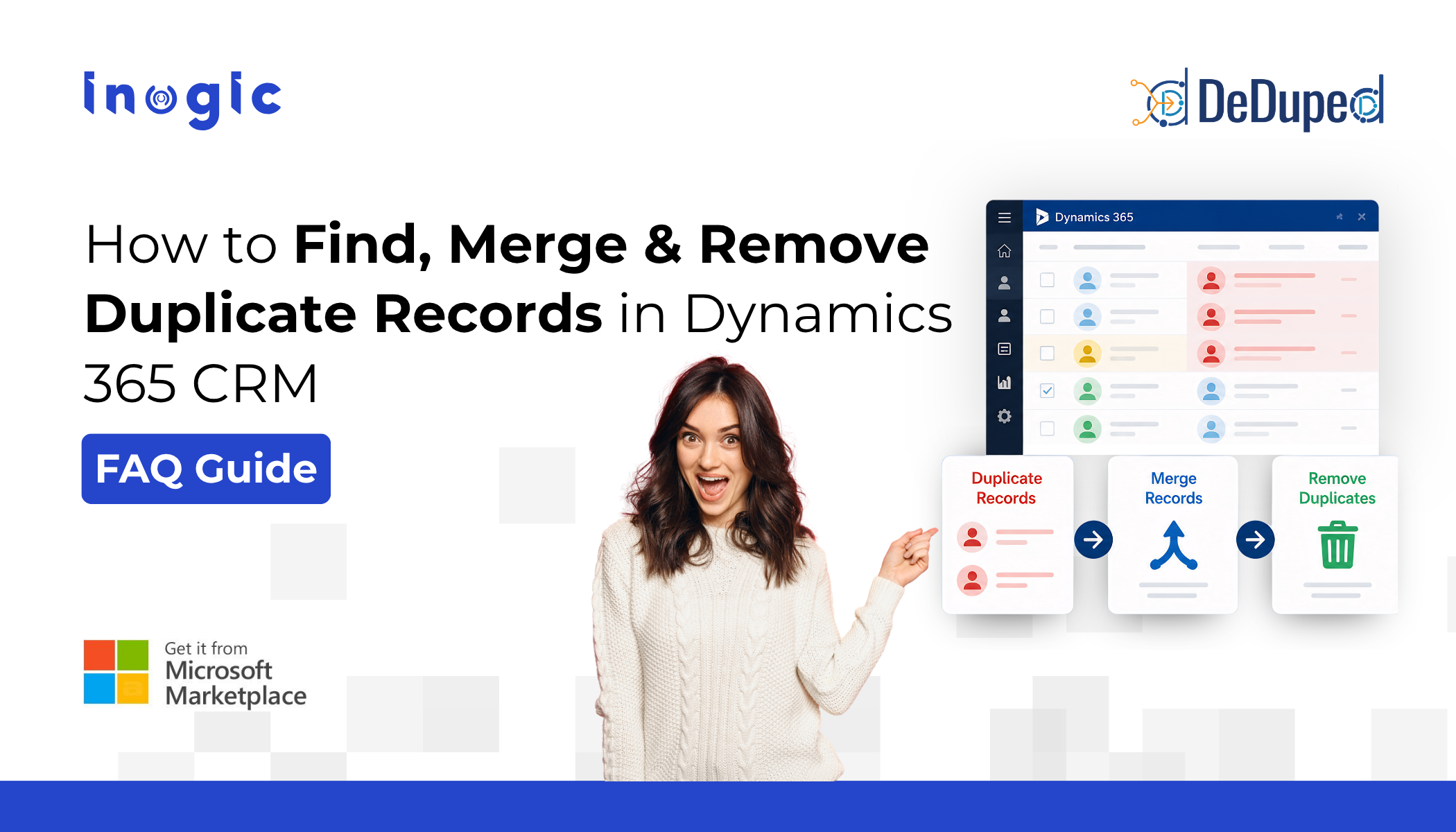
 Duplicate records silently erode your CRM’s performance, inflating costs, triggering duplicate outreach, distorting reports, and reducing trust in your data.
This guide answers the most common questions about detecting, merging, and eliminating duplicate data in Microsoft Dynamics 365 CRM.
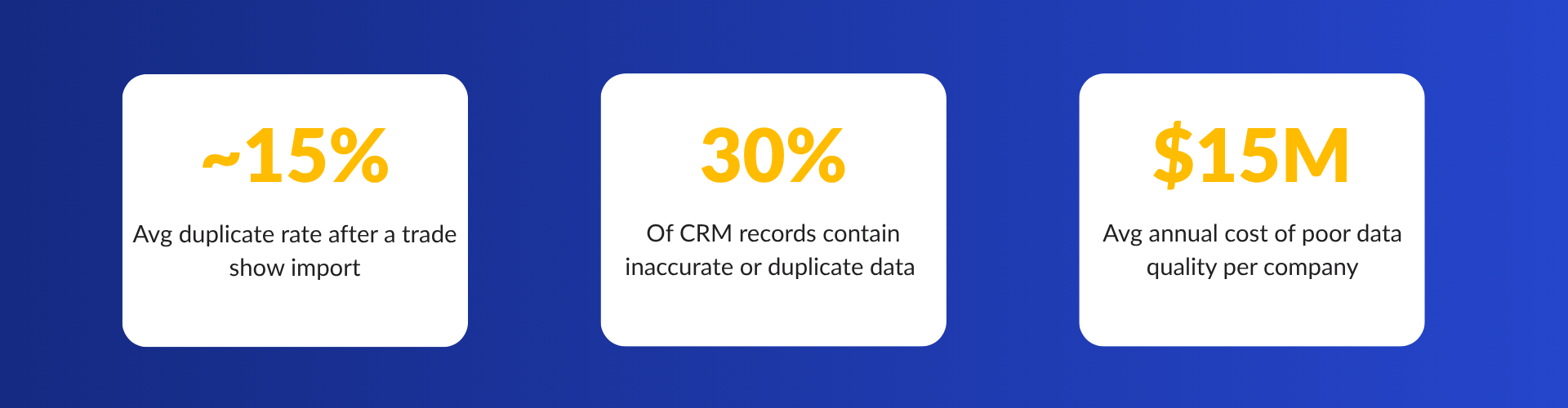 Whether you’re recovering from a messy migration, managing leads from multiple sources, or trying to create a single customer profile, duplicate records in Dynamics 365 are a problem every CRM admin eventually faces. Below are the questions we hear most often, and practical answers backed by DeDupeD, Inogic’s dedicated deduplication app built natively for Dynamics 365 CRM.
Key Takeaways
- Duplicate CRM records reduce reporting accuracy and sales efficiency
- Native Dynamics 365 duplicate detection has major limitations
- Real-time duplicate prevention is more effective than periodic cleanup
- DeDupeD supports bulk merge, custom entities, and activity preservation
- Administrators can fully control master record selection during merges
- Clean CRM data improves AI readiness and Copilot effectiveness
Q1 What exactly is data deduplication in Dynamics 365 CRM, and why does it matter?
Data deduplication is the process of identifying, merging, and removing duplicate Dynamics 365 records, contacts, leads, accounts, cases, or any custom entity that exists more than once in your CRM. In Dynamics 365, duplicates typically enter through manual data entry, multi-channel lead imports, system migrations, or SaaS integration pipelines.
The impact goes beyond clutter. Duplicates skew pipeline reports, trigger double outreach to the same prospect, inflate marketing spend, and prevent AI-powered features (like Copilot for Sales) from delivering accurate insights. Clean data is the foundation of a reliable CRM, and Dynamics 365 data accuracy starts with eliminating duplicates.
Q2 How do I find and detect duplicate records in Dynamics 365?
Dynamics 365 includes a native duplicate detection engine that checks records against configured match rules (for example, matching contacts by email address or full name). However, native detection only covers out-of-the-box entities like contacts and accounts, and it doesn’t support bulk merging or real-time prevention.
DeDupeD by Inogic extends duplicate detection across any entity, including custom entities, with flexible match rules, fuzzy matching support, system admin impersonation for holistic detection, and the ability to exclude inactive records from the scan. You can detect duplicate Dynamics 365 records before saving, in bulk across the entire database, or on a scheduled basis.
Q3 How do I deduplicate Dynamics 365 data after a migration or import?
Post-migration deduplication is one of the most common and most urgent needs. After a data import, your CRM can carry thousands of near-identical records within minutes. The fastest way to address this:
- Configure match rules based on the fields most likely to identify the same person or company (email, phone, company name, etc.)
- Run a bulk duplicate detection scan across all imported records
- Review duplicate groups and select which record to designate as the master
- Trigger a bulk merge, DeDupeD consolidates related activities, notes, and history under the master record automatically
- Schedule recurring scans to catch future duplicates as data grows
This preserves your activity timeline: emails, calls, tasks, and notes are all retained under the surviving master record. No history is lost.
Q4 Can I automate duplicate detection so it works in real time?
Yes. DeDupeD supports real-time duplicate detection at the point of record creation. The moment a user attempts to save a new contact, lead, or account, the system checks for matching records and either alerts the user, blocks the save, or allows them to ignore the duplicate based on your business rules.
This prevents duplicates from entering the system in the first place — a far more efficient approach than periodic cleanup. It also supports impersonating the system admin role to ensure detection runs holistically, catching duplicates even across records that individual users might not have permission to see.
Pro tip: Combine real-time detection for new entries with scheduled bulk scans for historical data. That two-layer approach keeps your Dynamics 365 database continuously clean.
 Q5 How do I merge leads, contacts, and users into one unified CRM record?
Creating a single customer profile, merging a lead, contact, and account that all represent the same person, is a common need in B2B CRMs. DeDupeD supports merging duplicate records within the same entity type, consolidating all related data under one master record.
During a merge, you can choose which field values to keep from each record, ensuring the surviving record holds the most accurate and complete data. All associated activities, emails, calls, cases, and custom entity relationships are transferred to the master, giving you a clean, unified view of every customer interaction.
Q6 Can I decide which record becomes the master during a merge in Dynamics 365?
Yes, absolutely. DeDupeD by Inogic gives you full control over master record selection — you are never locked into an automatic or system-decided choice. When a group of duplicate records is identified, you can manually designate any record in the group as the master based on your own business logic.
This matters because “which record to keep” is rarely a technical question — it’s a business one. You might want to keep the record with the most recent activity, the one owned by a specific team, the one with the most complete field data, or simply the one that was created first. DeDupeD supports all of these decisions.
During the merge process, you can also choose field-level values independently. That means even if you select Record A as the master, you can pull the phone number from Record B and the company name from Record C, building the most accurate and complete master record from across all duplicates rather than inheriting everything from just one.
All related data, emails, calls, notes, tasks, cases, and any custom entity relationships is then consolidated under the master record you chose. The duplicate records are removed, and your activity history remains fully intact and unified under the record that best represents your business reality.
This level of control is particularly valuable in B2B environments where a single account might have been entered multiple times across different campaigns, regions, or reps — and where the “right” master record depends on context that only your team understands.
Q7 DeDupeD vs. native Dynamics 365 duplicate detection — what’s the difference?
| Feature | Native Dynamics 365 | DeDupeD by Inogic |
| Standard entity support | Yes | Yes |
| Custom entity support | Limited | Yes — all entities |
| Bulk merge | No | Yes |
| Real-time prevention | Basic alert only | Block, alert, or allow |
| Admin impersonation for detection | No | Yes |
| Exclude inactive records | No | Yes |
| Activity history preservation on merge | Partial | Full |
Q8 Which integration pipelines prevent duplicate records when merging SaaS data into Dynamics 365?
When data flows into Dynamics 365 from marketing automation tools, e-commerce platforms, event management systems, or other SaaS apps, duplicates are almost inevitable without a prevention layer in place. The recommended approach is two-pronged:
- Enable real-time duplicate detection in DeDupeD to catch and flag duplicates as incoming records are created
- Run scheduled bulk scans after any large sync or integration event
- Configure match rules that reflect the unique identifiers used by each source system (email, phone, external ID)
- Use the “ignore duplicate” allowlist for records that legitimately share certain field values
This approach provides reliable data synchronization with built-in duplicate prevention — regardless of which integration pipeline or iPaaS tool is pushing data into Dynamics 365.
The bottom line on Dynamics 365 data deduplication
Duplicate records are not a cosmetic problem; they are a data accuracy problem that compounds over time. Every duplicate contact is a missed sales signal, a wasted marketing dollar, or a customer receiving contradictory outreach from two different reps. Dynamics CRM data cleansing is not a one-time event; it requires ongoing prevention, detection, and remediation.
DeDupeD was built specifically for this challenge within Dynamics 365. It goes beyond what native tools offer by supporting every entity type, enabling bulk merge with full history preservation, and giving administrators the controls, they need to prevent duplicates at the source. Whether your CRM has 500 records or 5 million, clean data is always the right investment.
Ready to deduplicate your Dynamics 365 CRM?
Start your 15-day free trial of DeDupeD from the Inogic website or Microsoft Marketplace. No credit card, no commitment. Detect, merge, and prevent duplicates across every entity in your Dynamics 365 environment.
Questions? Reach the Inogic team at crm@inogic.com.