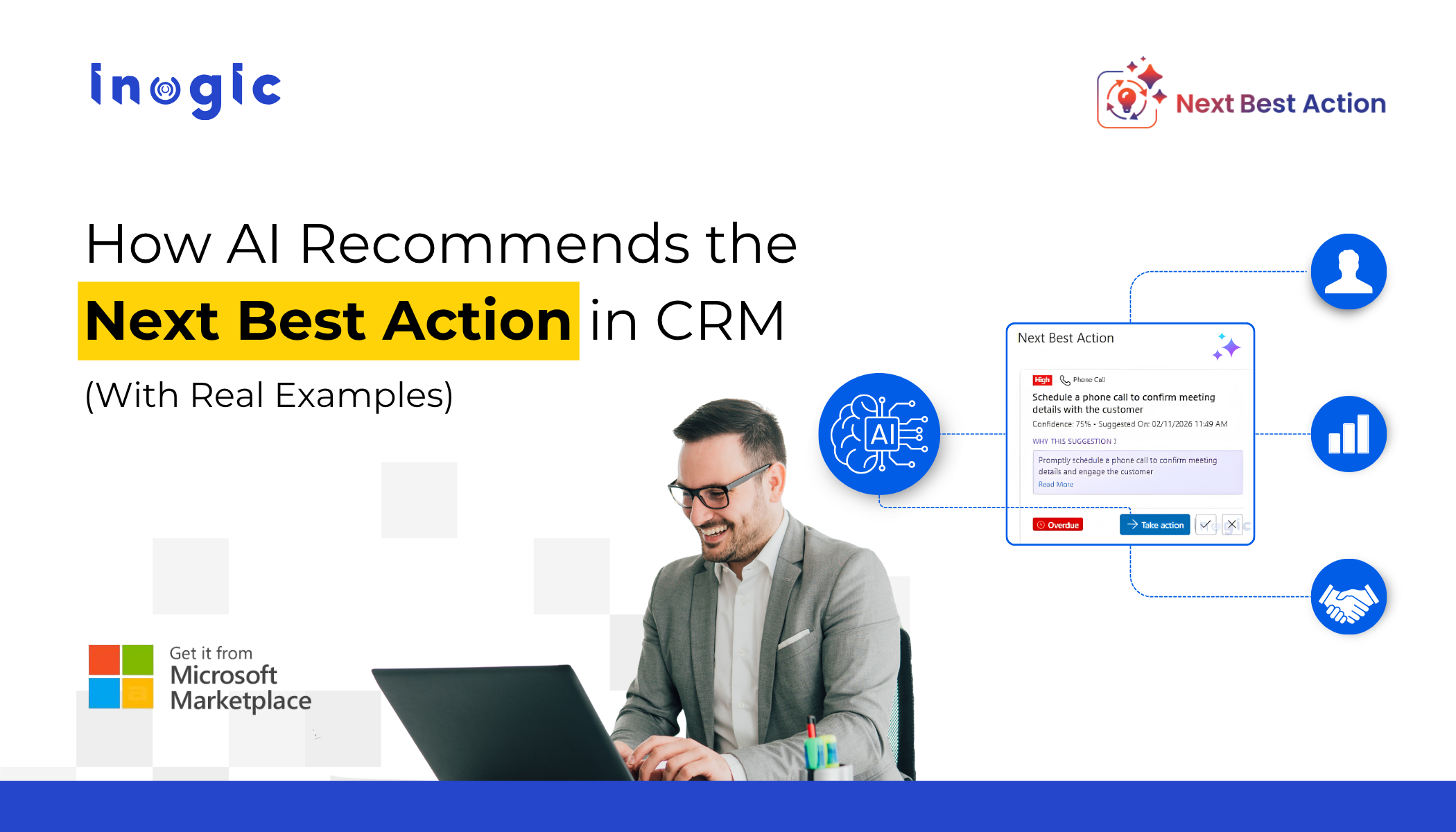
 Most teams using Dynamics 365 have access to rich customer data, detailed activity history, and powerful dashboards. Yet a common problem remains: users still don’t know what to do next.
They open a record, review data, and pause to decide the next step. That delay, repeated across deals and cases, impacts productivity, response time, and revenue.
This is where Next Best Action in Dynamics 365 CRM becomes essential.
Key Takeaways
- CRM data alone does not drive action
- Decision delays reduce conversions and engagement
- AI-driven recommendations improve prioritization and timing
- Context-aware guidance eliminates guesswork
- Explainable AI recommendations increase user trust and adoption
The Problem: Data Without Direction
Dynamics 365 helps you:
- Capture leads, opportunities, and service cases
- Track emails, calls, and meetings
- Monitor performance through dashboards
But it does not guide users on the next step.
This leads to:
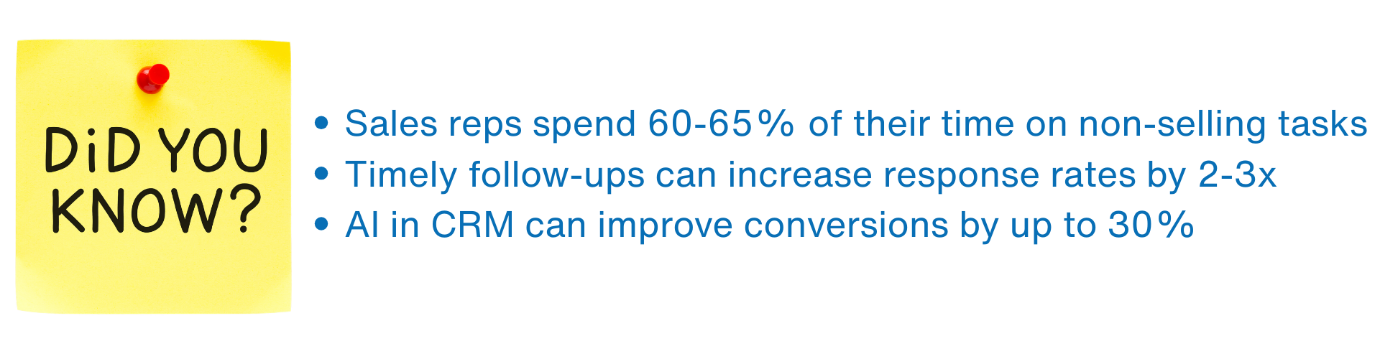
- Missed or delayed follow-ups
- Poor prioritization of high-value records
- Inconsistent engagement strategies
- SLA risks in customer service
This creates a gap between insight and execution.
The Shift: From Data to Action
To close this gap, CRM needs to move from data visibility → action guidance.
Next Best Action CRM analyzes:
- Historical data
- Activity patterns
- Engagement signals
- Success outcomes
And delivers:
- Real-time recommendations
- Priority levels
- Confidence scores
- Clear reasoning
Where Standard CRM Falls Short
Without an intelligent layer:
- Users rely on experience, not data
- New users struggle with decisions
- No consistent best practices
- Timing decisions are guess-based
Result: slow execution and missed opportunities
Bridging the Gap With AI
Next Best Action embeds intelligence directly into Dynamics 365.
Instead of analyzing data manually, the system:
- Detects patterns automatically
- Identifies key signals
- Recommends the most effective next step in real time
Key Capabilities (With Real Examples)
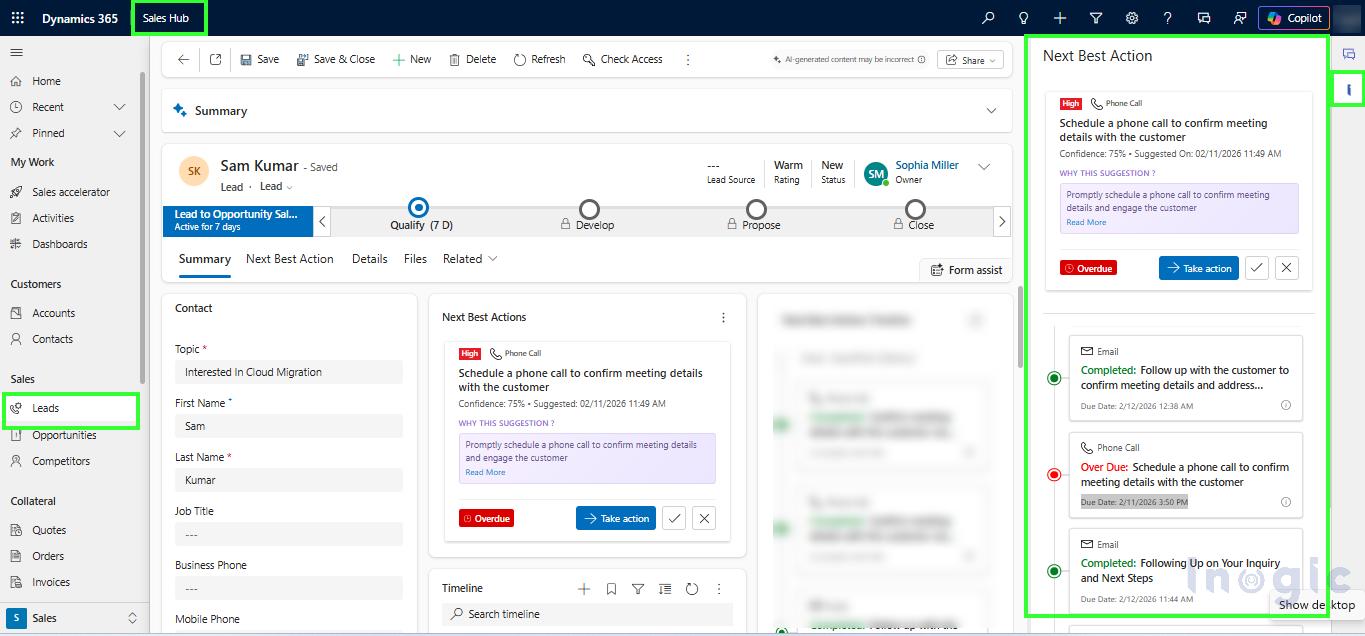
- Context-Aware Recommendations
Triggered based on activity, inactivity, or record changes
Example:
A lead moves from Contacted → Negotiation
Recommendation: Send proposal or schedule a demo
Why: Similar deals progressed faster with immediate engagement
- Optimal Timing Prediction
Suggests the best time to act based on historical success
Example:
A prospect typically responds to emails on Tuesday mornings
Recommendation: Send follow-up at that time
Outcome: Higher open and response rate
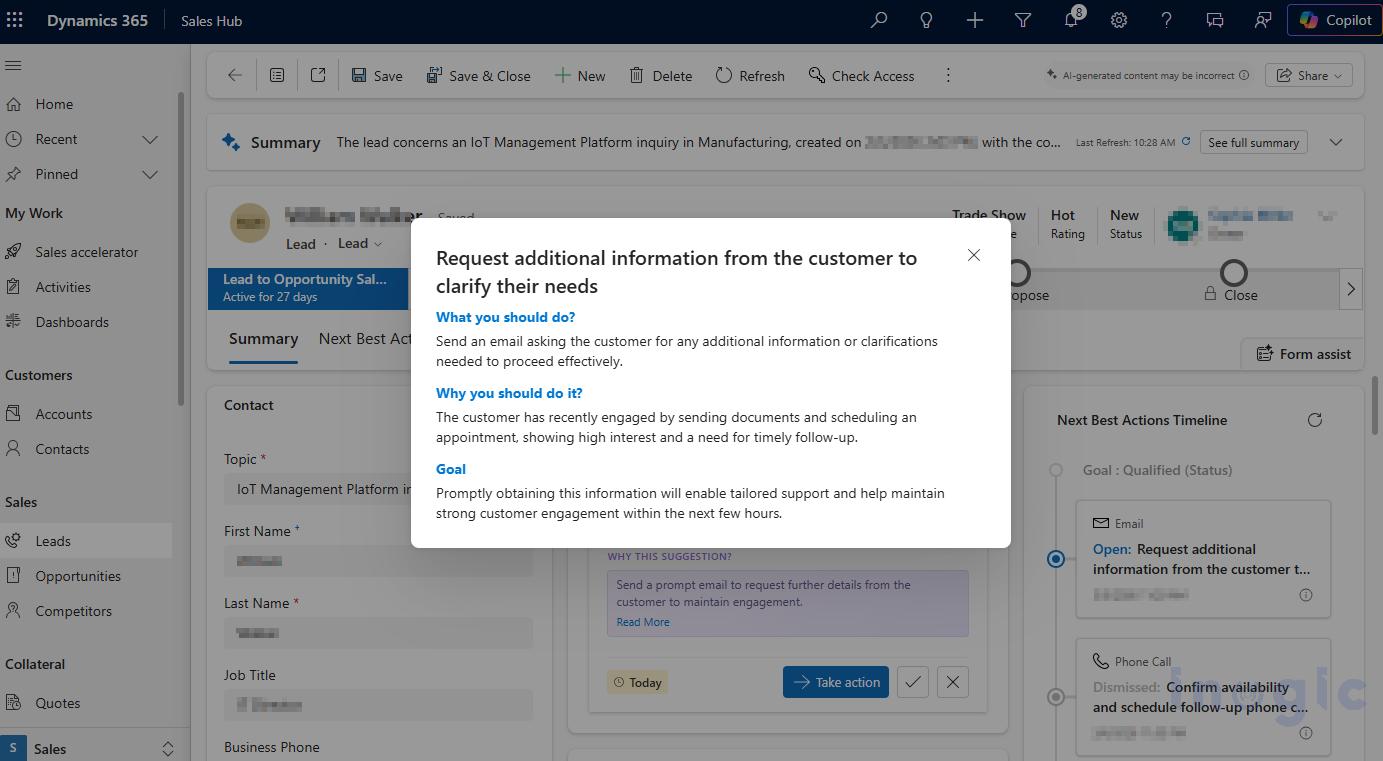
- Explainable AI
Provides reasoning behind every recommendation
Example:
Action: Schedule follow-up call
Why: Customer engaged recently but hasn’t responded
Goal: Maintain momentum and increase conversion probability
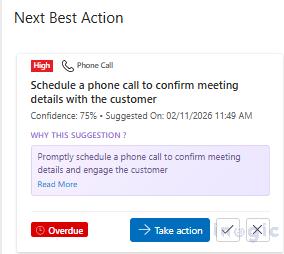
- Actionable Activity Cards
Execute actions directly within CRM
Example:
User clicks “Take Action”
Opens pre-filled call/email activity
Reduces time spent navigating screens
- Priority & Confidence Scoring
Helps users focus on high-impact actions
Example:
Recommendation A: High priority, 92% confidence
Recommendation B: Low priority, 60% confidence
User focuses on A first
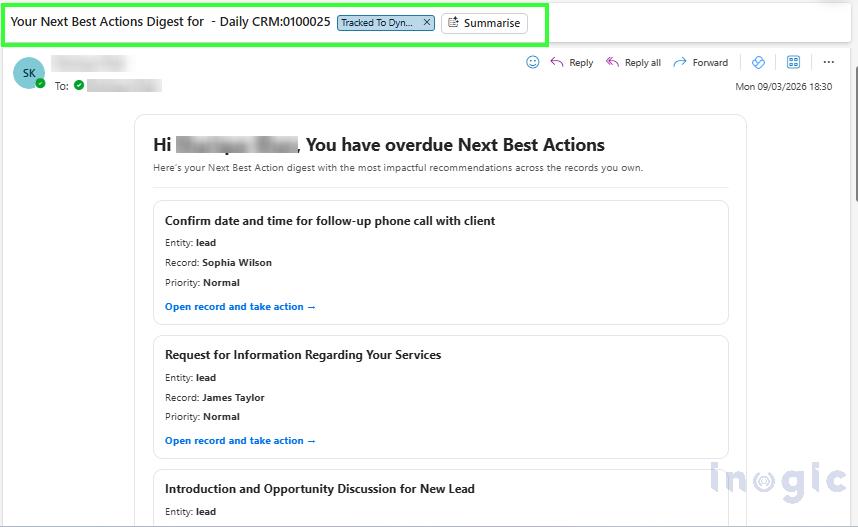
- Daily/Weekly Digest
Summarized view of all critical actions
Example:
Start of day digest shows:
-
- 5 high-priority follow-ups
- 2 at-risk opportunities
User acts without scanning entire CRM
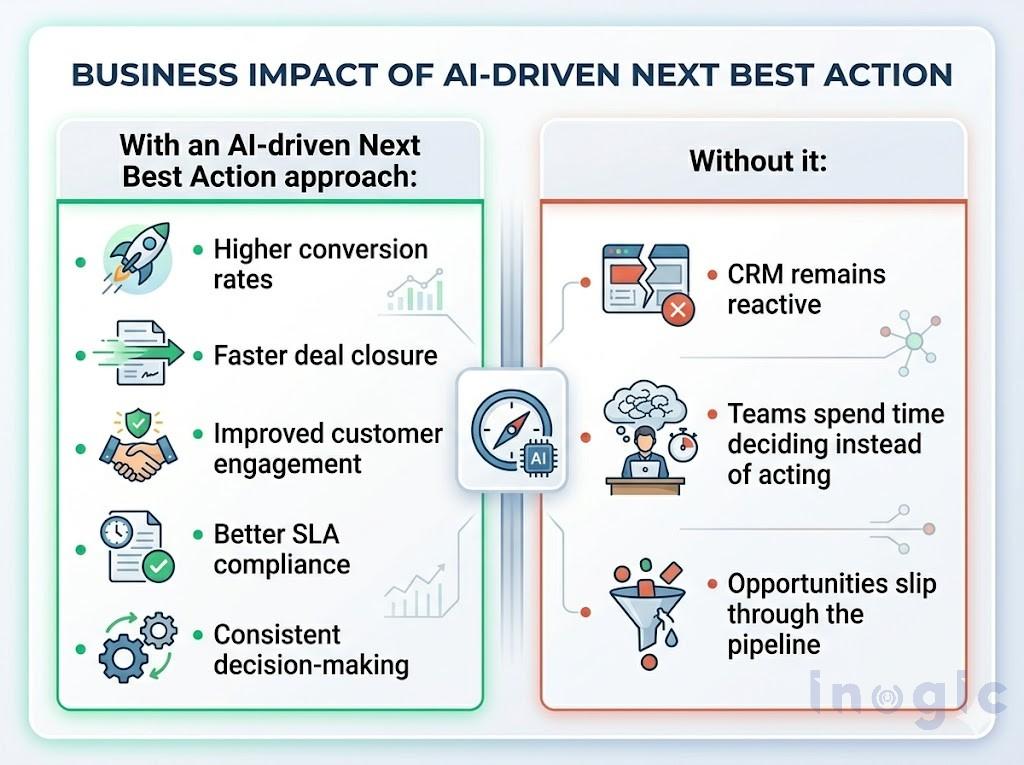
Business Impact
FAQs
1. How Can We Enable Next Best Action in Dynamics 365?
To enable Next Best Action:
- Install the Next Best Action solution in Dynamics 365
- Deploy the NBA AI/ML Engine in your Azure subscription
- Configure the Azure Endpoint URL and API Key inside the app
- Configure entities, fields, activities, and success criteria
- Publish the configuration to trigger AI model training
Once training is completed, recommendations begin appearing within Dynamics 365 forms, timelines, side pane, and digest views.
2. Can Next Best Action Correlate Historical Quote-to-Sales Order Conversion Data?
Yes. Next Best Action can analyze historical Quote-to-Sales Order conversion patterns to identify actions and engagement behaviours that contributed to successful conversions.
The AI model can evaluate:
- Activities completed before conversion
- Follow-up timing and frequency
- Customer engagement signals
- Status progression patterns
- Related entity relationships
If your Dynamics 365 environment maintains relationships between Quotes and Sales Orders, Next Best Action can use this historical data during training to generate recommendations aligned with successful conversion behaviors.
3. How Does Next Best Action Work for New Implementations with Limited Historical Data?
Next Best Action recommendations are based on historical CRM data and success outcomes.
For new implementations:
- Administrators define the historical analysis period (typically 3–24 months)
- Configure entities, fields, activities, and success criteria
- Publish the configuration to start model training
Even if limited data exists initially:
- The AI model continuously improves as new activities and outcomes are captured
- Recommendations become more accurate over time
- Models can be retrained whenever required
This enables continuous learning and optimization.
4. Are Next Best Action Recommendations Visible in User Activity Views?
Yes. Users can access Next Best Action recommendations through:
- Activity Cards
- Timeline view
- Side Pane
- Digest emails
- “My Next Best Actions” views
Actions such as Complete, Dismiss, or Take Action are also tracked and reflected within the timeline for auditing and visibility.
Final Take
Dynamics 365 gives you visibility.
What teams need is clear direction.
An AI-driven Next Best Action layer ensures every action is timely, relevant, and outcome-focused, turning CRM into a true execution engine.
Experience Next Best Action with a 15-day free trial from Inogic website or Microsoft Marketplace.
Stop asking users to guess the next step – help them act with confidence.
Contact us at crm@inogic.com to see how Next Best Action can transform decision-making in your Dynamics 365 CRM!