 In Part 1 of this series, we explored how to eliminate inbox noise and automate case triage using AI Email Classification, ARC Rules, and the Case Management Agent. We saw how the AI can instantly read emails, create cases, and even follow up with unresponsive customers without human intervention.
Now, we will explore the final two pieces of this fully automated pipeline: the Customer Intent Agent (which handles intelligent routing) and the Customer Knowledge Management Agent (which ensures you never lose valuable troubleshooting steps).
Finally, we will put it all together by walking through real-world demo scenarios.
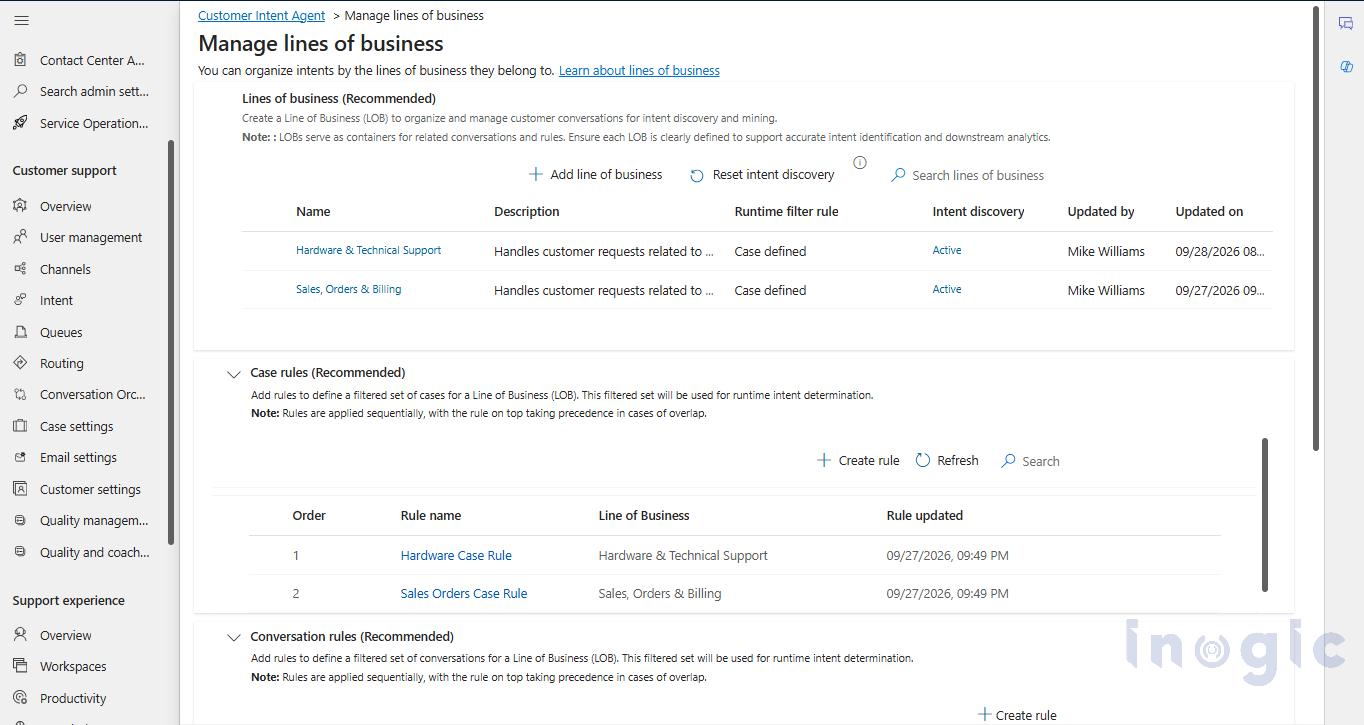
To ensure that every case is handled according to the right business rules, we rely on the Customer Intent Agent. This agent organizes cases into specific Lines of Business (LOBs).
In our setup, we created two distinct Lines of Business: “Hardware & Technical Support” and “Sales, Orders & Billing“. We then created specific Case Rules, such as the Hardware Case Rule and Sales Orders Case Rule, to automatically assign incoming cases to the correct department based on the customer’s issue.
This routing is important because different departments have different automation settings. In our scenario, hardware cases use full automation, while billing cases require a salesperson to review the AI’s email before it is sent. The Customer Intent Agent ensures the right rules are applied every single time.
The final piece of the pipeline is the Customer Knowledge Management Agent. This agent solves one of the biggest problems in customer support which is lost knowledge. Instead of letting valuable troubleshooting steps disappear into closed records, the AI automatically reads the entire case history the moment a case is successfully resolved. It then uses that context to write a brand new, highly detailed Knowledge Base article documenting the exact fix.
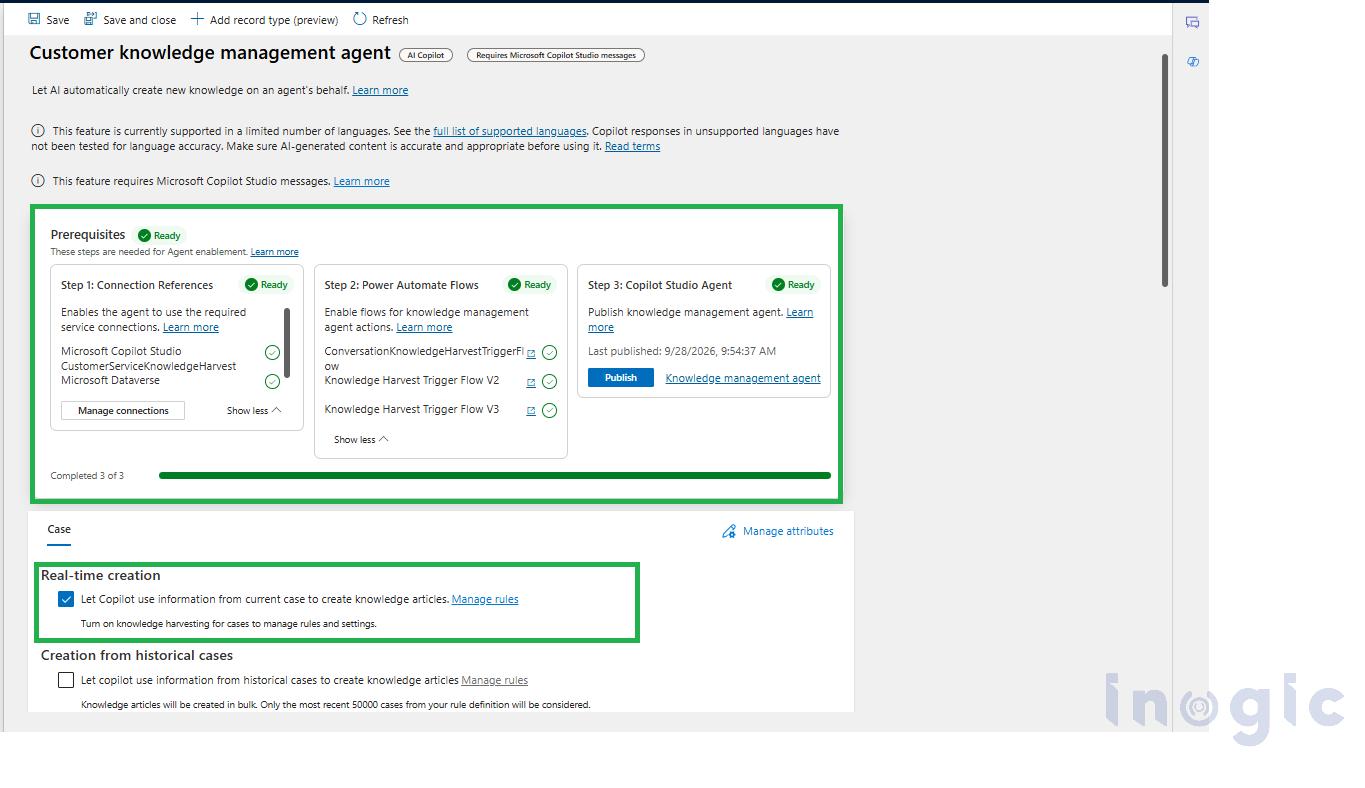
Before the AI can start generating these articles, it needs to be properly enabled. As shown in our configuration, setting this up involves a quick three-step prerequisite check: configuring the Connection References, enabling the required Power Automate Flows, and publishing the Copilot Studio Agent.
In our configuration, we enabled Real-time creation. By checking the option to “Let Copilot use information from current case to create knowledge articles”, the AI immediately drafts a new article the moment a case is closed. It automatically pulls in the problem description, the root cause, and the resolution steps.
The article starts as a draft. A salesperson must review and approve it before it is published. Once approved, it becomes instantly searchable for both salespersons and customers. This means the solution is never lost. The next time a customer has the same issue, the answer is already documented and ready to use.
To see how this all connects, we tested this pipeline with two real scenarios.
Scenario 1: The Vague Complaint and Auto-Generated Knowledge.
First, a customer sends a very vague email stating, “My coffee machine is not working.”
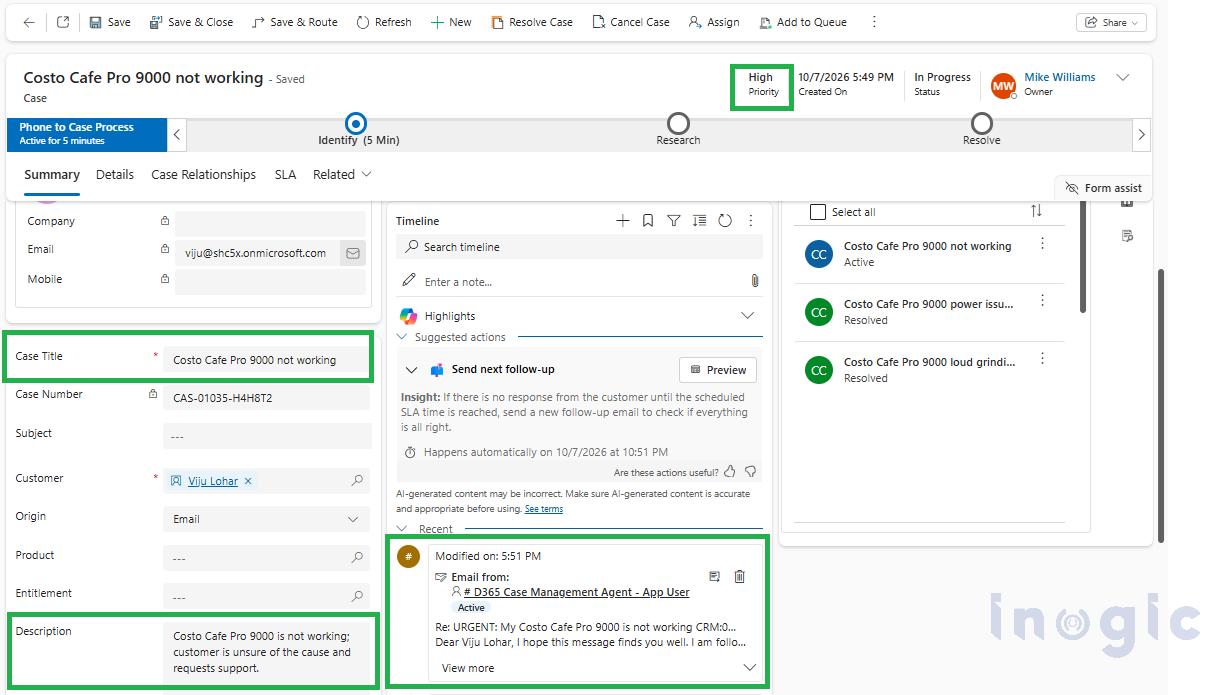
 Behind the scenes, the AI classifies the email and the ARC Rule creates a case. The Case Management Agent instantly reads the customer’s message and automatically fills in the record. As shown below, it sets the Priority to High, generates an accurate and understandable Case Title, and writes a full Description summarizing the issue. At the exact same time, the agent sends a clarifying email directly to the customer, logged right in the timeline, asking for more details.
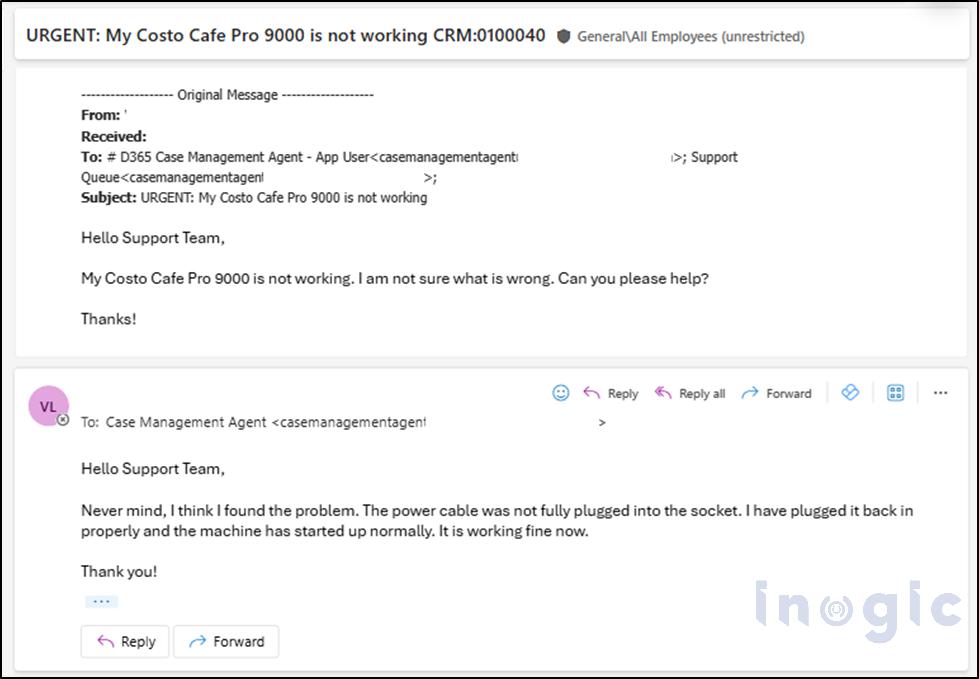
 After trying a few troubleshooting steps, the customer discovers the root cause and resolves the issue on their end, they had simply forgotten to plug the machine into the socket. The customer then replies to the AI’s email, explaining that the power cable was just loose.
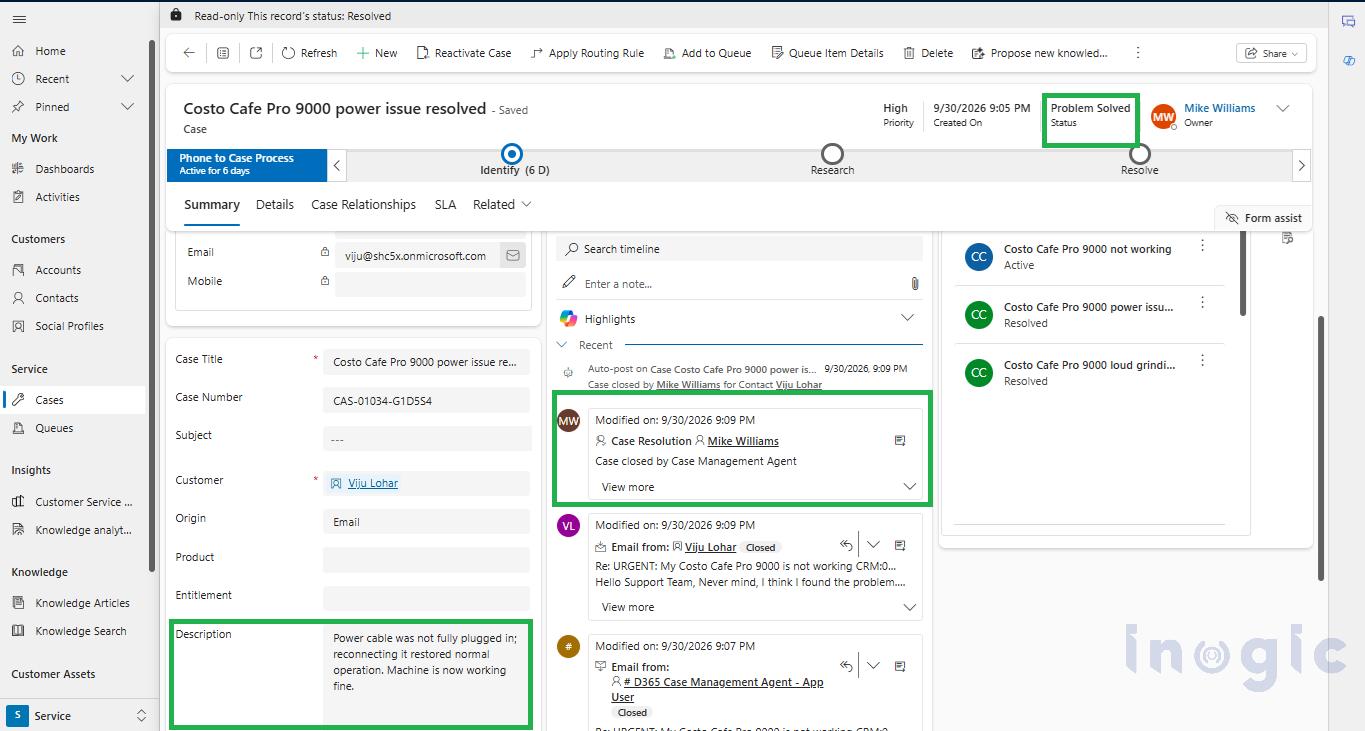
 The moment this reply hits the inbox, the AI analyzes the message and recognizes that the customer’s issue is fixed. It immediately takes action on the case record. As shown in the screenshot below, the AI rewrites the Description field to summarize the resolution. Then, relying on the Case Resolution capability, the AI updates the top status to “Problem Solved” and logs the closure directly in the timeline.
The entire support lifecycle, from the very first email to full case resolution, happens instantly without a single human click.
 In a traditional support setup, closing the ticket would be the end of the story. However, in our automated pipeline, resolving the case triggers one final, crucial step.
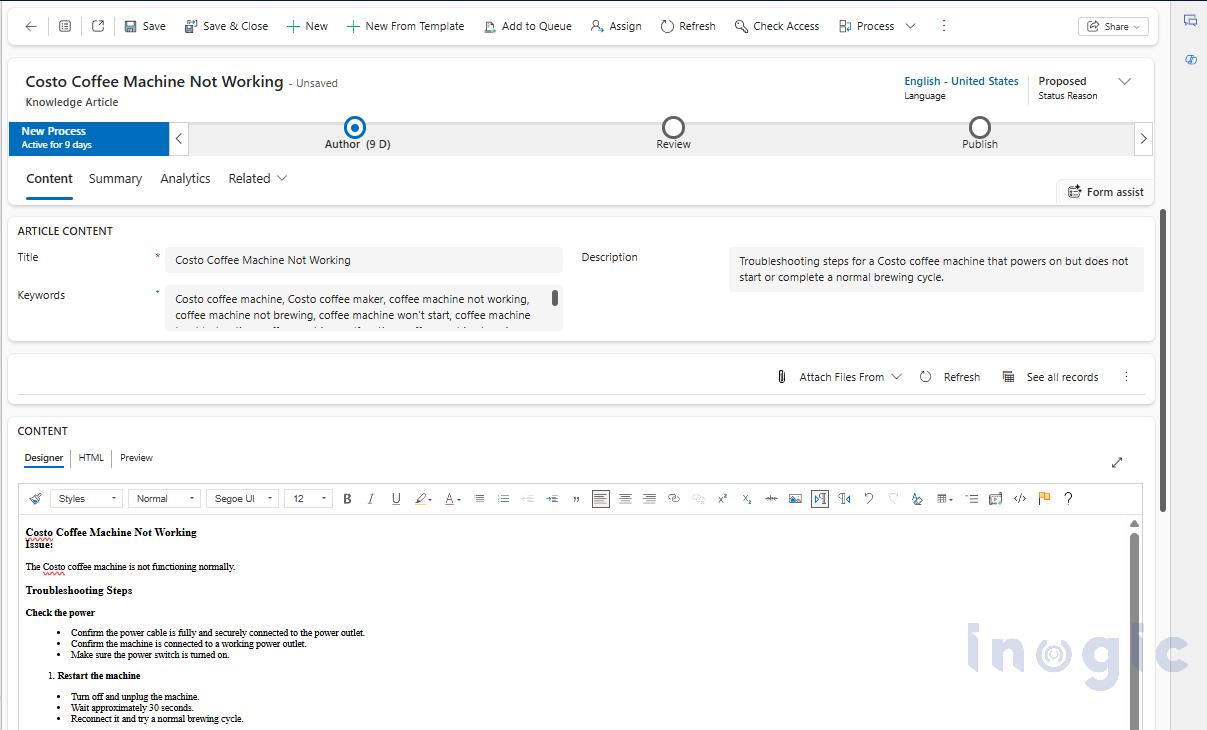
The moment the case is marked “Problem Solved“, the Knowledge Management Agent takes over. As you can see in the drafted article below, the AI reads the entire email chain, extracts the root cause, and automatically formats it into a helpful Knowledge Base article. This ensures that the troubleshooting steps for a loose power cable are permanently documented and searchable for the future.
Scenario 2: The Silent Customer and Automated Follow-up:
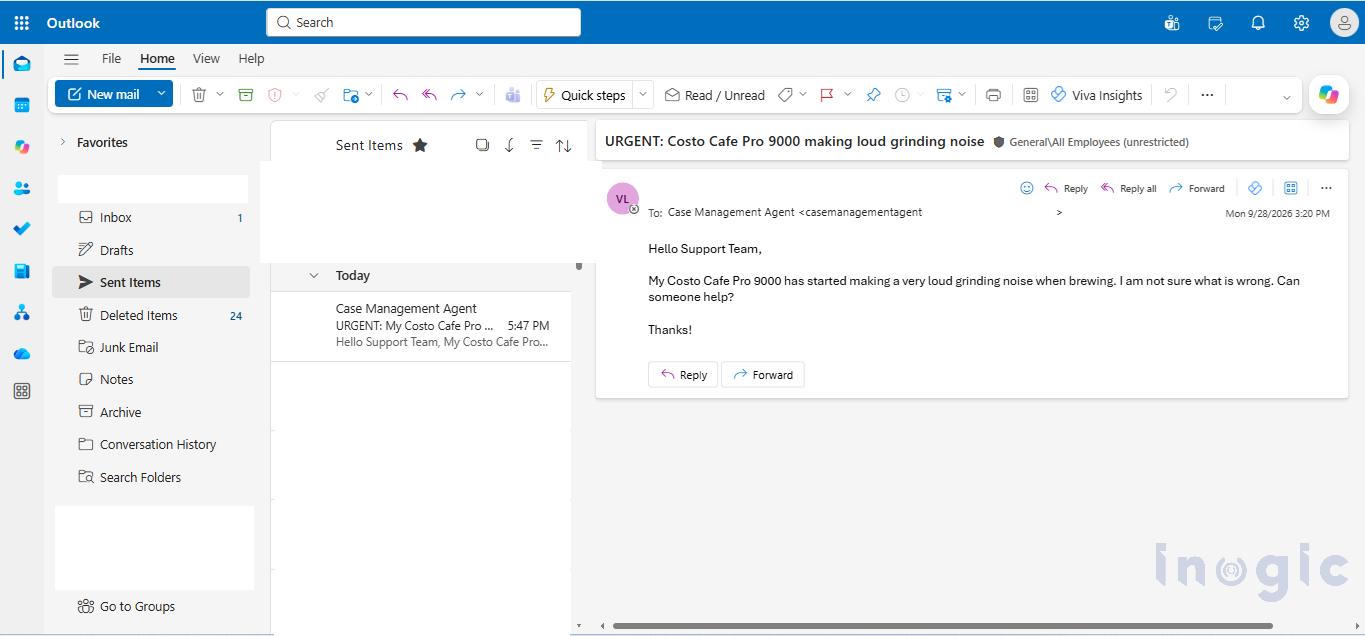
In our second test scenario, a customer emails complaining about a loud grinding noise coming from their machine.
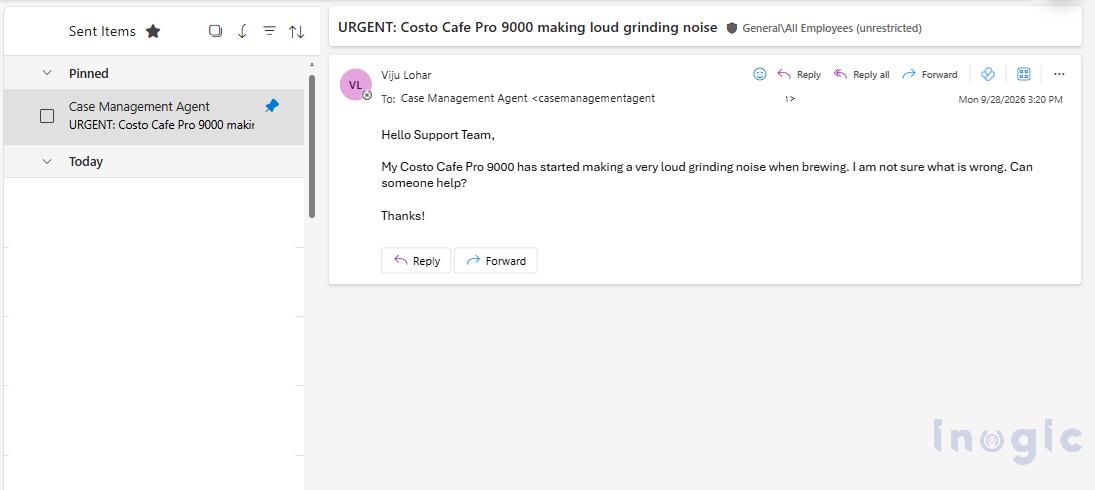
Just like in the previous example, the AI instantly catches the email and creates a case. It fills in the necessary details and sends a clarifying question back to the customer, asking for more information about the grinding noise.
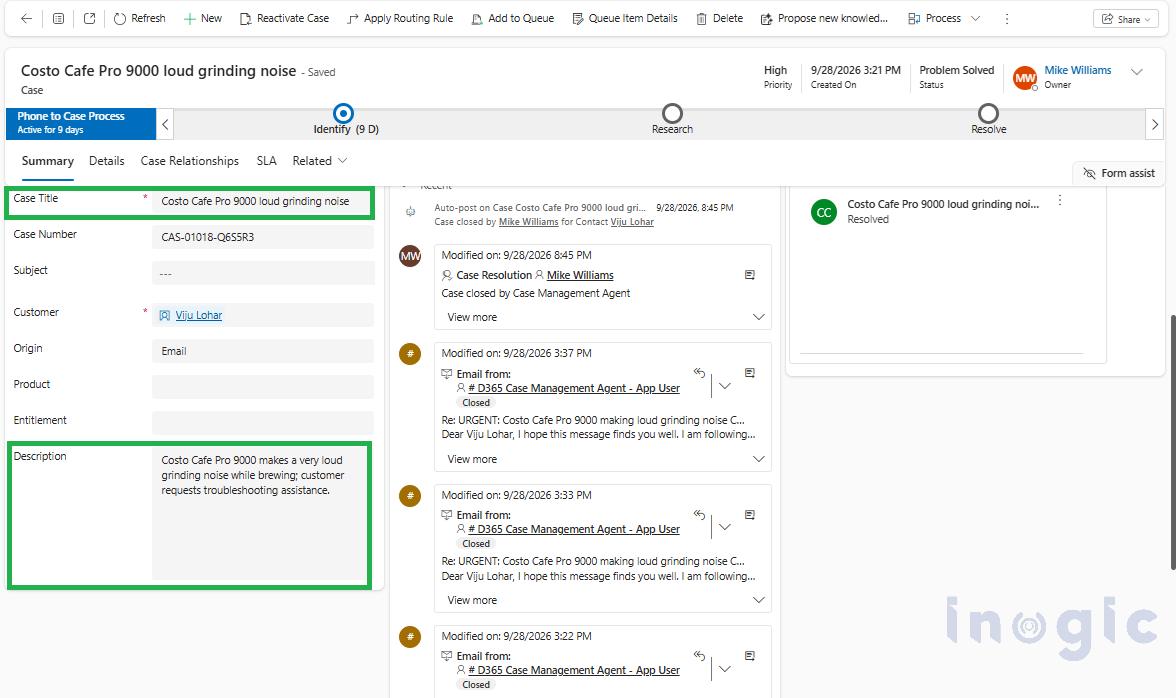
However, this time, the customer gets busy and does not reply. Under normal circumstances, this ticket would sit open in the queue indefinitely. But instead of letting it get lost, the Case Follow-up feature takes over.
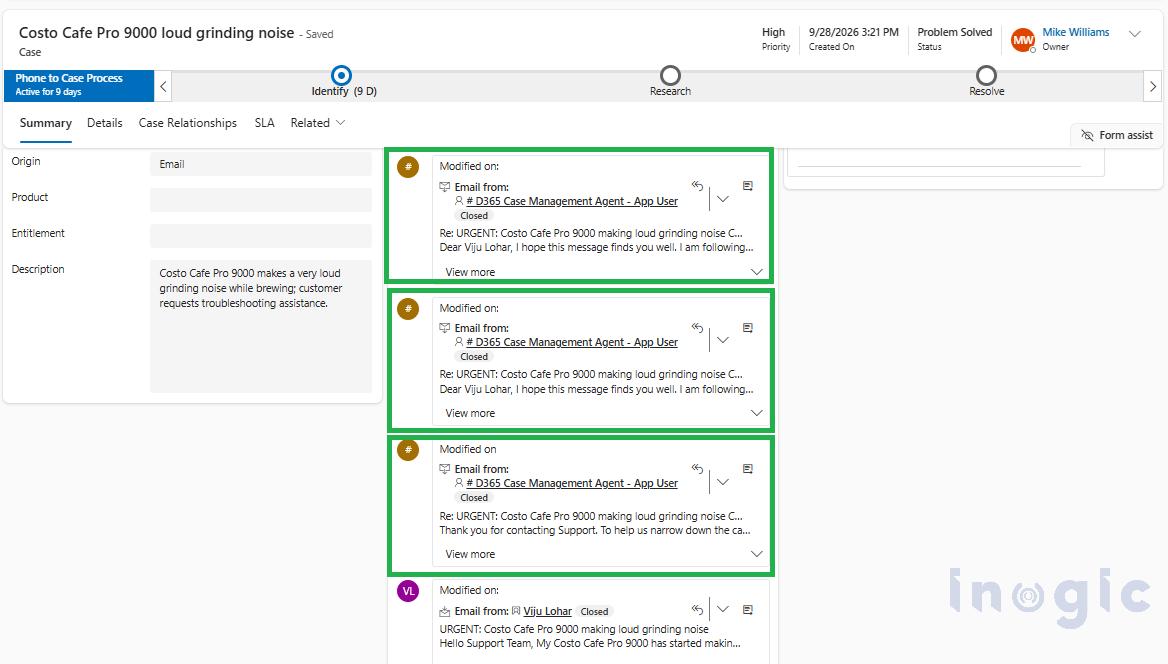
Noticing the 5-hour silence we configured earlier, the AI automatically sends a contextual follow-up email. When the customer remains silent, it continues to follow the schedule, sending all three configured follow-ups automatically. As you can see in the timeline below, the AI handles the entire follow-up sequence on its own, no salesperson had to set a single reminder.
Conclusion:
Managing a high-volume support inbox no longer has to be a manual, overwhelming task for your team. By leveraging the Out-of-the-Box AI Agents in Dynamics 365 Customer Service, organizations can build a fully automated pipeline, from email classification and case creation to intelligent follow-ups and knowledge base generation. This entirely zero-code solution ensures that no customer is ever ignored and no valuable troubleshooting knowledge is ever lost. Ultimately, these AI agents handle the repetitive background work, freeing up your salespersons to focus entirely on solving complex problems that require true human judgment.
Frequently Asked Questions
How do AI agents automate customer service in Dynamics 365 CRM?
AI agents automate customer service by classifying incoming emails, creating and updating cases, sending automated follow-ups, routing cases based on customer intent, and generating Knowledge Base articles from resolved cases. This reduces manual work and helps support teams manage customer inquiries more efficiently.
What is the Customer Intent Agent in Dynamics 365 Customer Service?
The Customer Intent Agent identifies the nature of a customer’s issue and organizes cases into relevant Lines of Business (LOBs). It helps apply the appropriate case rules so requests follow the correct department’s workflow and automation requirements.
Can Dynamics 365 AI agents automatically follow up with customers who do not respond?
Yes. With the appropriate Case Follow-up configuration, AI agents can send scheduled, context-aware follow-up emails when customers do not respond. This reduces manual reminders and helps prevent unresolved cases from being overlooked.
How does the Customer Knowledge Management Agent create Knowledge Base articles?
The Customer Knowledge Management Agent analyzes resolved case details to identify the problem, root cause, and resolution steps. It uses this information to generate a draft Knowledge Base article, which can be reviewed and approved before publication.
Can AI agents automatically resolve cases in Dynamics 365 Customer Service?
AI agents can analyze customer replies, update case descriptions, identify when an issue appears to be resolved, and update case status according to configured workflows. Human review may still be necessary for complex issues or cases requiring additional validation.
What are the benefits of AI-powered customer service automation in Dynamics 365 CRM?
AI-powered customer service automation helps reduce repetitive tasks, improve case routing, accelerate case handling, automate customer follow-ups, and preserve troubleshooting knowledge. These capabilities allow support teams to focus on complex customer issues that require human expertise.