Dynamics 365 CRM captures customer conversations, sales activities, opportunities, and service cases. Yet employees often spend valuable time connecting these details before deciding what to do next. Sales representatives review account histories before meetings, while service agents search previous cases and knowledge articles to resolve customer issues.
The challenge is not always a lack of data. It is turning that data into relevant, timely action. AI agents can help bridge this gap by connecting business information with defined CRM processes.
Key Takeaways
- AI agents can help Dynamics 365 users retrieve relevant customer information and reduce manual research.
- Sales and Customer Service offer practical use cases for context-aware AI assistance.
- Secure implementation requires defined permissions, action boundaries, and exception handling.
- Measuring time savings, process consistency, and accuracy helps establish business value.
Microsoft Copilot Studio Consulting for Dynamics 365 Workflows
An effective CRM agent needs a clear purpose, access to relevant information, and boundaries that determine what it can do.
For example, an agent could help a sales representative prepare for a customer meeting by retrieving recent opportunity activity, related account details, and approved sales guidance. Instead of manually gathering information from multiple records, the representative can review the relevant context and determine the next step.
Microsoft Copilot Studio consulting helps businesses identify suitable use cases, assess the required Dynamics 365 connections, and define whether an agent should retrieve information, recommend actions, or execute approved tasks.
These responsibilities require different levels of control. Updating CRM records, for instance, demands appropriate permissions and validation beyond what is needed to answer a question.
AI Agent Development Services for Dynamics 365 Sales and Customer Service
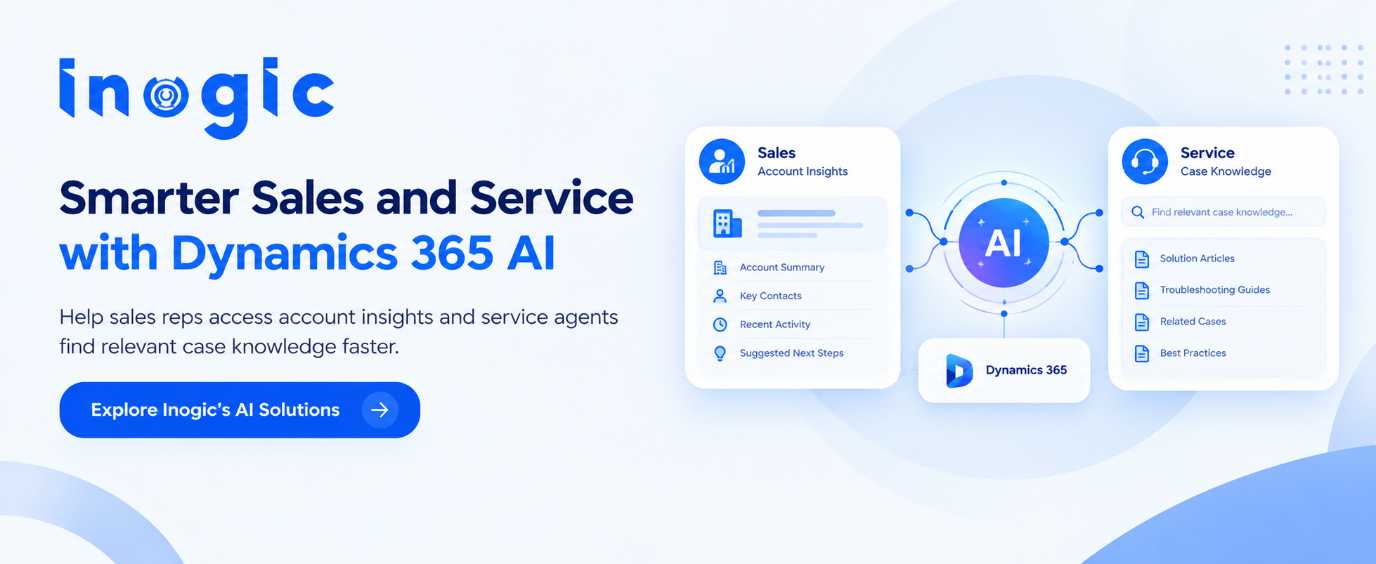
In Dynamics 365 Sales, an agent could help users locate previous customer commitments, assemble account context, or find guidance relevant to a particular opportunity stage.
In Dynamics 365 Customer Service, it could help representatives retrieve relevant knowledge articles, review available case information, or follow established troubleshooting procedures.
The quality of these interactions depends on accurate CRM records, reliable knowledge sources, and appropriate access to connected systems.
AI agent development services should therefore begin with the workflow itself: what information employees need, where it resides, what action follows, and where human judgment remains necessary.
Copilot Implementation Services for Secure CRM Actions
Providing recommendations is different from changing records or triggering workflows. An agent configured to create a follow-up task, for example, needs clear rules for when the task should be created, which records it can access, and how duplicate actions or incomplete information are handled.
Microsoft Copilot Studio, Power Automate, and Dynamics 365 can support connected workflows when configured for the required business process.
Effective Copilot implementation services address access permissions, action boundaries, error handling, and human approval requirements. Testing should cover realistic exceptions, not just successful demonstrations.
Microsoft AI Consulting: Measuring Results in Dynamics 365
AI adoption should be evaluated against business outcomes rather than the number of conversations an agent handles.
Sales teams could measure time spent preparing for meetings or locating account information. Customer service teams could evaluate knowledge retrieval time, process consistency, and manual effort during case resolution. These measures should be compared against a baseline while monitoring accuracy and security. Faster execution has little value if it creates incorrect CRM updates or additional work.
Microsoft AI consulting can help businesses prioritize use cases, assess integration requirements, and develop a phased adoption roadmap aligned with Dynamics 365 operations.
Making Dynamics 365 More Actionable
The real value of AI agents lies in solving specific CRM challenges, from reducing manual research to streamlining sales and customer service workflows. With the right implementation, businesses can turn Dynamics 365 data into more informed actions while maintaining control over access, accuracy, and execution.
Inogic helps businesses implement and extend Microsoft AI, Copilot, Dynamics 365, and Power Platform capabilities to address practical business needs.
Ready to explore AI opportunities for your Dynamics 365 environment?
Visit www.inogic.com or email crm@gmail.com to discuss your requirements.
Frequently Asked Questions
How can AI agents improve Dynamics 365 CRM workflows?
AI agents can help users retrieve customer information, find relevant knowledge, and initiate configured workflows, reducing manual effort in sales and customer service.
How does Microsoft Copilot Studio work with Dynamics 365?
Microsoft Copilot Studio connects agents with supported data sources, CRM systems, and configured actions to support specific business processes.
Can AI agents update Dynamics 365 CRM records?
Yes. With appropriate integrations, permissions, and safeguards, agents can perform configured record updates and workflow actions.
What should businesses consider before implementing AI agents in Dynamics CRM?
Businesses should evaluate data quality, integration requirements, security permissions, human approval needs, and measurable business outcomes.
How can businesses measure AI agent performance in Dynamics 365?
Useful metrics include reduced information-search time, faster workflow completion, improved process consistency, and fewer manual corrections.