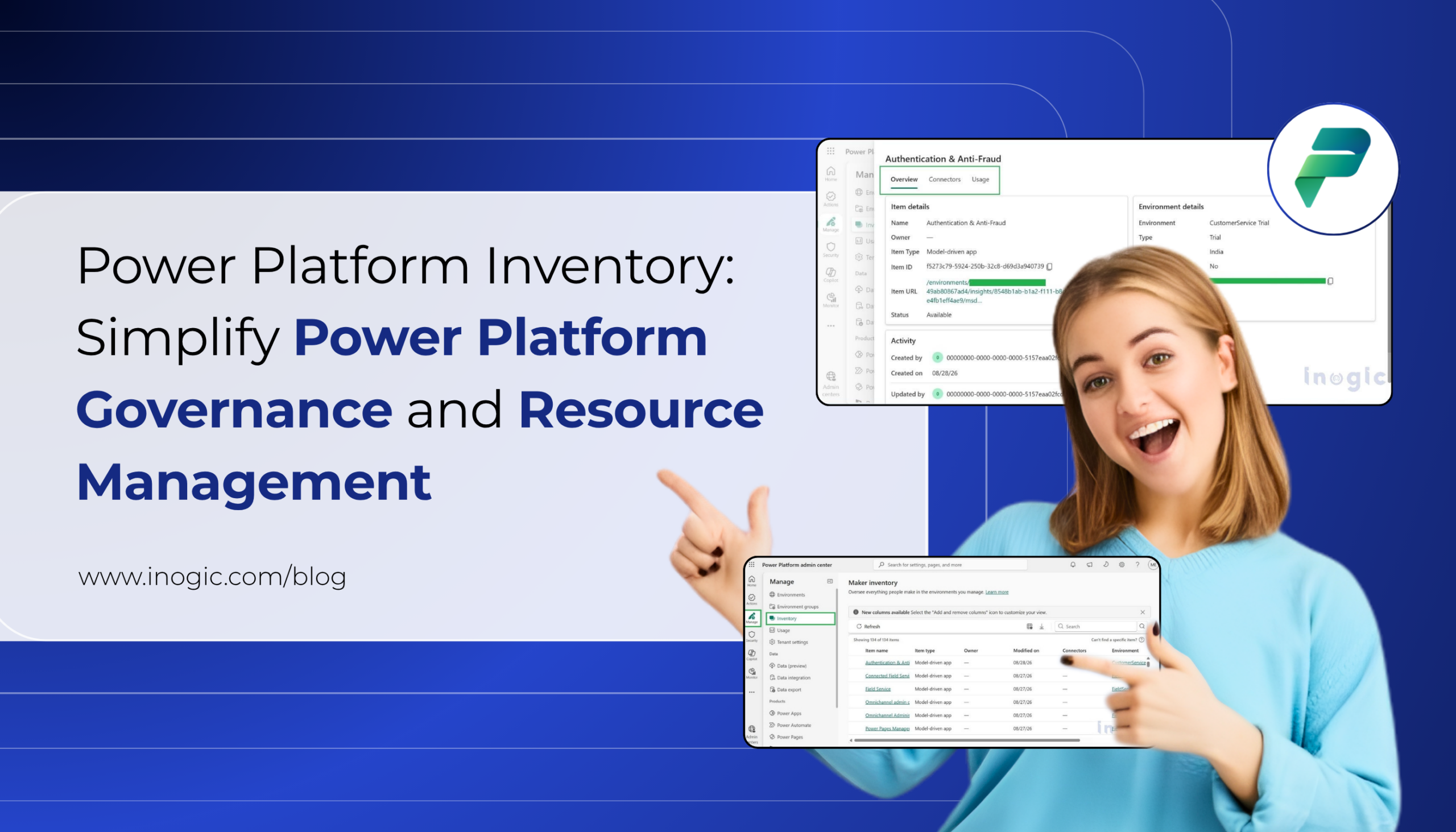
As organizations increasingly adopt Microsoft Power Platform, managing hundreds of apps, flows, agents, environments, and connectors can become challenging. Administrators need a simple way to understand what resources exist, who owns them, which environments they belong to, and what connectors they depend on.
To address this challenge, Microsoft provides Power Platform Inventory in the Power Platform admin center. It offers a centralized view of Power Platform resources and helps administrators search, filter, analyze, and manage resources across the organization.
What is Power Platform Inventory?
Power Platform Inventory provides administrators with a centralized inventory of Power Platform resources, including:
- Power Apps
- Power Automate cloud flows and agent flows
- Copilot Studio agents
- Environments and environment groups
- Connectors and connector operations
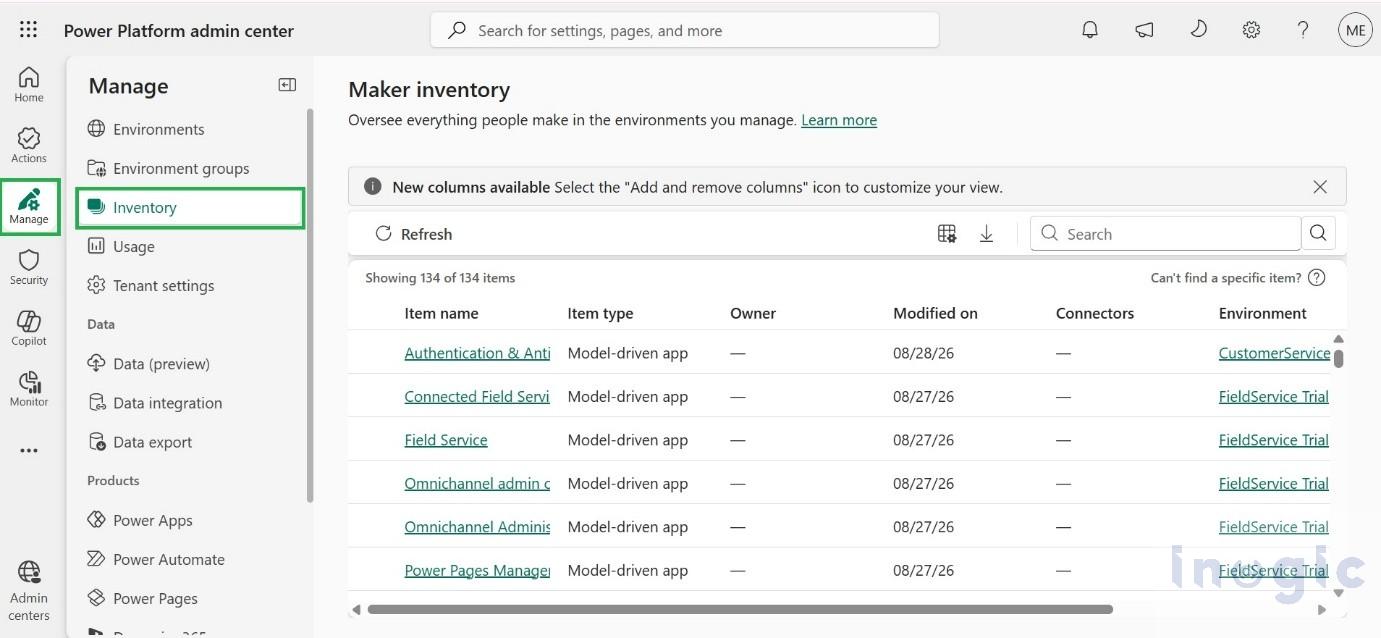
Administrators can access it from Power Platform admin center → Manage → Inventory. Microsoft also provides programmatic access through the Power Platform for Admins V2 connector, Power Platform APIs, and Azure Resource Graph.
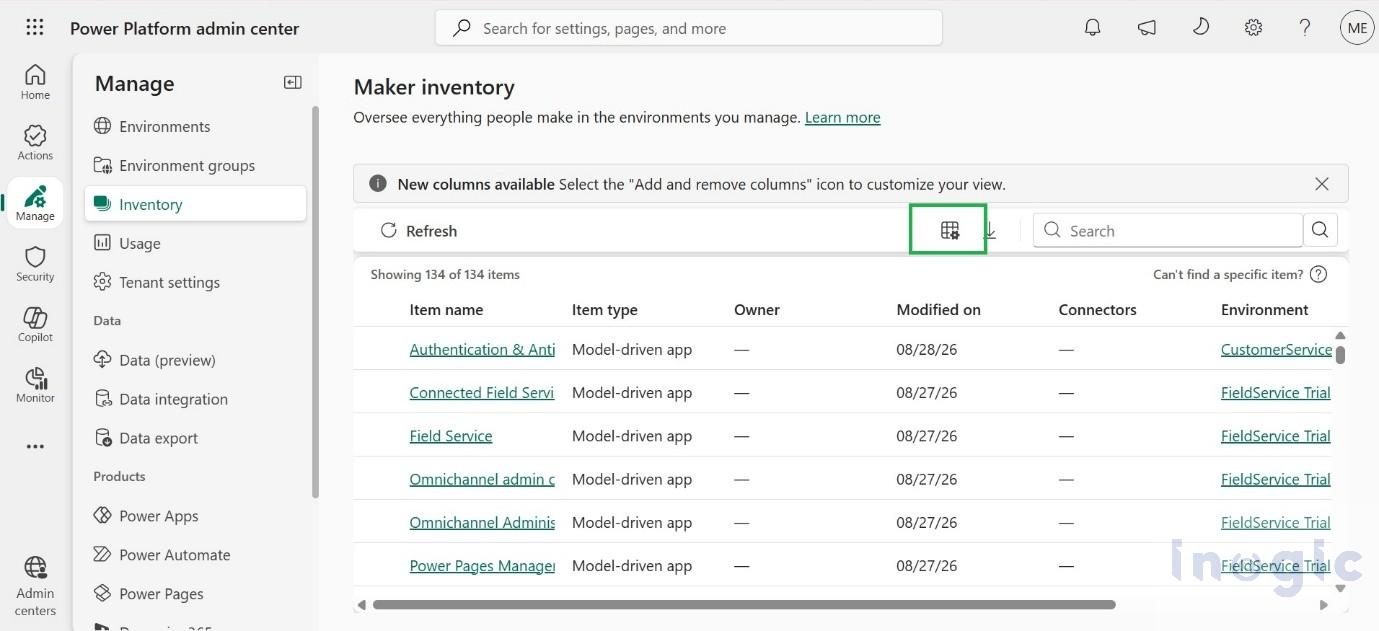
Customize the Inventory with Add or Remove Columns
One useful capability in the Inventory experience is Add or remove columns.
Administrators can customize the inventory grid by selecting the information they need for a particular task. For example, when investigating connector dependencies, administrators can add the Connectors column to identify resources using specific connectors.
This makes it easier to focus on relevant information without displaying unnecessary columns.
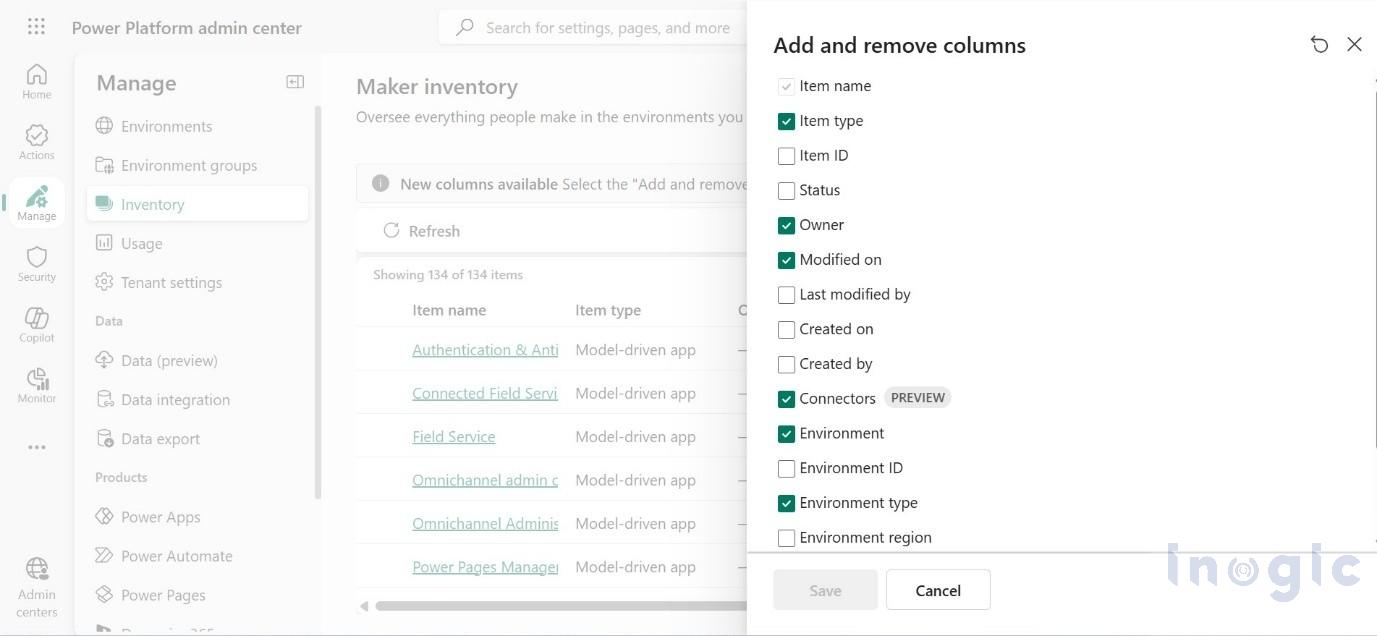
After selecting the required columns, the inventory grid displays the customized view.
This flexibility can be especially useful during governance reviews, security assessments, and dependency analysis.
View Resource Details
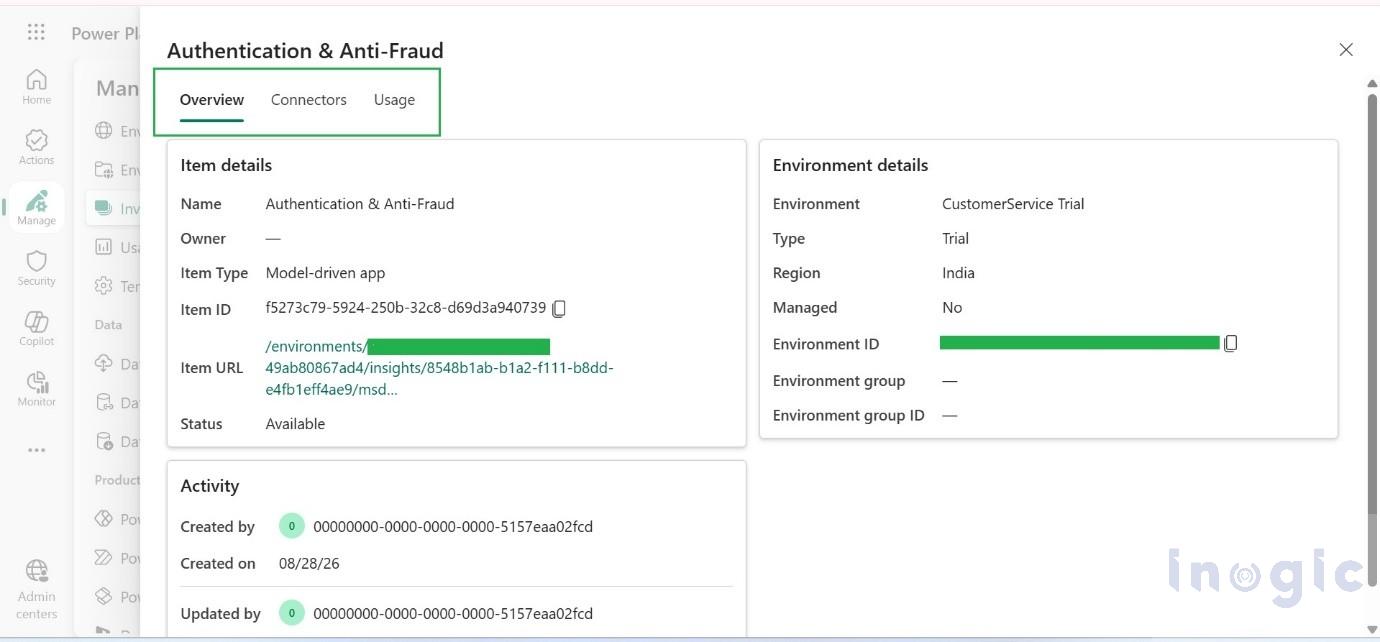
Administrators can select a resource from the inventory to view more detailed information.
The resource details provide information through areas such as:
- Overview
- Connectors
- Usage
This allows administrators to move from a high-level inventory view to detailed information about a specific app, flow, or agent
Why is Power Platform Inventory Useful?
Power Platform Inventory can help organizations with several common administration and governance activities, including:
- Understanding the organization’s Power Platform footprint
- Identifying resource owners
- Investigating connector usage
- Supporting DLP and security reviews
- Identifying resources affected by connector changes
- Supporting licensing analysis
- Troubleshooting apps and flows
- Exporting inventory information for reporting and audits
The connector inventory capability is currently available in Preview and provides dependency information for supported Power Platform resources.
Business Use Case: Managing Connector Retirement
Consider an organization that uses Power Platform extensively across different departments. Over time, multiple Power Apps, Power Automate flows, and agents have been created using a particular connector.
Now, that connector is scheduled for retirement.
The IT team needs to determine:
Which Power Platform resources are using this connector, and which business processes could be affected?
Without centralized visibility, administrators may have to investigate individual apps and flows manually. Power Platform Inventory can simplify this process.
Step 1: Identify Affected Resources
The administrator reviews the Connectors information in the inventory and identifies the apps, flows, and agents that use the connector.
For example, the organization may discover that a customer approval app, an invoice processing flow, and a service notification flow all depend on the retiring connector.
Step 2: Assess Business Impact
The IT team can then work with the respective resource owners to understand the importance of each solution.
For example, if the invoice processing flow is responsible for automating a critical finance process, it should receive a higher priority for remediation.
Step 3: Plan Remediation
Once the affected resources have been identified and prioritized, the organization can plan to migrate them to a replacement connector, API, or another supported integration method.
The overall process becomes:
Identify → Assess → Remediate → Validate
This proactive approach can help reduce unexpected automation failures and maintain business continuity when connectors are retired or changed.
Export and Automate Inventory Data
Administrators can also export inventory information to CSV for governance reports, audits, and further analysis.
For organizations that want to automate governance activities, inventory data can be accessed programmatically using:
- Power Platform for Admins V2 connector
- Power Platform API
- Azure Resource Graph
This enables organizations to build custom reports and automated governance processes around their Power Platform environment.
Conclusion
Power Platform Inventory provides organizations with a centralized view of apps, flows, agents, environments, and connectors. It simplifies resource management, governance, and dependency analysis, especially when connectors are retired or changed. By identifying affected resources early, organizations can prioritize remediation and reduce business disruption.
FAQs
What is Power Platform Inventory?
Power Platform Inventory provides a centralized view of apps, flows, agents, environments, and connectors across an organization.
Where can administrators access Power Platform Inventory?
It is available in the Power Platform admin center under Manage → Inventory.
How does Power Platform Inventory support governance?
It helps administrators identify resource owners, review connector usage, analyze dependencies, and support security and compliance activities.
Can Power Platform Inventory help when a connector is retired?
Yes. Administrators can identify affected apps, flows, and agents and plan remediation before business processes are disrupted.
Can Power Platform Inventory data be exported or automated?
Yes. Inventory data can be exported to CSV and accessed programmatically for reporting and automated governance processes.