It is 3:14 PM on a Tuesday, and your browser is staging a quiet mutiny.
Fourteen tabs are open for one client account. Three are Excel sheets, two are email threads, one is an unread Teams message, and the rest are scattered across Dynamics 365, a shared folder, and a project system you opened that morning.
Your project lead wants a delivery update. Sales wants to know whether an invoice has cleared. Then a client asks why their service request is still stuck.
You know the information exists. You just cannot remember where the latest version is.
That is when the real problem becomes obvious. It is not a lack of software or data. It is the distance between them.
Key Takeaways
- Disconnected systems can turn simple tasks into time-consuming searches.
- Power Platform can connect data, applications, workflows, and people around Dynamics 365.
- Power Apps, Power Automate, Power BI, Power Pages, and AI Builder can each remove a different layer of everyday friction.
- The right consulting and development approach can help you improve the systems you already use.
Dynamics 365 Implementation Services: Finding the Friction

A few days later, you sit down with a technical consultant.
Instead of asking which new system you need, they ask:
“Where does your team lose time?”
You walk through a typical customer request. Someone checks Dynamics 365. Someone searches email. Another person opens Excel. A project manager checks the delivery schedule. Finance confirms the invoice. Then someone manually updates the Dynamics 365 CRM.
Nothing is broken. The process is.
That changes the conversation around Dynamics 365 implementation services. The goal is not simply to configure another system. It is to connect the work happening around the one you already have.
Power Platform Development Services: From Busywork to Better Flow
One process does not fit neatly into your existing CRM screens. Instead of creating another spreadsheet, Power Apps can provide a focused experience. A Model-Driven App can work with Dataverse, while a Canvas App can give a team a more customized interface.
Then come the repetitive tasks.
A status changes. An approval is needed. Someone sends an email. A file needs to move.
Power Automate can turn those handoffs into workflows, allowing routine steps to happen without someone manually pushing each one forward.
Your customers can also become part of the connected experience. With Power Pages, they can access secure, external-facing experiences for submitting information or checking requests.
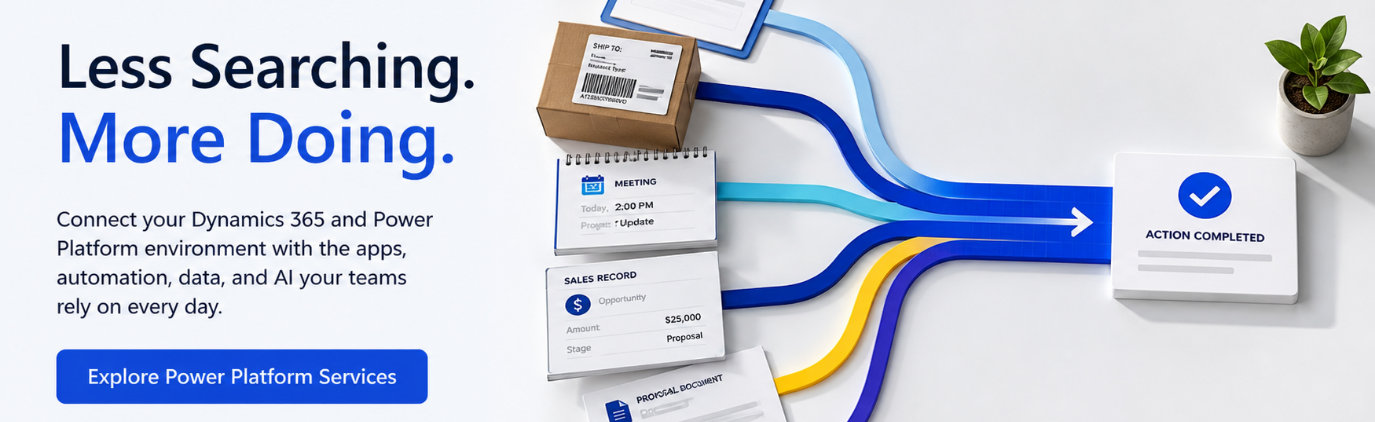
Inside the business, Power BI can bring Dynamics 365 and other data together, helping your team move from “Where are the numbers?” to “What are they telling us?”
And when invoices, forms, or attachments still require manual data entry, AI Builder can bring document processing and other AI capabilities into your apps and workflows.
The technology is not replacing your team. It is removing work that never needed human attention.
Power Platform Consulting: When the Work Gets Quieter

A few weeks later, another Tuesday arrives.
3:14 PM. A customer asks for an update. You open Dynamics 365.
The latest activity is there. The project information is connected. The workflow has already triggered the notification. The dashboard shows the current status.
No fourteen-tab investigation. You close the tabs you no longer need. That becomes the real measure of success.
Not how many technologies you implemented.
The work simply became quieter.
For organizations looking to create that kind of connected environment, Inogic brings together Dynamics 365, Power Platform, Copilot, AI, consulting, development, and managed services to help you make better use of the Microsoft ecosystem already inside your business.
Sometimes digital transformation does not begin with buying something new. It begins by asking why everyone is still searching for something that is already there.
Frequently Asked Questions
How does Power Platform work with Dynamics 365?
Power Apps extends applications, Power Automate connects workflows, Power BI provides analytics, Power Pages enables external experiences, and AI Builder adds AI capabilities around your Dynamics 365 environment.
When do you need Dynamics 365 development services?
They can help when standard Dynamics 365 functionality does not fully support your processes and you need custom applications, integrations, automation, or extensions.
What does Power Platform consulting involve?
Power Platform consulting involves identifying business-process gaps and determining where apps, automation, analytics, portals, or AI can make everyday work simpler and more connected.
What are Dynamics 365 implementation services?
Dynamics 365 implementation services help you plan, configure, customize, integrate, and deploy Dynamics 365 around your business processes, data, users, and requirements.