
Managing field service teams efficiently is a challenge for many organizations. Service technicians, sales representatives, and field engineers must travel between multiple locations, address customer appointments, and complete service requests within tight schedules. Without a structured scheduling system, this can lead to wasted travel time, inefficient planning, and missed opportunities.
Software commanding Automated Scheduling becomes essential then. A reliable scheduling solution should not only
- assign tasks, but also
- intelligently plan routes,
- balance workloads, and
- ensure technicians are sent to the right locations at the right time.
For businesses using Microsoft Dynamics 365, Power Apps, Power Pages, and Dataverse, Maplytics stands out as one of the most powerful Auto Scheduling solutions. By combining location intelligence with Dynamics CRM data, Maplytics helps organizations automate scheduling, optimize routes, and improve field productivity.
Let’s explore some key capabilities every Auto Scheduling software should have, and how Maplytics delivers them effectively.
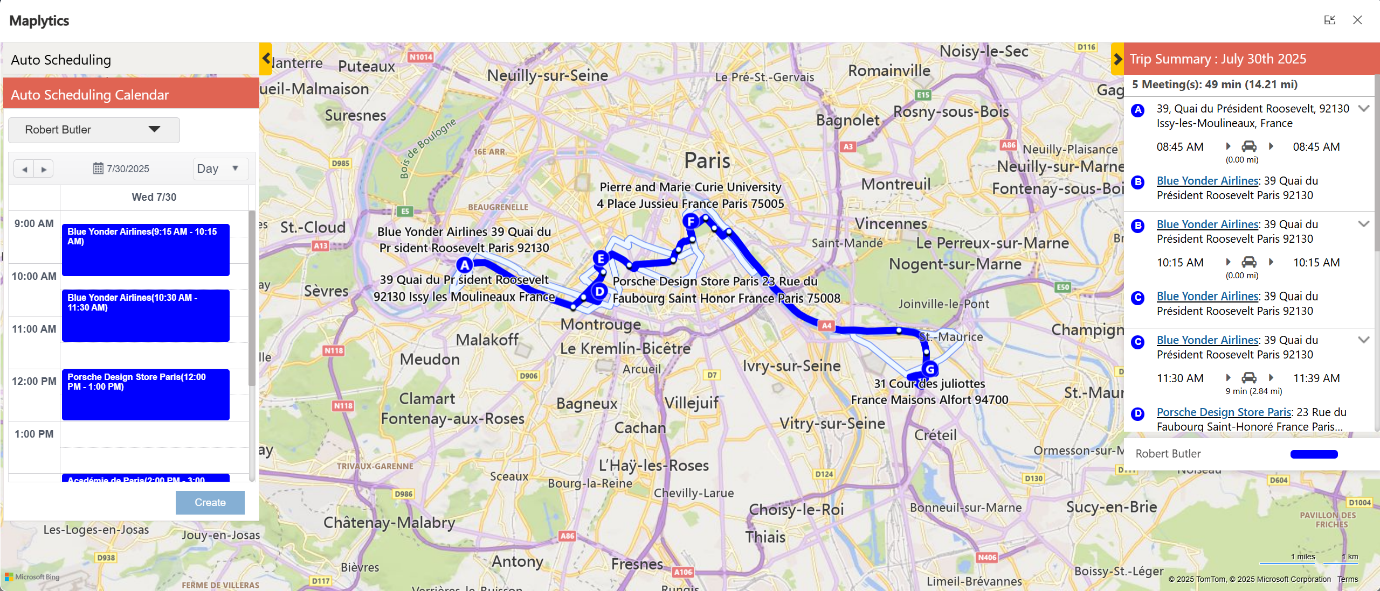
1. Intelligent Route Optimization
One of the most important capabilities of Auto Scheduling software is Route Optimization. Field teams often lose valuable time traveling inefficiently between appointments. Without optimized routes, technicians may spend more time on the road than actually serving customers.
Maplytics solves this problem by automatically calculating the most efficient travel routes between appointments. Using advanced geo-mapping technology, it considers distance, road networks, and travel time to ensure that technicians follow the best possible route.
This results in reduced travel time, lower fuel costs, and more appointments completed within a single workday.
2. Location-Based Scheduling
Scheduling without considering geography often leads to poor planning. For example, a technician might be scheduled to visit two customers located far apart, even though other nearby customers are waiting for service.
Maplytics uses location intelligence to schedule appointments based on geographic proximity. By mapping CRM data and grouping nearby appointments together, it ensures that field representatives visit customers in the most logical order.
This approach significantly improves productivity while reducing unnecessary travel.
3. Multi-Resource Scheduling
Field service managers often need to schedule tasks for multiple technicians across different locations. Manually creating schedules for each team member can be extremely time-consuming and prone to errors.
Maplytics allows managers to schedule multiple resources simultaneously. The system automatically distributes appointments among available technicians based on location, workload, and availability.
This ensures that work is evenly distributed and prevents situations where some technicians are overloaded while others remain underutilized.
4. Calendar Integration
Effective scheduling depends on accurate availability information. If appointments are scheduled during unavailable hours or overlapping times, it can disrupt the entire workflow.
Maplytics integrates seamlessly with Outlook Calendars, ensuring that schedules align with technicians’ working hours and existing commitments. The software automatically checks availability before creating appointments, preventing conflicts and ensuring smooth coordination.
With this integration, organizations can maintain accurate schedules without constant manual adjustments.
5. Skill-Based Assignment
Not all field tasks are the same. Some service requests require technicians with specialized skills or certifications. Assigning the wrong technician to a job can lead to delays, repeat visits, and dissatisfied customers.
Maplytics supports skill-based scheduling, allowing managers to match tasks with technicians who possess the required expertise. By considering skill sets during the scheduling process, the system ensures that the right person is assigned to the right job.
This improves service quality, increases first-time resolution rates, and enhances customer satisfaction.
6. Custom Scheduling Rules
Every business has unique operational requirements. Some organizations limit the number of visits per day, while others require buffer time between appointments or prefer scheduling based on territory boundaries.
A good Auto Scheduling solution should allow organizations to define custom scheduling rules that reflect their specific workflows.
Maplytics provides flexible configuration options where businesses can set parameters such as:
- Maximum appointments per day
- Preferred working hours
- Break times and buffer intervals
- Continuous or flexible scheduling patterns
These customization options ensure that schedules are aligned with real-world operational needs.
7. Real-Time Route Adjustments
Field service environments are dynamic. Appointments can be canceled, delayed, or added at the last minute. Without the ability to adapt quickly, schedules can become inefficient and chaotic.
Maplytics supports real-time schedule adjustments, allowing managers to re-optimize routes when changes occur. If a new service request is added or a technician becomes unavailable, the system can recalculate schedules to minimize disruption.
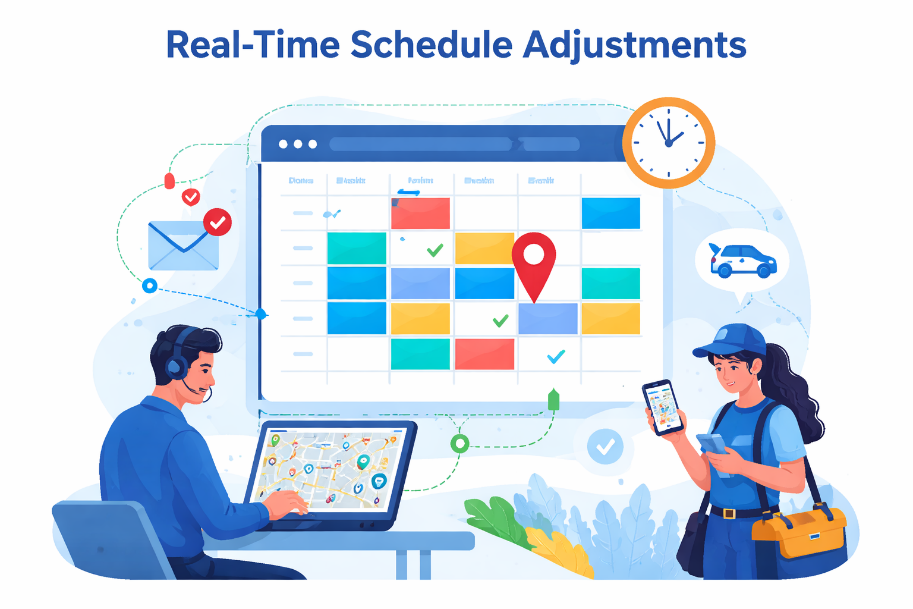
This flexibility ensures that teams remain productive even when unexpected changes arise.
8. Map-Based Visualization
Traditional CRM systems display data in tables and lists, which can make it difficult to understand geographic relationships between customers, technicians, and service locations.
Maplytics enhances Dynamics 365 with interactive map visualization, allowing managers to view customers, technicians, and appointments directly on a map. This geographic perspective makes it easier to identify nearby opportunities, adjust schedules, and optimize service coverage.
Map-based visualization also helps managers make faster and more informed decisions about resource allocation.
9. Territory and Area Management
Field service operations often rely on territory-based planning. Assigning technicians to specific regions helps reduce travel time and ensures that customers receive timely service.
Maplytics supports territory management, enabling organizations to define geographic areas and assign resources accordingly. When scheduling appointments, the system prioritizes technicians operating within the relevant territory.
This structured approach improves coverage, reduces travel distances, and ensures better service distribution across regions.
10. Seamless CRM Integration
Finally, the most effective Auto Scheduling software must integrate seamlessly with the organization’s existing CRM system.
Maplytics is designed specifically for Microsoft Dynamics 365, ensuring that all scheduling activities remain connected to CRM data. When schedules are generated, the system automatically creates activities, appointments, and records within Dynamics 365.
This eliminates manual data entry and ensures that sales teams, service teams, and managers all have access to the same updated information.
Why Maplytics Stands Out?
While many scheduling tools offer basic automation, Maplytics goes beyond simple scheduling by combining Auto Scheduling, Route Optimization, location intelligence, and more within the Dynamics 365 ecosystem.
By integrating geographic insights with CRM data, Maplytics enables organizations to plan smarter, reduce operational inefficiencies, and deliver faster service.
Field teams benefit from clear schedules and optimized routes, managers gain better visibility into operations, and customers experience quicker response times.
To Sum Up
Auto Scheduling is a necessity for modern field service operations. Organizations that rely on manual planning or disconnected scheduling tools often struggle with inefficiencies and missed opportunities.
Maplytics provides a powerful solution by delivering the essential capabilities every Auto Scheduling software should have. In today’s field sales & service environment, tools like Maplytics help field teams spend less time planning and traveling and more time delivering value to customers.
What’s more?
If you wish to combine maps, routes, schedules, and real-time updates to make a difference, Maplytics with MapCopilot, its AI assistant, is available immediately for Dynamics 365, Power Apps, Power Pages, and Dataverse. Organizations interested in adoption, 15-day free trials, or personalized demos are encouraged to contact Maplytics’ sales team at crm@inogic.com
For more information, visit our website or Microsoft Marketplace. One can hop onto the detailed Blogs, Client Testimonials, Success Stories, Industry Applications, and Video Library for a quick query resolution. Technical docs for the working of Maplytics are also available for reference.
Kindly leave us a review or write about your experience on the Microsoft Marketplace or the G2 Website.