 Tired of switching between Dynamics 365 CRM and SharePoint for effective document management?
What if
- Your Dynamics 365 documents were fully secure in SharePoint
- Dynamics 365 documents stored in SharePoint are easy to search for and find
- SharePoint fully synchronizes the Dynamics CRM security model in real time
All in one place?
Let’s explore why this is important and discover how you can achieve it easily, including how to sync the Dynamics 365 security model with SharePoint, through a seamless Dynamics CRM SharePoint integration.
Automatically Sync Dynamics 365 Security Model, Attachments & Secure Your Documents
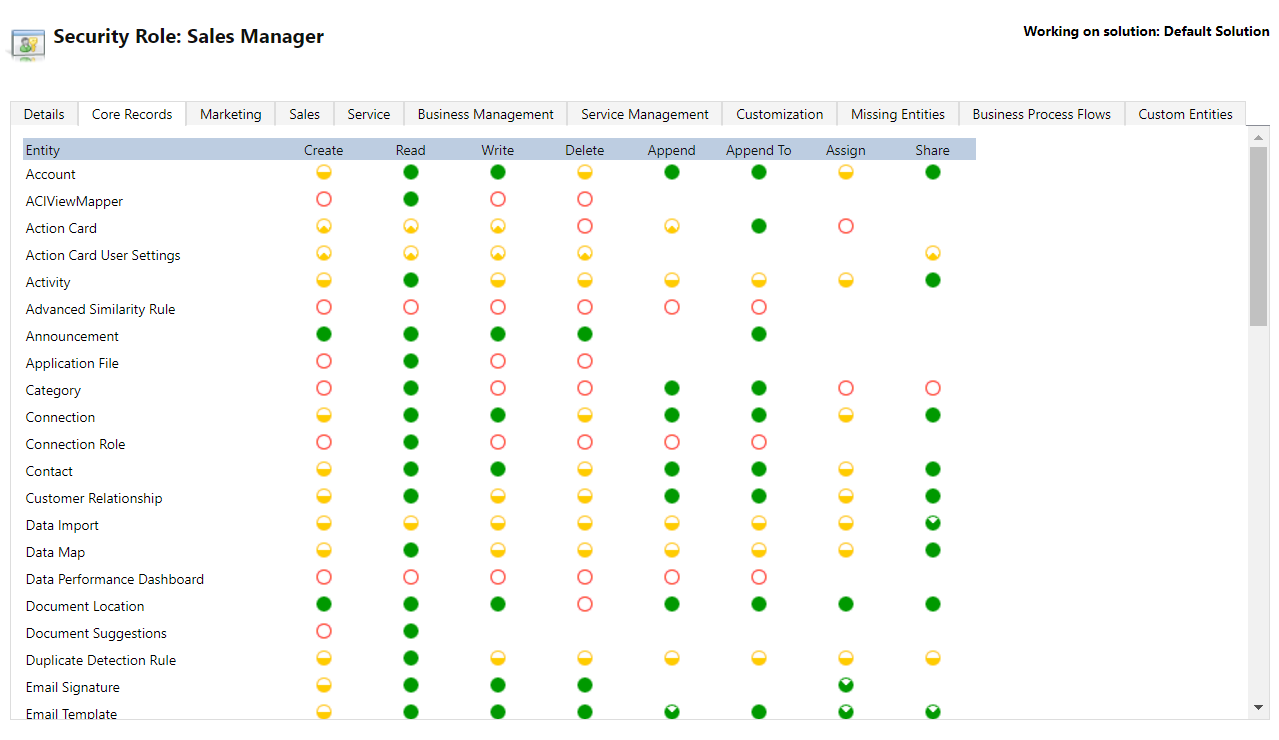
When you integrate Dynamics 365 CRM with SharePoint, document management becomes easier, but security becomes a challenge. By default, CRM’s security roles don’t apply to SharePoint, meaning users might access attachments and documents in Dynamics 365 that they shouldn’t. This gap puts sensitive customer data at risk, making it critical to replicate the Dynamics 365 security model in SharePoint and sync SharePoint permissions from Dynamics 365.
How does SharePoint Security Sync solve it?
- Bridge the Security Gap:Automatically sync Dynamics 365 CRM user, team, and role-based privileges with SharePoint to ensure only authorized users can access relevant documents.
- Real-Time Permission Updates:Instantly reflect changes in CRM, such as role updates or record ownership transfers, in SharePoint folder-level permissions without manual intervention.
- Secure Existing Folder Structures:Apply CRM-level security to existing SharePoint folders, even within a single centralized document library, without restructuring or duplicating data.
- Enhance Compliance and Efficiency:Maintain a secure, compliant document management system while reducing IT workload and eliminating the risk of unauthorized access.
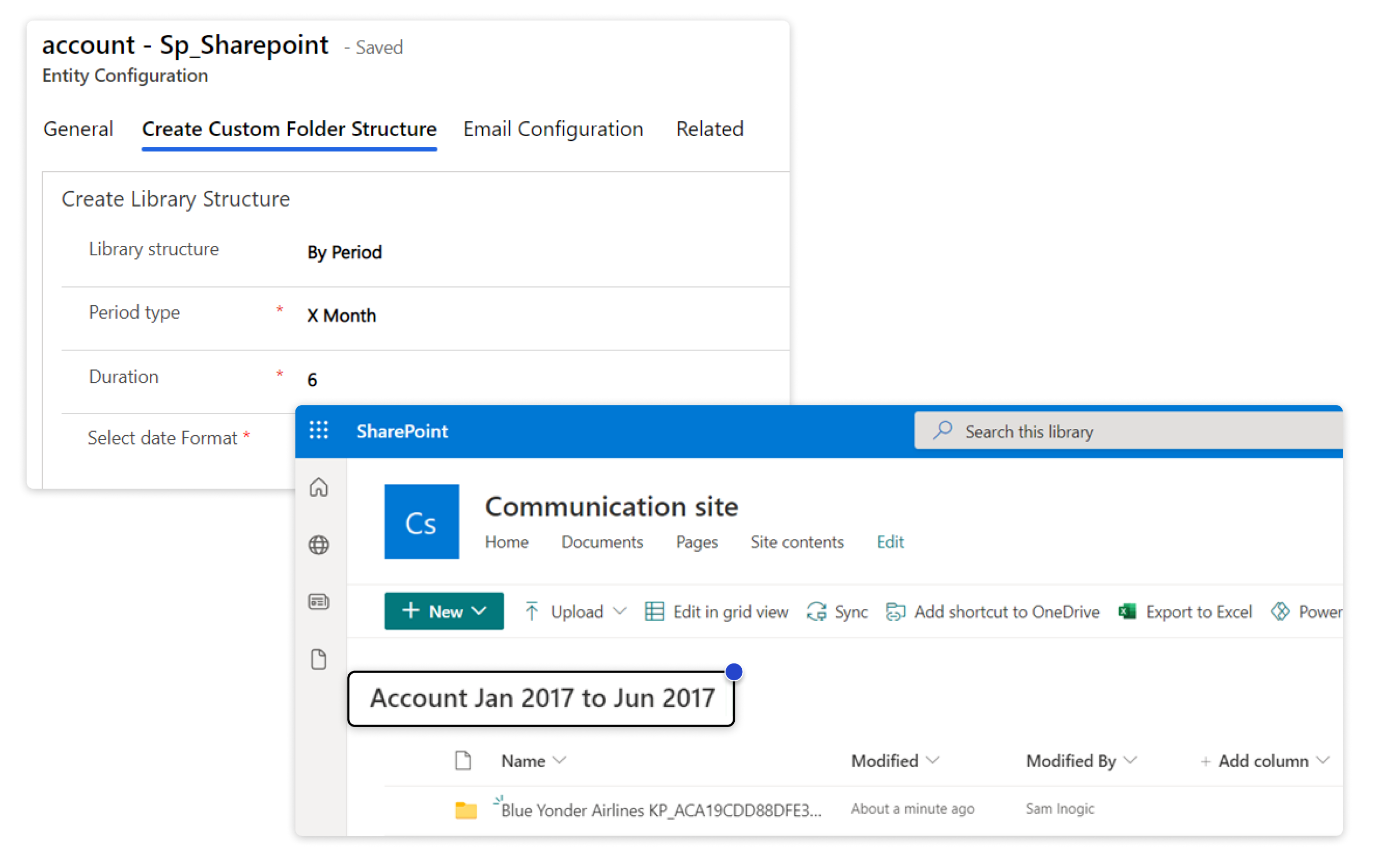
Dynamics 365 Document Management: Create Custom Folder Structures
While SharePoint is commonly used for document management, its default search and file viewing capabilities are limited. Users often find themselves switching between Dynamics 365 CRM, email, and document-editing tools just to locate and manage files. This creates inefficiencies and a fragmented user experience.
How Does SharePoint Security Sync Solve It?
- Personalized Folder Setup: Users can create custom folder structures in SharePoint tailored to their Dynamics 365 CRM entities, helping them organize documents more efficiently based on business needs.
- Customizable Libraries and Record Folders: Design both the document library and record-level folder hierarchy as per organizational requirements, ensuring better categorization and faster retrieval.
 Enhance Document Searchability with SharePoint Metadata in Dynamics 365 CRM
 Enhance Document Searchability with SharePoint Metadata in Dynamics 365 CRM
Performing Dynamics 365 Document Management with SharePoint is powerful, but finding the right document quickly can still be a challenge. SharePoint’s built-in metadata capabilities allow users to categorize and retrieve documents based on specific, meaningful data points. However, configuring and maintaining metadata manually at scale can be time-consuming and error-prone.
How Does SharePoint Security Sync Solve It?
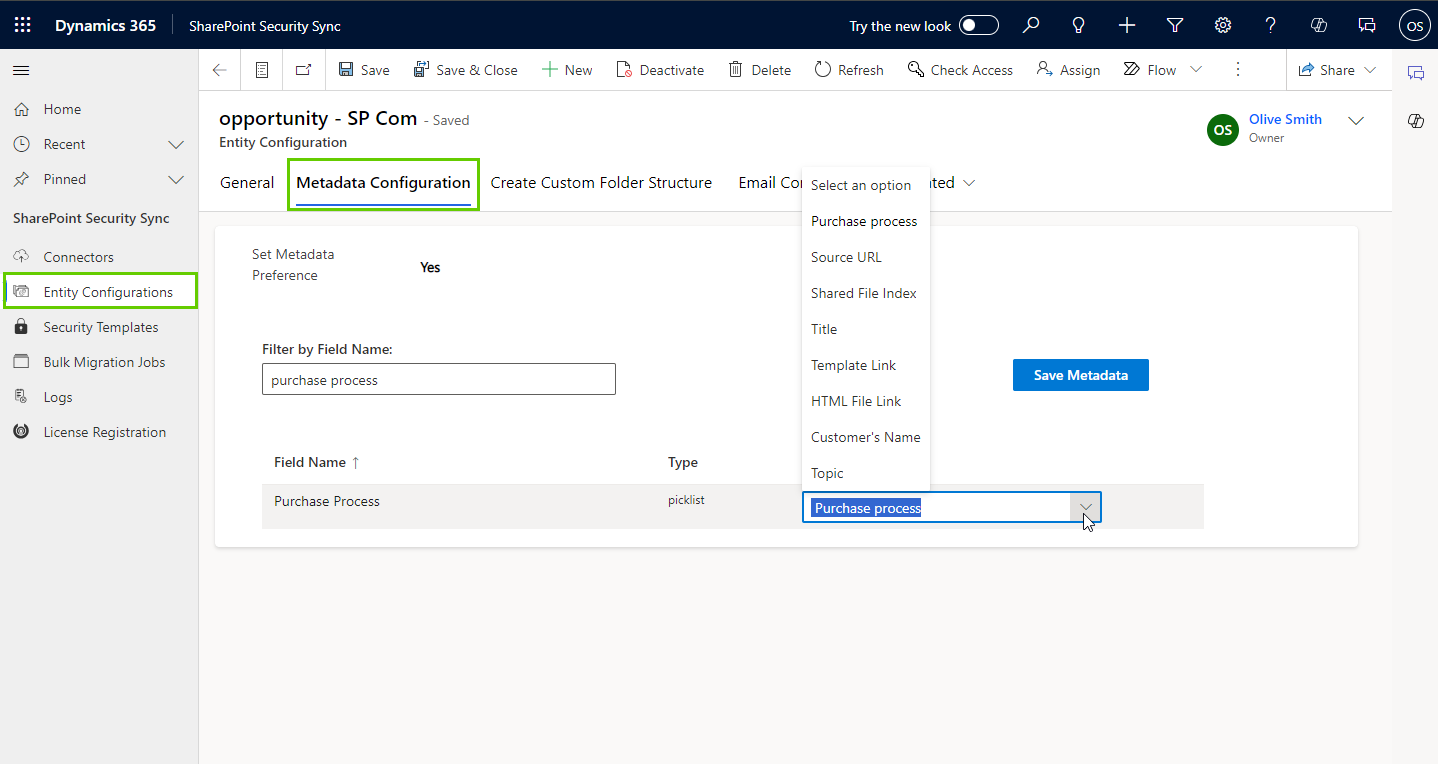
- Automated Metadata Application: Automatically map and apply CRM field values, like Account Name, Job Title, Time Zone, and Estimated Close Date, as SharePoint metadata to each document, eliminating manual tagging.
- Custom Column Flexibility: Enrich documents with custom metadata fields in SharePoint, including text, drop-downs, dates, numbers, and yes/no options, to suit your unique business needs.
- Smarter, Metadata-Driven Search: Make documents easily searchable in both CRM and SharePoint using metadata filters, helping teams locate content faster without digging through folders
 File-Level Syncing for Granular Document Security
 File-Level Syncing for Granular Document Security
When managing documents in SharePoint from Dynamics 365 CRM, applying folder-level security alone isn’t always enough, especially when files are shared across teams or business units. To ensure fine-grained document access control, file-level syncing becomes essential.
How Does SharePoint Security Sync Solve It?
- Granular File-Level Permissions: Replicate the Dynamics CRM security model at the file level, syncing access based on CRM privilege levels such as User, Business Unit (BU), Parent-Child Business Unit (PCBU), or Organization, ensuring each file is visible only to the right users when you sync the Dynamics 365 security model with SharePoint.
- Real-Time File Visibility Control: When users upload documents or add real-time notes in CRM, file visibility in SharePoint is immediately aligned with the defined access level, so sensitive files never reach unauthorized users.
- Secure Real-Time Migration: Files added during real-time document migration are automatically checked for access-level compliance and synced accordingly, avoiding manual security configurations.
- Boost Compliance with Zero Overlap: Prevent data leakage across teams or business units by enforcing strict access rules at the file level, while improving efficiency and safeguarding critical business information.
Benefits of Dynamics CRM & SharePoint Integration
Sales Teams
- Quickly locate and securely access client documents, proposals, and contracts directly within Dynamics 365 CRM.
- Filter and retrieve files using metadata, no more time lost digging through emails or folders.
Customer Service Teams
- Access only case- or customer-specific files, minimizing errors and improving response speed.
- Keep vital support documentation secure and visible to authorized users only.
IT & System Admin Teams
- Automatically synchronize the Dynamics CRM security model to enforce CRM-defined permissions in SharePoint, no manual configuration required.
- Secure existing libraries and folders at scale, while ensuring ongoing compliance and governance.
To Wrap Up,
Integrating Dynamics 365 CRM with SharePoint becomes truly powerful when security, accessibility, and document organization work in harmony. SharePoint Security Sync not only closes critical security gaps, it lets you replicate the Dynamics 365 security model in SharePoint and sync Dynamics 365 attachments to SharePoint automatically, eliminating manual effort across the board. It transforms document management from a fragmented task into a seamless part of your CRM workflow, supporting smarter collaboration, faster access, and better control at every level.
Want to try it firsthand? Get a 15-day free trial directly from our website or Microsoft Marketplace.
Want to know more?
Explore our Knowledge Docs or watch the quick demo video to see it in action.
Prefer a guided walkthrough? Book a personalized demo and watch the difference unfold in real time.
Have questions or ready to dive in? Reach out to us at crm@inogic.com