A deleted customer record, a failed data import, or an integration that overwrites thousands of records can disrupt your Dynamics 365 CRM operations in minutes. Recovering the right data, however, can take much longer if your backup strategy is not built for these situations.
Choosing the best backup and restore solution for Dynamics 365 CRM means looking beyond scheduled backups. You need reliable recovery, flexible retention, secure storage, and control over which records you restore.
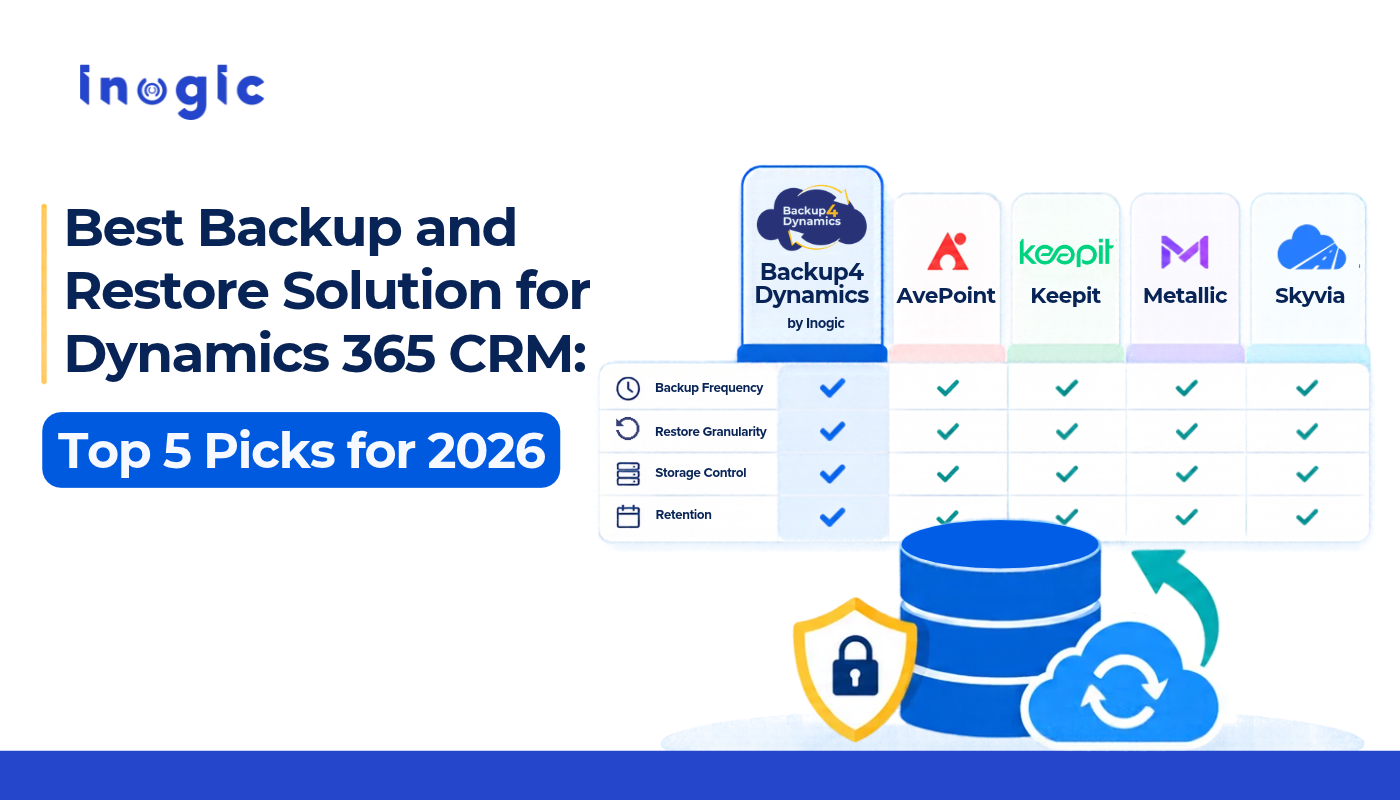
In this guide, we compare five solutions: Backup4Dynamics by Inogic, AvePoint, Keepit, Metallic, and Skyvia. We examine their key capabilities, ideal use cases, and what to consider before choosing a solution for your business.
1. Backup4Dynamics by Inogic
When your CRM holds customer details, sales opportunities, service records, and business-critical information, backing up data is only half the job. You also need to know where your backup data lives, who controls it, and how quickly you can recover the information you need.
Backup4Dynamics by Inogic is designed specifically for Microsoft Dynamics 365 CRM and Dataverse environments. It combines automated hourly backups, record-level recovery, customer-owned Azure infrastructure, and flexible retention to give organizations greater control over their CRM data protection.
Here are four important differences that make Backup4Dynamics worth considering.
Key features and what make Backup4Dynamics different
1. Your backups stay in your Azure tenant, with no vendor in the data path
Backup4Dynamics stores and processes backup data within the customer’s own Azure subscription. Unlike vendor-managed SaaS solutions, customer data does not pass through a third-party vendor’s infrastructure for backup processing, even when BYOS is offered.
What this means: Your organization controls where its CRM backup data is stored, who can access it, and which security, data residency, and retention policies apply. This gives you greater control over Dynamics 365 data backup security and Dynamics CRM data protection.
2. Built specifically for Dynamics 365 and Dataverse
Backup4Dynamics focuses on Dynamics 365 and Dataverse, with recovery capabilities designed around how CRM data is connected.
It supports relationship-aware, non-destructive, record-level recovery. Administrators can search for backed-up records and choose how existing data should be restored.
What this means: You can recover a deleted customer or an overwritten opportunity without unnecessarily disturbing related CRM records. This makes Dynamics 365 CRM recovery more targeted and practical.
3. Hourly automated backups reduce your potential data-loss window
Backup4Dynamics runs automated hourly backups, reducing the potential data-loss window to one hour. By comparison, other standard automated backups run up to four times daily, while some offers daily automated backups.
What this means: If an import or integration overwrites important customer information, you have more recent recovery points to work with, reducing the amount of data you may lose.
4. Customer-controlled immutability and analytics-ready backup data
Backup4Dynamics stores backups in your Azure storage, where you can enable immutability policies. Once enabled, backup copies cannot be altered or deleted during your configured retention period, adding protection against ransomware and insider threats.
The backup data is also compatible with Power BI, Microsoft Fabric, and Azure Synapse for analytics and reporting.
What this means: Your backups help protect business data while giving you the flexibility to analyze historical CRM information.
Additional Backup4Dynamics capabilities
- Incremental backups: Back up new and changed data instead of processing everything again.
- On-demand backups: Create extra recovery points before imports, upgrades, or deployments.
- Granular and point-in-time recovery: Restore individual records or data from a specific point in time.
- Long-term retention: Retain backups for 7 years, 10 years, or a lifetime, based on your requirements.
- Backup monitoring: Track backup jobs, history, failures, and restore activity.
- CRM data protection: Back up records, notes, attachments, and related data.
Why choose Backup4Dynamics by Inogic?
Consider this scenario. A sales administrator imports an outdated spreadsheet into Dynamics 365, overwriting current customer information. The CRM remains available, but the information your sales team needs is no longer accurate.
A backup that only supports full-environment recovery may create additional disruption. Your team needs to identify the affected information and recover the required data.
Backup4Dynamics helps address this through relationship-aware recovery, hourly backup points, and the ability to restore specific records without unnecessarily rolling back the entire environment.
It also addresses a common concern around Dynamics 365 data backup security. Your backup data and processing remain within your Azure subscription, and you decide how storage access, security, and retention are managed.
For businesses planning long-term Dynamics 365 data retention, Backup4Dynamics provides the flexibility to retain historical information and use customer-controlled immutable storage.
Who should consider it?
Backup4Dynamics is worth evaluating if your organization:
- Relies on Dynamics 365 CRM and Dataverse for daily sales or service operations.
- Wants backup data and processing within its own Azure subscription.
- Needs more frequent recovery points through hourly automated backups.
- Wants to recover individual records without disrupting the entire CRM environment.
- Needs to preserve relationships between records during recovery.
- Requires customer-controlled immutability and long-term retention.
- Wants to use historical backup data for analytics through Power BI, Fabric, or Synapse.
Backup4Dynamics by Inogic is a strong choice for organizations that want more than a copy of their CRM data. Its customer-owned Azure infrastructure, Dataverse-focused recovery, hourly backups, and customer-controlled immutability address four important requirements for protecting Dynamics 365 business data.
Your CRM data stays within your Azure environment, your organization controls its backup policies, and your team has more flexibility when something goes wrong.
Get a 15-day free trial for Backup4Dynamics by Inogic
2. AvePoint Dynamics CRM Backup and Restore
AvePoint is an option for organizations that need frequent backups and greater control over data storage.
AvePoint supports automated backups up to four times daily, along with granular restoration of records, fields, and relationships. It bring-your-own-key and bring-your-own-storage options may also appeal to organizations with specific data governance requirements.
Key features
- Automated backups up to four times per day.
- Granular recovery of records, fields, and relationships.
- Bring Your Own Key (BYOK) and Bring Your Own Storage (BYOS) options.
- Comparison of backup snapshots before restoration.
- Protection for business data, metadata, security roles, and custom configurations.
What to consider
Organizations that need customized Azure storage may need to account for additional configuration effort. The depth of backup reporting is also worth evaluating during a product demonstration.
AvePoint is worth shortlisting if backup frequency and storage flexibility are your main priorities. Compare its deployment requirements and storage model with Backup4Dynamics before deciding.
3. Keepit Backup for Microsoft Dynamics 365
Keepit takes a different approach to backup storage. Instead of storing backups within Microsoft’s infrastructure, it uses its own dedicated data centers.
This separation can be valuable for organizations concerned about scenarios where a Microsoft account compromise or service disruption could affect both production data and its backup copies.
Key features
- Independent backup storage outside Microsoft Azure.
- Immutable backup copies.
- Coverage across more than 500 Dynamics 365 data objects.
- Extended retention options, including retention of up to 99 years.
- Automated backup scheduling and multi-tenant management capabilities.
What to consider
Independent storage can strengthen separation between production and backup environments. However, organizations should test recovery performance with their own data volumes and review the flexibility of backup policies before committing.
Keepit is a strong candidate for businesses that prioritize infrastructure independence and immutable backups. If keeping backups in your own Azure account is a requirement, compare its storage model carefully with Backup4Dynamics.
4. Metallic Backup for Microsoft Dynamics 365
Metallic, part of Commvault’s portfolio, is designed for organizations that want to manage Dynamics 365 backup alongside other protected workloads.
It may be especially suitable for enterprises already using Commvault and looking to consolidate backup administration.
Key features
- Backup support for Dynamics 365 Sales, Customer Service, Field Service, and other supported modules.
- Scheduled and on-demand backup options.
- Protection for business data, metadata, custom properties, and relationships.
- Granular record recovery and bulk restoration of tables.
- Centralized management through the Commvault Cloud console.
What to consider
Organizations that only need Dynamics 365 CRM backup may find a broader enterprise backup platform more complex than necessary. Licensing and implementation requirements should be reviewed in the context of your existing Commvault deployment.
Metallic is worth evaluating if your organization already uses Commvault and wants a more unified backup management approach. If your immediate priority is CRM-focused backup and recovery, compare the operational requirements with Backup4Dynamics.
5. Skyvia Dynamics 365 Backup and Restore
Skyvia is a cloud-based option for teams looking for automated backups without managing a complex backup infrastructure.
It supports daily automated backups and on-demand snapshots, making it a potential fit for small and mid-sized organizations with relatively straightforward backup requirements.
Key features
- Daily automated backups and manual on-demand snapshots.
- Azure geo-redundant storage and AES-256 encryption.
- Snapshot comparison to identify changes before restoring data.
- Cross-account restoration for supported migration and testing scenarios.
- Granular record recovery and full-environment rollback options.
What to consider
Daily backup schedules may not be sufficient for organizations that need more frequent recovery points. Teams with specialized retention requirements should also confirm the available scheduling and policy options.
Skyvia is worth considering if simplicity is your priority. For organizations that place greater emphasis on customer-owned storage and flexible retention, Backup4Dynamics is another solution to evaluate.
How to Choose the Best Backup and Restore Solution for Dynamics 365 CRM
The right solution depends on what you need to recover, how quickly you need it, and who controls your backup data.
Use these five questions to narrow your options.
1. Can you restore one record without restoring the entire environment?
This is one of the most important questions to ask when evaluating Dynamics 365 backup and restore capabilities.
Accidental deletions, incorrect updates, and failed imports do not always require a complete environment rollback. Look for granular recovery that lets administrators retrieve the required information while minimizing disruption to current operations.
2. Where will your backup data be stored?
Backup storage is a significant part of your security strategy.
Some organizations prefer vendor-managed infrastructure that is separate from Microsoft. Others want to retain control over storage within their own Azure account.
Review the storage architecture, access permissions, encryption, and recovery process. These decisions are central to Dynamics CRM data protection.
3. How long can you retain backup copies?
Retention needs differ across organizations. Your operational recovery requirements may be measured in days, while audit, legal, or business requirements may call for longer periods.
Evaluate whether the solution supports your required retention periods and whether archived information remains accessible for recovery.
A good Dynamics 365 data retention strategy should define how long data is retained, who can access it, and how it can be recovered when required.
4. Does the solution support your disaster recovery plan?
A Microsoft Dynamics 365 disaster recovery plan should address more than service outages.
It should account for accidental deletion, bulk data changes, integration failures, unauthorized changes, and corrupted records. Your team should know which backups are available, who can initiate recovery, and how to validate restored data.
A Dynamics 365 disaster recovery plan is only useful if your organization can execute it successfully. Test restores periodically and document the steps your administrators must follow.
5. Can you monitor backups and test recovery?
Scheduled backups need monitoring. A failed job can create a gap in protection that remains unnoticed until someone needs to recover data.
Look for visibility into backup status, job history, errors, and restore activity. Run recovery tests to verify that your backup process works as expected.
Why Dynamics 365 CRM Backup Matters for Business Continuity
Microsoft provides native backup and restore capabilities, but organizations may need more flexibility for granular recovery and long-term retention.
The specific capabilities and retention windows available through Microsoft can vary by environment and service. Check Microsoft’s current documentation for your setup rather than assuming that a native backup meets every recovery requirement.
A third-party Dynamics 365 backup solution can provide additional control over backup scheduling, recovery, storage, and retention.
Here are four common situations where that additional protection can help.
Accidental deletion
A user deletes a customer, contact, or opportunity that is still important to the business. Your team needs to recover the missing information without disrupting unrelated CRM activity.
Failed imports and integration errors
A spreadsheet import or third-party integration overwrites correct data with outdated or incorrect values. Recovery capabilities can help reverse the impact and restore the information your team needs.
Security incidents and unauthorized changes
Unexpected changes can affect the integrity of your CRM data. Secure backup copies, appropriate access controls, and a tested recovery process support your broader data protection strategy.
Long-term retention requirements
Some organizations need to retain historical data beyond their normal operational window. A defined approach to Dynamics 365 archive data and backup retention can help meet these requirements, provided the chosen solution supports the necessary retention and recovery policies.
Choose a Backup Solution That Can Recover the Data You Need
The best backup strategy is not simply the one that creates the most copies. It is the one that gives your team a practical way to recover business-critical information when something goes wrong.
For organizations evaluating the best Dynamics 365 backup and restore approach, Backup4Dynamics by Inogic deserves a place at the top of the shortlist because it addresses several everyday CRM recovery needs in one solution.
Don’t wait for a failed import, accidental deletion, or corrupted dataset to reveal gaps in your backup strategy.
Explore Backup4Dynamics or drop us a mail at crm@gmail.com, we’ll take it ahead from there!
Frequently Asked Questions
1. What is the best backup and restore solution for Dynamics 365 CRM?
The best solution depends on your storage, recovery, security, and retention requirements. Backup4Dynamics by Inogic is a strong option for Dynamics 365 CRM teams seeking automated backups, granular and point-in-time recovery, customer-owned Azure storage, and long-term retention.
2. How to back up Dynamics 365?
Start by identifying the CRM data and environments you need to protect. Review Microsoft’s native backup options, determine your recovery and retention requirements, and configure a suitable backup process. A third-party solution such as Backup4Dynamics supports scheduled, on-demand, and incremental backups for Dynamics 365 CRM and Dataverse.
3. Does Microsoft Dynamics 365 provide backup and disaster recovery?
Microsoft provides native backup and recovery capabilities, but these may not cover every business requirement, especially granular recovery and extended retention. Organizations should evaluate additional protection based on their recovery objectives, storage preferences, and compliance needs.
4. How can I improve Dynamics 365 CRM recovery after accidental data loss?
Use a backup solution that supports granular recovery and, where required, point-in-time recovery. Monitor backup jobs, establish appropriate access controls, and test restoration procedures regularly. These measures support a more effective Dynamics 365 CRM disaster recovery strategy.
5. How can organizations improve Dynamics 365 backup security?
Review encryption, access permissions, storage ownership, retention policies, and recovery procedures. Keeping backup data in a customer-controlled Azure account can provide additional control over storage and access. Organizations should also assess backup security as part of their wider Microsoft Dynamics 365 disaster recovery planning.