 Every industry has its ghost stories. In field sales and service, they don’t involve haunted houses. Instead, they have haunted territories. The rep who’s driven past the same gas station four times this week. The customer whose address seems to vanish the moment it’s needed most. The spreadsheet that started as a simple list and is now 40,000 rows of unexplained chaos.
This Halloween, we’re telling the scariest stories in sales, and showing you exactly how Maplytics by Inogic for Dynamics 365 serves as the shield, not the monster!
This Halloween, we’re telling the scariest stories in sales, and showing you exactly how Maplytics by Inogic for Dynamics 365 serves as the shield, not the monster!
Key Takeaways
|
Horror #1: The Never-Ending Route
Picture a rep’s day: five appointments, one city, zero plan. Without route intelligence, they end up zigzagging, backtracking across neighborhoods they already passed an hour ago, circling the same block, watching the clock tick while the fuel gauge drops. It’s not a haunted house. It’s an unoptimized route, and it’s scarier than most horror movies because it happens every single day, to real teams, and nobody’s filming it for entertainment.
The exorcism: Maplytics, your 5-star-rated application on the Microsoft Marketplace, offers Route Optimization. It calculates the most efficient order of stops by shortest time, shortest distance, or direction, factoring in real traffic conditions along the way. Instead of a rep discovering their route by trial and error, the smartest path is laid out before they ever start the car. No more circling or doom loop.
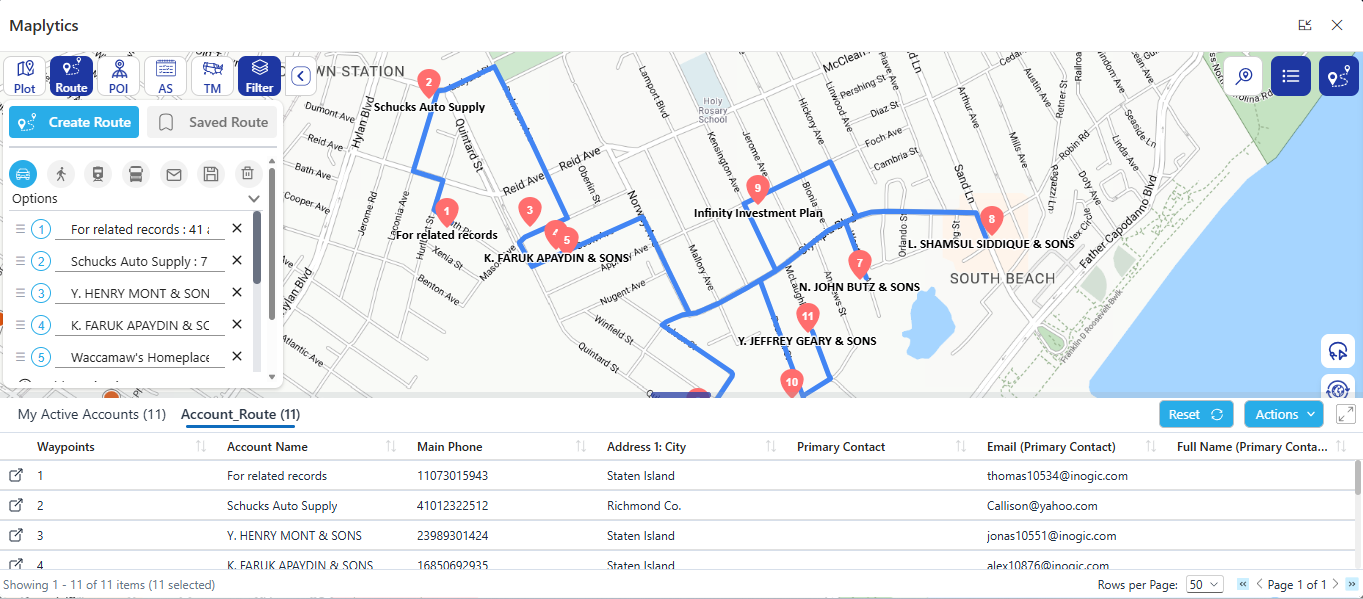
Horror #2: The Vanishing Address
A rep pulls into what should be the right neighborhood, phone in hand, squinting at identical houses in the dark. The address was right there in the CRM five minutes ago. Now it’s a vague street name and a prayer. This horror isn’t dramatic, just quietly expensive, in missed appointments, wasted time, and customers left waiting.
The exorcism: Maplytics pins every CRM record exactly where it belongs on the map, pulled directly from Dynamics 365. No cross-referencing, no guessing, no squinting at house numbers in the dark. The address isn’t vanishing. It was precise the whole time, right there on the map alongside the customer’s full record.
Horror #3: The Territory Turf War
Two reps. One customer. Neither one knows the other has been covering the same patch of ground for months, driving into the same streets, chasing the same accounts, duplicating effort nobody asked for. It’s less a horror movie and more a slow-building dread. The realization, months in, that a huge amount of work has simply overlapped with itself.
The exorcism: Territory Management in Maplytics lets managers draw, align, and visualize coverage directly on the map. Territories become clean, color-coded, and non-overlapping, so two reps never unknowingly collide on the same ground again, and every neighborhood actually has someone responsible for it.
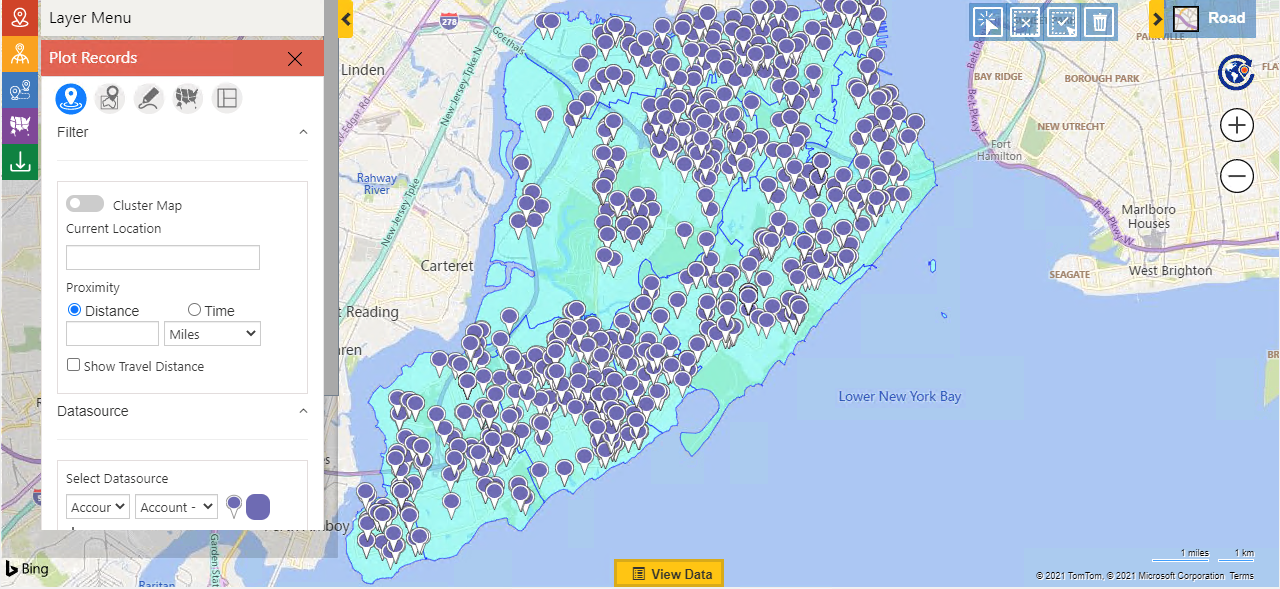
Horror #4: The Haunted Spreadsheet
It started innocently: a simple list of customers to visit this week. Weeks later, it has multiplied into a monster. Thousands of rows, inconsistent formatting, columns nobody remembers the purpose of, and absolutely no connection to what’s actually happening in the CRM. Planning a day’s route means scrolling through it like a cursed scroll, hoping nothing important got lost in row 20,847.
The exorcism: Maplytics replaces the spreadsheet with a live, visual map, Google, Azure, Bing, or Mapbox, pulled straight from Dynamics 365, filterable, current, and actually connected to your CRM data. No exporting or stale copies, and no more guessing whether the version you’re looking at is the right one.
Horror #5 (Bonus): The Double-Booked Day
A rep looks at their calendar and sees two appointments scheduled for the same hour, on opposite sides of town. Somewhere, a scheduling tool optimized for “who’s free” without ever asking “who’s nearby.”
The result: a day that was never physically possible in the first place.
The exorcism: Auto Scheduling factors in location alongside availability, grouping nearby appointments into the same day or trip wherever possible. Fewer scattered bookings, fewer geography-defying calendars, more realistic days.

Why These Horrors Keep Happening
None of these stories are exaggerated for effect. They’re the quiet, recurring cost of running field sales and service without location intelligence. The hours lost to backtracking, the appointments missed over an imprecise address, the territories that overlap because nobody could see them on a map, the spreadsheets that outgrow anyone’s ability to manage them by hand.
The common thread isn’t bad reps or bad luck. It’s the absence of a map that actually reflects what’s happening in the CRM. When route planning, address data, territory boundaries, and scheduling all live in separate tools, or worse, in someone’s head, small inefficiencies compound. A few extra miles here, a missed window there, one overlapping territory nobody caught. None of it looks dramatic on its own. Added up over a year, across an entire field team, it’s the difference between a sales operation that runs smoothly and one that’s perpetually a little bit haunted.
Once location data and customer data live in the same place, most of these horrors simply can’t happen anymore. There’s nothing left to haunt.
Skip The Horror Stories For Better Routes.
This Halloween, don’t let your field team face these nightmares alone. Maplytics turns the CRM data already sitting inside Dynamics 365 into routes, territories, and schedules that actually make sense, so the only thing left to spook your reps is a good lead walking in the door.
Some Common FAQsWhat is Dynamics 365 Route optimization, and how does it help field reps? How does Dynamics 365 territory mapping prevent reps from covering the same ground? Can I connect Google Maps or Azure Maps to Dynamics 365? What’s the benefit of a heat map in Dynamics CRM? How does Dynamics 365 manage territory assignments differently than manual planning? Does route mapping in Dynamics 365 account for multiple appointments in a day? |
What’s More?
If you wish to combine maps, routes, schedules, and real-time updates to make a difference, Maplytics with MapCopilot, its AI assistant, is available immediately for Dynamics 365, Power Apps, Power Pages, and Dataverse. Organizations interested in adoption, 15-day free trials, or personalized demos are encouraged to contact Maplytics’ sales team at crm@inogic.com
For more information, visit our website or Microsoft Marketplace. One can hop onto the detailed Blogs, Client Testimonials, Success Stories, Industry Applications, and Video Library for quick query resolution. Technical docs for the working of Maplytics are also available for reference.
Please leave us a review or share your experience on the Microsoft Marketplace or the G2 Website.