 Creating a marketing campaign takes time and careful planning. From designing the email to selecting the right audience, every step plays a role in its success. However, even well-planned campaigns don’t always deliver the expected results. When engagement falls short, marketers often spend hours reviewing reports and analyzing campaign performance to understand what can be improved for future campaigns.
- Was the audience targeted correctly?
- Could a different subject line have performed better?
- Was the email sent at the right time?
- What changes can improve the next campaign?
Finding these answers usually involves reviewing multiple reports, comparing previous campaigns, and relying on past experience. While this approach can be effective, it is often time-consuming.
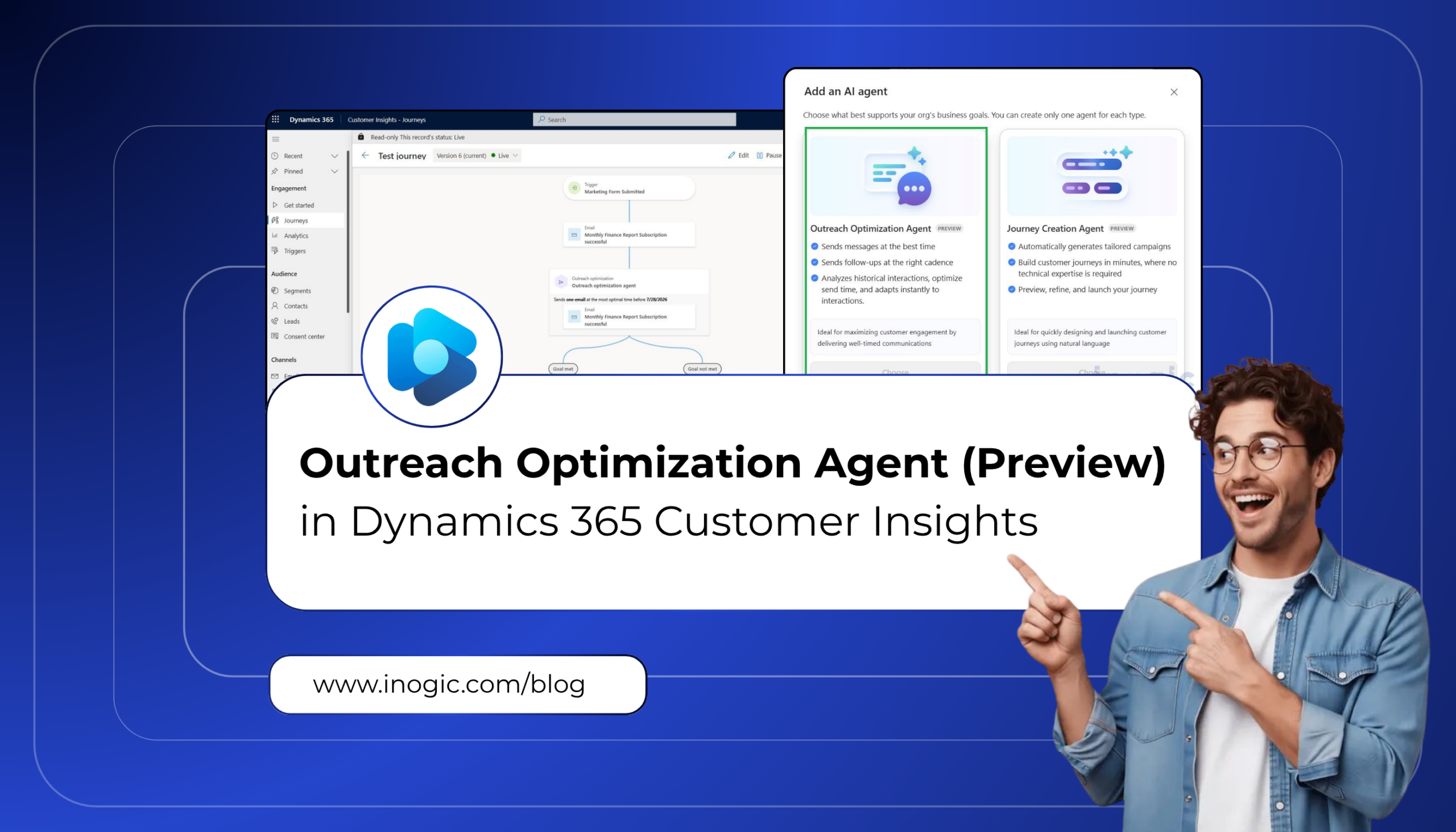
To simplify campaign optimization, Microsoft introduced the Outreach Optimization Agent in Dynamics 365 Customer Insights – Journeys. It analyzes campaign performance and provides AI-driven recommendations, helping marketers identify opportunities to improve future campaigns without spending hours reviewing analytics.
Steps to enable Outreach Optimization Agent (Prerequisites)
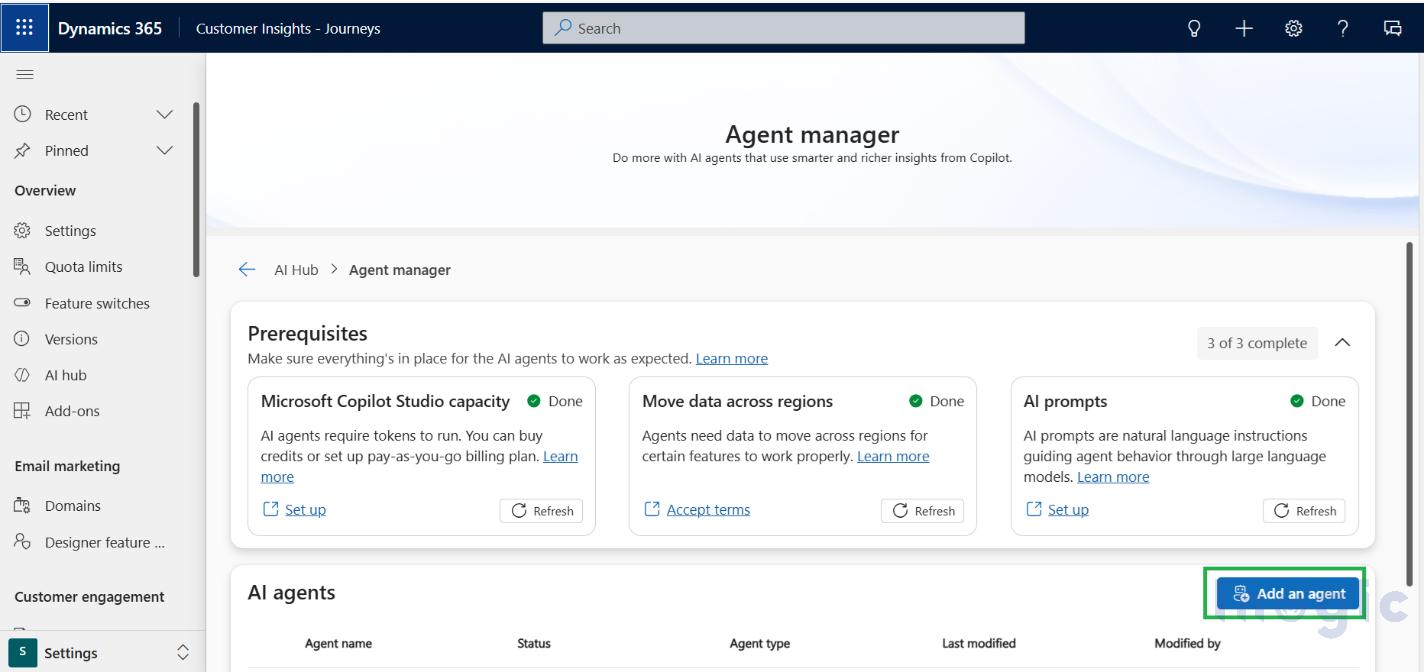
- Go to Dynamics 365 Customer Insights – Journeys
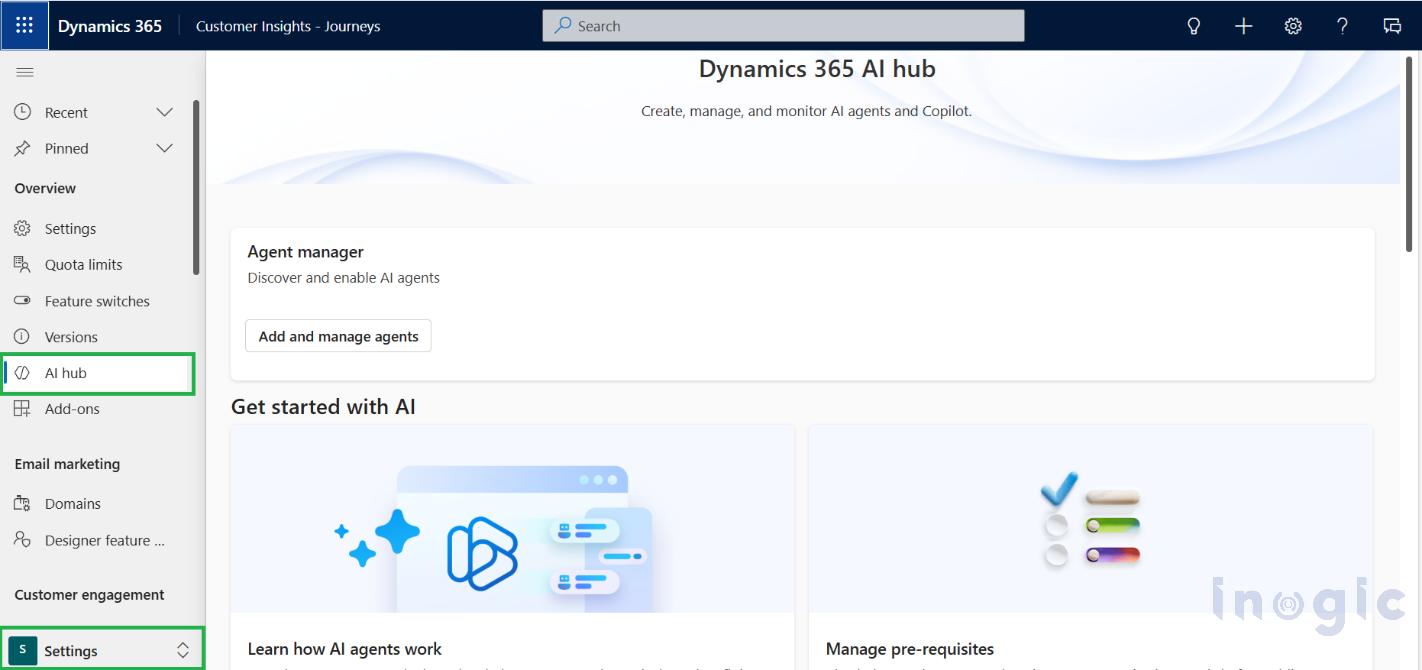
- Navigate to the Settings area and click on AI hub as below

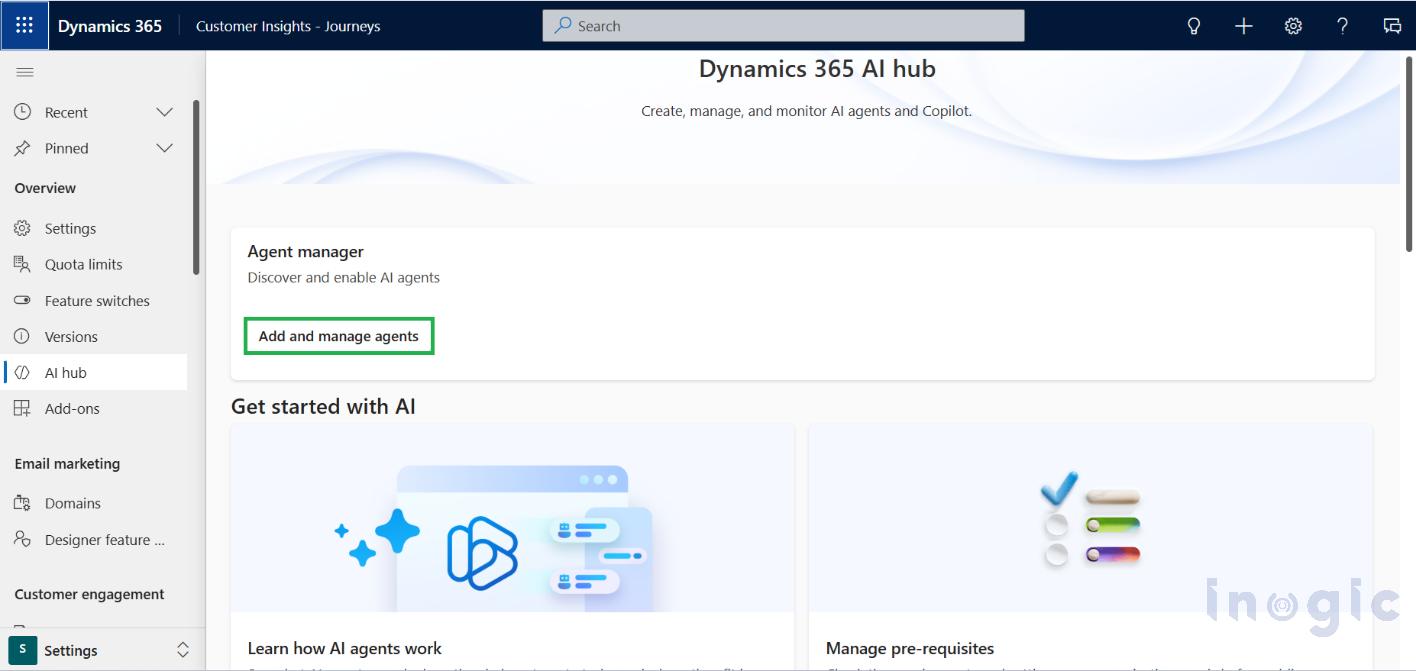
- Click on ‘Add and manage agents’

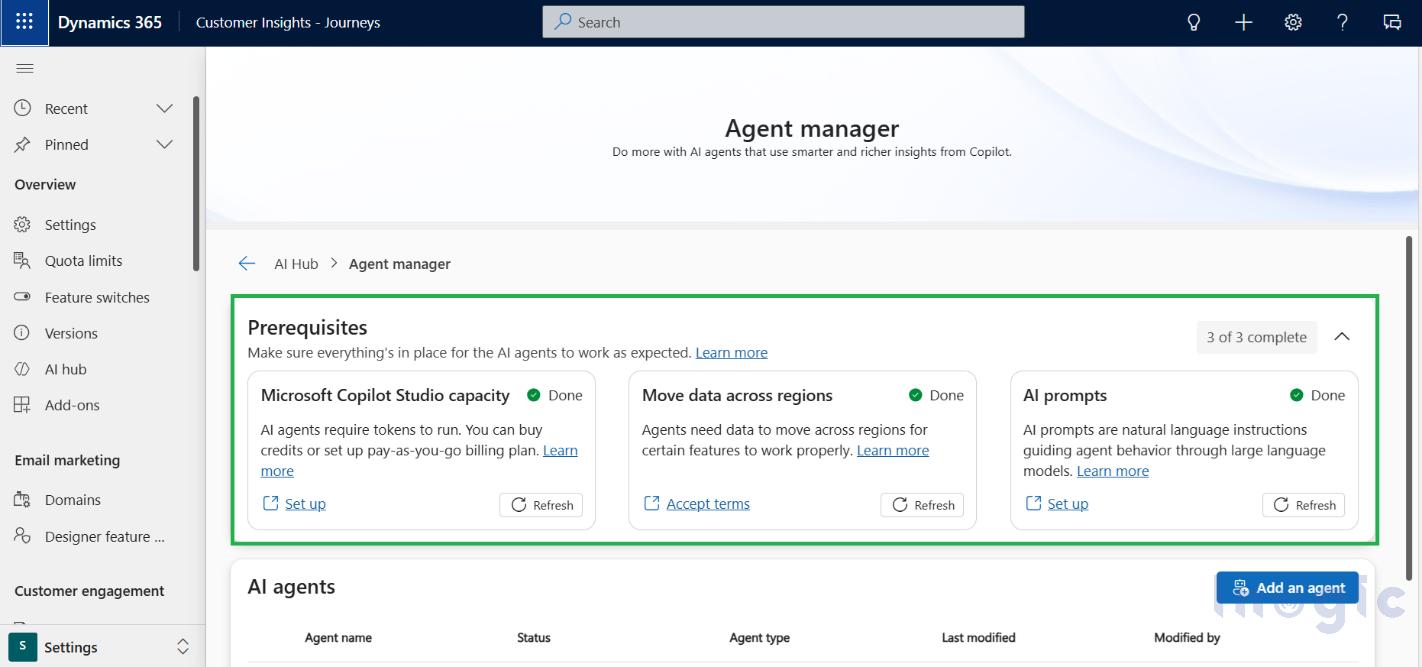
- Make sure all Prerequisites are met in order to add an agent

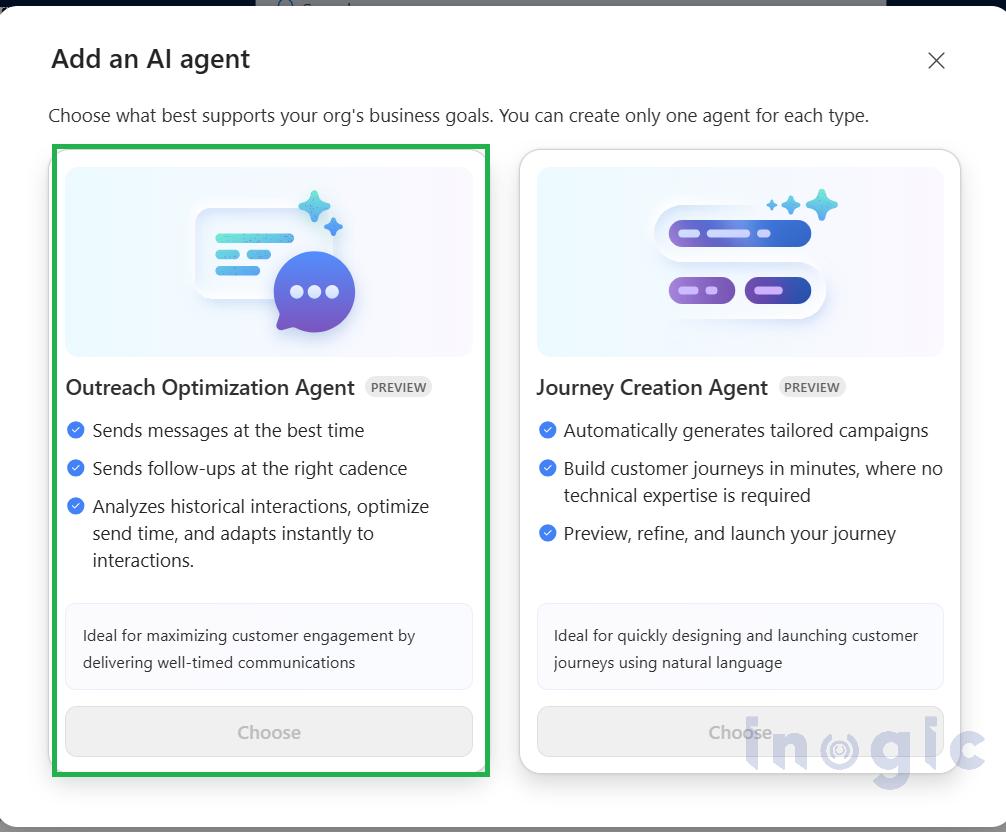
- Click on the Add an agent button to add ‘Outreach Optimization Agent’


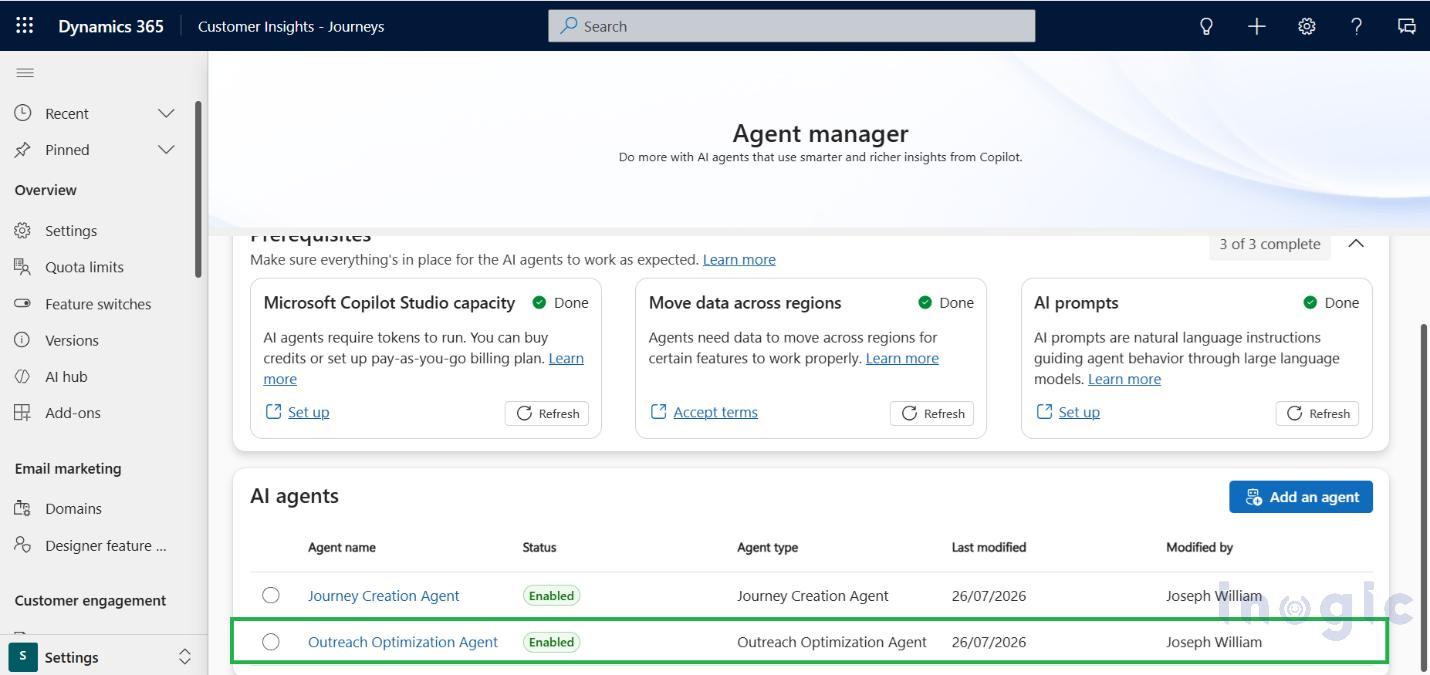
- Now the agent is enabled for the environment

What is the Outreach Optimization Agent?
The Outreach Optimization Agent is an AI-powered assistant that helps marketers improve the performance of their email campaigns. Rather than simply displaying campaign statistics, it analyses customer engagement and suggests areas where your outreach strategy can be improved.
Think of it as an assistant that continuously reviews your marketing activities and points out opportunities to make your next campaign more effective.
How to Configure the Outreach Optimization Agent in a Journey
Once your customer journey is ready, you can enhance it by adding the Outreach Optimization action. This allows the AI to determine the best time to send your email, helping improve customer engagement without any manual effort.
Step 1: Open Your Customer Journey
Navigate to Customer Insights – Journeys > Journeys and open the journey you want to optimize.
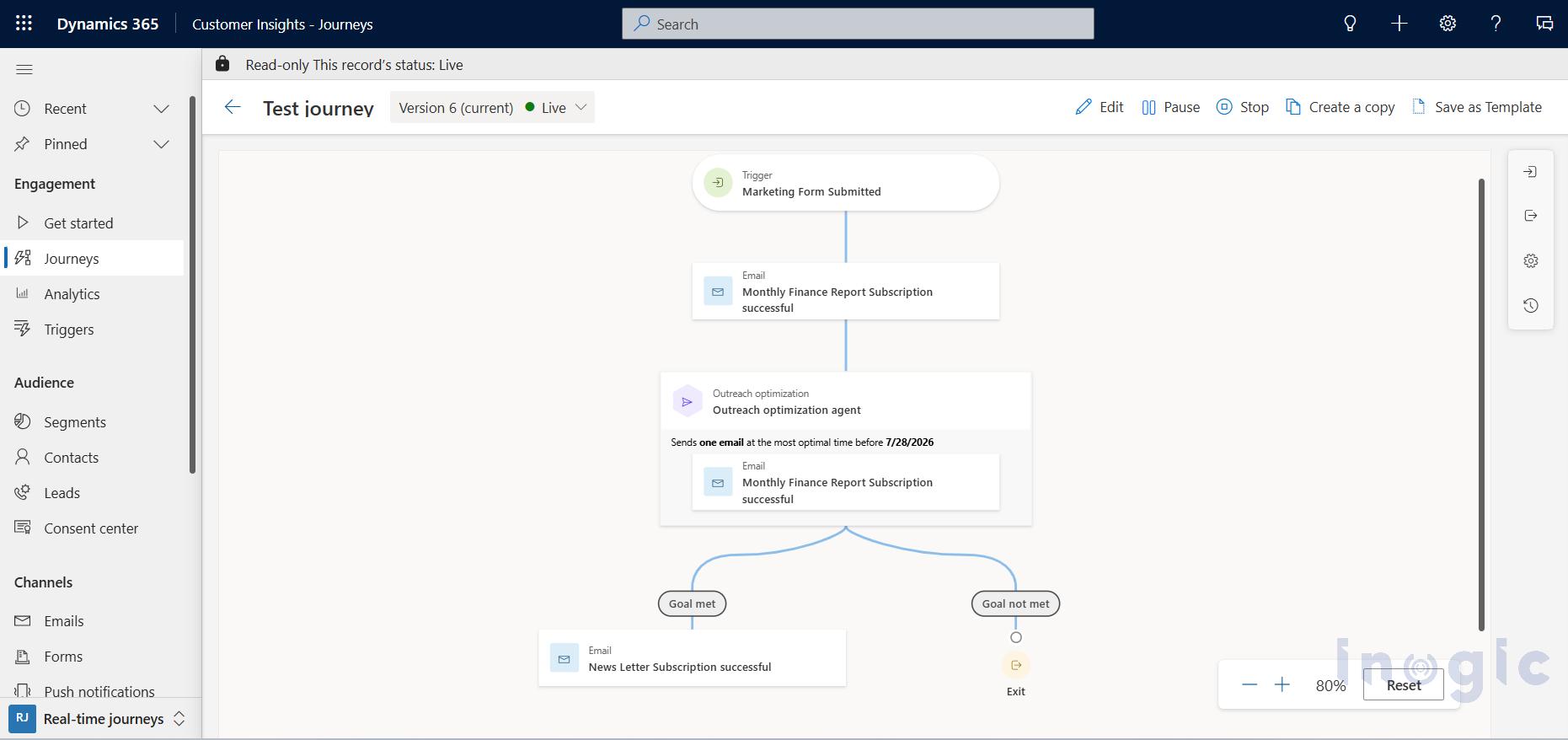
In this example, we have a journey that is triggered when a customer submits a marketing form. The journey sends a confirmation email after the form submission.
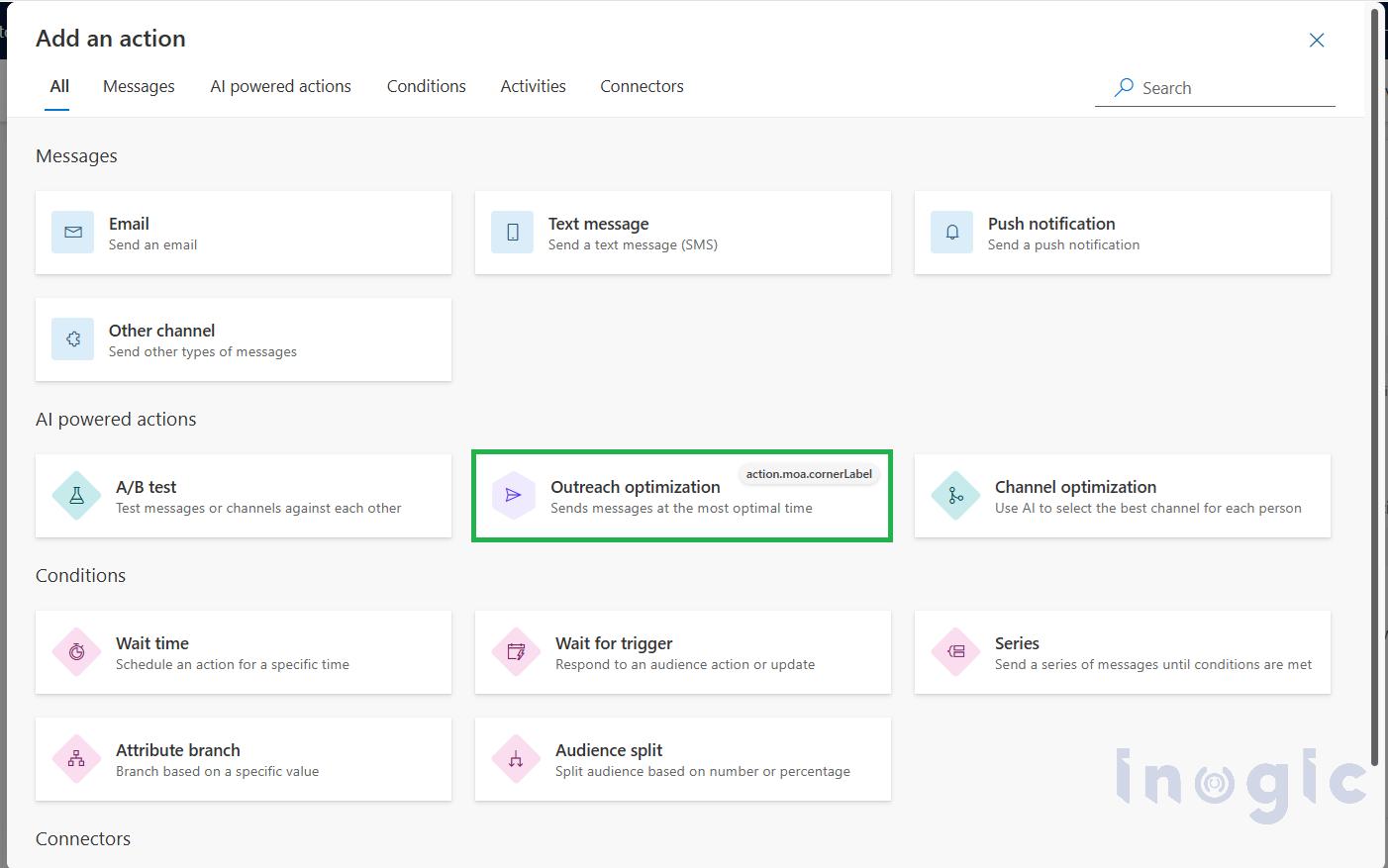
Step 2: Add the Outreach Optimization Action
Click the + (Add) icon where you want to optimize the email delivery.
From the list of available actions, select Outreach Optimization.
This action uses AI to analyze customer engagement patterns and determine the most suitable time to deliver the email.
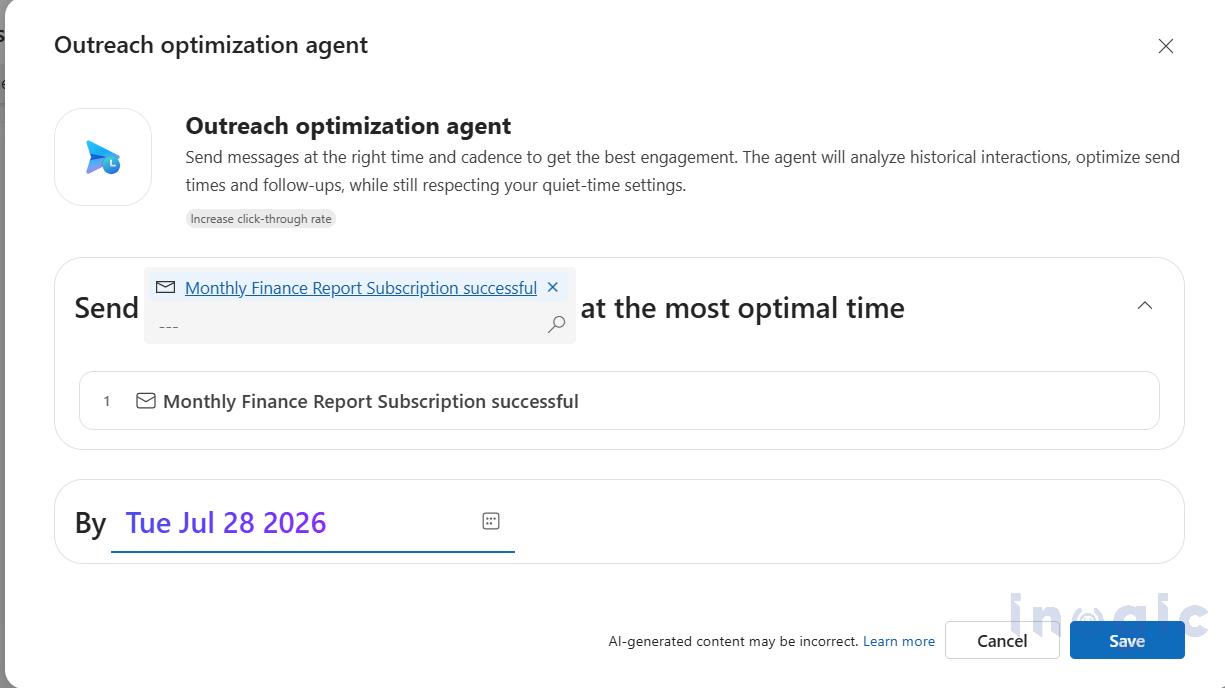
Step 3: Configure the Action
Once the action is added, configure the required details.
- Select the email that should be optimized.
- Choose the date by which the email should be delivered.
The Outreach Optimization Agent will use this information to determine the best delivery time while respecting the recipient’s quiet hours.
Step 4: Save and Publish the Journey
After completing the configuration, save your changes and publish the journey.
From this point onwards, whenever a customer enters the journey, the Outreach Optimization Agent automatically analyses historical engagement data and schedules the selected email at the most appropriate time before the specified date.
Step 5: Monitor the Journey Performance
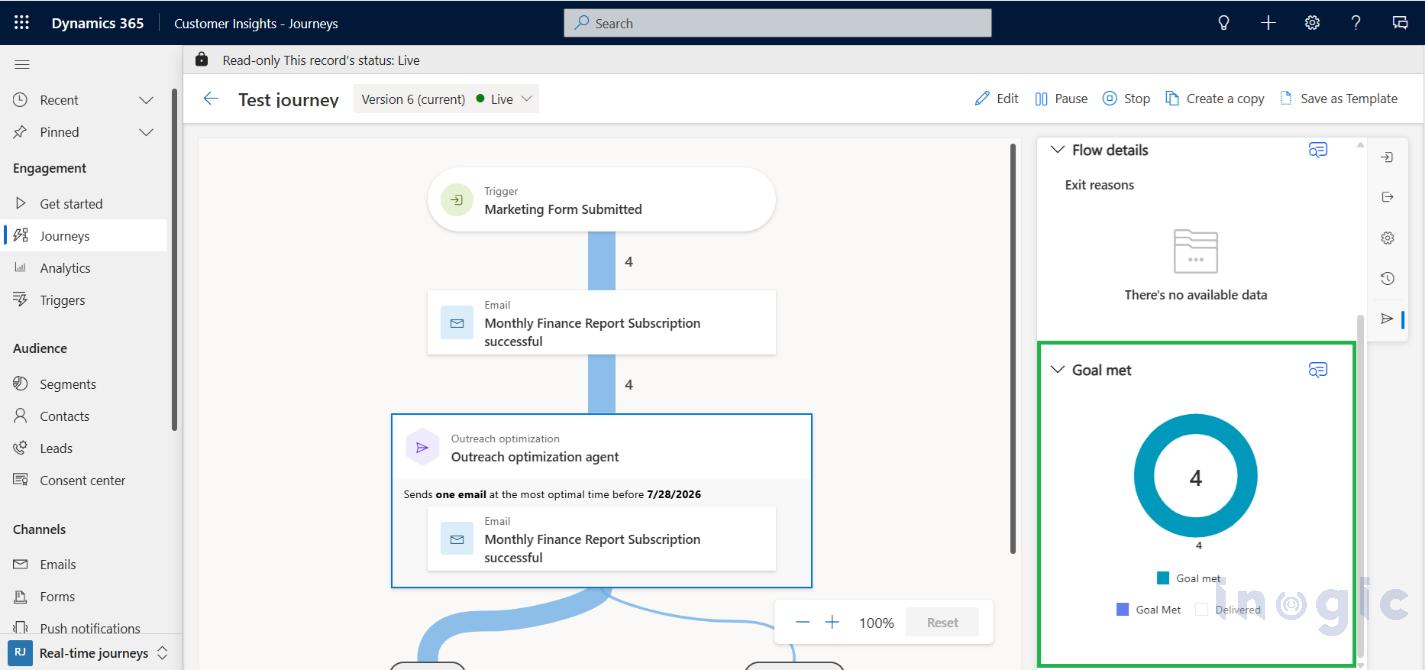
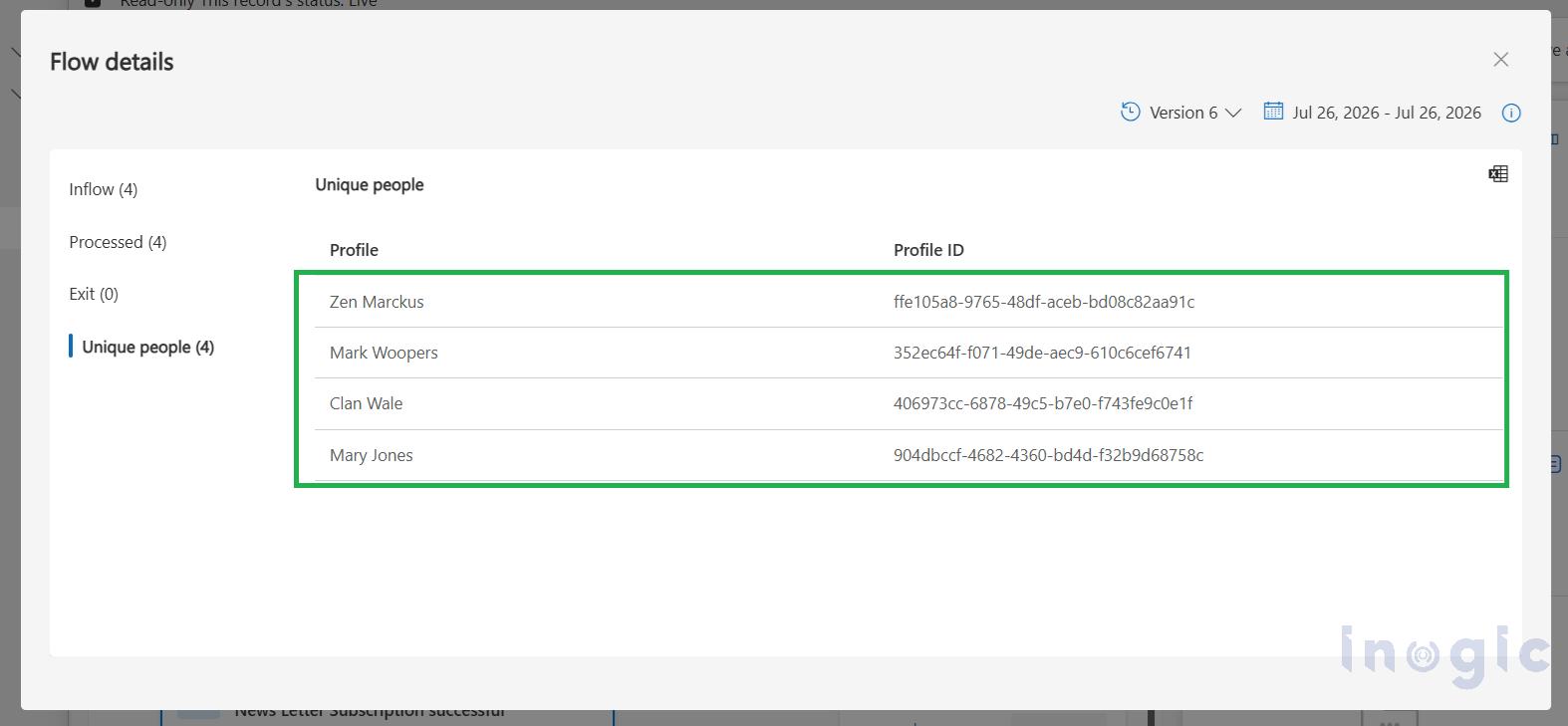
Once the journey has been running for some time, navigate to the journey analytics page to review the campaign’s performance.
Monitor key metrics such as:
- Email deliveries
- Open rate
- Click-through rate
- Customer engagement
These insights will help you understand how AI-optimized delivery contributes to improving your email campaigns.
As this agent is in Preview, refer to this Microsoft blog: Doc
Conclusion
Successful marketing is about continuously improving your campaigns. The Outreach Optimization Agent helps marketers make smarter decisions by using AI to optimize email delivery and improve customer engagement. Instead of spending hours reviewing campaign reports, marketers can use AI-driven insights to identify opportunities for improvement and make future campaigns more effective.
As the feature is currently in Preview, you can also refer to the Microsoft documentation to learn more about its capabilities and latest updates.
Frequently Asked Questions (FAQs)
What is the Outreach Optimization Agent in Dynamics 365 Customer Insights – Journeys?
The Outreach Optimization Agent is an AI-powered feature that helps marketers improve email campaign performance. It analyzes customer engagement patterns and determines the best time to send emails, helping increase engagement with minimal manual effort.
How does the Outreach Optimization Agent decide when to send an email?
The agent analyzes historical customer engagement data and schedules the email for the most appropriate time before the delivery deadline you specify. It also considers the recipient’s quiet hours while scheduling the email.
Do I need to manually configure the Outreach Optimization Agent for every email?
You need to add and configure the Outreach Optimization action within your customer journey. Once the journey is published, the agent automatically optimizes email delivery for customers who enter the journey.
Can I monitor the performance of AI-optimized email campaigns?
Yes. After the journey has been running, you can review its analytics to monitor metrics such as email deliveries, open rates, click-through rates, and customer engagement to evaluate campaign performance.
Is the Outreach Optimization Agent generally available?
At the time of writing, the Outreach Optimization Agent is available in Preview. Microsoft may introduce additional features and enhancements before it becomes generally available.