In the rapidly evolving landscape of sales automation, staying ahead means leveraging the latest AI capabilities. The Sales Qualification Agent is a significant advancement in Microsoft Dynamics 365 Sales, designed to revolutionize lead qualification processes.
This advanced AI agent functions as an autonomous member of the sales team. It is capable of qualifying leads by directly engaging with potential customers, gathering critical information, and seamlessly handing off qualified leads to human sellers when specific criteria are met.
This guide provides a comprehensive technical walk-through for configuring and deploying the Sales Qualification Agent, covering capabilities from basic research to autonomous customer engagement.
Prerequisites and Infrastructure Setup
Before configuring the agent, the underlying environment must be prepared to support secure data access and automation.
App Registration and Application User Configuration
To enable the agent to interact securely with Dataverse, an application must be registered in Microsoft Entra ID (formerly Azure Active Directory), and a corresponding application user must be created in Dynamics 365.
Please refer to the official Microsoft documentation for these standard configuration steps:
- Step 1: Application Registration: Register an application with the Microsoft identity platform
- Step 2: Application User Creation: Manage application users in the Power Platform admin center
Ensure the Application User is assigned the necessary security roles before proceeding.
Configuring the Sales Qualification Agent
Access the Sales Hub application and navigate to the Copilot for Sales or Sales IQ settings area (location may vary based on version).
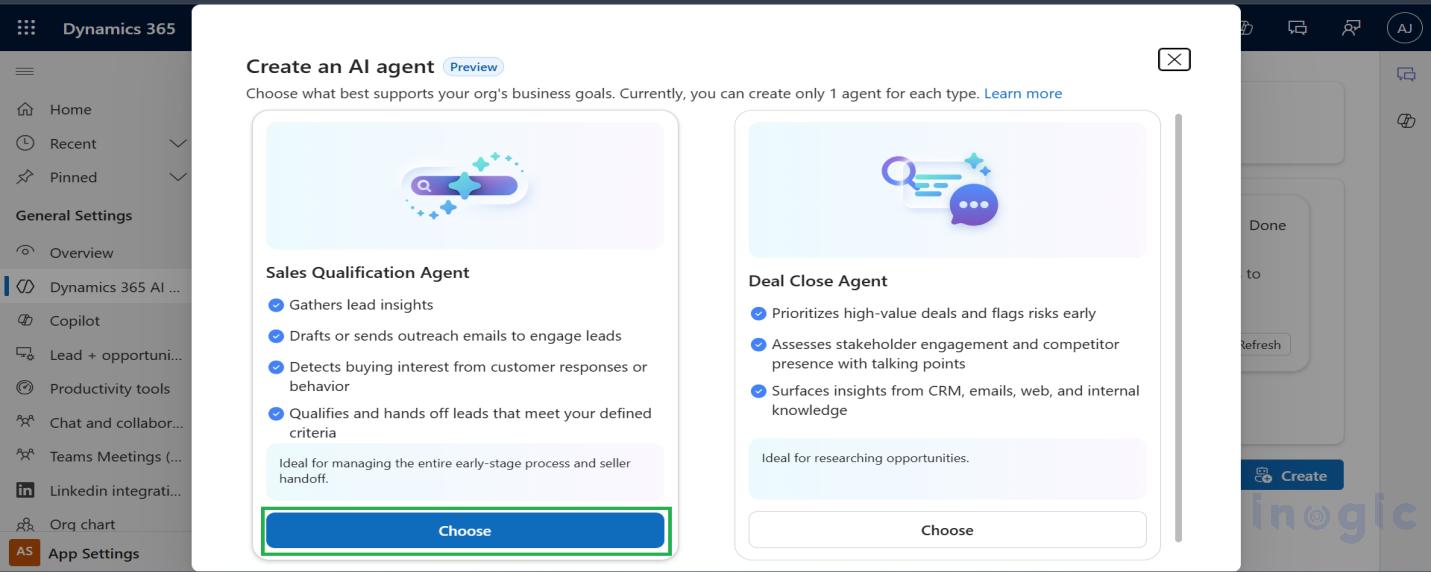
Step 1: Enable the Sales Qualification Feature
Locate and enable the “Sales qualification” preview feature to activate the agent’s capabilities.
Step 2: Configure Automation Levels
The agent’s level of autonomy can be configured to match organizational requirements and infrastructure readiness.
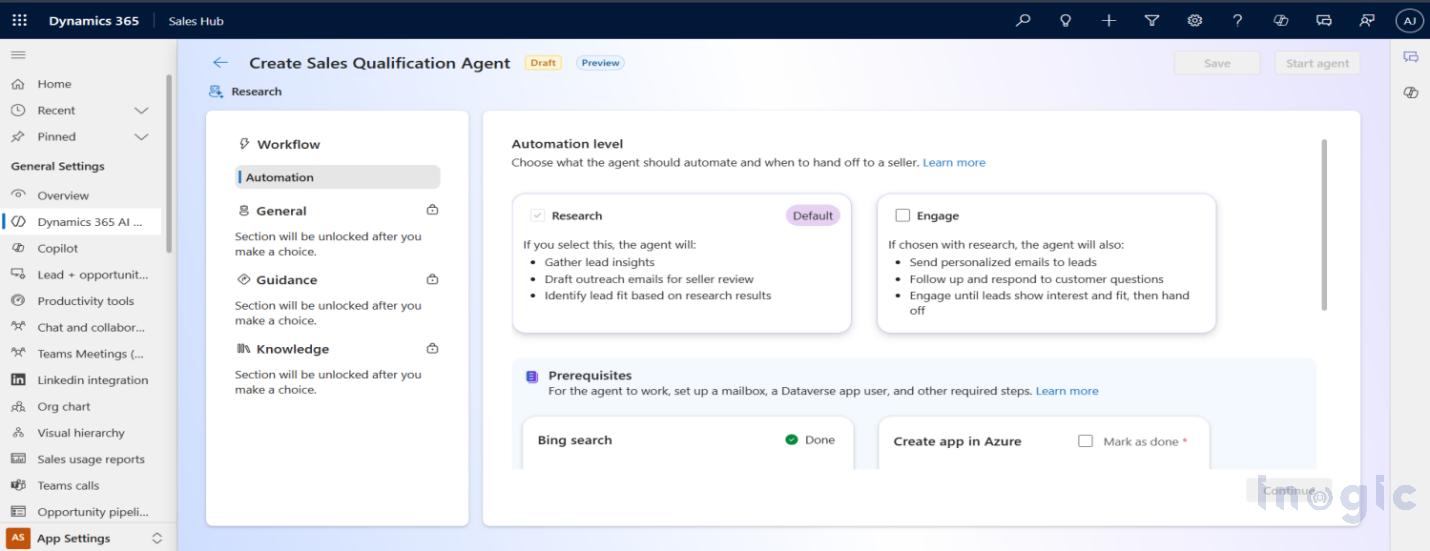
Two distinct operating modes are available:
- Research-only (Demonstrated Mode):
- Functionality: The agent analyzes leads and generates insights, drafting suggested emails for sellers to review and send manually.
- Prerequisites: Standard App Registration and Application User.
- Use Case: Ideal for organizations evaluating AI capabilities prior to implementing fully autonomous external communication.
- Research and engage:
- Functionality: The agent operates autonomously, performing lead research and sending emails directly to engage with customers without human intervention.
Additional Technical Requirements:
- Shared Mailbox: A shared mailbox must be provisioned in the Microsoft 365 Admin Center to serve as the agent’s sending address.
- Server-Side Synchronization: The shared mailbox must be enabled for Server-Side Synchronization within Dynamics 365 to facilitate automated email transmission.
Use Case: High-volume sales environments requiring immediate, automated lead qualification and follow-up.
Quick Note: This guide utilizes the Research-only mode to demonstrate core analytical capabilities without requiring immediate Exchange infrastructure modifications.
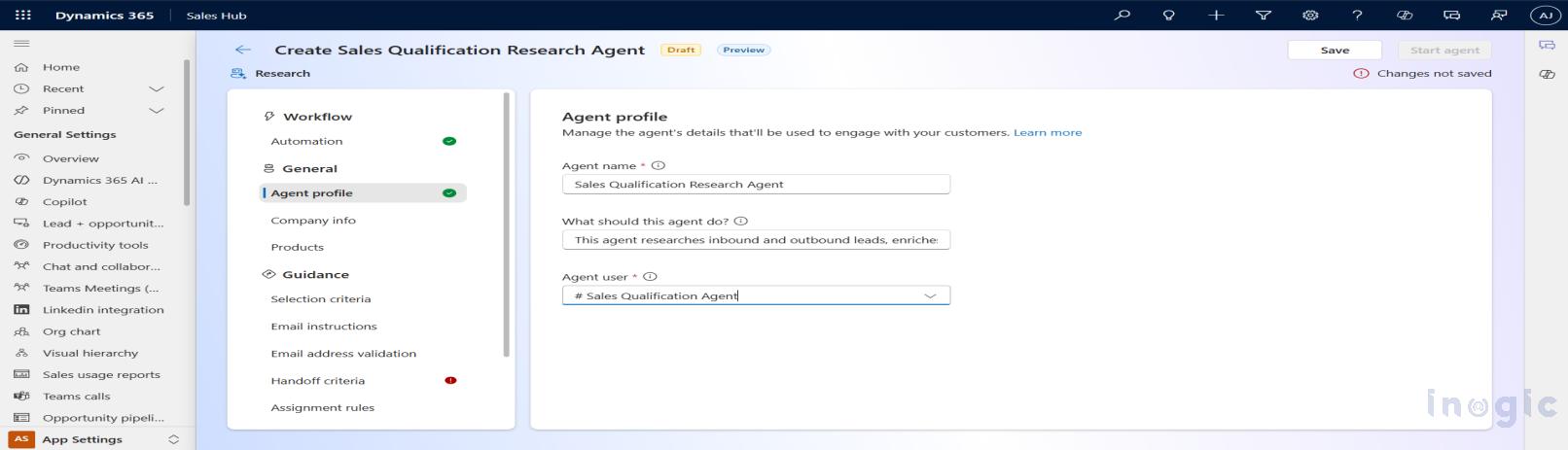
Step 3: Configure Agent Profile
Define the agent’s persona, including its display name and tone of voice. This configuration ensures the agent’s communication aligns with corporate branding standards.
Step 4: Add Knowledge Sources
To function effectively, the agent requires context about the organization. Input comprehensive company details to ensure accurate representation during interactions.
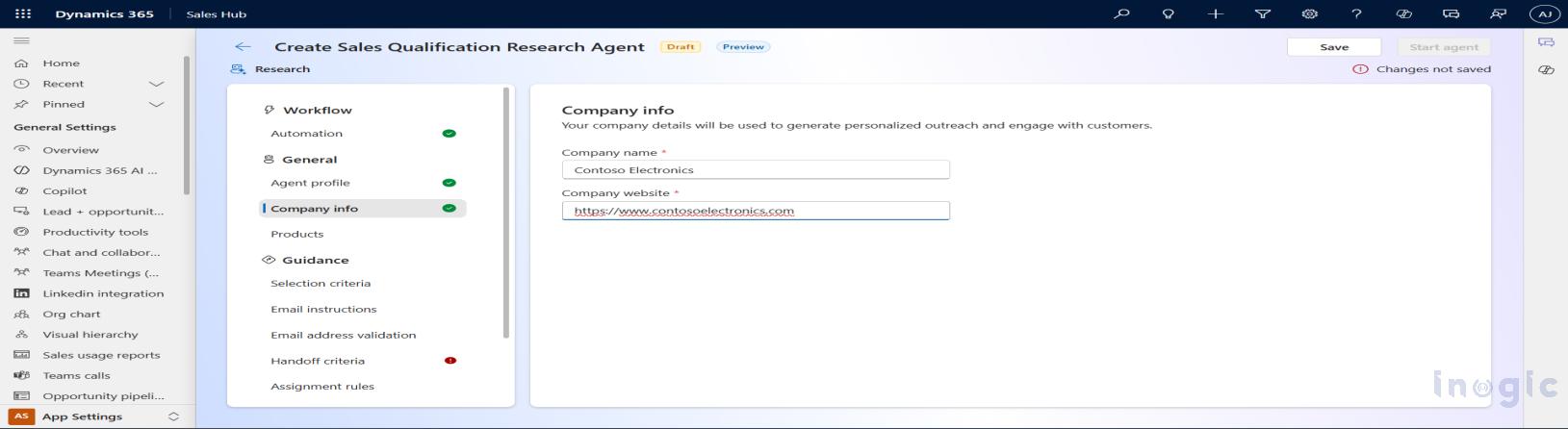
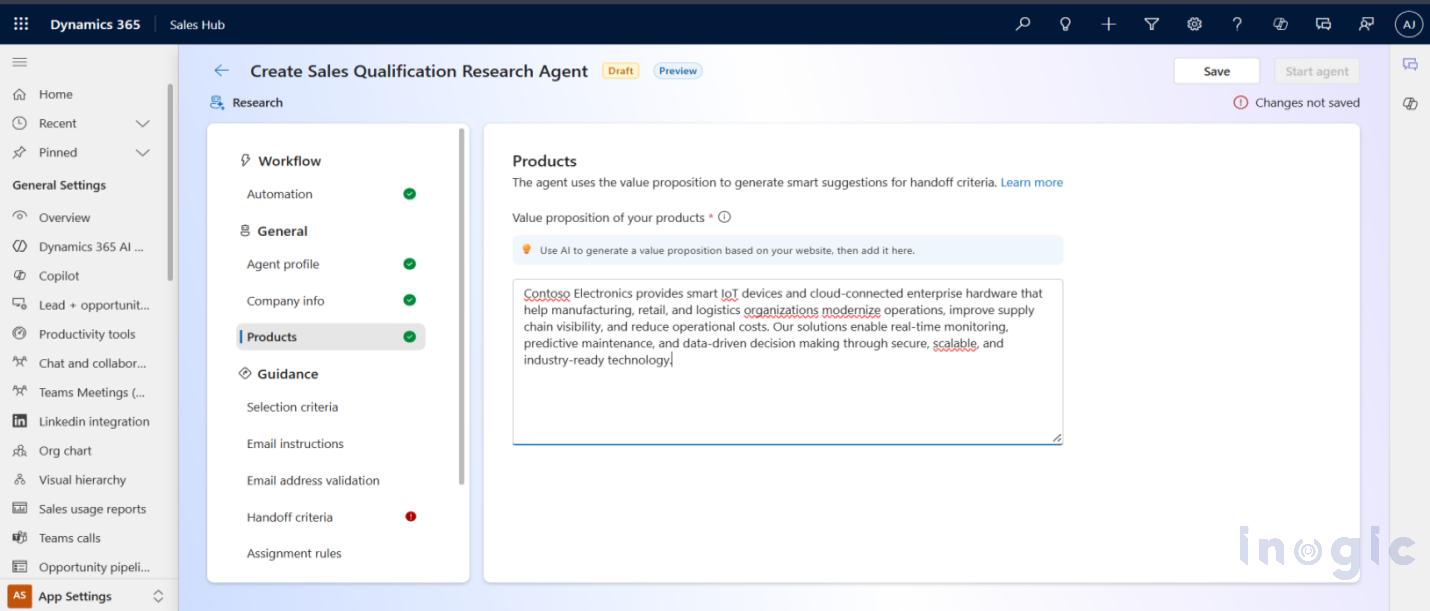
Step 5: Define Products and Value Propositions
The agent must be trained on the product portfolio. By accurately defining products and their specific value propositions, the agent is equipped to address customer inquiries and articulate benefits effectively.
Configuring Agent Logic: Criteria and Routing
This section covers the configuration of the agent’s decision-making logic, defining target audiences and handoff triggers.
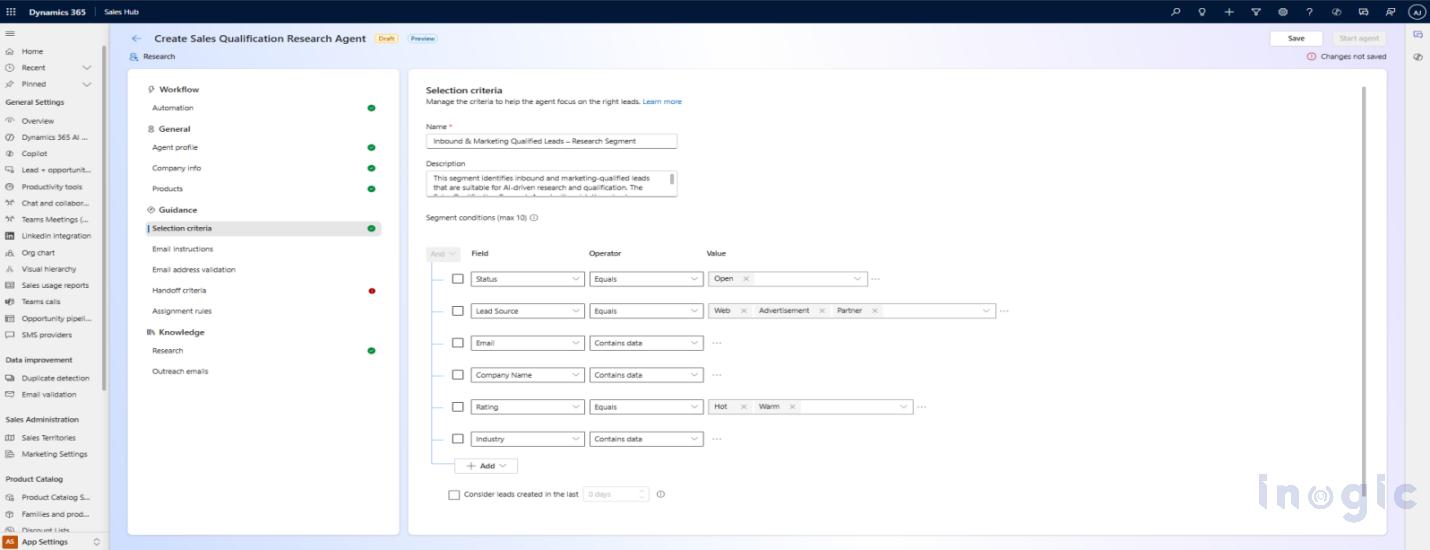
Selection Criteria
Establish precise criteria to define which leads the agent should process. Filters can be applied based on attributes such as lead source, industry, or geography to ensure resource optimization.
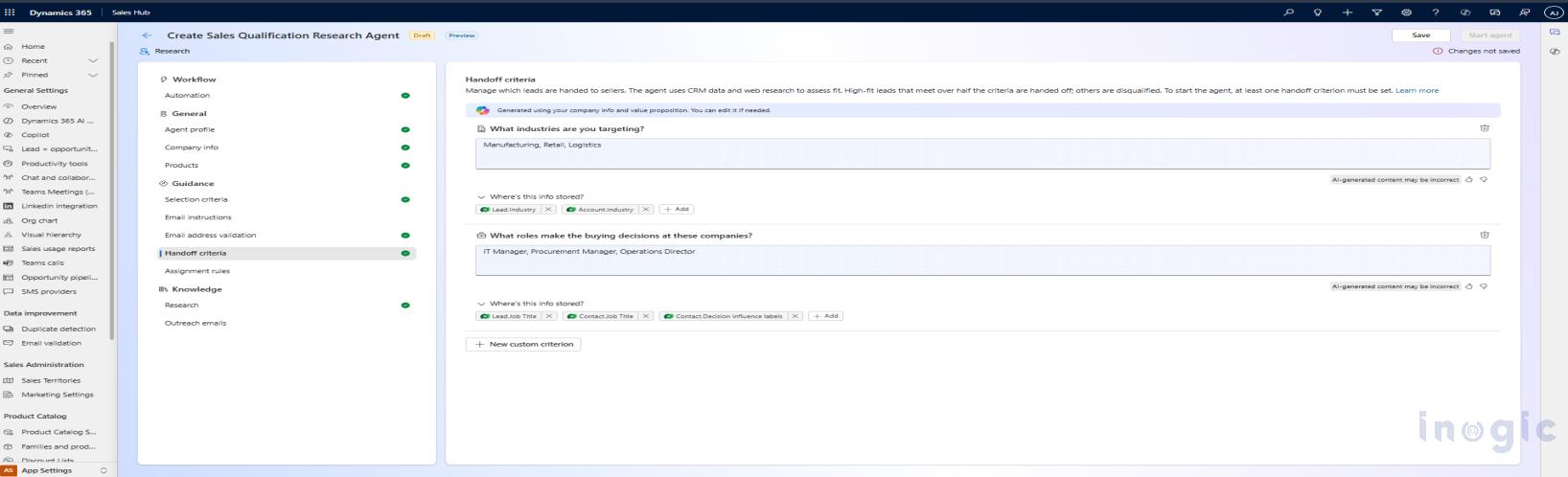
Handoff Criteria
Define the logic for determining when a lead is considered “qualified.” Copilot can assist in generating these natural language rules. A typical rule might be: “Hand off when the customer expresses clear purchase intent or requests a quotation.”
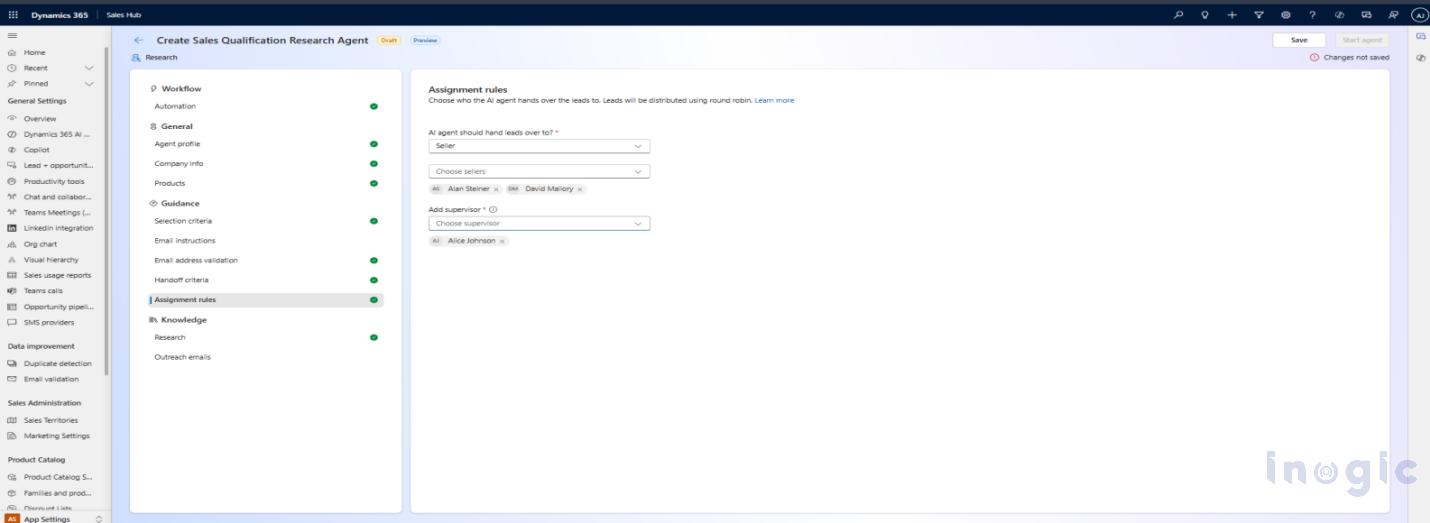
Assignment Rules
Configure routing rules to determine lead ownership post-qualification. These rules ensure that qualified leads are programmatically assigned to the appropriate seller or sales team.
Reviewing Performance and Handoff
Upon completion of the setup, the agent requires a brief initialization period to begin processing valid leads.
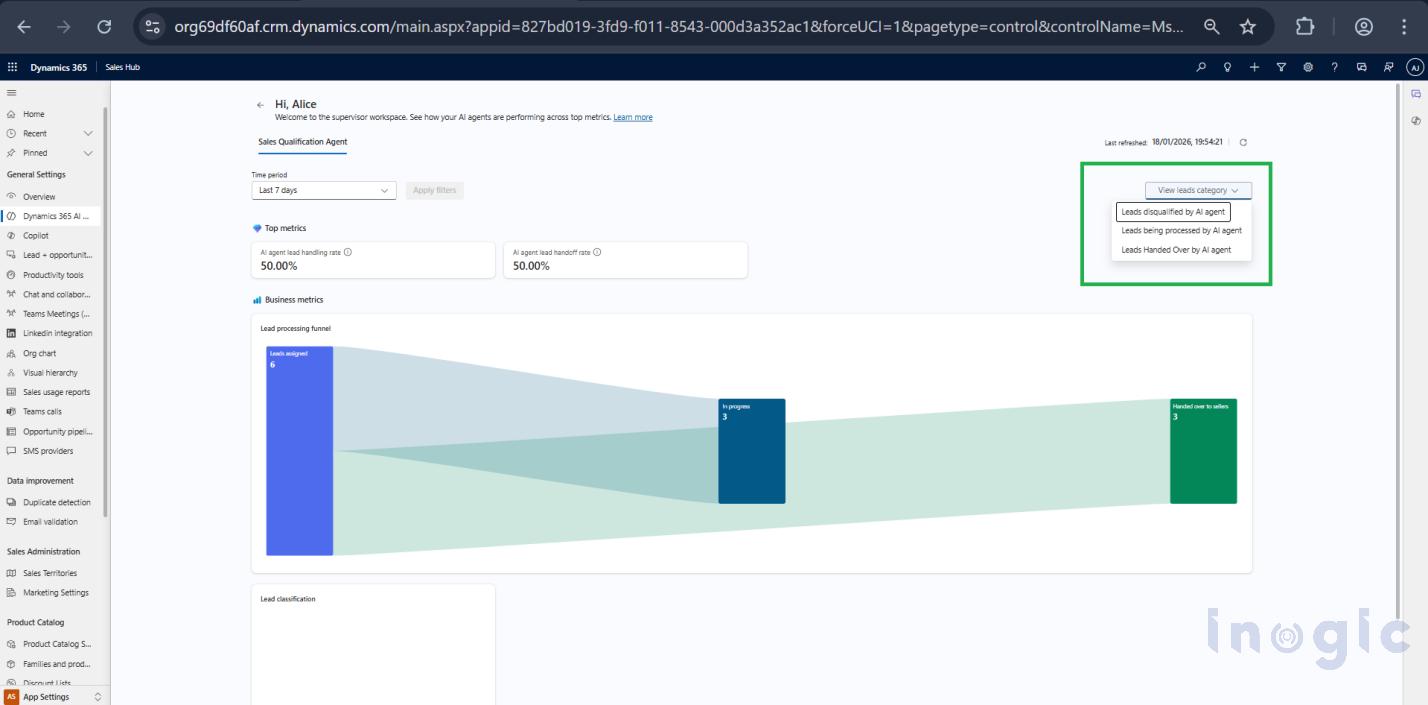
Monitoring Performance and Check Result
The Agent Insights dashboard provides real-time metrics on agent performance. Key analytics include the volume of processed leads, qualification rates, and conversation efficiency, allowing for data-driven optimization of the agent’s configuration.
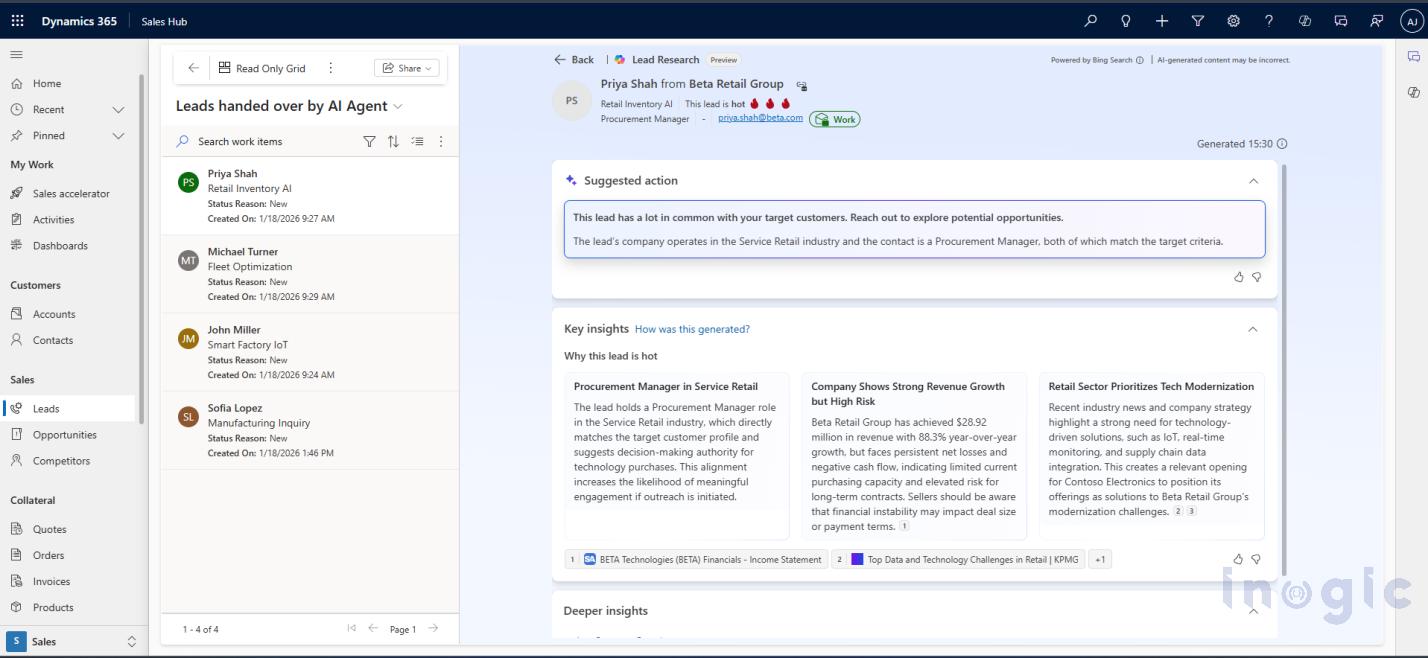
To track the effectiveness of the qualification process, the “Leads handed over by AI Agent” view offers a consolidated list of leads successfully transferred to human sellers. This view enables supervisors to monitor lead volume per seller and ensure smooth transitions.
Conclusion
The Sales Qualification Agent represents a paradigm shift in automated lead management. By delegating initial research and qualification tasks to AI, organizations can enable their sales professionals to focus exclusively on high-value activities, such as closing deals and nurturing qualified relationships.
FAQs: Sales Qualification Agent in Dynamics 365
1. What is the Sales Qualification Agent in Dynamics 365?
The Sales Qualification Agent is an AI-powered feature in Microsoft Dynamics 365 Sales that autonomously qualifies leads, engages with potential customers, and hands off qualified leads to human sellers, streamlining the sales process and saving time for sales teams.
2. How does the Sales Qualification Agent improve lead management?
By automating lead research, initial outreach, and qualification, the agent ensures faster lead response times, reduces manual effort, and helps sales professionals focus on high-value activities like closing deals and nurturing relationships.
3. Can the Sales Qualification Agent send emails directly to leads?
Yes. In the Research and Engage mode, the agent can send emails autonomously using a shared mailbox configured in Dynamics 365, while in Research-only mode, it drafts suggested emails for sellers to review and send manually.
4. What are the prerequisites for configuring the Sales Qualification Agent?
Before setup, you need:
An application registered in Microsoft Entra ID (formerly Azure AD)
A corresponding application user in Dynamics 365 Sales
Proper security roles assigned to the application user
Optional: A shared mailbox for automated email sending
5. How do I define which leads the agent should qualify?
The agent uses selection criteria based on attributes like lead source, industry, geography, or custom rules you configure. You can also set handoff criteria to determine when a lead is considered qualified.