Organizations generate thousands of documents across SharePoint, including contracts, invoices, proposals, technical specifications, HR files, SOPs, and more.
But finding the right document at the right moment is where the real challenge lies.
AI tools like Microsoft Copilot, when combined with modern semantic search and Azure AI Search, are reshaping how business users discover, understand, and use document-based knowledge—reducing search time from minutes to seconds.
Today’s blog explores the top Copilot features that enhance SharePoint document search and turn Microsoft 365 into a powerful, conversational knowledge hub.
Why Traditional SharePoint Search Falls Short
Keyword search was never designed for today’s volume of data. Users face issues like:
- Difficulty locating the right version of a document
- Missing results due to mismatched keywords
- Time spent browsing long PDFs, contracts, and presentations
- Inability to perform cross-document summaries
- Limited contextual understanding
This is exactly where AI-powered SharePoint search changes everything.
How Copilot Enhances SharePoint Document Search
Copilot enables semantic, conversational, and intent-aware search across your SharePoint content.
Instead of typing keywords, users can simply ask:
“Give me a short summary of all Q4 invoices stored in SharePoint.”
“Show me the risks mentioned in the contract signed with Contoso.”
“Provide the billing details for invoice INV-01002-Q3L3L2.”
And Copilot generates a clear, consolidated answer with citations within seconds.
AI Semantic Search + Azure AI Search: The New Search Backbone
Behind the scenes, Copilot leverages:
- Azure AI Search
- Semantic Indexing for SharePoint
- Intent understanding
- Natural language query processing
- Large-scale cross-document retrieval
The result? Copilot doesn’t just find documents; it understands their meaning.
Copilot in Microsoft Teams: Search Information Without Leaving the Call
During a live Teams call, users can ask:
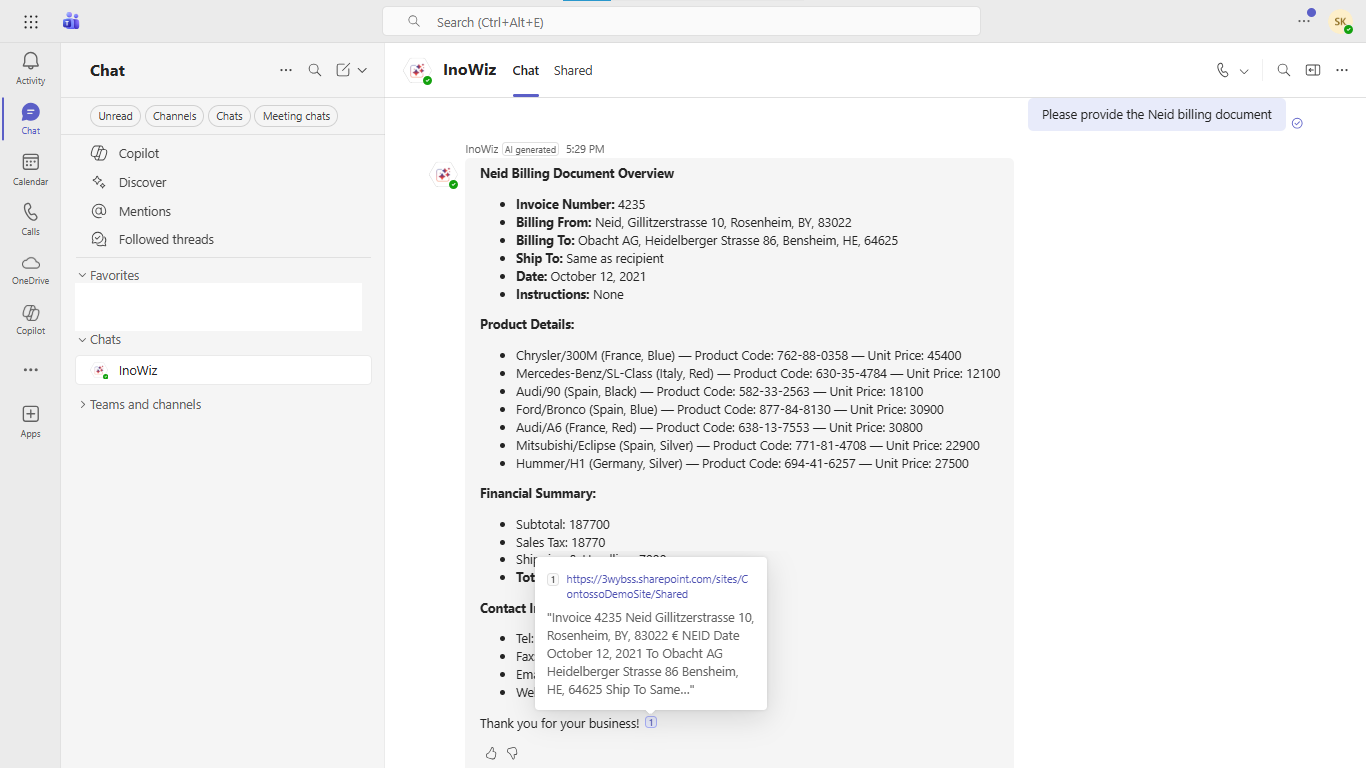
“Summarize the latest billing document for Project Neid.”
“Pull the contract details approved last week.”
Copilot instantly retrieves the relevant SharePoint content, even if it lives in a different site, library, or folder.
This is especially impactful for:
- Sales calls
- Project discussions
- Customer escalations
- Leadership reviews
Copilot in SharePoint: Ask Questions, Get Answers
Inside SharePoint, Copilot acts as a knowledge assistant.
You can ask:
“Provide insights from all technical design specs related to the Q3 rollout.”
And Copilot responds with synthesized insights instead of links to browse manually.
Copilot for Outlook & Dynamics 365: Enterprise Search Everywhere
The power of SharePoint search doesn’t stay in SharePoint.
Copilot brings AI search to:
- Outlook → Draft emails based on SharePoint documents
- Dynamics 365 CRM → Pull summaries when interacting with customers
- Power Apps → Enable document intelligence in custom apps
This ensures knowledge is available wherever users work.
Conversational & Context-Aware SharePoint Search
With context retention, users can ask follow-up questions:
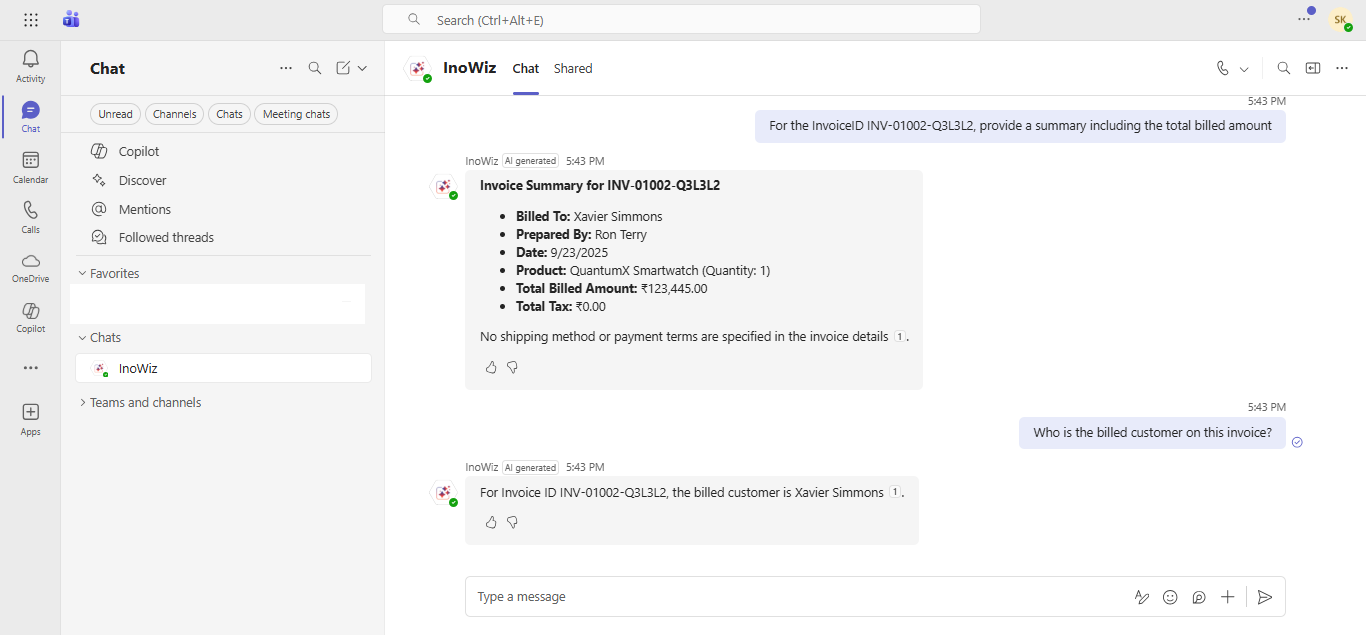
“For invoice INV-01002-Q3L3L2, what is the total billed amount?”
“Now show me the breakdown of line items.”
Copilot understands the topic you’re referring to and maintains continuity—just like a human assistant.
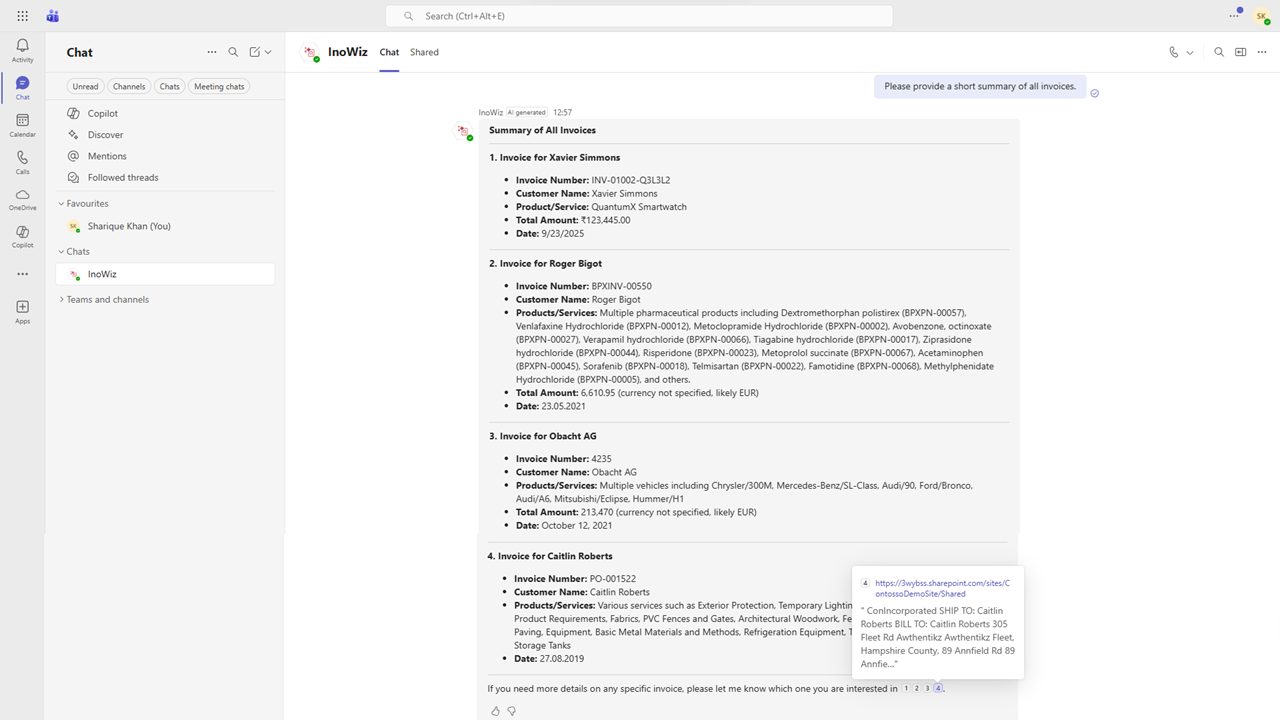
Cross-Document Understanding & Smart Citations
Copilot scans multiple SharePoint files at once and produces:
- Summaries
- Insights
- Bulleted explanations
- Comparisons
- Consolidated reports
Every answer includes citations to the exact SharePoint files used—ensuring transparency and auditability.
Example:
“Provide a short summary of all invoices.”
Copilot reviews every invoice document and returns a single, clean summary with links.
Secure Search with SharePoint Permissions
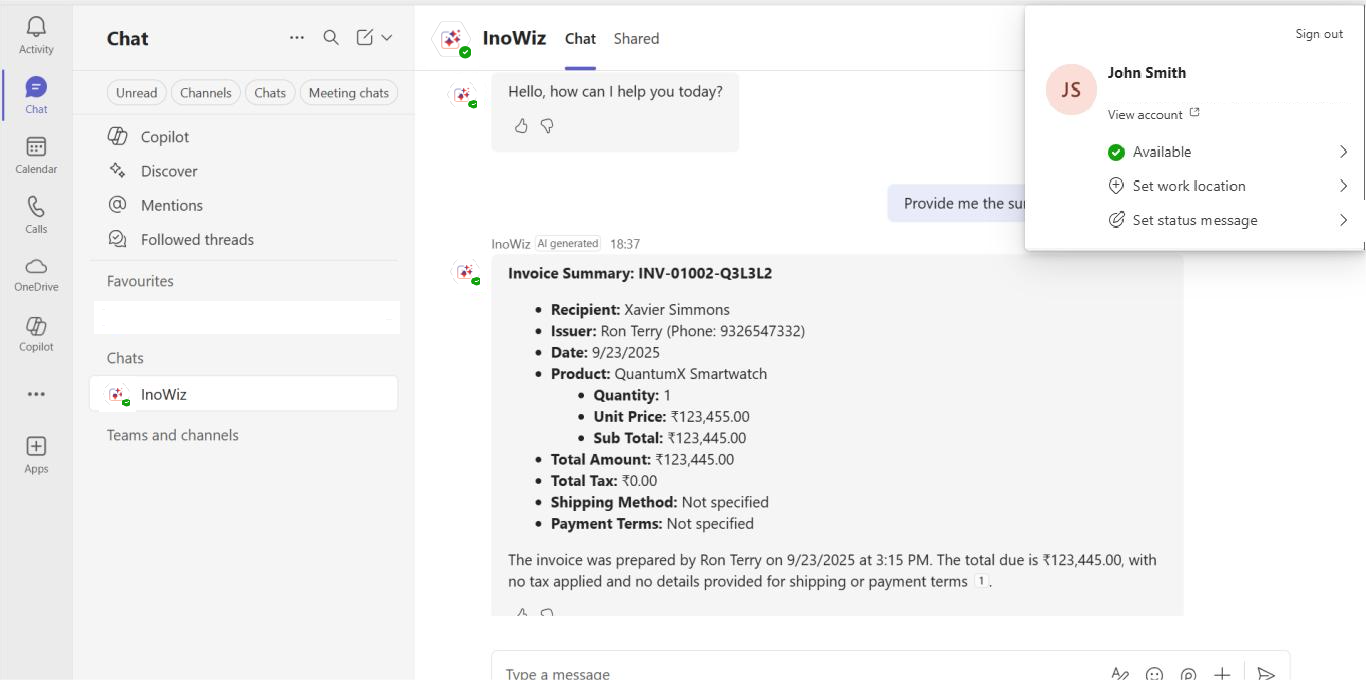
Copilot respects SharePoint’s native permission model.
Users only see results they have access to.
Example:
- John has access → Copilot retrieves invoice INV-01002-Q3L3L2
- Jonas doesn’t have access → Copilot shows nothing
This ensures compliance, security, and privacy without any manual configuration.

Tabular AI Responses for Faster Decision-Making
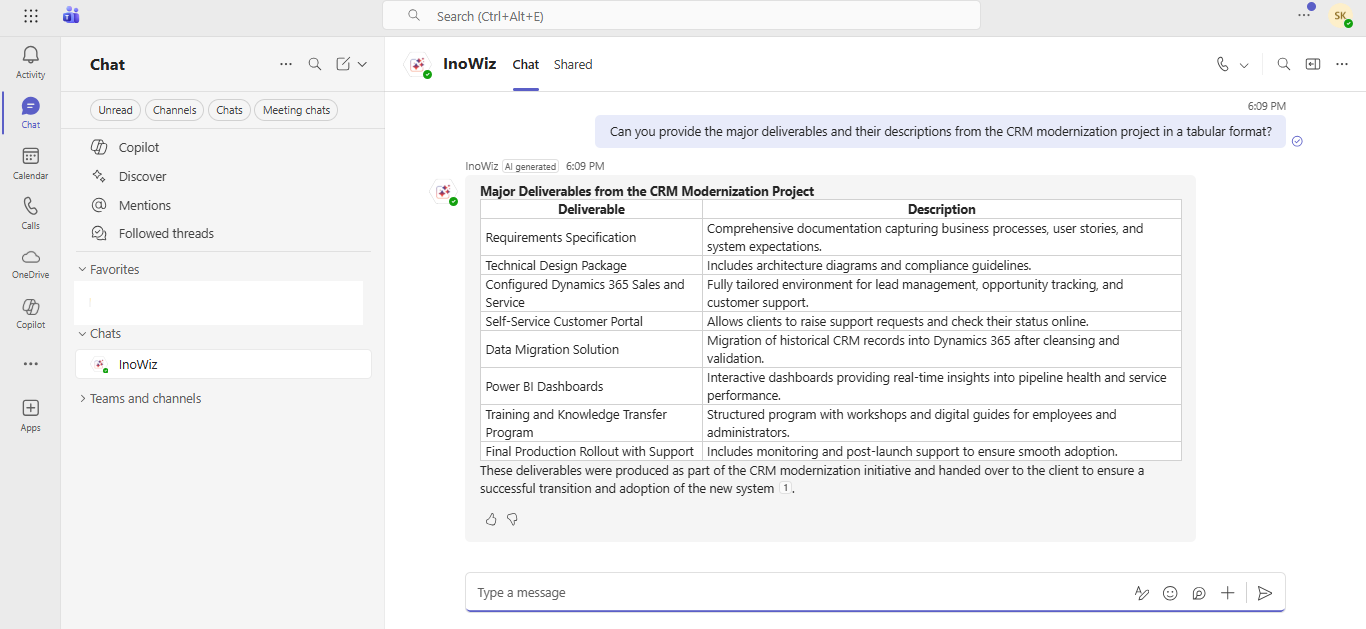
Copilot can convert extracted information into instant tables:
- Invoice lists
- Contract comparison columns
- Risk matrices
- Billing breakdowns
- Metadata summaries
This helps teams analyze data quickly without manually formatting spreadsheets.
Multi-Language Search for Global Teams
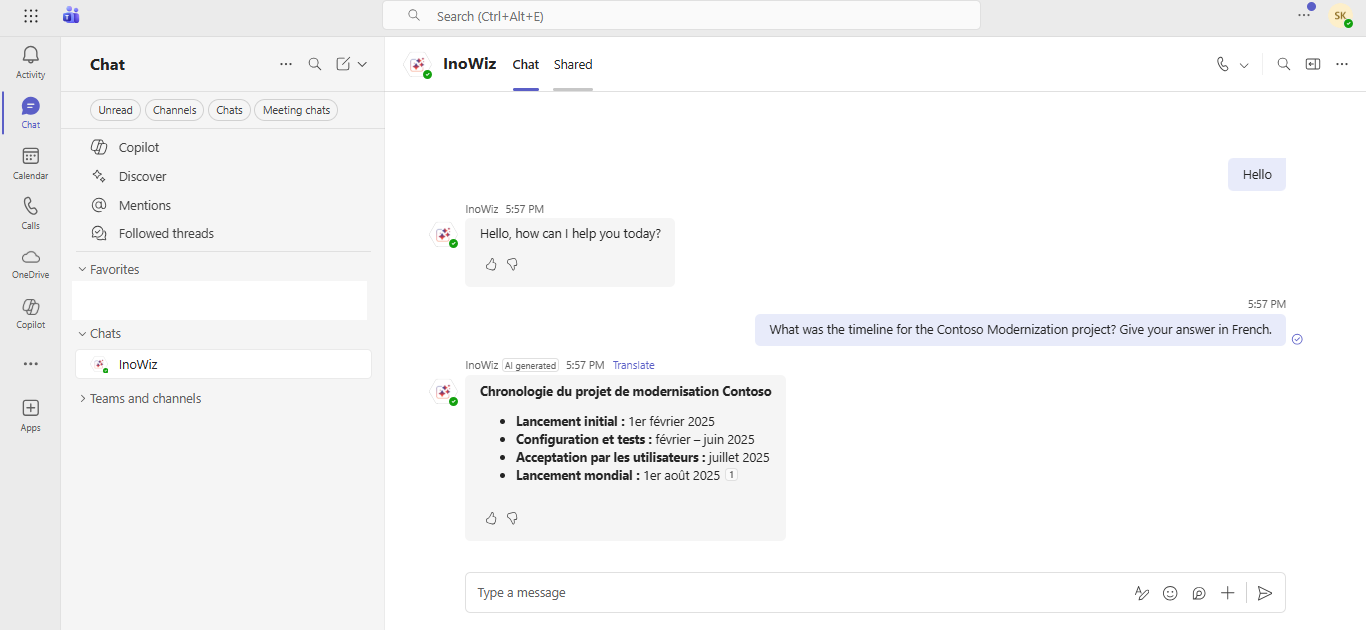
Copilot supports multilingual semantic search, ideal for organizations across:
- India
- Australia
- Europe
- Middle East
- North America
- Any
Users can query and receive answers in their native languages, boosting collaboration and accessibility.
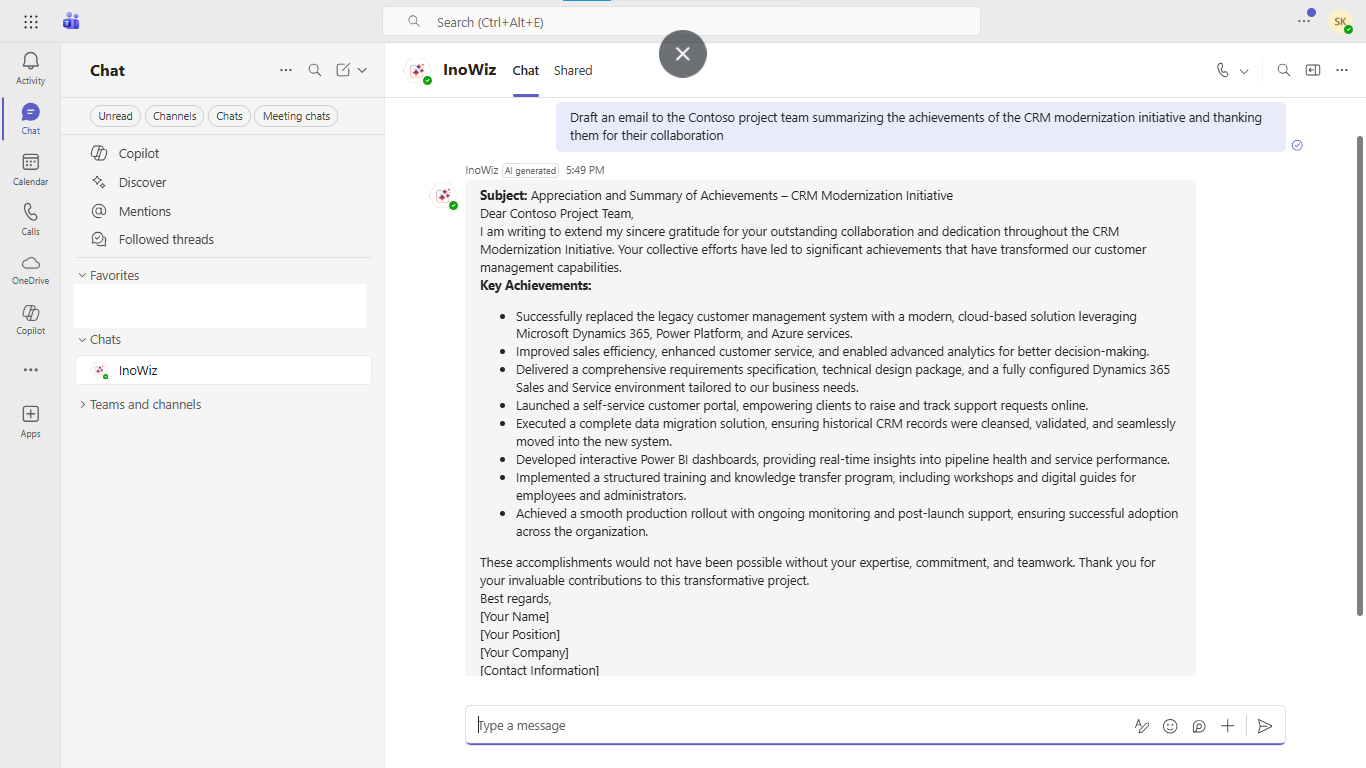
AI-Powered Email Drafting Based on SharePoint Content
A standout capability:
Copilot can generate professional email drafts using insights from the documents you reference.
Example:
“Draft an email to the finance team summarizing invoice INV-01002-Q3L3L2.”
Copilot instantly produces a polished draft you can send from Outlook.
Why Combine Copilot + Azure AI Search + SharePoint + Teams/Outlook/Dynamics 365?
Because together, they deliver:
- Faster decision-making
- Reduced manual search effort
- Instant knowledge extraction
- Secure, permission-trimmed results
- Modern AI-driven enterprise search experience
- Cross-document intelligence
This combination transforms SharePoint from a storage system into a smart corporate brain.
Conclusion
Copilot is redefining SharePoint search by layering semantic intelligence, natural language understanding, and AI summarization across Microsoft 365.
From Teams calls to SharePoint libraries and Outlook emails, AI-powered search is becoming the default way organizations find information.
The future of SharePoint is conversational, semantic, real-time, and AI-driven.
Ready to Enhance Your SharePoint Search with AI?
If you want to implement AI-driven semantic search, Copilot-driven document insights, and enterprise-grade, permission-aware knowledge discovery, request a personalized walkthrough.
For more details, visit the Inogic Website or Microsoft Marketplace.
Reach us at crm@inogic.com to get a demo of Copilot-powered SharePoint document search (AI-based).