The location-intelligence landscape inside Microsoft Dynamics 365 is shifting fast. For years, users of PowerMap (PowerObjects/PowerPack) relied on it for basic visual mapping, simple pin plotting, and light analytics. But as field operations have matured and business expectations for geo-mapping have grown, gaps in capability have become impossible to ignore.
For the past few months, the situation has changed even more dramatically. PowerMap users are facing Bing Maps licensing troubles, and many organizations are discovering that their mapping functionality is restricted or at risk. PowerMap used to use the free key & did not provide the Bing Map Key. With Bing Maps set to retire in 2028, the free keys are no longer available. As a result, the clients using PowerMap have to bear the license cost. Since Bing Maps is inherent and exclusive to the Microsoft Dynamics Environment, these licensing complexities are pushing businesses to look for a stable, future-proof alternative.
That search is leading many directly to Maplytics, the most comprehensive, robust, geo-mapping, routing, and territory-management solution built natively for Dynamics 365, Dataverse, Power Apps, etc. Maplytics solution includes a valid Bing Maps license, eliminating the immediate licensing concerns troubling PowerMaps users and the additional costs.
This is not just a product change but an overall operational upgrade.
Below is a detailed breakdown showing why organizations are replacing PowerMap with Maplytics and how Maplytics fills every gap PowerMap falls short at.
1. Feature Depth- Maplytics vs PowerMap
When comparing both apps side-by-side, PowerMap offers only surface-level mapping capabilities. Maplytics delivers a deeply advanced, end-to-end geo-mapping system built for enterprise field teams.
- PowerMap: Provides basic plotting and simple map visuals, including map pins, 3D bubbles, and region charts
- Maplytics: Gives multi-layer visualizations, industry-based coloring, category grouping, thematic maps, heat maps, advanced data visualization, and clustering
Maplytics turns CRM data into actionable insights. PowerMap simply displays it.
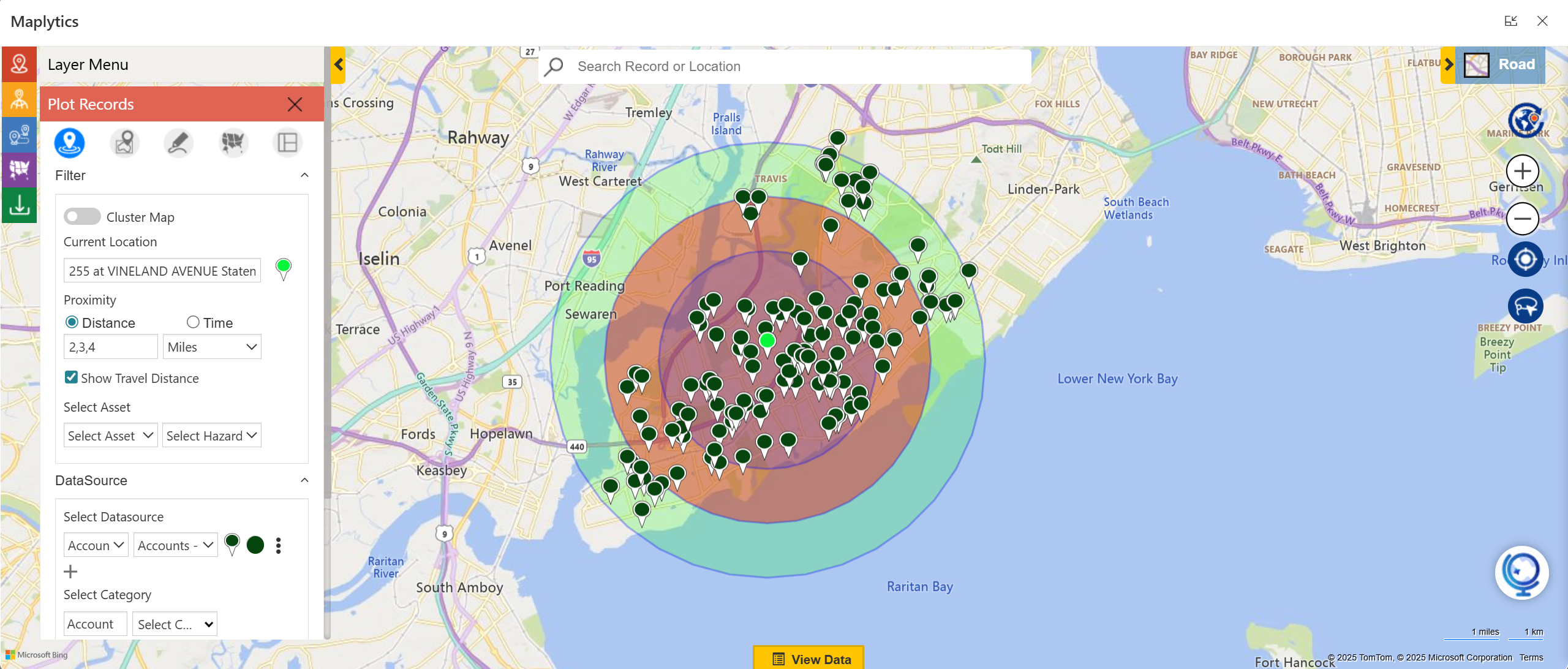
- PowerMap: Offers a limited search nearby with no interactive radius queries.
- Maplytics, on the other hand, provides:
- A detailed Radius-based Search
- Concentric proximity analysis
- Drive-time & drive-distance based search
- Point of Interest Location search (gas stations, ATMs, restaurants, etc.)
- Custom categories & more
This difference alone impacts daily field planning, especially for sales reps and service technicians.
You can download a 15-day free trial of Maplytics now and experience the tool in your environment! |
- PowerMap: Directions can be generated along with options for the fastest or shortest path. However, the route cannot be saved for future reference.
- Maplytics:
-
- Multi-stop route optimization
- Real-time recalculation
- Traffic-based ETA adjustments
- Turn-by-turn navigation
- Apple Maps, Google Maps, Waze navigation
- Route saving, sharing, and embedding
- Route history saving
- Auto-scheduling in advance
For organizations with traveling/ field reps, the improvement is huge.
Field Operations & Real Time Tracking
- PowerMap: No field tracking or check-ins. Supports time-series animation via Excel Data Model
- Maplytics:
-
- Real-time check-ins
- Activity tracking
- Location-based attendance
- Customer visit verification
- Geo-analytics for performance insights
This makes Maplytics suitable not just for visualization but for true field service and sales optimization.
2. Territory Management- A Complete Game-Changer
This is where Maplytics completely outclasses PowerMap.
- PowerMap:
-
- Limited territory drawing
- No balancing
- No realignment tools
- No draft mode
- No territory-based security
- Maplytics:
-
- Create, align, balance, and realign territories
- Multiple territory creation methods:
- Shape files
- Postal code data
- Manual drawing, etc.
- Draft mode for planning and reworking
- Bulk realignment of created territories
- Territory & ESRI overlays on the map
- Territory security & access control
If territory management is even slightly important to your organization, PowerMap simply cannot support your needs.
Looking for a PowerMap Alternative? Maplytics Includes the Bing Maps License. Download a free trial today! |
3. Data Sources & Integrations
- PowerMap:
-
- Desktop-focused features
- Limited or no integration with: canvas apps, model-driven apps, dashboards
- No AI features
- No support for large datasets
- Maplytics:
-
- Built natively for Dynamics 365, Dataverse, Power Apps, etc.
- Works across:
- Model-driven apps
- Canvas apps
- Field Service
- Sales
- Customer Service
- Seamless integration with CRM entities, custom entities, and security roles
Your CRM becomes location-aware everywhere, not just inside the map screen.
4. The Bing Maps Licensing Advantage
This is the critical differentiator pushing PowerMap users toward Maplytics.
PowerMap Problem:
PowerMap is experiencing Bing Maps licensing restrictions, which are starting to affect active features, map visibility, and usage limits. For many organizations, this is leading to:
- map tiles not loading
- proximity search errors
- routing failures
- limited map rendering
Organizations can’t afford unpredictable downtime for field teams.
Maplytics Solution:
Maplytics provides a Bing Maps license valid until 2028, ensuring:
- uninterrupted maps
- future-proof usage
- stability for all location-based operations
- no surprise outages or failures
- no hidden expense
This alone makes Maplytics the safer choice for long-term planning.
What would happen after 2028, when Bing retires?
It sounds worrisome and is a legitimate question for businesses. What would their workflow look like once Bing retires? Team Maplytics has futureproofed itself and its clients from this situation. Maplytics integrates seamlessly with Azure Maps as well. So, even if Bing is out of service, the clients can enjoy effortless geo-mapping with Azure Maps within Dynamics 365!
5. Advanced Capabilities That PowerMap Doesn’t Offer
Maplytics includes capabilities that don’t exist at all in PowerMap:
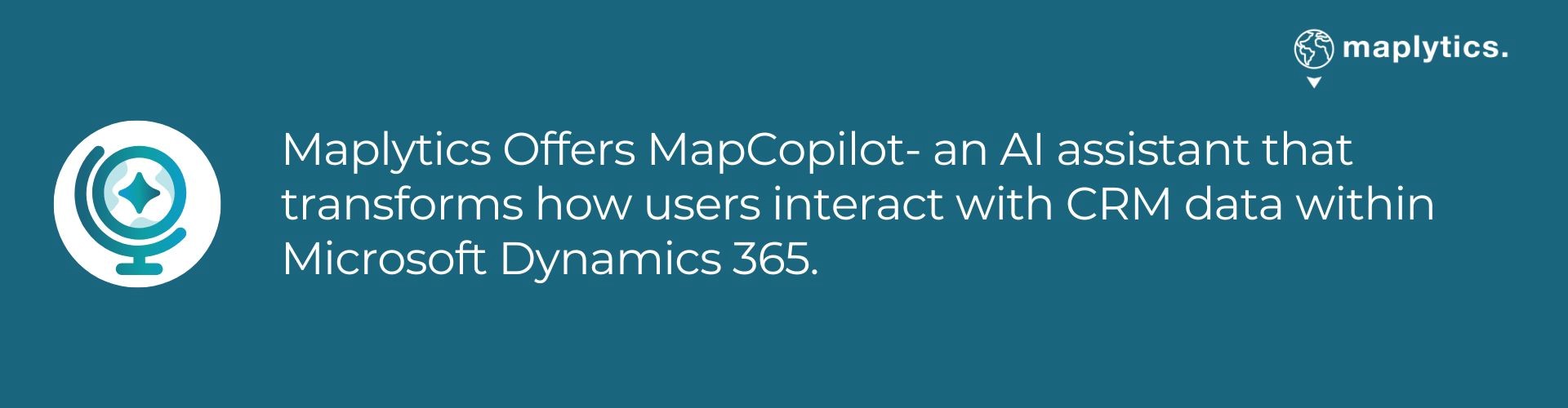
- MapCopilot – AI-based natural-language mapping assistant within Dynamics 365
- Auto-Scheduling – automatic creation of optimized daily plans in advance
- Heat Maps Analysis –Visualize trends instantly with color-coded patterns
- Census data integration– Blend demographic insights with business data, location-driven decisions
- Mobility and offline support – Stay productive anywhere with mobile access and offline mapping features
- Tooltip Display – Users can categorize and color-code records based on entity data, enabling them to visually differentiate and identify key records they wish to focus on. Additionally, they can filter and display the required data using categorization.
- Certification & Rating – Maplytics is also the first certified and a 5-star rated geo location app on the Microsoft marketplace.
PowerMap’s core feature set has remained largely unchanged for years. Maplytics continues to expand with every release.
6. Enterprise-Grade Security & Governance
Maplytics uses:
- Native Dynamics 365 security roles
- Field-level access
- Record-level access
- Territory-based security
- Admin configurations for compliance
PowerMap provides only basic via PowerMap roles (PowerMap Admin / PowerMap User)
7. Global Language & Region Support
Maplytics supports:
English, German, French, Spanish, Portuguese, Arabic, Turkish, and more
PowerMap: not applicable.
Why Businesses Are Choosing Maplytics Over PowerMap
Here’s the summary decision matrix many organizations use:
PowerMap is
Basic, Limited, No licensing stability, No AI, No field operations, No territories, No enterprise scalability
Maplytics
- Full enterprise geo-mapping suite
- Advanced proximity + routing
- Auto-Scheduling
- AI through MapCopilot
- Territory management
- Field operations & check-ins
- Future-proof with the Bing license till 2028
- Microsoft-certified, constantly updated
Maplytics doesn’t just replace PowerMap; it expands the possibilities.
If You’re on PowerMap, It’s Time to Move
With Bing Maps licensing issues growing and PowerMap’s feature set remaining stagnant, organizations are switching to Maplytics to avoid disruptions, improve field efficiency, and gain enterprise-grade geo-analytics capabilities. Maplytics provides everything PowerMap doesn’t, and everything modern field teams now expect.
What’s More?
Organizations interested in adopting Maplytics, 15-day free trials, or personalized demos are encouraged to contact Maplytics’ sales team at crm@inogic.com
For more information, visit our Website or Microsoft AppSource. One can hop onto the detailed Blogs, Client Testimonials, Success Stories, Industry Applications, and Video Library for a quick query resolution. Technical docs for the working of Maplytics are also available for reference.
Kindly leave us a review or write about your experience on AppSource or the G2 Website.