Stop relying on OData workarounds and use a professional API-based pattern instead.
When building flows in Power Automate, you often need environment-specific metadata like the CRM base URL, Dataverse environment URL, or Azure Tenant ID. These values are essential when sending automated emails, calling external APIs, generating dynamic links, or logging metadata for audit scenarios.
A common approach is to use a record odata.id (or other metadata) to extract the URL. That works, but it feels hacky. You may even need to fetch a dummy row just to parse the metadata. And when the solution moves across dev → test → prod, the risk of duplicated configuration or broken references increases.
What if you could get that metadata directly, without creating dummy records or embedding hardcoded strings? That’s cleaner, more robust, and more professional, especially for large-scale solutions.
Cleaner approach: Using a Custom API + the SDK’s
A more robust, professional pattern is to use Dataverse’s SDK to directly query the environment metadata via:
RetrieveCurrentOrganizationRequest
Here’s a more elegant pattern:
- Use the SDK of Dataverse (C# / .NET) to call RetrieveCurrentOrganizationRequest. That request returns essential metadata:
- CRM base URL (organization URL)
- Organization ID / Unique Name
- Tenant ID (via context)
- Endpoints for various services.
- Expose that logic via a Custom API (unbound action) in your Dataverse solution.
- From Power Automate, call Custom API. The response gives you clean, structured metadata with no record creation, and no parsing hacks.
Why does this work better?
- No unnecessary operations — you don’t need to create or retrieve dummy records.
- Dynamic — works across all environments (dev / test / prod) without reconfiguration.
- Reusable — once defined, you can call it whenever you need the environment metadata.
- Clean architecture — avoids “oh this is just a workaround” pattern; it feels professional and maintainable.
- Future-proof — if underlying URL patterns or OData behaviors change, you won’t rely on brittle parsing logic.
Implementation outline
Here’s a high-level outline for implementing this approach:
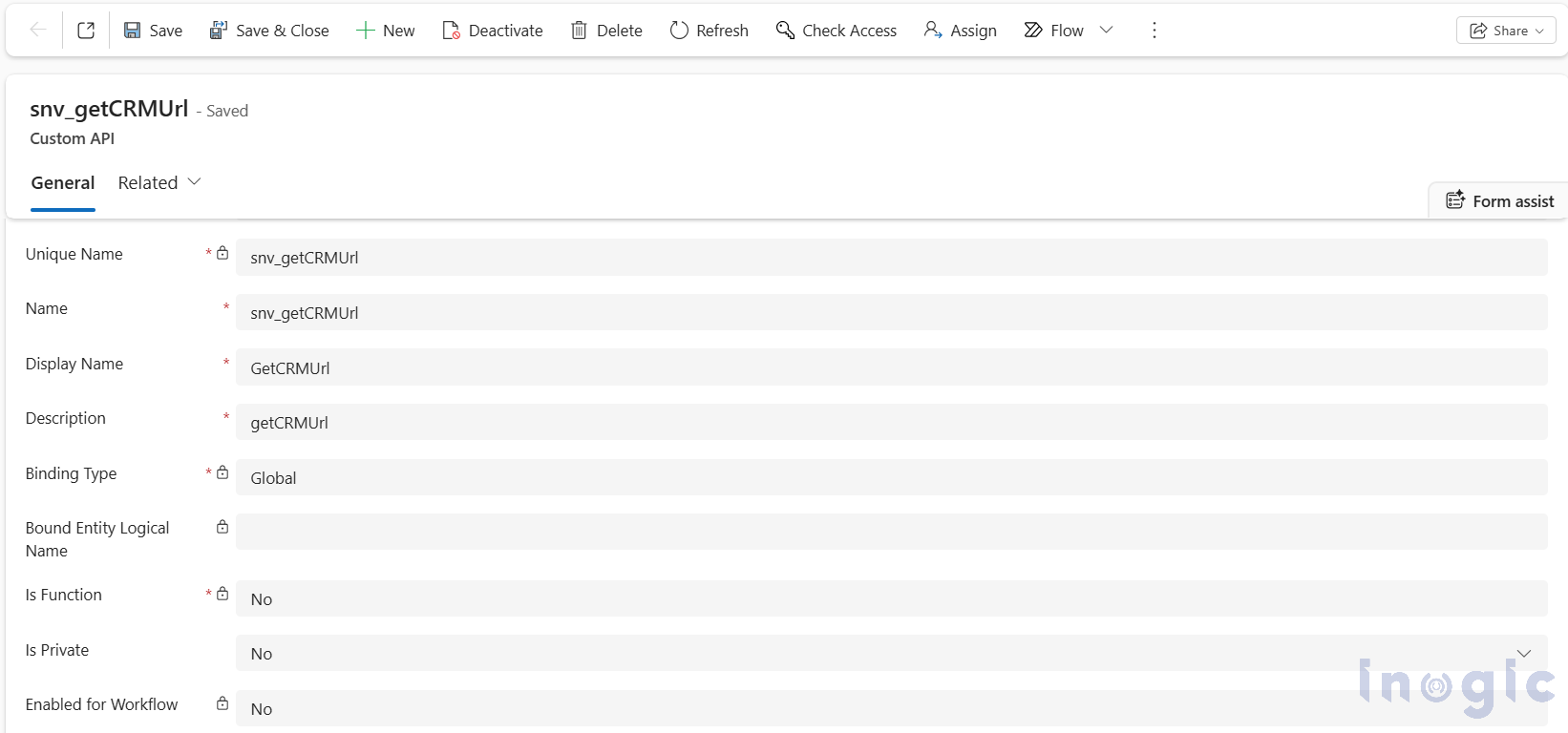
- In your Dataverse solution, define a Custom API (unbound action), say: GetCRMUrl.
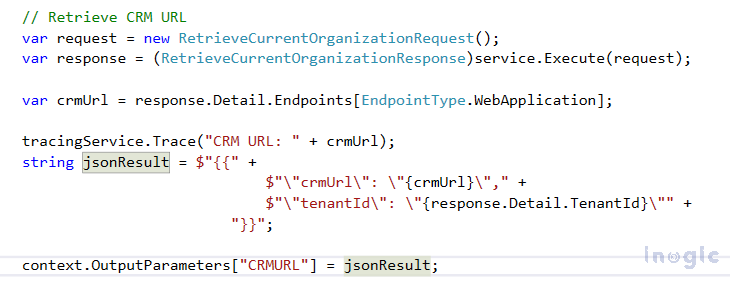
- In its server-side implementation (C# / .NET), call RetrieveCurrentOrganizationRequest. Return a response with CRM URL, Tenant ID, Org Unique Name, etc. Since this scenario only required the base CRM URL and the Tenant ID, the plugin extracts just those two values and sets them as the API’s output parameters.
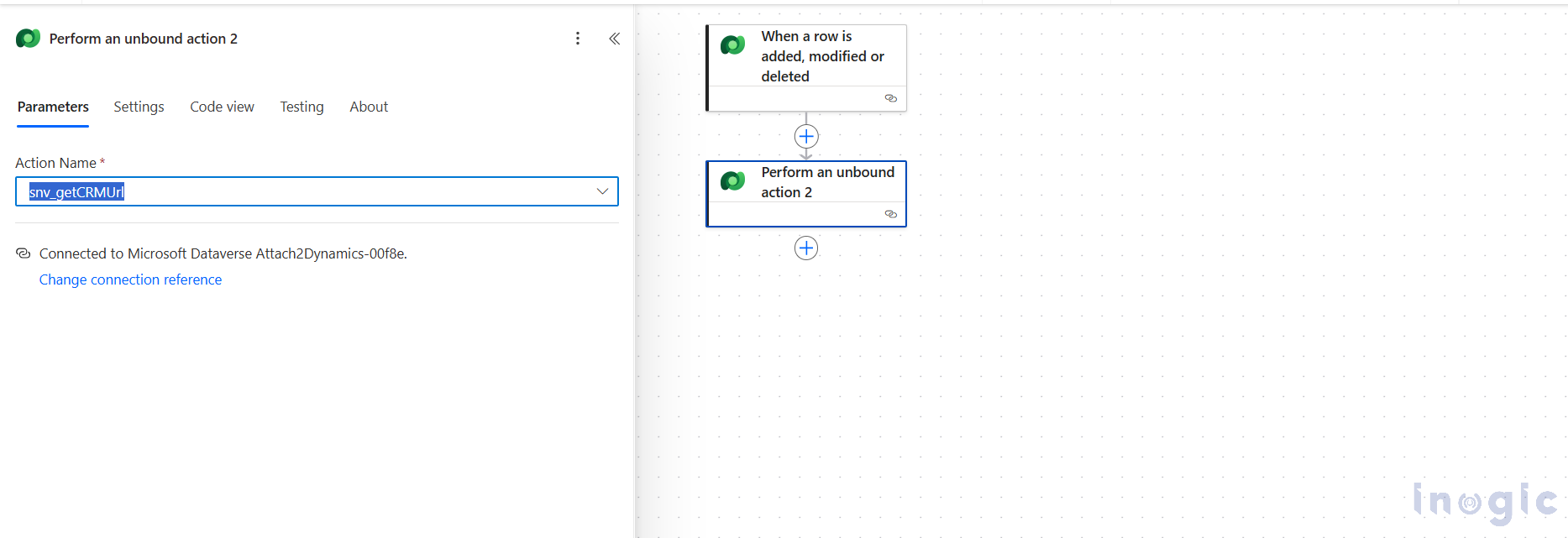
- In Power Automate, use the Dataverse connector to call this Custom API. Capture the output fields (URL, Tenant ID, etc.) for subsequent steps.
- Use the URL to build environment-aware links, or Tenant ID for logging/conditional logic.
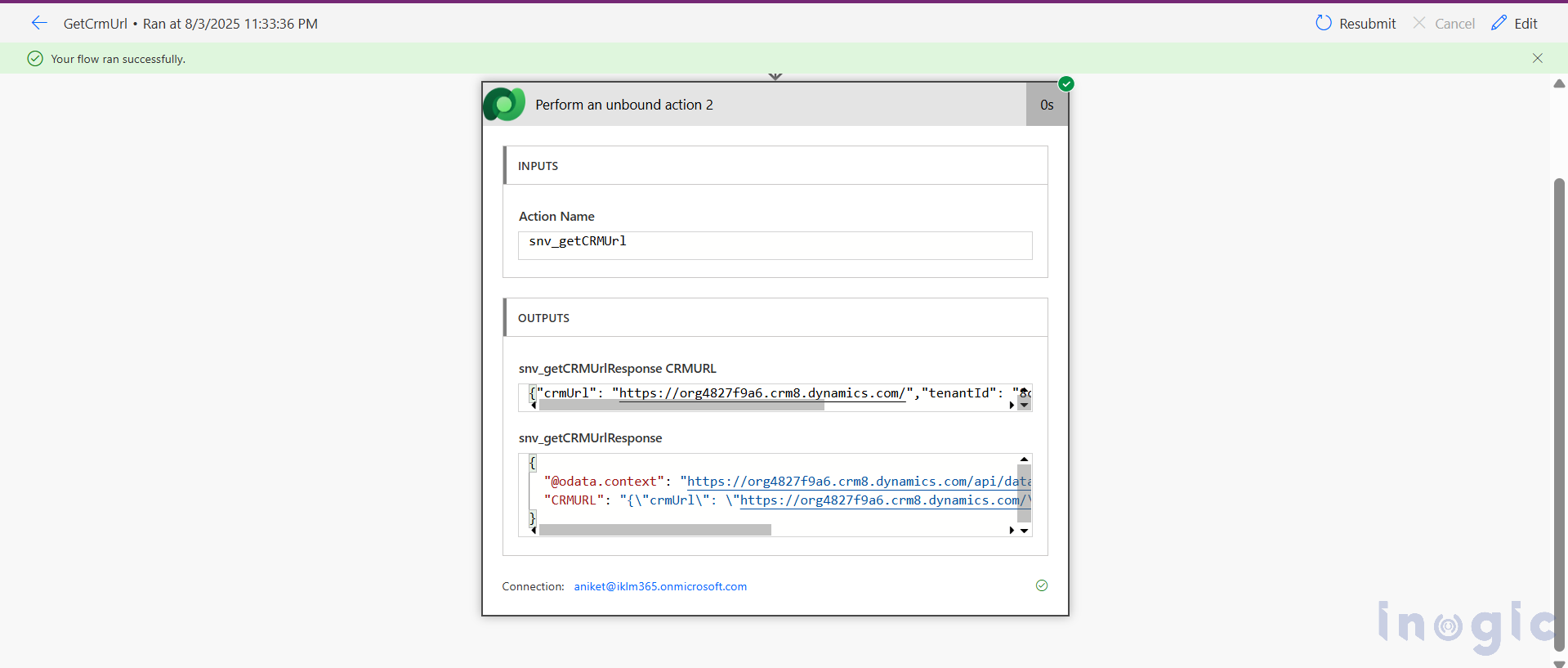
This not only removes ugly hacks, but also enforces a clean separation between “data & metadata retrieval” and “business logic implementation.”
When this pattern makes most sense
- You manage multiple environments and want environment-agnostic flows.
- Your flows or integrations depend on CRM/tenant metadata (e.g. Tenant ID, base URL, service endpoints).
- You prefer maintainable, professional-grade architecture over quick hacks or workaround code.
- You foresee your solution evolving / scaling and want a future-proof foundation.
FAQS
1. How can I dynamically retrieve the CRM base URL in Power Automate without using OData metadata?
A. You can retrieve the CRM base URL cleanly by calling a Custom API that uses Dataverse’s RetrieveCurrentOrganizationRequest. This eliminates the need to parse OData metadata or create dummy records.
2. What is the recommended way to get the Tenant ID inside Power Automate flows?
A. The blog recommends creating a Custom API that invokes RetrieveCurrentOrganizationRequest in a plugin and returns the Tenant ID as an output parameter, allowing Power Automate to access it directly.
3. Why is using a Custom API better than extracting URLs from an OData record in Dataverse?
A. Using a Custom API is more robust because it avoids parsing brittle OData strings, eliminates dummy record retrieval, and works dynamically across Dev, Test, and Prod without hardcoding.
4. What metadata does RetrieveCurrentOrganizationRequest provide for Dataverse environments?
A. It returns key environment metadata such as the CRM base URL, Organization Unique Name, Organization ID, Tenant ID, and service endpoints, which can be passed through a Custom API to Power Automate.
5. How does the Custom API approach help in multi-environment solutions?
A. Because the API reads metadata at runtime, it automatically works in Dev, Test, QA, UAT, and Prod without any reconfiguration, reducing flow maintenance and preventing environment-specific failures.
6. Can Power Automate directly call the Custom API created in Dataverse?
A. Yes. Power Automate can call it using the Dataverse connector under “Perform an unbound action,” allowing flows to receive CRM URL, Tenant ID, and other metadata cleanly.
7. What scenarios benefit most from retrieving CRM URL and Tenant ID dynamically?
A. This method is ideal when building flows for logging, external API calls, dynamic link creation, and environment-aware automation, where environment metadata is essential.
8. Why is the Custom API method considered future-proof?
A. It avoids dependence on URL patterns or OData conventions that Microsoft may change. Since it uses official SDK calls, it aligns with the supported, long-term Dataverse architecture.
Conclusion
Hard-coding CRM URLs or using record metadata parsing just to extract environment details might “work,” but they introduce maintenance overhead, fragility, and complexity across environments.
By leveraging a Custom API + the SDK’s RetrieveCurrentOrganizationRequest, you get a clean, reliable, reusable way to fetch environment metadata like CRM URL and Tenant ID. That results in cleaner flows, fewer hacks, and more maintainable automation.
If you’re working with Dataverse + Power Automate and care about architecture hygiene, this pattern is worth considering.