
As the business landscape evolves, one recurring challenge for sales leaders remains clear- ‘missed opportunities due to poorly structured territory assignments’. When sales teams fail to contact high-potential leads or struggle with uneven coverage, it’s often a symptom of weak territory design. Rather than merely dividing geographic areas on a map, territory planning in 2026 demands a more strategic, data-driven, and adaptive approach so that sales efforts align with true market potential.
Why Territory Planning Is Critical Today
For many organizations, expanding into new regions or managing a large mobile sales force has shifted territory planning from a basic administrative task to a strategic competitive advantage. When territories are misaligned, it can lead to gaps in coverage, inconsistent customer engagement, uneven workloads among reps, and lower overall performance. Modern territory planning needs to combine business intelligence with spatial clarity so organizations can visualize coverage gaps and optimize field strategies in real time.
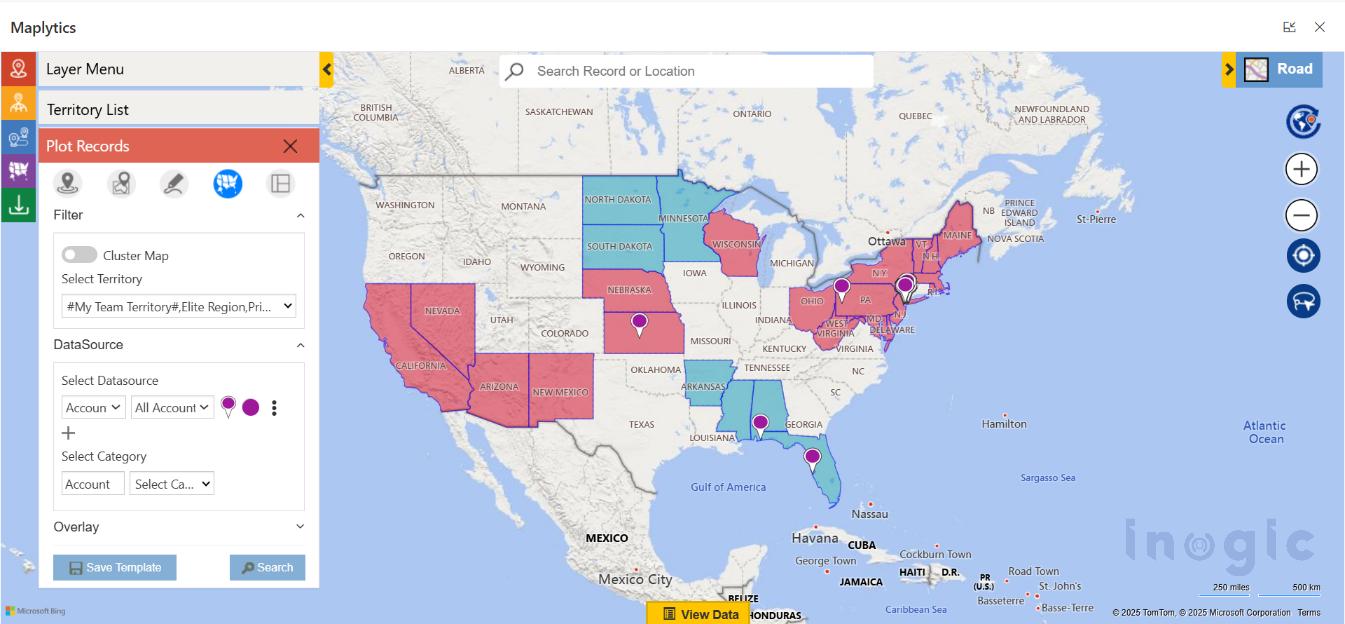
You can download a 15-day free trial of Maplytics now and experience the tool in your environment! |
Core Principles for Effective Territory Design
Before exploring tools and processes, having a solid foundation in territory planning basics is essential. Here are the foundational principles that high-performing teams use to build smart, scalable territories:
- Align Territories with Business Outcomes
Territories should reflect strategic goals for maximizing revenue, increasing share in a target segment, and improving service levels.
- Balance Workload Among Reps
Unequal account distribution can lead to burnout and missed targets. Effective territory design distributes opportunities fairly so each rep has a manageable and meaningful set of accounts.
- Use Visual Mapping
Maps help stakeholders easily spot overlapping coverage or underserved zones, something that rows of data in spreadsheets cannot convey effectively.
- Build Flexibility into Plans
Markets shift rapidly. Territory plans should be easy to adjust as new data emerges, whether that’s from performance trends or newly acquired leads.
- Leverage Cross-Team Collaboration
Territory decisions should be made collaboratively across sales leaders, operations, and management to ensure alignment across the organization.
- Basing Decisions on Quality Data
Incorporating historical sales performance, customer behavior, and market forecasts into territory decisions significantly improves the quality of planning outcomes.
These practices turn territory planning into an ongoing strategic process rather than a once-a-year chore.
Capabilities of Modern Territory Management Solutions
Today’s territory tools, like Maplytics, provide features that make these principles actionable. They help teams define, visualize, and refine territories in ways that reflect both business data and geographic reality.
- Create territories either manually or through automated processes

- Use shape files, lists, or spreadsheets to define custom regions
- Balance territories using key metrics such as number of accounts, revenue potential, or exposure
- Store draft territory models for iterative design and review
- Visualize hierarchical structures that capture parent and sub-territories
- Overlay CRM data directly on maps to see real coverage patterns
- Use interactive alignment tools to fine-tune territory borders
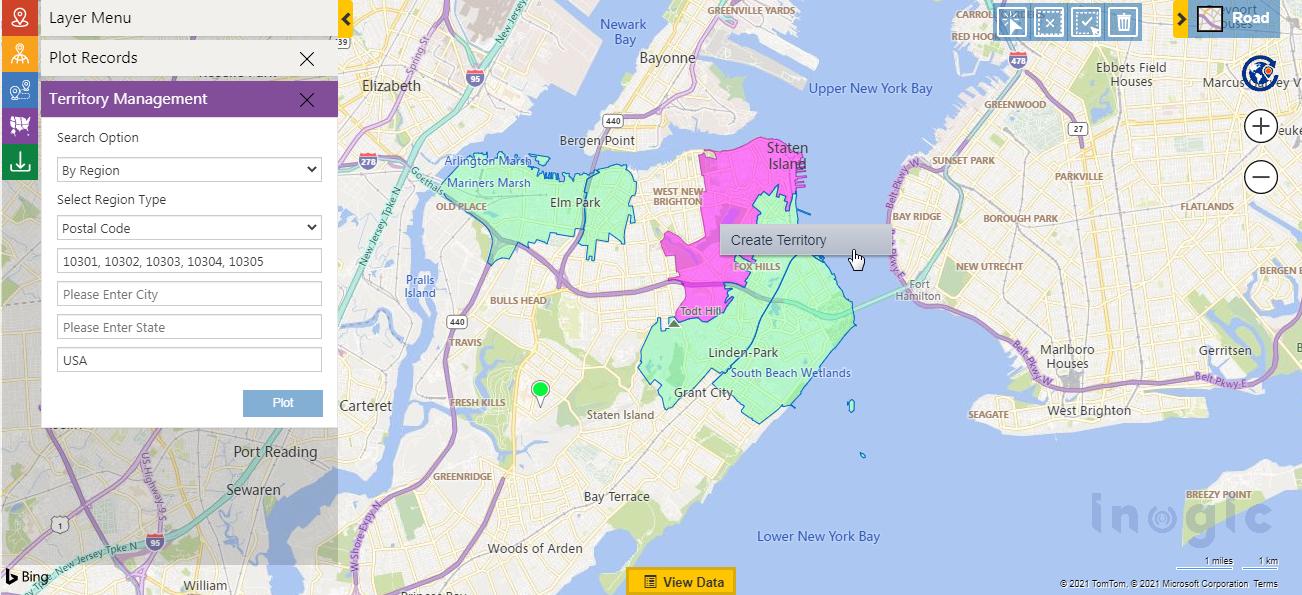
Such capabilities ensure territory plans are logical, consistent, and ready for execution.
How is Territory Planning done with Maplytics?
Maplytics brings advanced territory planning directly into your CRM environment through its Territory Management module. With a map-first design and intelligent features, Maplytics lets businesses:
- Create territories manually or through automatic inputs
- Upload geographic data (e.g., shape files or spreadsheets) to define regions
- Overlay ESRI’s ArcGIS Feature Layers as well for territory marking
- Balance territories based on account counts, revenue, or other business metrics
- Save drafts to refine and iterate before deployment
- Show hierarchical territory structures on interactive maps
- Plot territories with their associated CRM records
- Adjust and align regions visually with precision tools
This level of flexibility and integration makes territory planning both more precise and more responsive to real operational needs.
Best Practices for Territory Planning in 2026
While technology empowers modern planners, the following strategies help make territory design systematic and effective:
Start with Clear Goals
Before drawing regions, decide what success looks like. Check whether it’s increased revenues, balanced workloads, reduced travel time, or improved customer response.
Automate What You Can
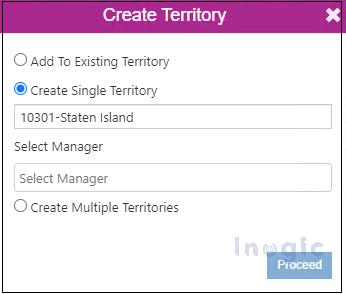
Manual territory creation is slow and error-prone. Using alignment criteria like total account value or number of customers lets software generate balanced territories quickly and consistently.
Iterate with Drafts
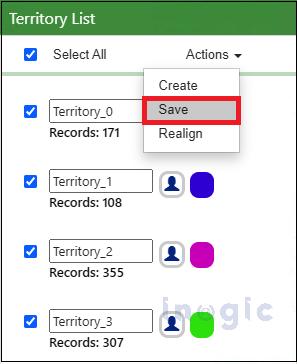
Draft territories let teams experiment, adjust based on input, and test multiple scenarios before committing. Thereby preventing premature decisions.
Visualize Hierarchies
Large teams often operate with multiple layers of territories. Seeing parent and child territories together ensures coverage gaps are minimized and aligns strategy at every level.
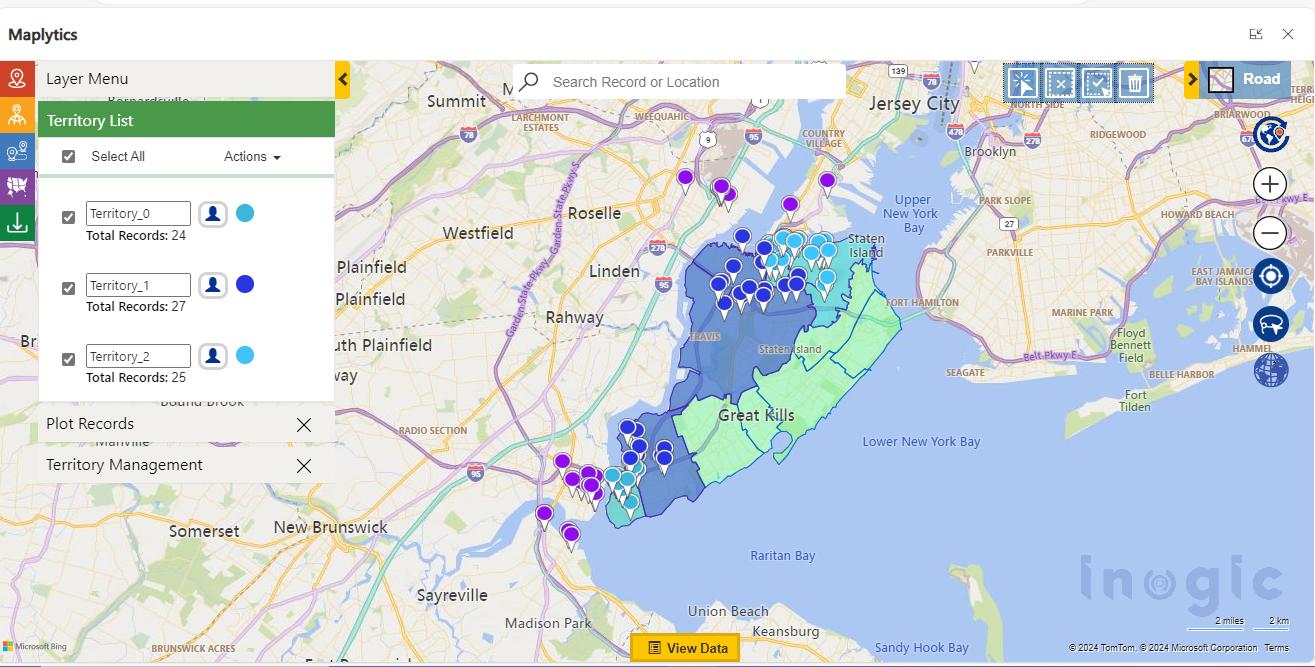
Fine-Tune with Alignment Tools
Graphical alignment tools let territory designers move, adjust, or reshape boundaries with precision. This is essential for complex or irregular coverage areas.
Assign Clear Ownership
Designating a manager or owner for each territory improves accountability and helps track performance effectively.
Review and Adjust Regularly
Markets are dynamic, so territory effectiveness should be monitored using CRM activity and performance data. Regular rebalancing ensures territories stay aligned with real conditions.
The Benefits of Balanced Territory Planning
Adopting these practices creates measurable outcomes for businesses:
- Improved Sales Productivity– Reps spend more time with high-value accounts and less time on routine or redundant travel.
- Lower Operating Costs– Smart coverage reduces overlap, burn rate, and unnecessary travel expenses.
- Greater Accountability– Clear region ownership allows managers to better track performance and coach teams.
- Smarter Decisions– Visual analytics fuel better strategic choices based on up-to-date data.
- Scalable Planning– Whether launching new regions or refining existing ones, modern tools make territory plans adaptable and scalable.
Emerging Trends in Territory Strategy
Looking ahead beyond 2026, several trends are shaping how organizations approach territory design:
AI-Driven Optimization
Machine learning can anticipate demand shifts, dynamically rebalance territories, and recommend coverage changes based on real-time data.
Real-Time Data Integration
Territory maps tied to live CRM insights allow planners to adjust coverage as market conditions evolve.
Blended Sales Models
Territory planning now bridges both in-field and remote sales roles, requiring hybrid strategies that reflect how teams actually work.
Sustainable Design Considerations
More organizations are measuring carbon footprint and travel emissions as part of territory design to align business goals with sustainability.
Focus on Work-Life Balance
Smart territory design can reduce unnecessary travel, ultimately improving team well-being while maintaining performance.
FAQs for Territory Planning with Maplytics
Does Maplytics allow automatic territory creation?
Yes. Maplytics can automatically generate territories using Excel files, ESRI Feature Layers, or shape files. You can define parameters such as the number of territories and balancing factors like revenue, and the system creates well-distributed territories for you.
What are Draft Territories in Maplytics?
Draft Territories allow you to save your progress while building territories. This makes it easy to pause, review, and fine-tune your territory setup before finalizing it in Dynamics 365.
Is it possible to view parent and child territories together?
Yes. Maplytics supports hierarchical territory structures, enabling you to display parent and child territories on the map and clearly understand their relationships.
How can a territory manager be assigned?
While creating a territory, either manually or through automation, you can designate a manager. That user becomes responsible for managing and monitoring the assigned area.
How do I map existing territories along with CRM data?
Maplytics offers a “By Territory” plotting option that lets you visualize records linked to specific territories on the map. You can choose to display data for your own territory or your team’s territories on the map.
What does the Alignment Tool do?
The Alignment Tool allows users to visually modify territories by selecting, adjusting, deleting, or reorganizing shapes directly on the map for better accuracy.
Is a specific Dynamics 365 role required to manage territories?
Yes. Users must be assigned the Maplytics Territory Manager role to create, edit, or manage territories within Maplytics.
Can territory details like names and colors be customized?
Absolutely. You can define territory names, colors, and other attributes during creation. Even automatically generated territories can be renamed and visually customized before being saved.
Conclusion
Territory planning in 2026 requires more than drawing lines on a map. It calls for a structured, data-driven, and visual approach that aligns with business goals and market realities. By adopting modern practices like automated territory creation and hierarchical visualization to iterative reviews and regular rebalancing, organizations can gain a competitive advantage and ensure consistent field performance.
Tools that integrate geographic insights with CRM records and intelligence help make territory planning not just a tactical exercise, but a strategic advantage for growth and scalability.
What’s More?
Organizations interested in adopting Maplytics, 15-day free trials, or personalized demos are encouraged to contact Maplytics’ sales team at crm@inogic.com
For more information, visit our Website or Microsoft Marketplace. One can hop onto the detailed Blogs, Client Testimonials, Success Stories, Industry Applications, and Video Library for a quick query resolution. Technical docs for the working of Maplytics are also available for reference.