Managing the same knowledge across multiple Copilot agents often leads to duplication, inconsistent answers, and unnecessary maintenance overhead. Microsoft Copilot Studio solves this problem with Component Collections, allowing teams to centralize knowledge once and reuse it across multiple agents.
In this step-by-step guide, you’ll learn how to build a reusable Component Collection in Microsoft Copilot Studio and connect it to multiple agents using a real-world HR and IT FAQ use case. The approach ensures consistent answers, faster updates, and scalable knowledge management across Copilot agents.
What Is a Component Collection in Microsoft Copilot Studio?
A Component Collection in Microsoft Copilot Studio is a shared container that allows topics and knowledge from one agent to be reused across multiple other agents. Instead of duplicating FAQs, policies, or workflows, teams can maintain content centrally and attach it to multiple Copilot agents.
Any updates made to the shared knowledge are automatically reflected across all connected agents, ensuring consistency and reducing maintenance effort.
Use Case: Centralized HR and IT Knowledge Sharing
The organization has multiple internal assistants, an HR Assistant and an IT Support Assistant, and both require access to the same set of frequently asked questions, such as:
- Company working hours
- Leave policies
- Password reset steps
- IT helpdesk contact information
Currently, each assistant maintains its own copy of this information. This results in duplicated content, inconsistent responses, and manual rework whenever policies change.
The requirement is to centralize common FAQs into a single reusable Component Collection that can be shared across multiple Copilot agents. This ensures uniform answers and simplifies updates—change the content once and reflect it everywhere
Step-by-Step Guide to Create and Reuse a Copilot Studio Component Collection
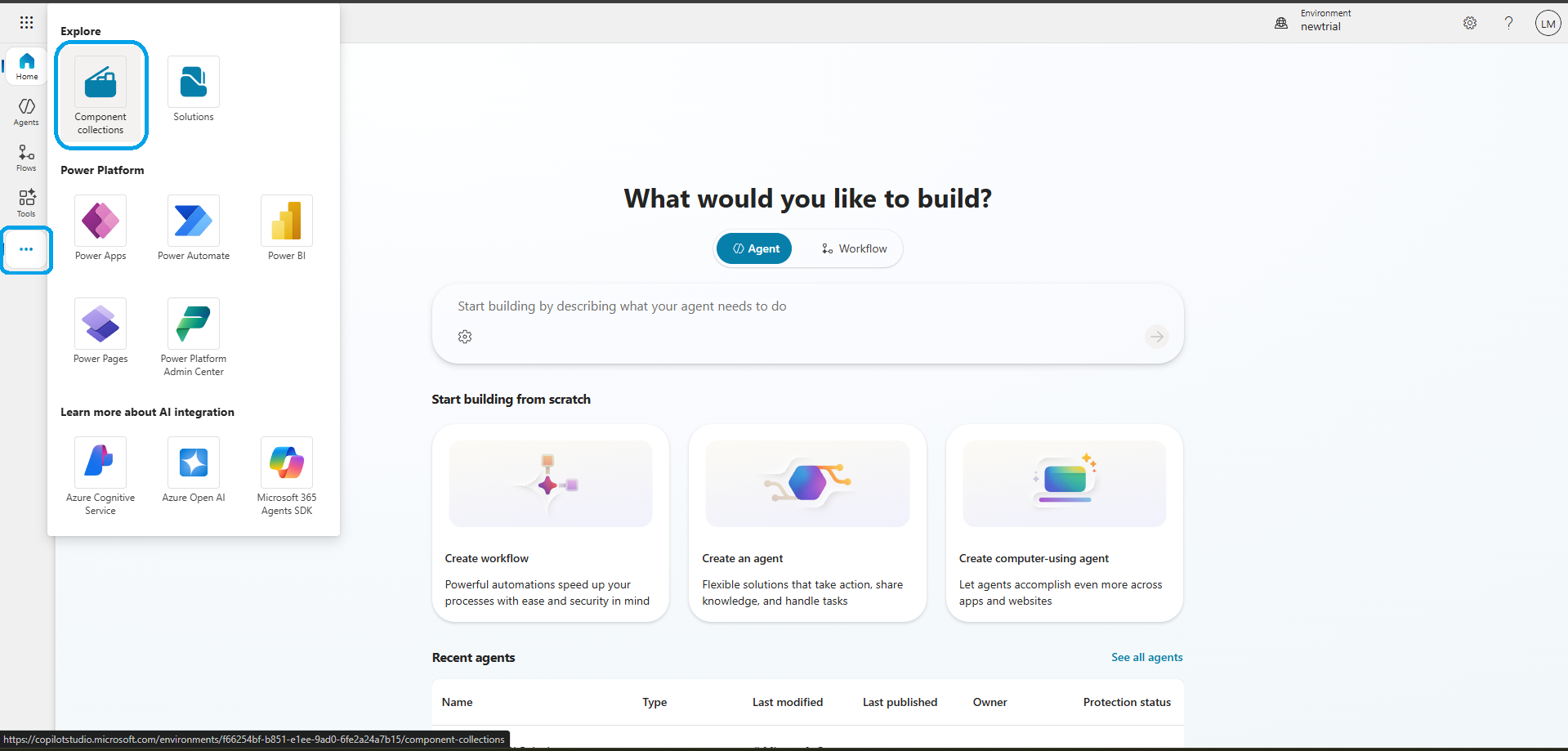
Step 1 — Access Component Collections in Microsoft Copilot Studio
From the left navigation pane, click on Component Collections. This will redirect you to the Component Collection list page, as shown in the screenshot below.
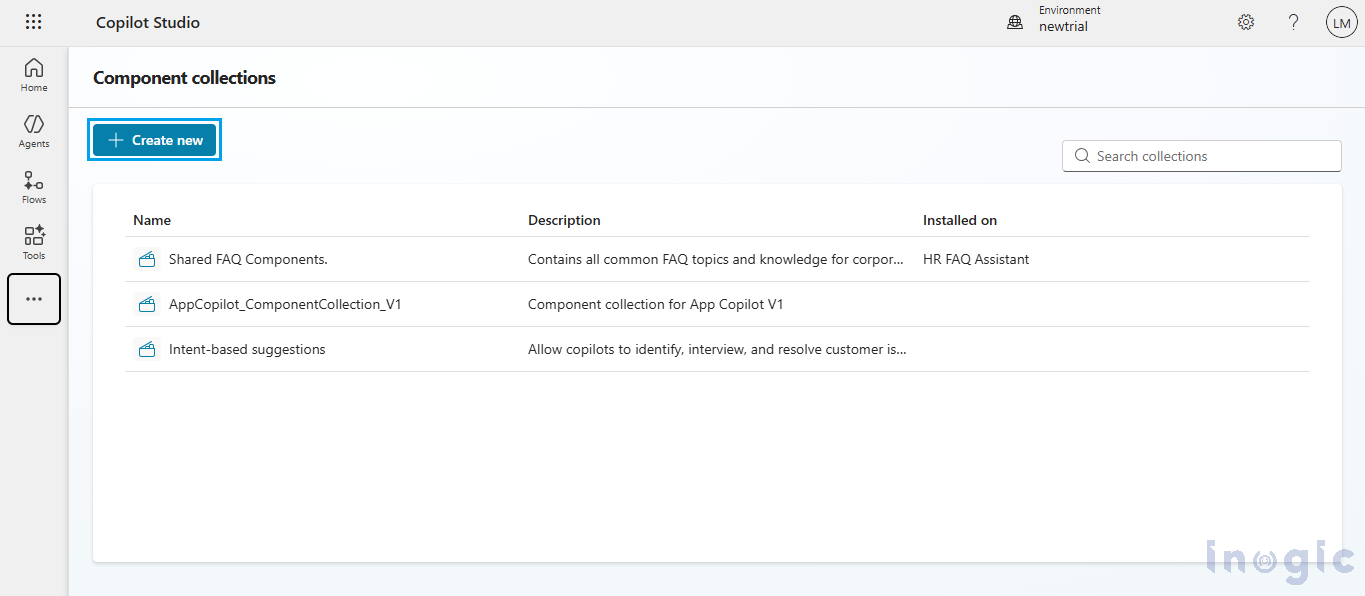
Step 2: Create a New Component Collection
Click on the Create button and enter the required Component Collection details.
This collection will act as the central repository for shared topics and knowledge that can be reused across multiple agents.
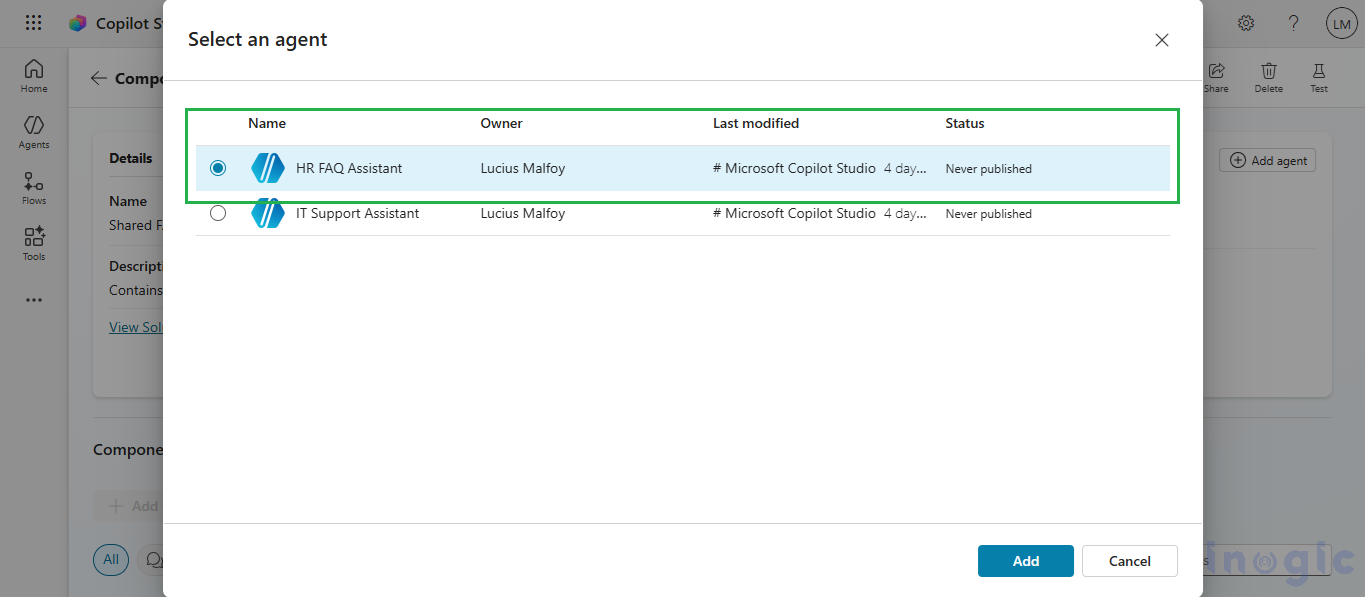
Step 3: Add a Primary Agent to the Component Collection
Select the primary agent whose knowledge and topics will be shared with other agents.
To add an agent:
- Click on Add Agent
- Select the primary agent (for example, HR FAQ Assistant)
- Click Add
The selected agent becomes the source of truth for the shared knowledge within this Component Collection.
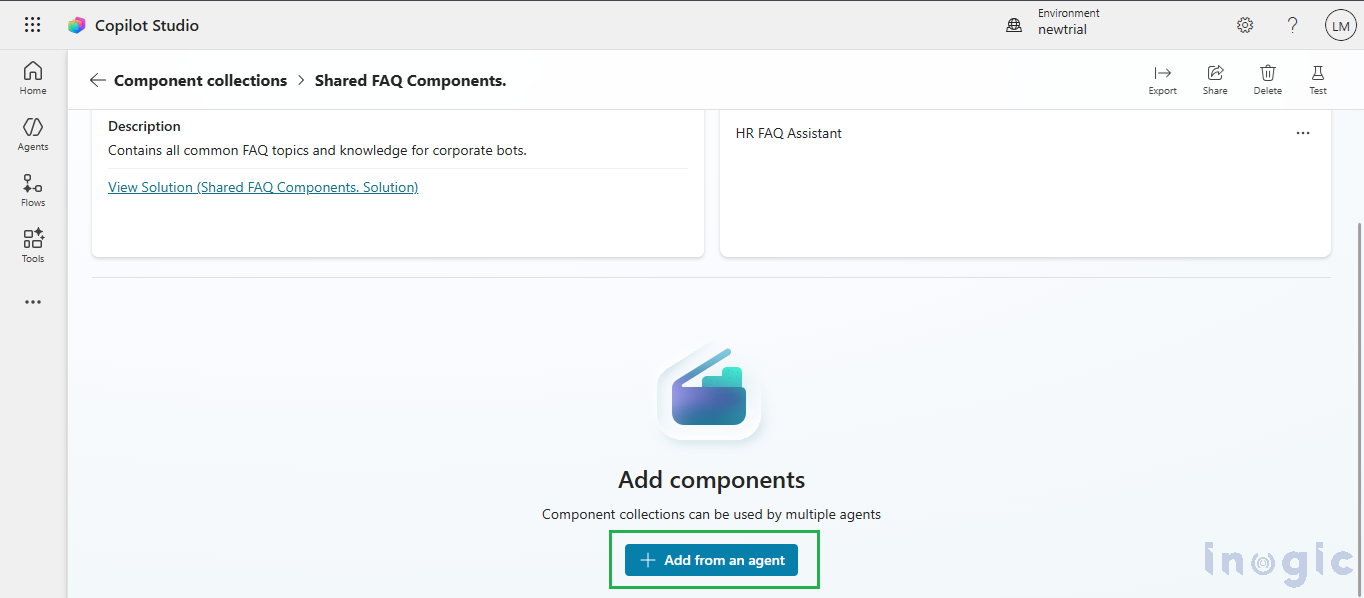
Step 4: Add Topics and Knowledge from the Primary Agent
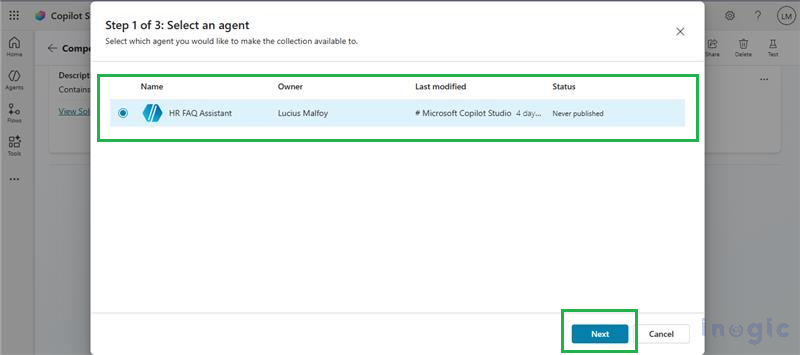
Click on Add from an Agent and select the HR FAQ Assistant.
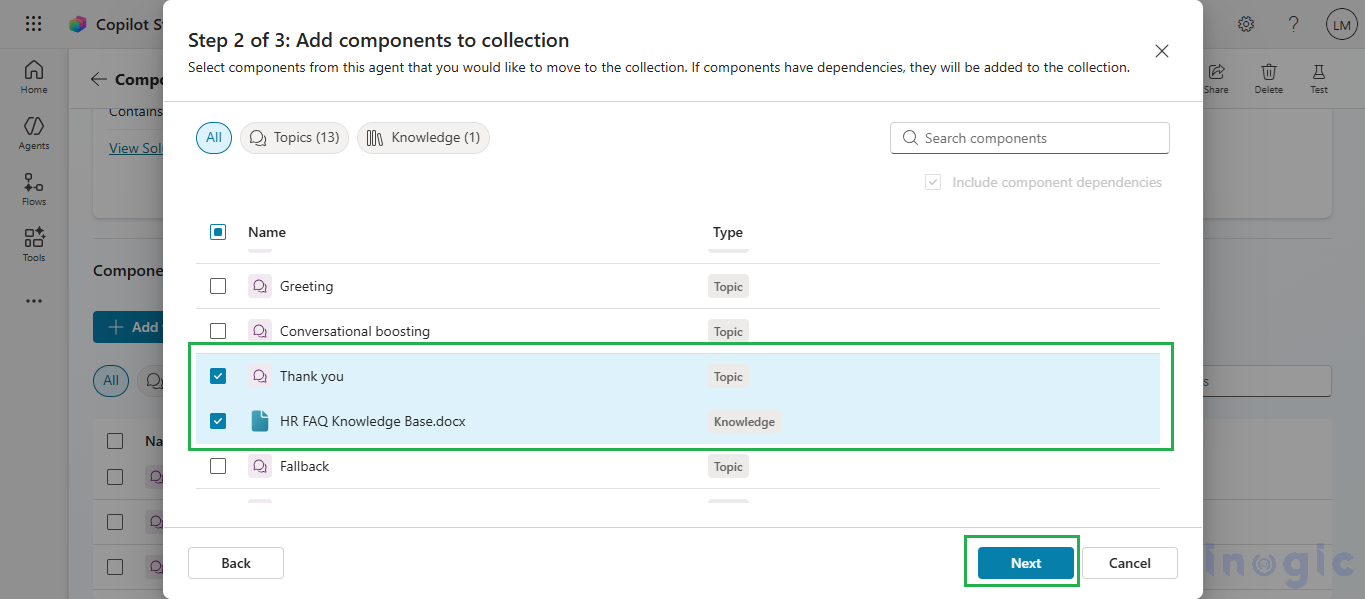
Follow these steps:
- Click Next
- Select Knowledge and/or Topics from the agent’s knowledge list
- Click Next to review the selected content
- Choose the final topics and knowledge
- Click Add to Collection
At this stage, the Component Collection stores reusable knowledge that can be consumed by other agents without duplication.
Step 5: Add Additional Agents That Will Reuse the Shared Knowledge
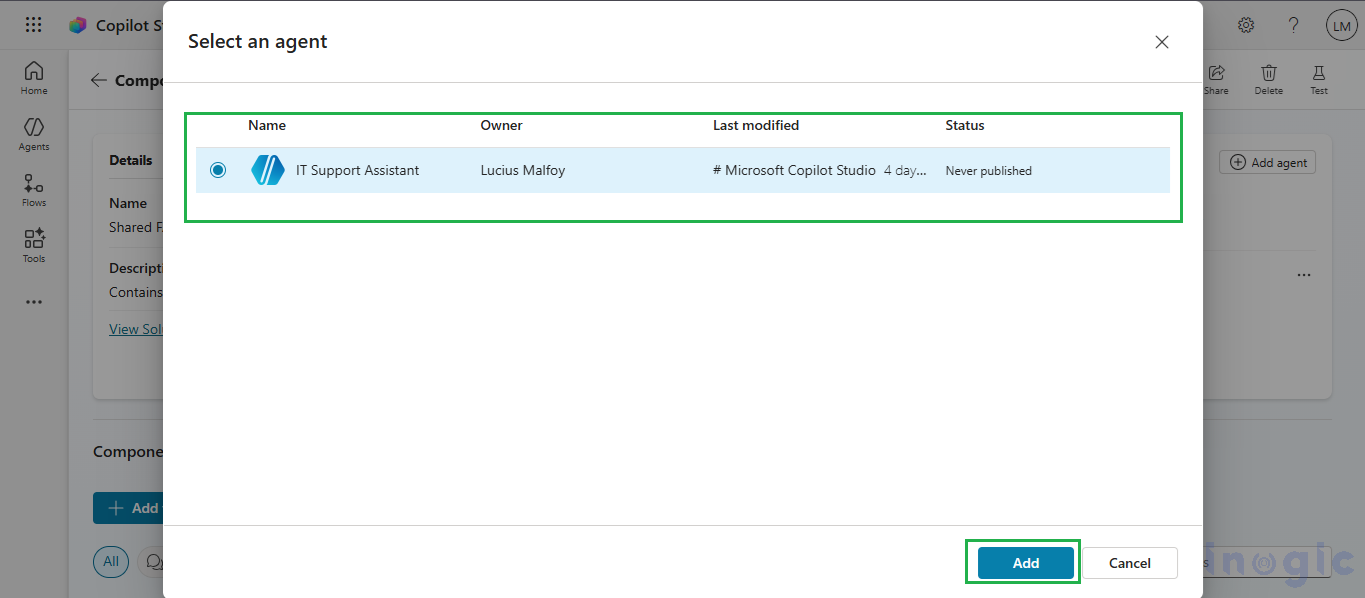
Refer to Step 3 and add another agent (for example, IT Support Assistant) to the same Component Collection.
Any agent added to the collection automatically gains access to all shared topics and knowledge stored in it.
Step 6: Verify Knowledge Sharing Across Agents
To verify the results:
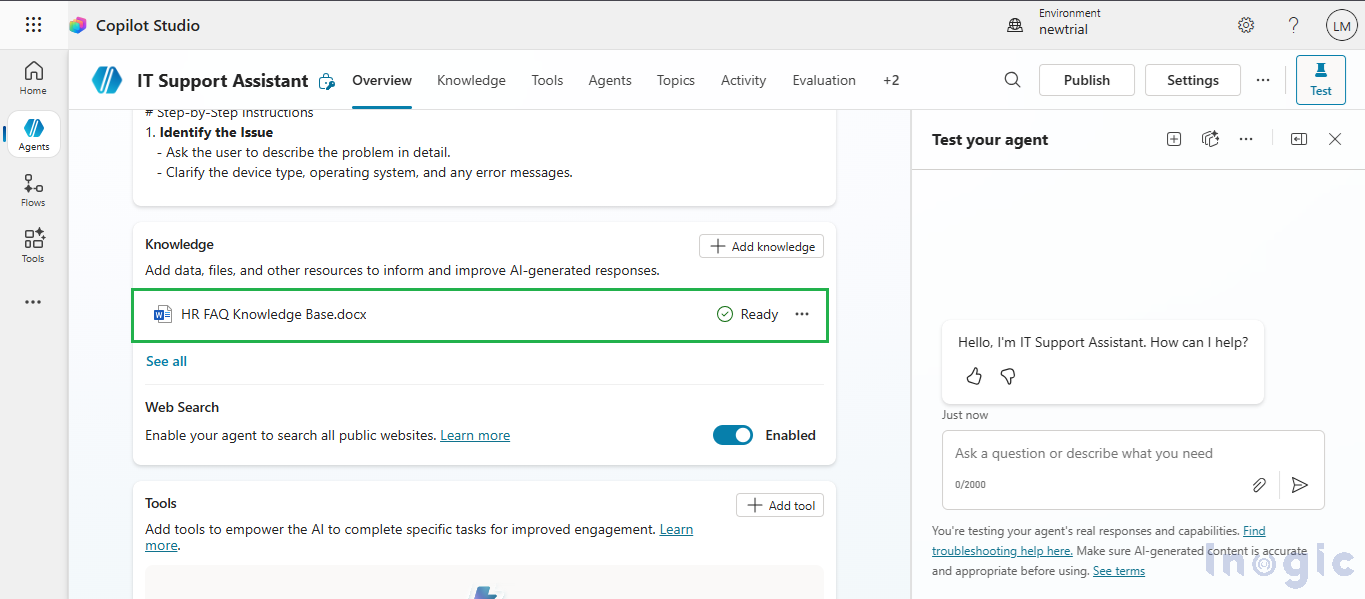
- Go to the Agent list
- Open the IT Support Assistant
- Review the agent’s knowledge section
You will see that the HR FAQ knowledge has been automatically populated in the IT Support Assistant without manual duplication.
Testing the Shared Knowledge
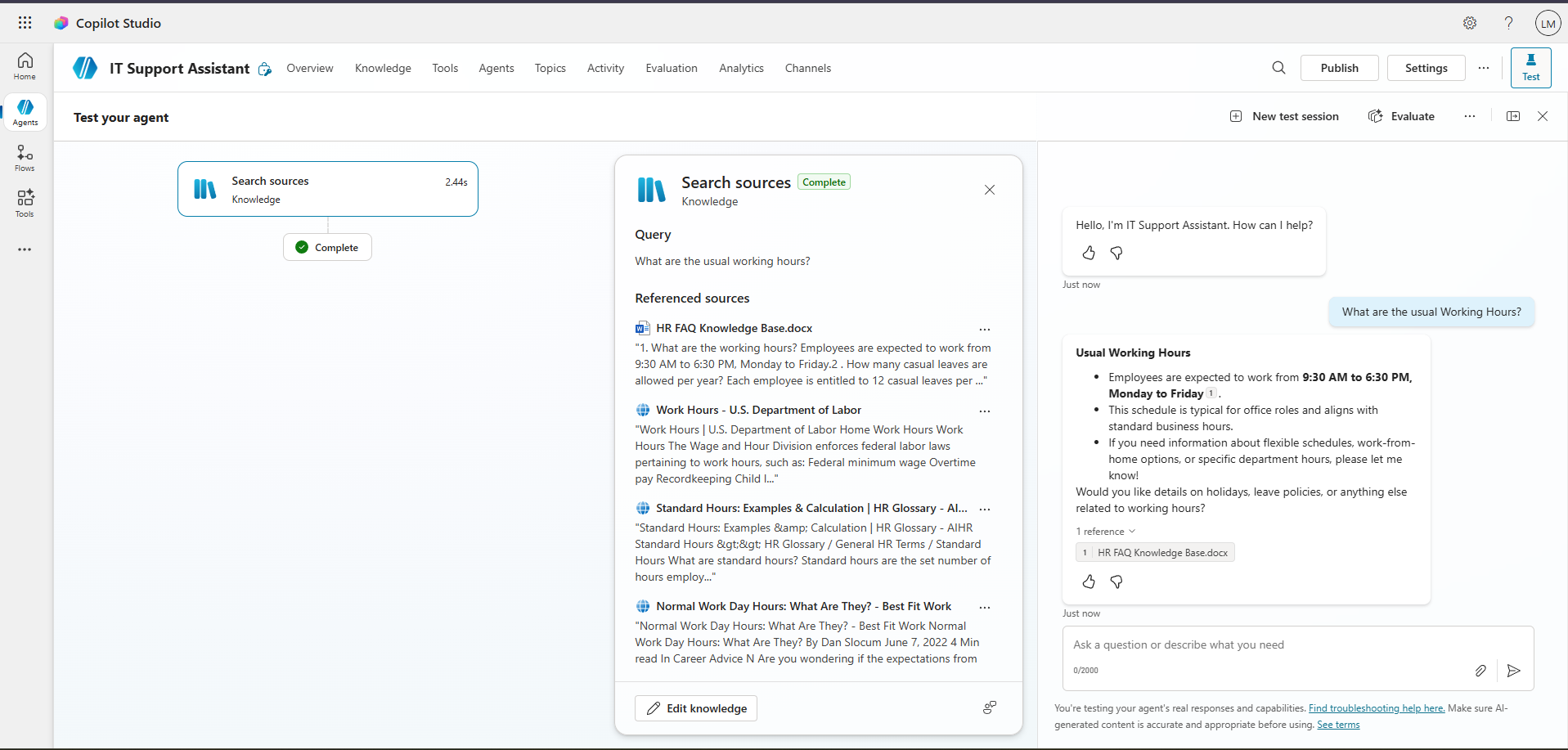
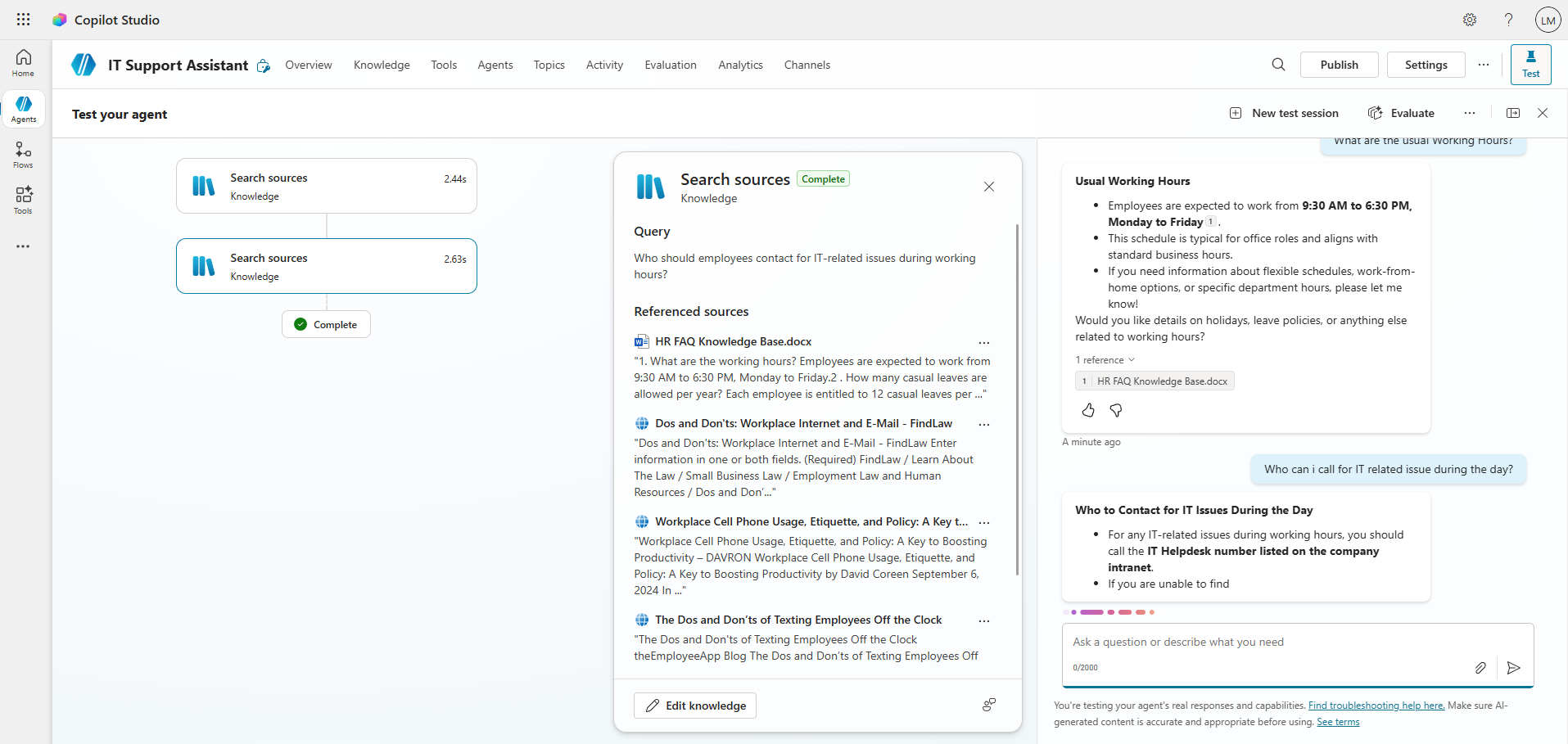
You can now test the setup by entering prompts such as:
- “What are the usual working hours?”
- “Who can I contact for IT support?”
Even though the questions belong to different functional areas, both agents will respond using the same shared knowledge base from the Component Collection, ensuring consistent and accurate answers.
When Should You Use Component Collections in Copilot Studio?
This approach works best when:
- Multiple Copilot agents require the same FAQs or policies
- HR, IT, Finance, or Operations teams share overlapping information
- Content needs to remain consistent across departments
- Knowledge updates must propagate instantly across agents
Frequently Asked Questions (FAQs)
What is a Component Collection in Microsoft Copilot Studio?
A Component Collection is a shared container that allows knowledge and topics from one Copilot agent to be reused across multiple agents, ensuring centralized management and consistent responses.
Can one Component Collection be connected to multiple agents?
Yes. A single Component Collection can be attached to multiple agents, allowing all of them to consume the same shared knowledge.
Do updates to shared knowledge automatically reflect across all agents?
Yes. Any update made to the knowledge inside a Component Collection is automatically reflected across all connected agents.
Is Component Collection suitable for HR and IT FAQs?
Absolutely. Component Collections are ideal for HR policies, IT support FAQs, onboarding content, and any information shared across departments.
Conclusion:
Centralizing frequently asked questions and policies into a reusable Copilot Studio Component Collection saves time, reduces content drifting across agents, and simplifies maintenance. This approach works well for HR/IT FAQs, onboarding content, company policies, and any content shared across multiple internal assistants.