In 2026, customer communication expectations have fundamentally changed. Today’s buyers demand instant, conversational, and mobile-friendly interactions, not long email threads they might open hours or even days later.
For Dynamics 365 CRM users, this shift is significant. Businesses are moving away from traditional email as the primary CRM channel and adopting WhatsApp CRM integrations like WhatsApp4Dynamics. This solution enables faster engagement, higher conversions, and stronger customer relationships, all directly within the Dynamics 365 environment.
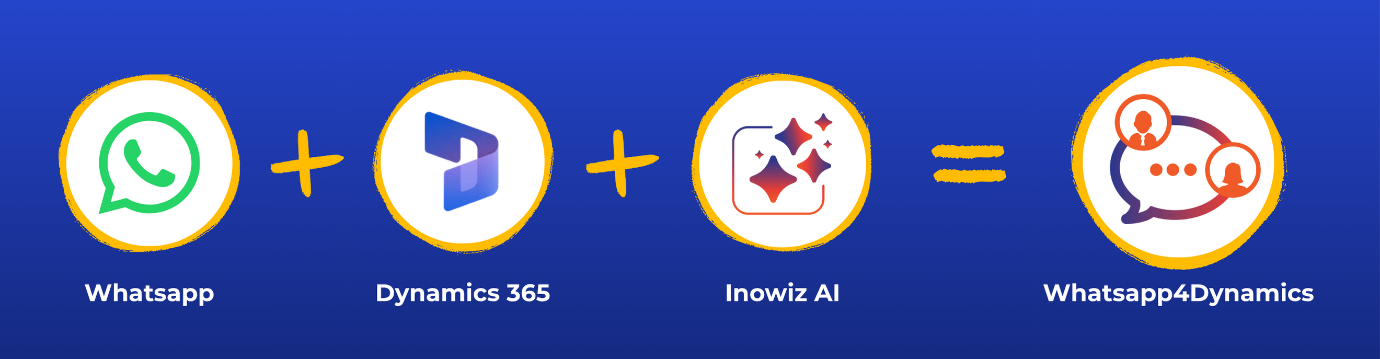
With WhatsApp4Dynamics, teams can manage real-time conversations, leverage AI-powered assistance for quick replies and insights, automate workflows, and access CRM context while chatting, all without leaving the CRM interface.
WhatsApp vs Email for CRM Communication: Engagement and Conversion Stats
The performance difference between WhatsApp and email isn’t subtle; it’s dramatic.
Open and Response Rates
- WhatsApp messages enjoy approximately 98% open rates, meaning almost every message sent gets seen.
- In contrast, email open rates struggle to reach 20–25% on average.
- Many WhatsApp messages are read within minutes of delivery, while emails often languish unread for hours or longer.
Click‑Through and Reply Rates
- WhatsApp click-through rates (CTR) typically fall between 45–60%, far higher than the 2–5% CTR typical of email campaigns.
- Messaging app response rates can be 40–60% or more, whereas email response rates languish in the single digits.
Conversion Impact
- Conversations on WhatsApp have been linked to conversion rates up to 45–60%, significantly outpacing email.
- In markets where WhatsApp dominates usage, such as India, Brazil, and the UAE, these engagement advantages translate into higher sales and faster lead closure.
These numbers explain why modern CRM teams are rethinking their communication strategy: WhatsApp reaches customers where they are most active and receptive.
Why Dynamics 365 Users Are Moving to WhatsApp CRM
Dynamics 365 CRM is a powerful platform for managing customer data, processes, and automation. But even the best CRM data is limited without seamless communication tools.
Integrations like WhatsApp4Dynamics make WhatsApp a natural extension of Dynamics 365, providing:
Real-Time Conversations, Not Delayed Threads
- WhatsApp messages feel immediate and conversational, unlike email replies that can take hours or never arrive.
Higher Engagement for Better Conversions
- With higher open and click rates, prospects are more likely to respond, whether booking appointments, confirming orders, or seeking support.
CRM Context Inside Messages
- Every chat can be tied directly to CRM records, Leads, Contacts, and Cases, ensuring conversations are informed by context and history.
Automation and Personalization
- Triggered messages, appointment reminders, and workflow-based follow-ups can all be automated within Dynamics 365, ensuring timely, relevant communication.
Support, Marketing, and Sales All in One Place
- Conversations can be routed, assigned, and analyzed directly from the CRM, eliminating the need to juggle multiple platforms.
AI Chat Assistance
- WhatsApp4Dynamics offers an AI-powered chat assistant that can summarize conversations, suggest relevant responses, and provide quick insights from CRM records, helping agents respond faster and smarter.
Where Email Still Has Value, and Where It Doesn’t
It’s important to understand that email is not dead, but its role in CRM is evolving.
Best Uses for Email
- Formal documentation (contracts, invoices)
- Long-form content that requires reading at the customer’s pace
- Newsletters and content that may not be urgent
Where Email Falls Short
- Instant engagement High conversion communication
- Personalized conversational workflows
A combined strategy often works best: use email for formal or long content, and WhatsApp for real-time, high-impact interactions.
Business Impact of WhatsApp CRM Integration
Sales and Lead Conversion
Sales teams that respond within minutes on WhatsApp are far more likely to convert leads. With higher open/reply rates, messages become active conversations, not ignored notifications.
Customer Support
Real-time chats reduce support resolution time. Chat history linked to CRM records ensures agents have context for every interaction.
Marketing Campaigns
With opt-in automation, you can send promotional content that customers actually open and act upon, increasing engagement and reducing unsubscribe rates.
Operational Notifications
Order confirmations, delivery updates, and appointment reminders all get seen almost immediately on WhatsApp, reducing friction and customer follow-ups.
How to Implement WhatsApp CRM Integration in Dynamics 365
To get the most out of WhatsApp for CRM, follow these high-level steps:
- Choose a WhatsApp CRM integration solution, like WhatsApp4Dynamics.
- Connect your WhatsApp Business API account to Dynamics 365.
- Configure consent workflows using Single or Double Opt‑In.
- Set up message templates and approve them for business use.
- Define automation triggers (e.g., lead creation, status updates).
- Train agents to use chat assignments and CRM context during conversations.
- Monitor and optimize conversion performance from WhatsApp vs email.
For a detailed step-by-step guide on setting up WhatsApp with Dynamics 365 using the Meta or Twilio APIs, check out this blog:
👉 https://www.inogic.com/blog/2025/05/how-to-integrate-whatsapp-with-dynamics-365-crm-using-meta-or-twilio-apis/
FAQs
1. Does WhatsApp perform better than email for CRM communication?
Statistically, yes. WhatsApp messages have open rates around 98% and click-through/conversion rates of 45–60%, far surpassing email metrics. Integrations such as WhatsApp4Dynamics bring these advantages directly into Dynamics 365, making it easier for teams to engage customers effectively.
2. Can I automate messages in Dynamics 365 using WhatsApp?
Absolutely. With WhatsApp4Dynamics, you can automate triggered messages, appointment reminders, follow-ups, and workflow-based responses, all directly within the Dynamics 365 CRM environment.
3. How can I link WhatsApp chats to CRM records?
WhatsApp chats can be connected to Leads, Contacts, Cases, or custom entities in your CRM. Tools like WhatsApp4Dynamics automatically map chats to CRM records, giving agents instant context and history for every conversation.
4. What are the challenges of switching from email to WhatsApp for CRM?
Common challenges include managing consent, message template approvals, avoiding spam perception, and handling delivery at scale. WhatsApp4Dynamics helps address these by providing built-in opt-in workflows, template management, and AI-assisted suggestions for relevant messaging.
5. Can WhatsApp be used for sales, support, and marketing in one platform?
Yes. Integrations like WhatsApp4Dynamics enable businesses to route, assign, and manage all conversations, whether sales, support, or marketing, directly from Dynamics 365, ensuring a unified communication experience.
Conclusion: The Future Is Conversational CRM
Email still has its place, especially for formal communication, but WhatsApp is the future of CRM engagement in 2026 and beyond. With massive open rates, real-time interactions, and deep integration capabilities inside Dynamics 365, WhatsApp allows CRM teams to be faster, more personal, and more effective than ever.
If you want to transform your CRM communications, start with WhatsApp in Dynamics 365, informed by data, powered by automation, and aligned with customer expectations.
Try WhatsApp4Dynamics today with a 15-day free trial from Inogic or Microsoft Marketplace.
Request a personalized demo: crm@inogic.com