Microsoft Copilot Studio enables organizations to extend conversational agents using REST API tools defined via OpenAPI specifications. While native Dataverse connectors are ideal for internal CRM operations, REST tools become essential when CRM must integrate with external, real-time systems such as financial services, tax engines, or enterprise platforms.
This blog demonstrates how a CRM Copilot agent can leverage REST APIs to retrieve external financial data, perform reasoning, and support business decisions within conversational workflows.
Business Use Case
A Sales CRM environment needs real-time exchange rate data that is not stored within Dataverse. Sales users want to:
- Convert currency values dynamically.
- Compare currency strength for financial decisions.
- Convert opportunity values and update CRM records.
Exchange rates are external, dynamic, and frequently changing. Storing them inside Dataverse would require constant synchronization and maintenance. Therefore, invoking a real-time REST API ensures accuracy, reduces data redundancy, and keeps financial calculations up to date.
Implementation (Step-by-Step Guidance)
Step 1: Prepare OpenAPI Specification
Create an OpenAPI 3.0 specification defining the external Exchange Rate API endpoint that the Copilot agent will invoke.
For example:
- GET /latest/{base} – Retrieve real-time exchange rates based on base currency
- GET /convert – Convert a specific amount between currencies
The specification should clearly define:
- Server URL
- Path parameters (base currency, target currency)
- Query parameters (amount)
- Expected JSON response schema
This allows the Copilot agent to securely invoke external financial services in real time.
Step 2: Add REST API Tool in Copilot Studio
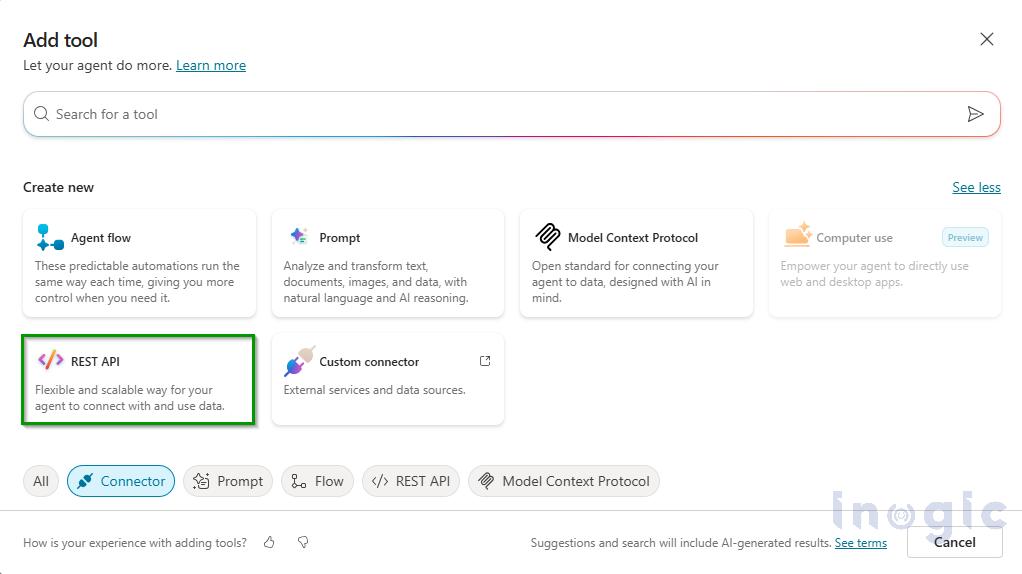
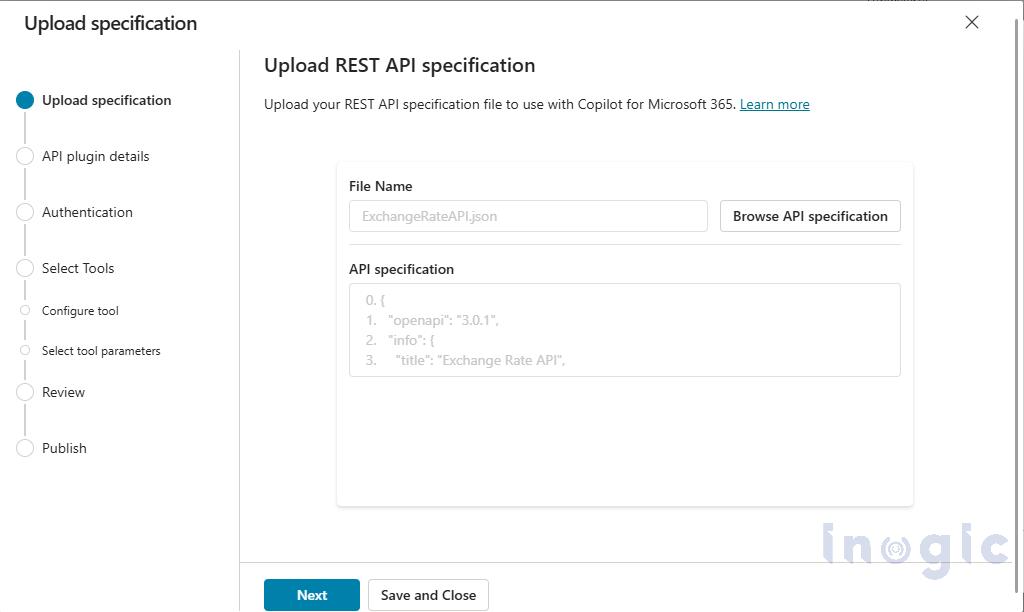
Navigate to Tools → Add Tool → REST API and upload the OpenAPI specification file.
Step 3: Configure Authentication
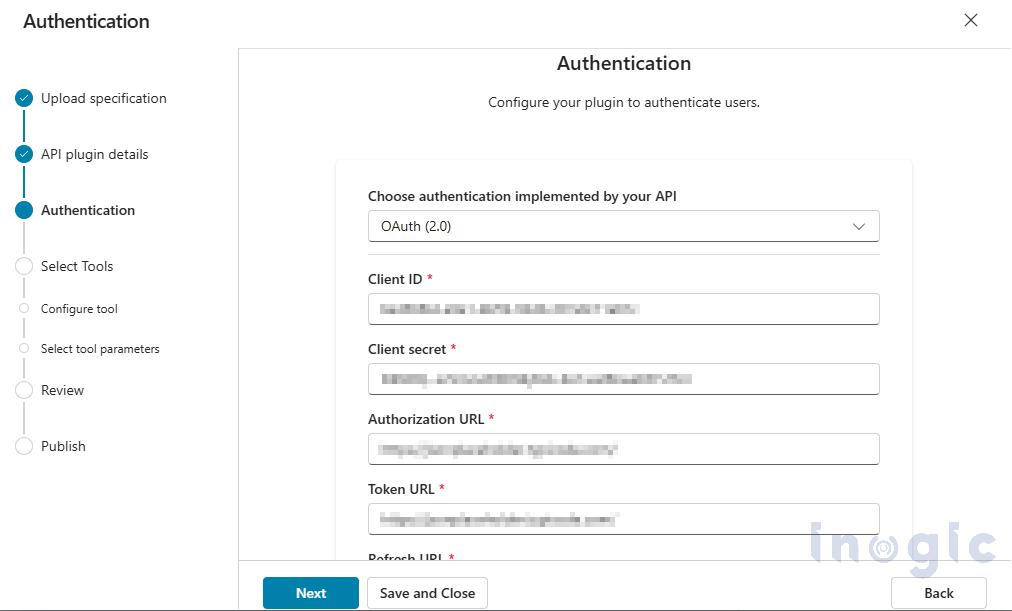
Configure authentication based on the external API’s security requirements (for example, API Key or OAuth 2.0). Proper authentication ensures secure communication between the Copilot agent and the external financial service.
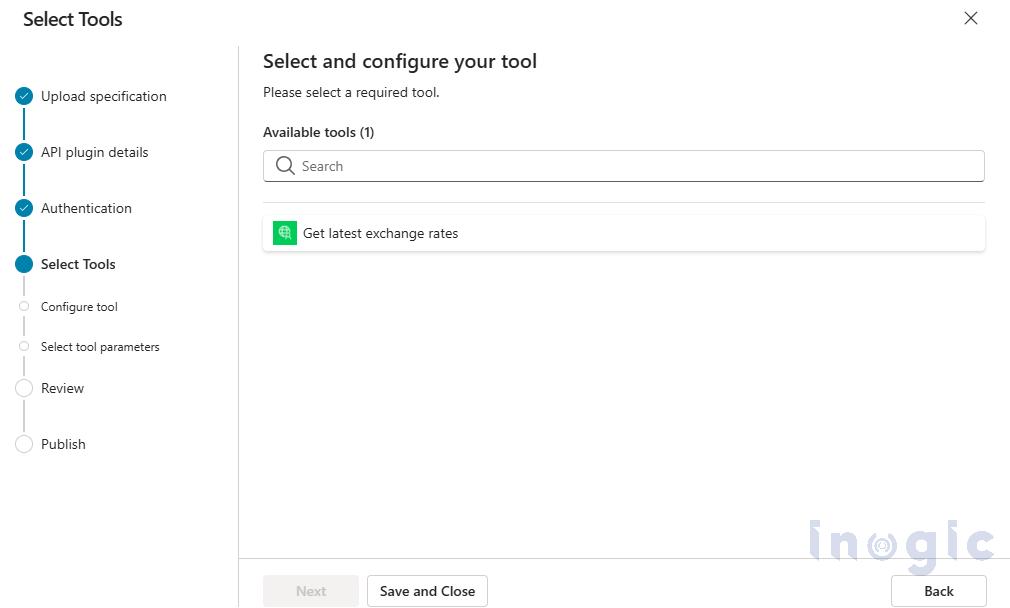
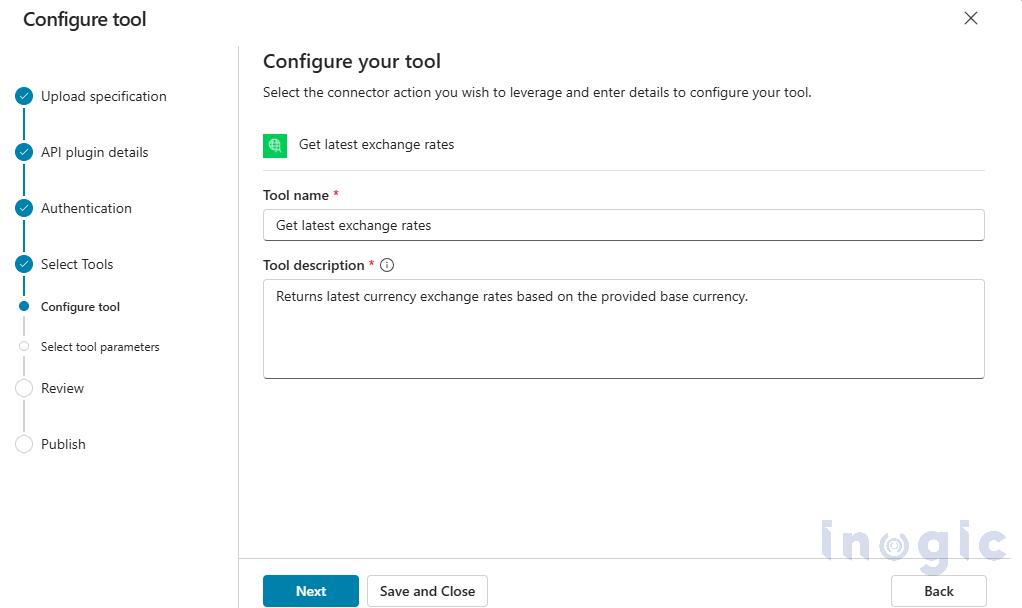
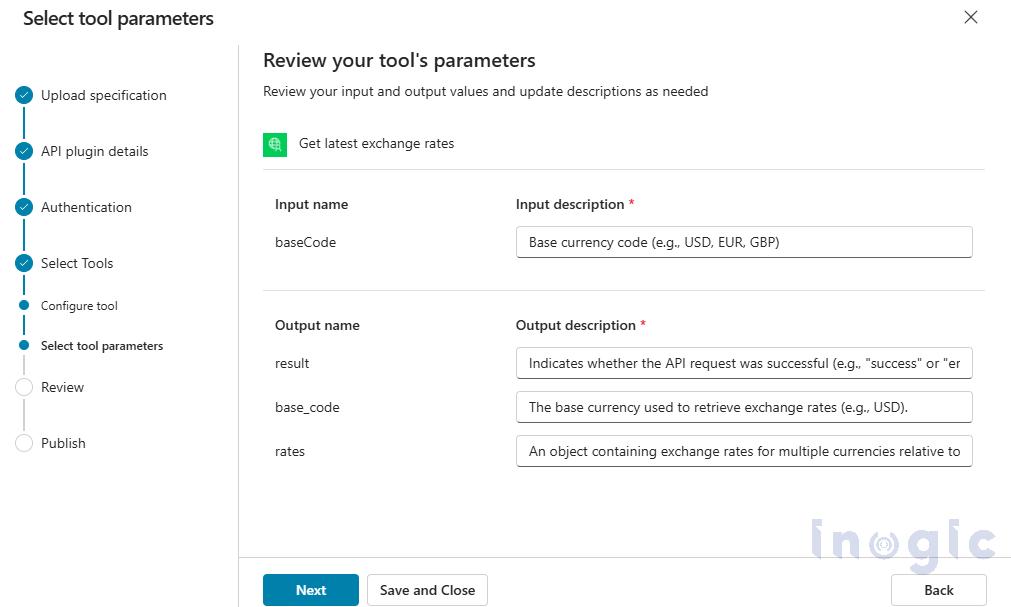
Step 4: Select and Describe Tools
Select the required endpoints and provide meaningful descriptions so the AI agent knows when to invoke each tool.
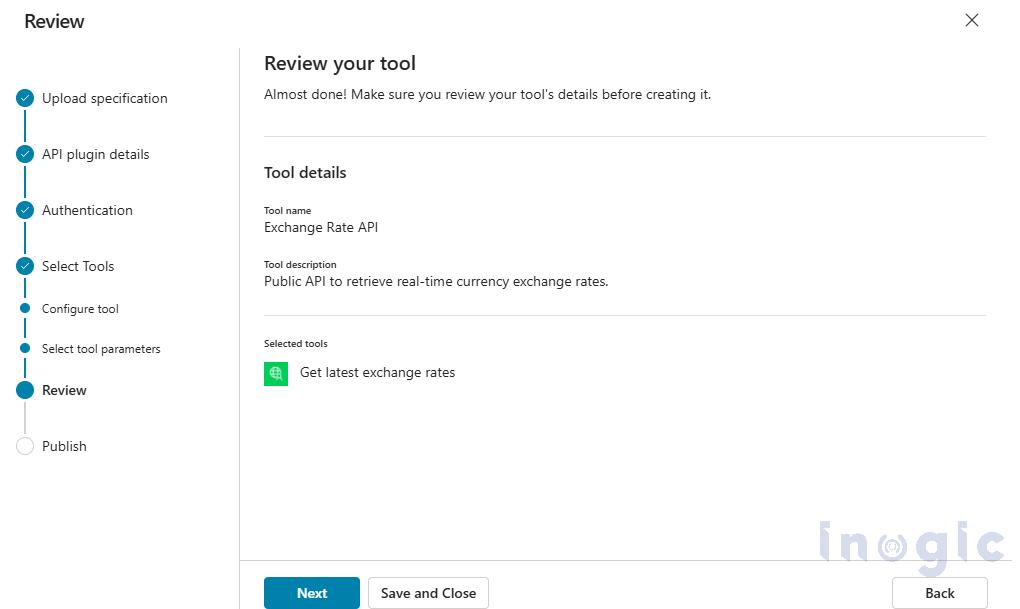
Step 5: Publish and Create Connection
Publish the tool and establish a connection. Once connected, the agent can invoke CRM APIs during conversations.
Test and Result
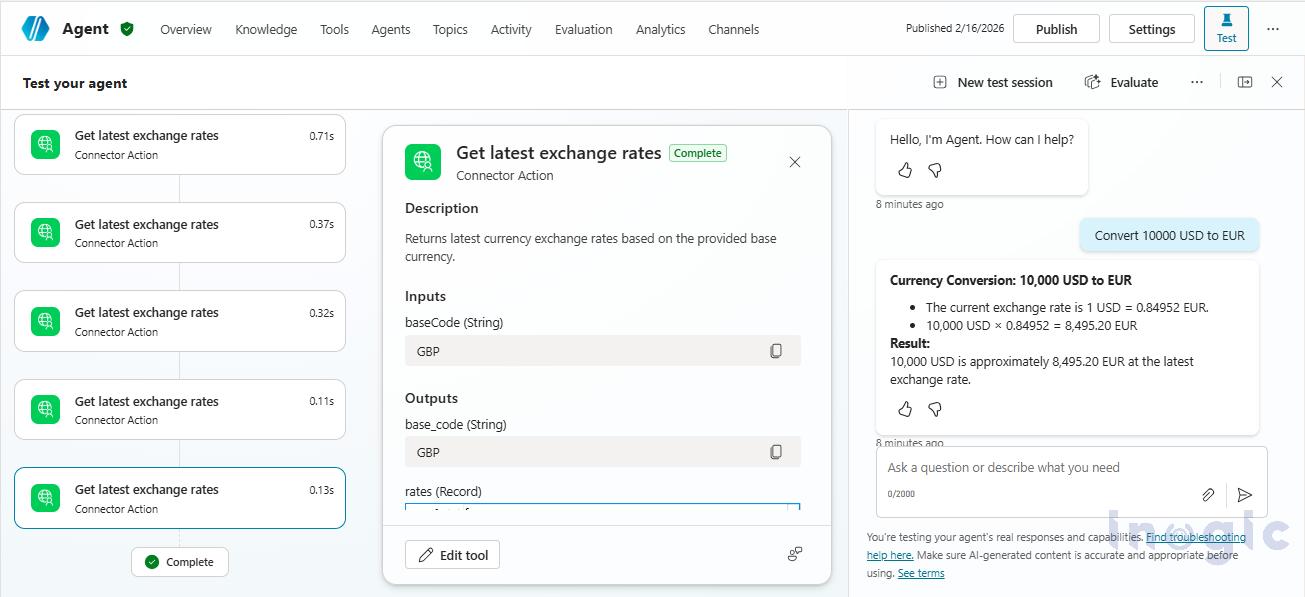
Test Case 1: Real-Time Currency Conversion
User: Convert 10,000 USD to EUR.
Execution: Copilot invokes external exchange rate REST API and returns conversion result.
Test Case 2: Currency Strength Comparison
User: Which is stronger today – EUR or GBP against USD?
Execution: Copilot retrieves exchange rates and performs reasoning before responding.
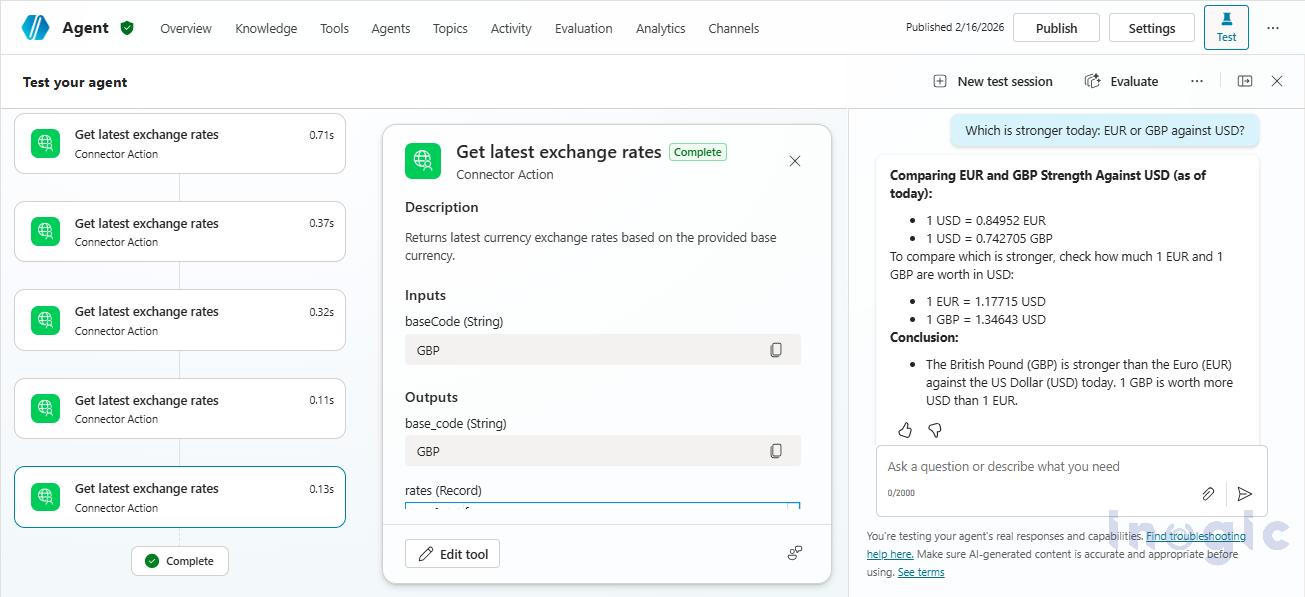
These scenarios demonstrate that Copilot can invoke external REST services in real time, reason over the returned data, and respond conversationally without requiring intermediary automation layers.
Frequently Asked Questions (FAQs)
1. Why use REST if Dataverse tools already exist?
Dataverse tools operate within CRM data boundaries and are optimized for entity-level operations inside Dynamics 365. REST tools become essential when business logic or data resides outside CRM, such as financial services, regulatory systems, or third-party platforms.
2. Why not use Power Automate instead?
Power Automate introduces an additional execution layer, flow maintenance, and potential latency. REST tools provide direct, real-time invocation within the conversational context.
3. What happens if REST authentication fails?
If authentication fails, the REST tool returns an error payload. The agent can inform the user, request retry, or halt execution safely.
4. How are multiple tool calls handled?
Copilot executes tool calls sequentially. Each tool response is evaluated before the next action is triggered. If a tool fails, the agent can request clarification or stop execution, ensuring controlled and reliable orchestration.
Conclusion
REST API tools significantly extend CRM Copilot capabilities by enabling secure, real-time integration with external systems. When used appropriately, they complement Dataverse tools and reduce reliance on intermediary automation layers.